Fixed: "ERROR 1040 (HY000): Too many connections" in MySQL

Connecting to MySQL failed with ERROR 1040 (HY000): Too many connections. The server is up, and there's no room for you. Find out who's holding the connections before you raise the limit, because a higher limit often just delays the same problem.
What I Was Doing
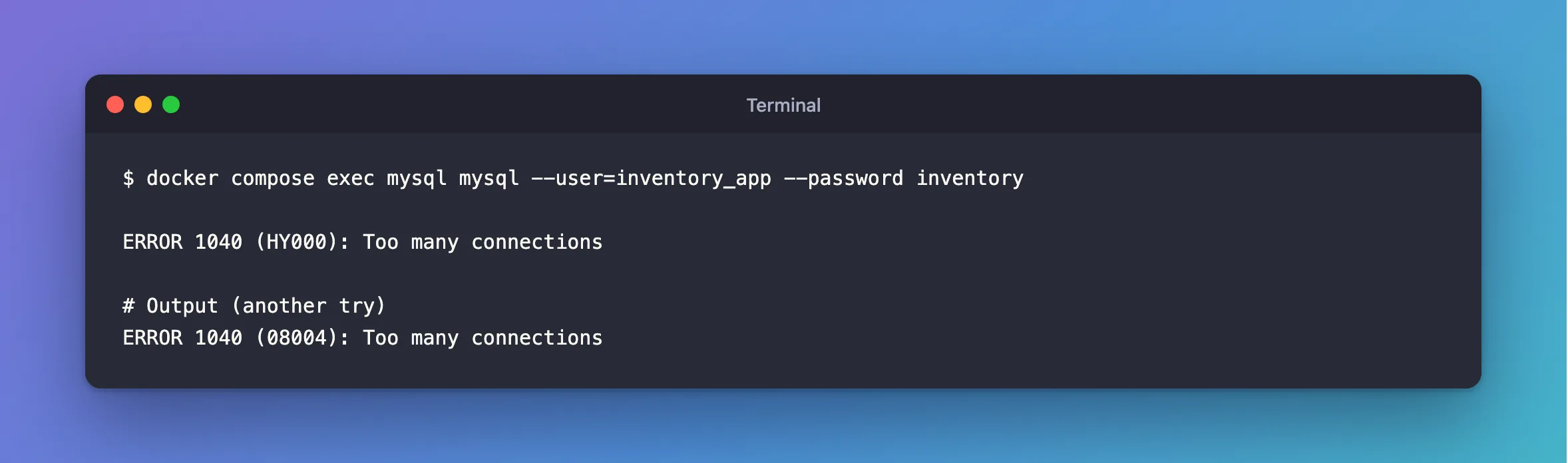
I was connecting to a MySQL 9.7.4 server in Docker, as the application's account. The server's max_connections was set to 2, and two sessions were already connected:
docker compose exec mysql mysql --user=inventory_app --password inventory
What I Expected
A mysql> prompt.
What I Got
ERROR 1040 (HY000): Too many connections
On another try, the same message came with a different code in the brackets, so search for both:
ERROR 1040 (08004): Too many connections
What I Checked
How to get in at all. Root could still connect. MySQL's page on this error explains why: "mysqld actually permits max_connections + 1 client connections. The extra connection is reserved for use by accounts that have the CONNECTION_ADMIN privilege".
The limit, and the current count.
SHOW VARIABLES LIKE 'max_connections';
SHOW STATUS LIKE 'Threads_connected';
+-----------------+-------+
| Variable_name   | Value |
+-----------------+-------+
| max_connections | 2     |
+-----------------+-------+
1 row in set (0.003 sec)

+-------------------+-------+
| Variable_name     | Value |
+-------------------+-------+
| Threads_connected | 3     |
+-------------------+-------+
1 row in set (0.001 sec)
Who's using them.
SELECT PROCESSLIST_USER AS user, PROCESSLIST_HOST AS host, COUNT(*) AS connections
FROM performance_schema.threads
WHERE PROCESSLIST_USER IS NOT NULL AND PROCESSLIST_USER <> 'event_scheduler'
GROUP BY user, host;
+------+-----------+-------------+
| user | host      | connections |
+------+-----------+-------------+
| root | localhost |           3 |
+------+-----------+-------------+
1 row in set (0.001 sec)
Why It Happens
The page says: "The permitted number of connections is controlled by the max_connections system variable." When all of them are in use, new ones are refused. It's normally a sign of something else: an application leaking connections, too large a connection pool for this server, or sessions stuck behind a lock.
The Fix
First, look for what's holding them. If one account has far more than it should, end what's stuck and fix the program: How to Stop a Running Query or Connection in MySQL with KILL. In .NET, a request that never answers keeps its connection.
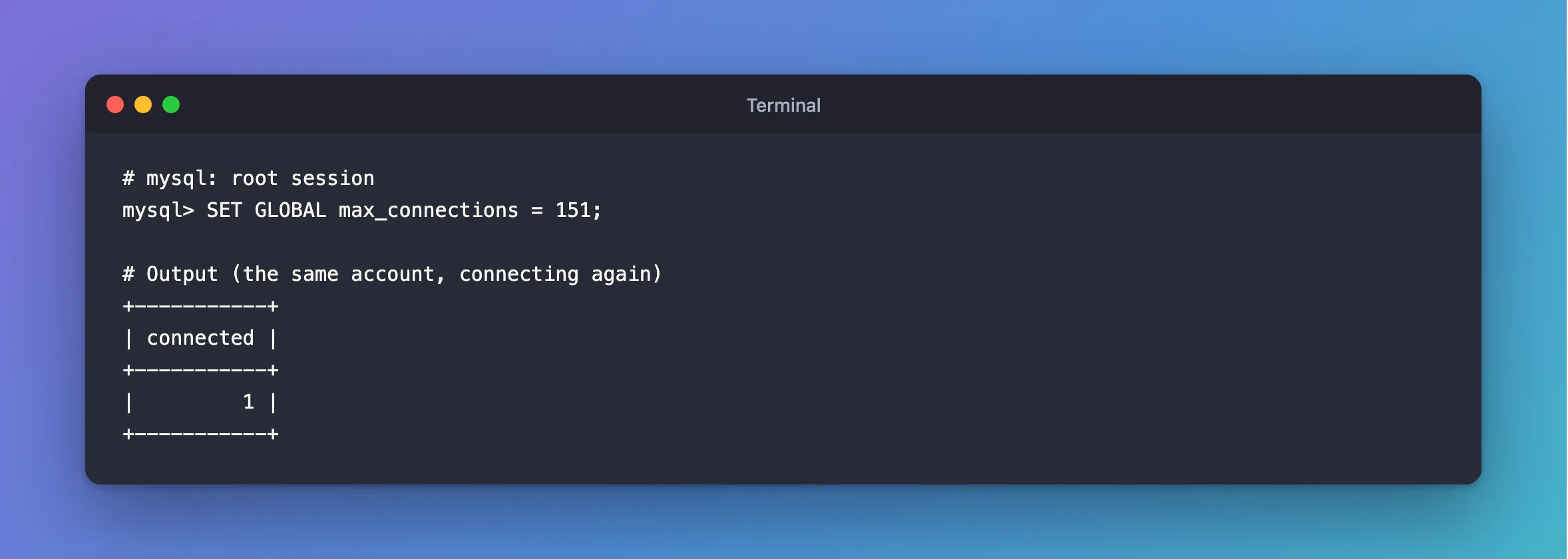
If the load is real, raise the limit. The default is 151:
SET GLOBAL max_connections = 151;
That lasts until the server restarts. To keep it, add it to the startup options, as in ERROR 1238.
After the Fix
+-----------+
| connected |
+-----------+
|         1 |
+-----------+
Common Mistakes
| Mistake | What happens | Do this instead |
|---|---|---|
| Only raising the limit | A leak uses up the new limit too | Find out who's using them first |
| Using the reserved slot for routine work | It isn't there when you need it | Keep it for emergencies |
| Pools on several app instances with big limits | They add up, and pass the server's limit | Add up your pools' maximums |
Relying on SET GLOBAL after a restart | It's back to the old value | Use a startup option |
Troubleshooting
| Symptom | Likely cause | Fix |
|---|---|---|
| Even root is refused | Someone with that right already used the extra slot | Restart, or wait |
From .NET: Authentication to host ... failed with message: Too many connections | The same limit | The fix |
The count stays high, and all are Sleep | Idle pooled connections | Check your pool settings |
Conclusion
ERROR 1040 means the server has reached max_connections. Connect with an administrator's reserved slot, see who's using them with performance_schema.threads, fix what's stuck, and raise the limit only if the load is real.
Additional Resources
- Too many connections — the error.
- max_connections — the variable.
