Fixed: "[Errno 48] Address already in use" When You Start the MLflow Server

uv run mlflow server --port 8080 stopped right after it began, with ERROR: [Errno 48] Address already in use and Running the mlflow server failed: The server process exited with code 3. Another MLflow server was already listening on that port. lsof showed which one, and the new server started cleanly on a free port.
What I Was Doing
The tracking server for the MLflow series was running in one terminal, on port 8080. In a second terminal, in a different folder, I started another MLflow 3.18.0 server with the same command:
uv run mlflow server --port 8080
What I Expected
A second server starting, with Uvicorn running on http://127.0.0.1:8080.
What I Got
Backend store URI not provided. Using sqlite:///mlflow.db
Registry store URI not provided. Using backend store URI.
[MLflow] Security middleware enabled with default settings (localhost-only). To allow connections from other hosts, use --host 0.0.0.0 and configure --allowed-hosts and --cors-allowed-origins.
2026/11/13 17:47:12 INFO mlflow.server.jobs.executor_registry: Available backends after discovery: docker, local
2026/11/13 17:47:12 INFO mlflow.server.jobs.executor_registry: Job executor backend 'local' passed requirements check
2026/11/13 17:47:12 ERROR:    [Errno 48] Address already in use
Running the mlflow server failed: The server process exited with code 3. Please see the logs above for details.
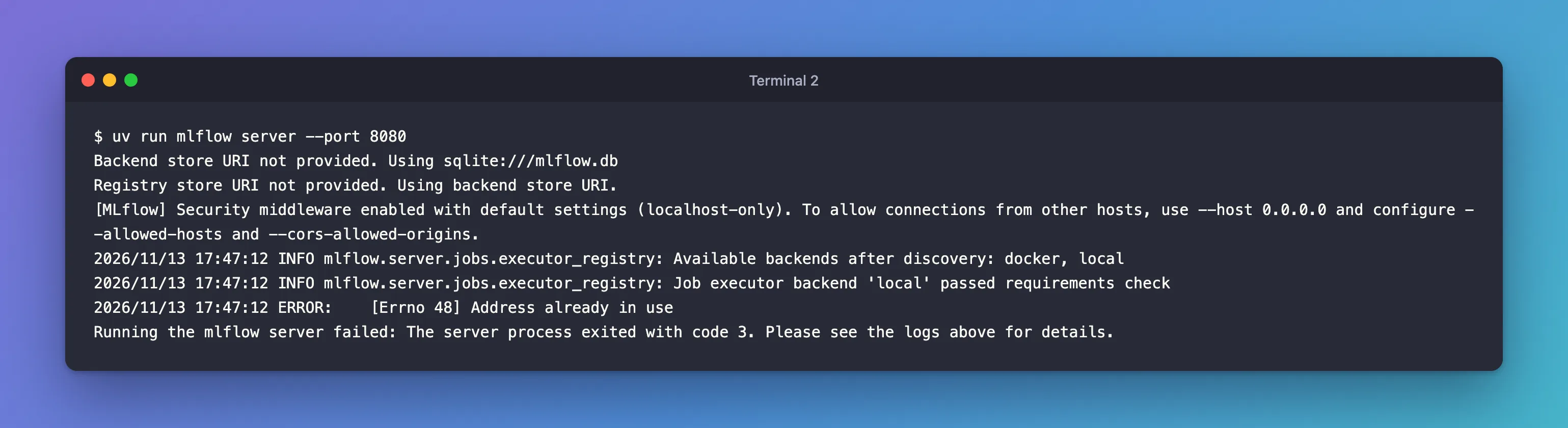
The command ended there and returned to the prompt. The first server kept running.
What I Checked
What already listens on port 8080. lsof -nP -iTCP:8080 -sTCP:LISTEN lists the programs waiting for connections on that port:
lsof -nP -iTCP:8080 -sTCP:LISTEN
COMMAND   PID USER   FD   TYPE             DEVICE SIZE/OFF NODE NAME
Python  93838 you    3u  IPv4 0x40ce625db1a2fed3      0t0  TCP 127.0.0.1:8080 (LISTEN)
Python  93841 you    3u  IPv4 0x40ce625db1a2fed3      0t0  TCP 127.0.0.1:8080 (LISTEN)
Python  93842 you    3u  IPv4 0x40ce625db1a2fed3      0t0  TCP 127.0.0.1:8080 (LISTEN)
Python  93843 you    3u  IPv4 0x40ce625db1a2fed3      0t0  TCP 127.0.0.1:8080 (LISTEN)
Python  93844 you    3u  IPv4 0x40ce625db1a2fed3      0t0  TCP 127.0.0.1:8080 (LISTEN)
Five Python processes on 127.0.0.1:8080: an MLflow server's main process and its four workers, the one from the first terminal. How to Change the MLflow Server Port shows the same check on Windows.
That it's MLflow. It answered as one:
curl -i http://127.0.0.1:8080/version
HTTP/1.1 200 OK
date: Fri, 13 Nov 2026 13:36:00 GMT
server: uvicorn
content-type: text/html; charset=utf-8
content-length: 6
x-content-type-options: nosniff
x-frame-options: SAMEORIGIN
vary: Origin

3.18.0
Where the error comes from. MLflow's server runs on uvicorn, a Python web server. In uvicorn 0.54.0's uvicorn/config.py, when binding the address fails, uvicorn logs the error and exits with STARTUP_FAILURE, which is 3:
            try:
                sock.bind((self.host, self.port))
            except OSError as exc:  # pragma: full coverage
                logger.error(exc)
                sys.exit(STARTUP_FAILURE)
MLflow's command line, mlflow/cli/__init__.py, then adds its own line: Running the mlflow server failed: … Please see the logs above for details. [Errno 48] is macOS's error number for an address that's already in use.
Why It Happens
Only one program at a time can listen on the same address and port. The first server held 127.0.0.1:8080, so the second one's bind failed and it exited before starting any workers. Starting it from another folder doesn't help: ports belong to the computer, not to a folder.
The Fix
Decide which of the two you want:
- Use the server that's running. Usually that's the point: open
http://127.0.0.1:8080and carry on. - Replace it. Stop the first server with Ctrl+C in its terminal, then start the new one on 8080.
- Run both. Give the second server its own port:
uv run mlflow server --port 8081
Each server keeps its runs in the folder it starts from, so runs logged to one never appear in the other's UI. Point your code at the right one with its tracking URI: How to Set the MLflow Tracking URI in Python.
After the Fix
The second server started on port 8081 and answered requests:
Backend store URI not provided. Using sqlite:///mlflow.db
Registry store URI not provided. Using backend store URI.
[MLflow] Security middleware enabled with default settings (localhost-only). To allow connections from other hosts, use --host 0.0.0.0 and configure --allowed-hosts and --cors-allowed-origins.
2026/11/13 17:47:53 INFO mlflow.server.jobs.executor_registry: Available backends after discovery: docker, local
2026/11/13 17:47:53 INFO mlflow.server.jobs.executor_registry: Job executor backend 'local' passed requirements check
2026/11/13 17:47:53 INFO:     Uvicorn running on http://127.0.0.1:8081 (Press CTRL+C to quit)
2026/11/13 17:47:53 INFO:     Started parent process [19267]
...
2026/11/13 17:47:56 INFO:     Application startup complete.
2026/11/13 17:47:58 INFO:     127.0.0.1:55803 - "GET /version HTTP/1.1" 200 OK
lsof for both ports then showed a server on each: the first one, 93838, still on 127.0.0.1:8080, and the new one, 19267, on 127.0.0.1:8081.
Common Mistakes
| Mistake | What happens | Do this instead |
|---|---|---|
| Starting a "fresh" server without stopping the old one | [Errno 48] Address already in use | Check the port with lsof first |
| Running two servers and expecting the same runs in both | Each has its own mlflow.db | Use one server, or log to the one you'll look at |
| Force-killing whatever holds the port | You may stop a server you, or another program, still need | Look at what it is first, and stop it from its own terminal |
Troubleshooting
| Symptom | Likely cause | Fix |
|---|---|---|
[Errno 48] Address already in use | Something listens on that port already | lsof -nP -iTCP:<port> -sTCP:LISTEN, then pick a free port |
| The new server starts, but your runs are missing | Your code logs to the other server | Check mlflow.get_tracking_uri() |
FAQ
Why exit code 3?
That's uvicorn's code for a failure while starting up, STARTUP_FAILURE. MLflow passes it on in its message.
Is [Errno 48] the same on Windows and Linux?
The words Address already in use are what to look for; the number is macOS's.
Conclusion
ERROR: [Errno 48] Address already in use followed by The server process exited with code 3 means another program, here a running MLflow server, already listened on the port. lsof -nP -iTCP:8080 -sTCP:LISTEN found it, and uv run mlflow server --port 8081 started the second server next to it.
Additional Resources
- MLflow Tracking Server — starting the server and its port option.
- uvicorn settings — the web server under MLflow's server.
Related
- How to Change the MLflow Server Port
- How to Start an MLflow Tracking Server on Your Computer
- Fixed: "Access to localhost was denied" HTTP ERROR 403 When You Open the MLflow UI on a Mac
- Fixed: "MlflowException: API request to … failed with exception … Max retries exceeded" Connection Refused in MLflow
