Fixed: EF Core StartsWith Finds Nothing While Contains Works (Case-Sensitive with Oracle's MySql.EntityFrameworkCore)

A search for usb with Contains found five products named USB-C …. The same search with StartsWith found none, and neither threw an error. With Oracle's MySQL provider for EF Core, StartsWith and EndsWith compare with a case-sensitive collation, while Contains uses the column's own, which ignores case. EF.Functions.Like gives you a prefix search that follows the column.
What I Was Doing
In a .NET 10 Web API with EF Core 10, Oracle's MySql.EntityFrameworkCore 10.0.12 and MySQL 9.7, I had two search endpoints on the product name, one for "contains" and one for "starts with":
app.MapGet("/demo/contains", async (string q, InventoryDbContext db) =>
    Results.Ok(await db.Products.Where(p => p.Name.Contains(q)).Select(p => p.Name).ToListAsync()));

app.MapGet("/demo/startswith", async (string q, InventoryDbContext db) =>
    Results.Ok(await db.Products.Where(p => p.Name.StartsWith(q)).Select(p => p.Name).ToListAsync()));
I searched for usb, in lowercase. Several product names start with USB-C.
What I Expected
The same behaviour from both for case: the Name column's collation, utf8mb4_0900_ai_ci, ignores upper and lower case.
What I Got
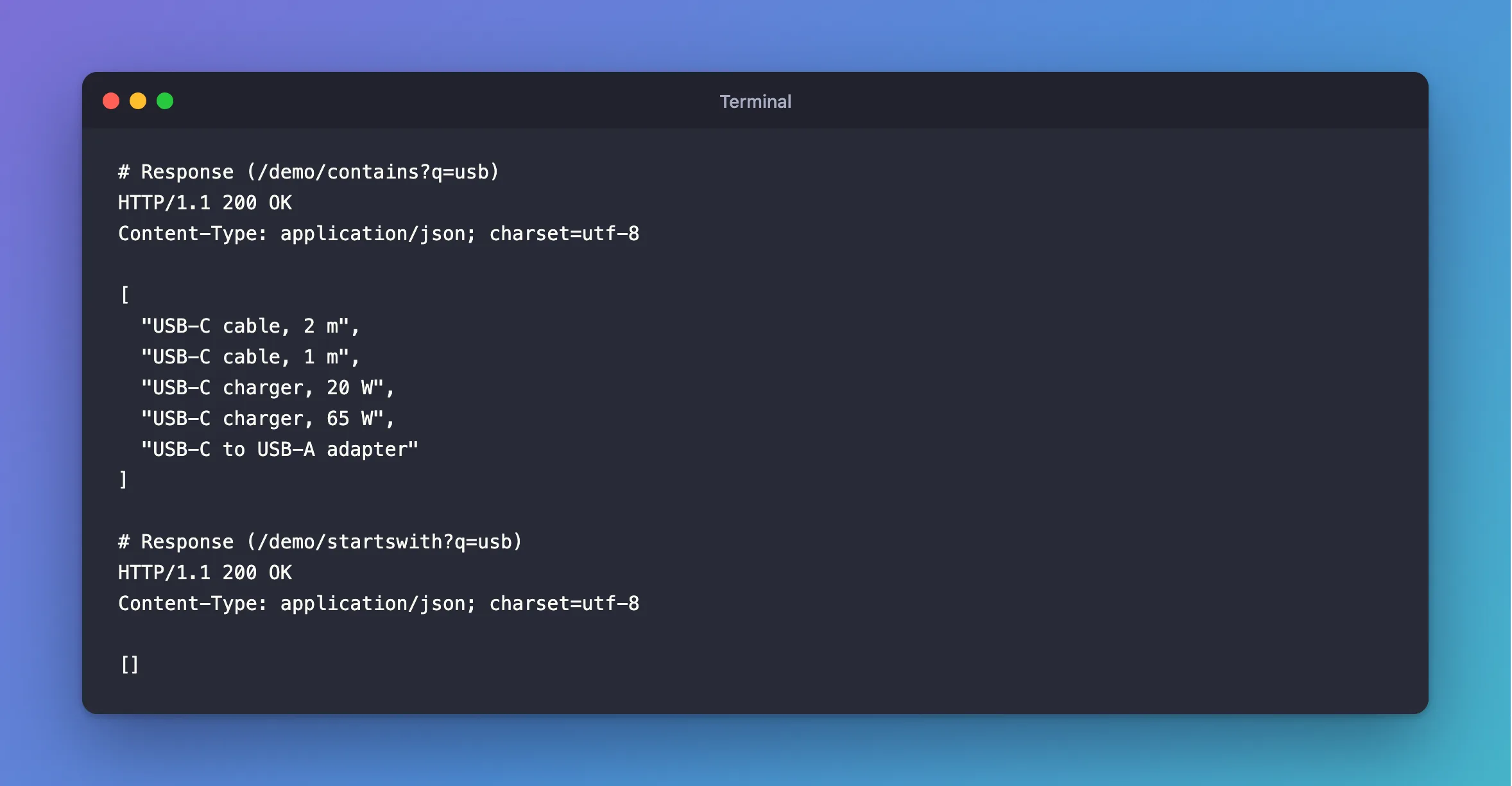
Contains found them:
HTTP/1.1 200 OK
Content-Type: application/json; charset=utf-8

[
  "USB-C cable, 2 m",
  "USB-C cable, 1 m",
  "USB-C charger, 20 W",
  "USB-C charger, 65 W",
  "USB-C to USB-A adapter"
]
StartsWith didn't:
HTTP/1.1 200 OK
Content-Type: application/json; charset=utf-8

[]
What I Checked
Whether USB in capitals works. It does, so case is the difference:
HTTP/1.1 200 OK
Content-Type: application/json; charset=utf-8

[
  "USB-C cable, 2 m",
  "USB-C cable, 1 m",
  "USB-C charger, 20 W",
  "USB-C charger, 65 W",
  "USB-C to USB-A adapter"
]
The SQL for each. Contains uses LOCATE, which follows the column's collation:
info: Microsoft.EntityFrameworkCore.Database.Command[20101]
      Executed DbCommand (1ms) [Parameters=[@q='?' (Size = 200)], CommandType='Text', CommandTimeout='30']
      SELECT `p`.`Name`
      FROM `products` AS `p`
      WHERE (@q LIKE '') OR (LOCATE(@q, `p`.`Name`) > 0)
StartsWith has a second condition, with an explicit collation:
info: Microsoft.EntityFrameworkCore.Database.Command[20101]
      Executed DbCommand (1ms) [Parameters=[@q='?' (Size = 200)], CommandType='Text', CommandTimeout='30']
      SELECT `p`.`Name`
      FROM `products` AS `p`
      WHERE (`p`.`Name` LIKE CONCAT(@q, '%')) AND (LEFT(`p`.`Name`, CHAR_LENGTH(CONVERT(@q USING utf8mb4) COLLATE utf8mb4_bin)) = CONVERT(@q USING utf8mb4) COLLATE utf8mb4_bin)
COLLATE utf8mb4_bin compares raw character values, so u and U are different. The first half, LIKE CONCAT(@q, '%'), does ignore case, and would find the rows; the second half then removes them.
EndsWith. It's the same, with RIGHT(…) = … COLLATE utf8mb4_bin, so a search for ADAPTER found nothing:
HTTP/1.1 200 OK
Content-Type: application/json; charset=utf-8

[]
What EF Core promises. EF Core's collations page says C# equality "is translated directly to SQL equality, which may or may not be case-sensitive, depending on the specific database in use and its collation configuration." For StartsWith and EndsWith, the provider decides, and Oracle's chose this.
Why It Happens
C#'s string.StartsWith(string) is case-sensitive, so Oracle's provider adds COLLATE utf8mb4_bin to match what the C# would do. Contains is translated to LOCATE with no collation, so it follows the column, which here ignores case. Both are defensible on their own, but side by side the two methods act differently on the same data, with no error to warn you.
The Fix
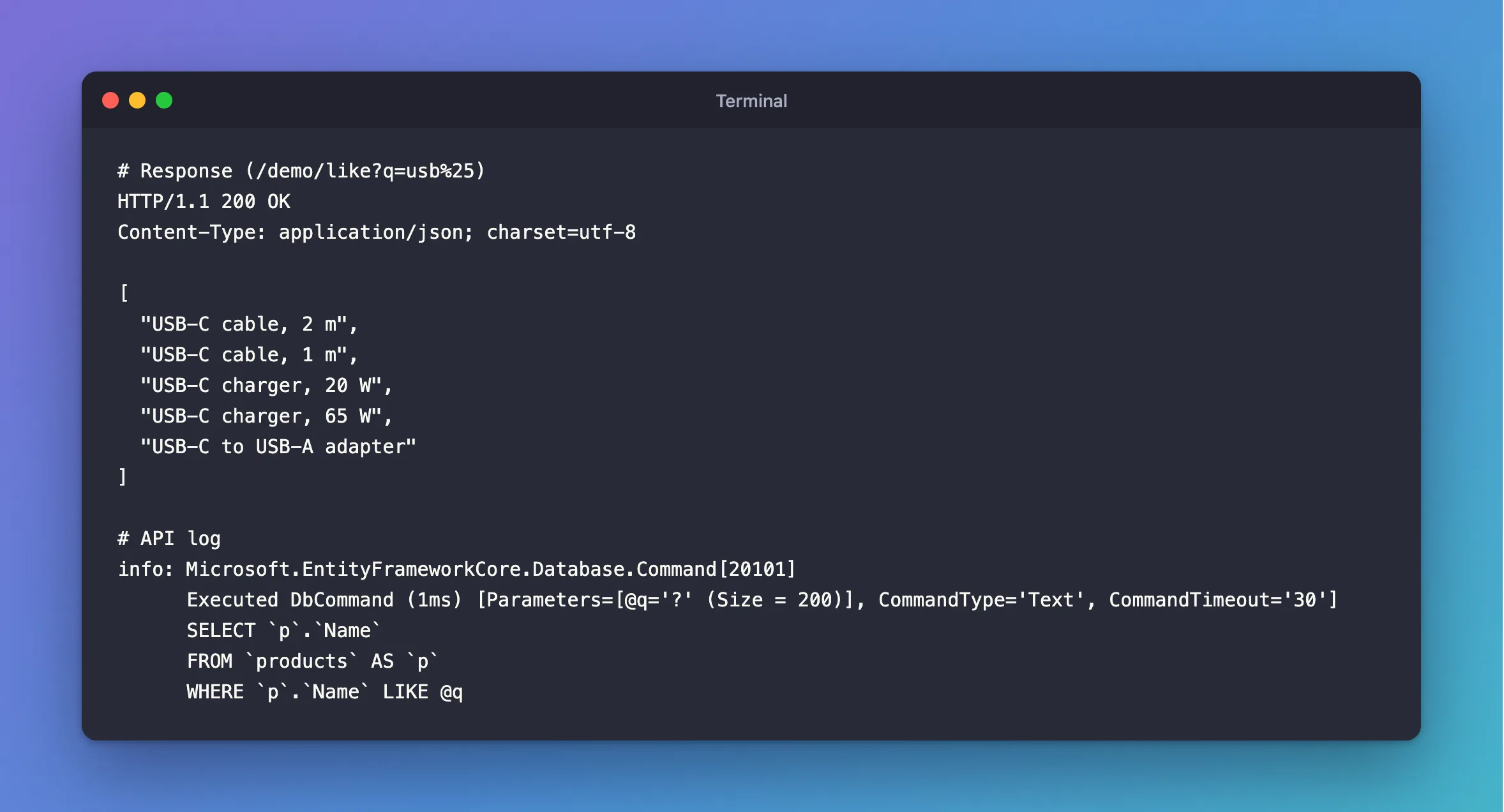
Use EF.Functions.Like, which translates directly to SQL's LIKE and follows the column's collation:
app.MapGet("/demo/like", async (string q, InventoryDbContext db) =>
    Results.Ok(await db.Products.Where(p => EF.Functions.Like(p.Name, q)).Select(p => p.Name).ToListAsync()));
The caller passes the pattern, with % for "anything". For a search box, build it in code: EF.Functions.Like(p.Name, search + "%").
If your users type % or _, those act as wildcards in LIKE, so escape them, or keep using Contains, which treats them as plain characters.
After the Fix
HTTP/1.1 200 OK
Content-Type: application/json; charset=utf-8

[
  "USB-C cable, 2 m",
  "USB-C cable, 1 m",
  "USB-C charger, 20 W",
  "USB-C charger, 65 W",
  "USB-C to USB-A adapter"
]
info: Microsoft.EntityFrameworkCore.Database.Command[20101]
      Executed DbCommand (1ms) [Parameters=[@q='?' (Size = 200)], CommandType='Text', CommandTimeout='30']
      SELECT `p`.`Name`
      FROM `products` AS `p`
      WHERE `p`.`Name` LIKE @q
LIKE 'usb%' can also use an index on the column, unlike Contains, which has to check every row.
Common Mistakes
| Mistake | What happens | Do this instead |
|---|---|---|
Assuming StartsWith acts like Contains | Lowercase searches find nothing | Use EF.Functions.Like, or test both |
p.Name.ToLower().StartsWith(q.ToLower()) | It works, but no index can help | Use EF.Functions.Like |
Passing StringComparison.OrdinalIgnoreCase | An exception from this provider | See that post |
Letting users type raw LIKE patterns | % matches everything | Escape them, or use Contains |
Troubleshooting
| Symptom | Likely cause | Fix |
|---|---|---|
StartsWith returns nothing, and Contains finds rows | Case differs, and the provider compares exactly | EF.Functions.Like |
EndsWith returns nothing | The same | EF.Functions.Like(p.Name, "%" + search) |
Contains matches accented letters too | The ai_ci collation ignores accents | Use a different collation if that matters |
A search with % finds everything | LIKE treats it as a wildcard | Escape it |
FAQ
Is this a bug?
Oracle's Connector/NET pages on EF Core don't mention it, so I can't say whether it's intended. It matches what C# does, and it's different from what Contains does. Check it again when you update the provider: these results are from 10.0.12.
Does Pomelo do the same?
I only tested Oracle's provider, because Pomelo has no version for EF Core 10. Oracle MySql.EntityFrameworkCore vs Pomelo covers the choice.
Conclusion
With Oracle's MySQL provider, StartsWith and EndsWith add COLLATE utf8mb4_bin, so they're case-sensitive, while Contains follows the column's collation and usually isn't. Lowercase searches then quietly return nothing. Use EF.Functions.Like for a prefix search that follows the column, and can use its index.
Additional Resources
- Collations and Case Sensitivity — how EF Core treats string comparisons.
- String Comparison Functions and Operators —
LIKEin MySQL.
