Fixed: EF Core Returns the Old Value After ExecuteUpdateAsync

I raised a value with ExecuteUpdateAsync, and read the product again, and got the old value back. The database had the new one. FirstAsync had gone to MySQL, read the new value, and then handed me the object it was already tracking, unchanged.
What I Was Doing
In my .NET C# Web API, with EF Core 10.0.14, one endpoint loaded a product, changed it with ExecuteUpdateAsync, and read it back a few different ways:
g.MapPost("/stale/{id:int}", async (int id, InventoryDbContext db, CancellationToken cancellationToken) =>
{
    var product = await db.Products.FirstAsync(p => p.Id == id, cancellationToken);
    var before = product.ReorderLevel;

    await db.Products
        .Where(p => p.Id == id)
        .ExecuteUpdateAsync(s => s.SetProperty(p => p.ReorderLevel, p => p.ReorderLevel + 1), cancellationToken);

    var tracked = product.ReorderLevel;
    var requeried = (await db.Products.FirstAsync(p => p.Id == id, cancellationToken)).ReorderLevel;
    var projected = await db.Products.Where(p => p.Id == id).Select(p => p.ReorderLevel).FirstAsync(cancellationToken);

    await db.Entry(product).ReloadAsync(cancellationToken);
    var reloaded = product.ReorderLevel;

    return Results.Ok(new { before, tracked, requeried, projected, reloaded });
});
What I Expected
14 everywhere after the update.
What I Got
{
  "before": 13,
  "tracked": 13,
  "requeried": 13,
  "projected": 14,
  "reloaded": 14
}
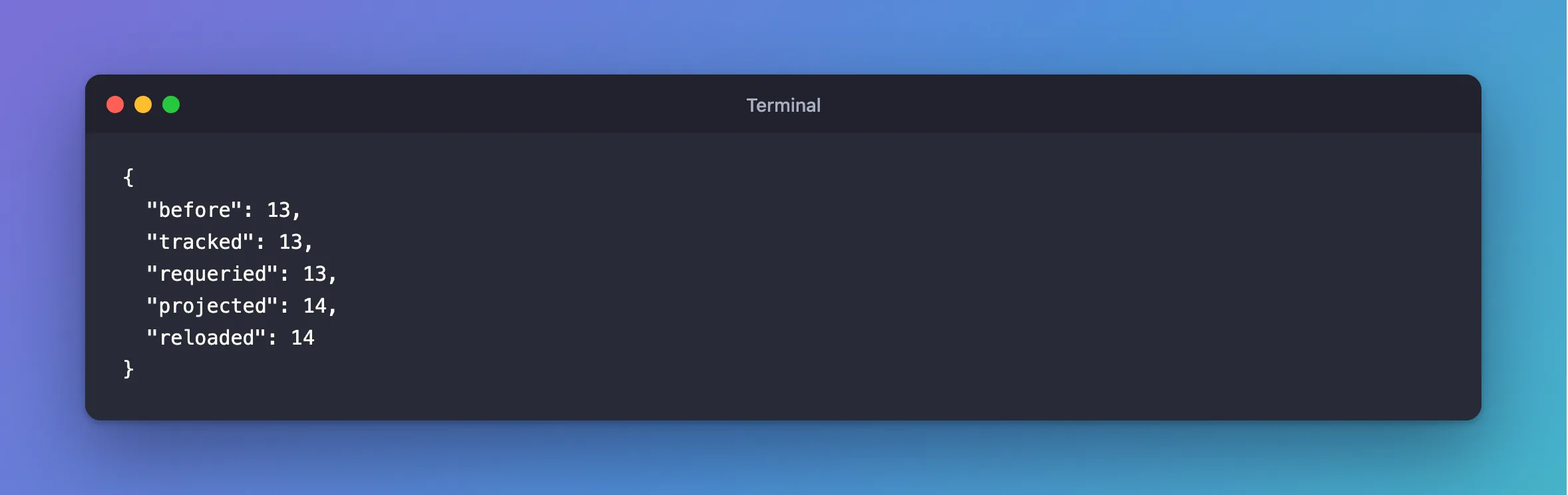
tracked and requeried are still 13. projected and reloaded are 14.
What I Checked
The docs. The ExecuteUpdate page says of ExecuteUpdate and ExecuteDelete: "In fact, the functions are completely unaware of EF's change tracker, and have no interaction with it whatsoever."
Why requeried is stale, though it's a new query. That query did go to the database. But it returned a whole entity, the context was already tracking that entity, and EF Core gives you the object it's tracking and keeps its values.
Why projected is right. It selects a single column, so there's no entity to reuse, and the value comes straight from the query.
Why It Happens
ExecuteUpdateAsync sends SQL directly and returns a row count. The objects in memory don't know about it. Anything that returns the tracked object shows what that object already held.
The Fix
Choose whichever suits the code:
| You want | Do this |
|---|---|
| One value | Project it: .Select(p => p.ReorderLevel).FirstAsync() |
| The entity you're holding, refreshed | await db.Entry(product).ReloadAsync() |
| Nothing left over from before | db.ChangeTracker.Clear(), and then query |
| No tracking in this read at all | .AsNoTracking() |
Better still, don't load the entity first if all you need is the update. The code that follows can then only see fresh values.
After the Fix
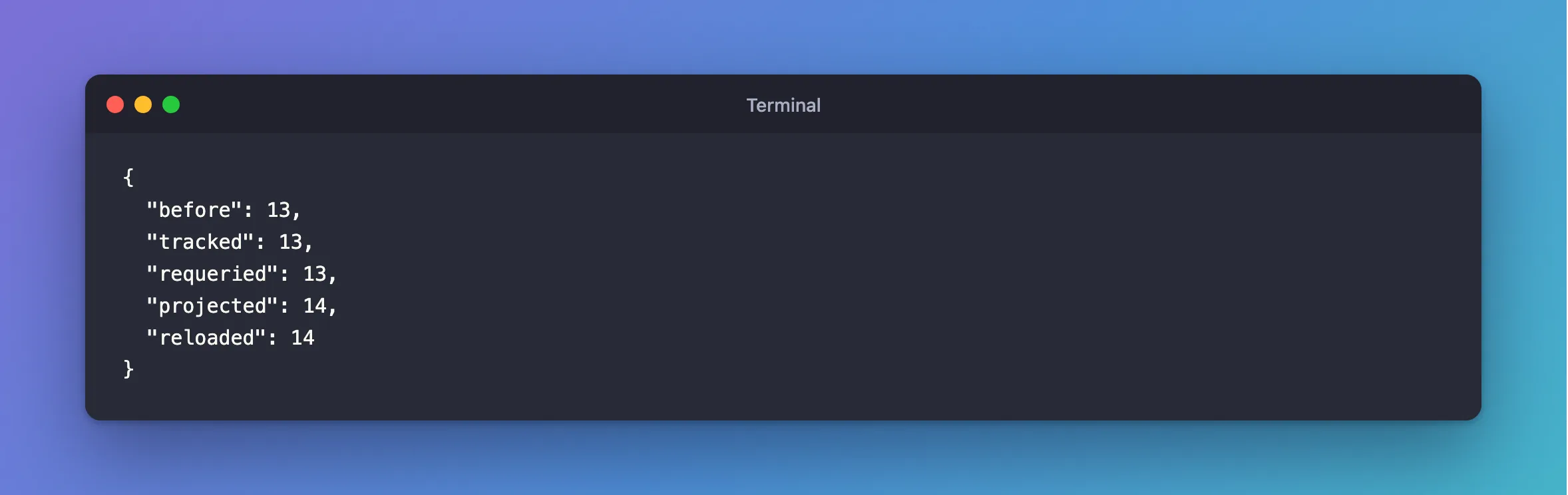
The last two values in the same response are those two fixes working: "projected":14 from the projection, and "reloaded":14 from ReloadAsync.
await db.Entry(product).ReloadAsync(cancellationToken);
var reloaded = product.ReorderLevel;
Common Mistakes
| Mistake | What happens | Do this instead |
|---|---|---|
Calling SaveChangesAsync on the stale entity | It can overwrite the new value | Reload first, or don't mix them |
| Assuming a new query means new objects | Tracked entities come back as they were | Project, or use AsNoTracking |
| Returning the tracked entity to the client | The client gets the old value | Read the value after the update |
Troubleshooting
| Symptom | Likely cause | Fix |
|---|---|---|
| The API returns the old value and the database has the new one | This | Project the new value |
ExecuteUpdateAsync returns 0 | No row matched | Check the WHERE |
| The new value disappears later | SaveChanges wrote the old one back | Don't mix the two on one entity |
Conclusion
ExecuteUpdateAsync doesn't touch the change tracker, so a tracked entity keeps its old values, and even a new query hands that entity back. Project the value, reload the entity, or clear the tracker.
Additional Resources
- ExecuteUpdate and ExecuteDelete — change tracking.
- Tracking vs. No-Tracking Queries — how tracked entities are reused.
