Fixed: Delegation Warning. The "Filter" Part of This Formula Might Not Work Correctly on Large Data Sets

A yellow triangle appears next to a gallery, and the formula says Delegation warning. The "Filter" part of this formula might not work correctly on large data sets. The app still works today, but on a list with more than 500 items it will quietly miss some. The fix is to rewrite the part SharePoint can't run.
The Warning
In the example, a filter for removed competencies (those with the IsActive column set to No) was tried in a gallery of the Career Development Plan app. The gallery's Items was:
Filter(RoleCompetencies, !IsActive)
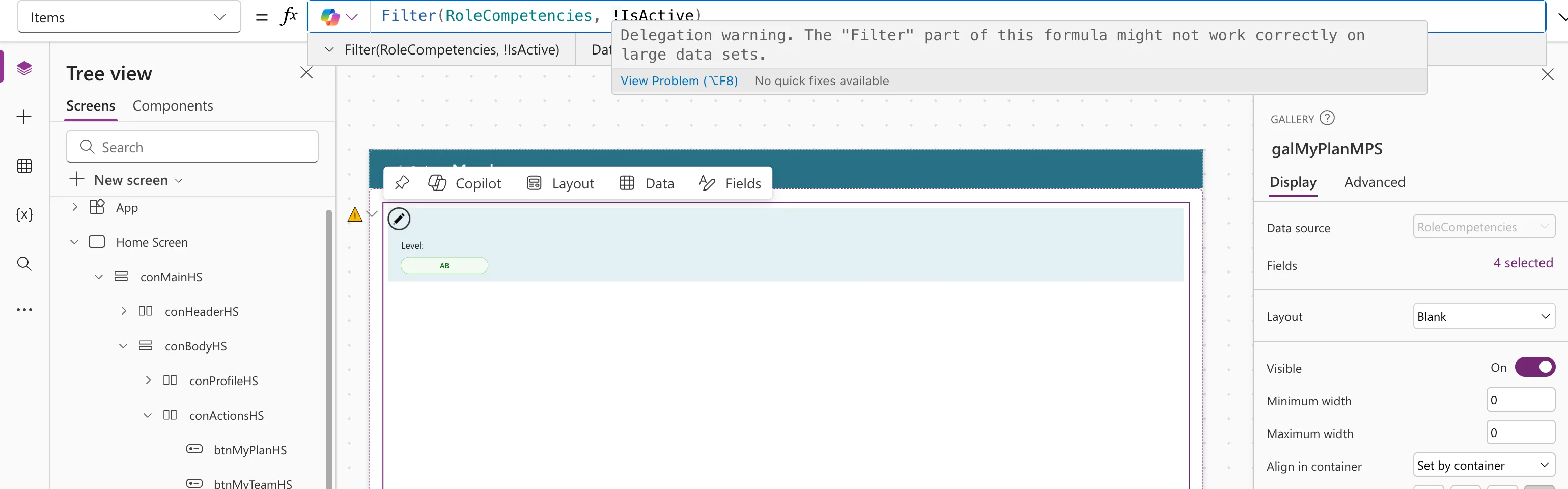
Delegation warning. The "Filter" part of this formula might not work correctly on large data sets.
View Problem (⌥F8)    No quick fixes available
The App checker (stethoscope icon, right edge of Studio) listed it under Formulas → Warnings:
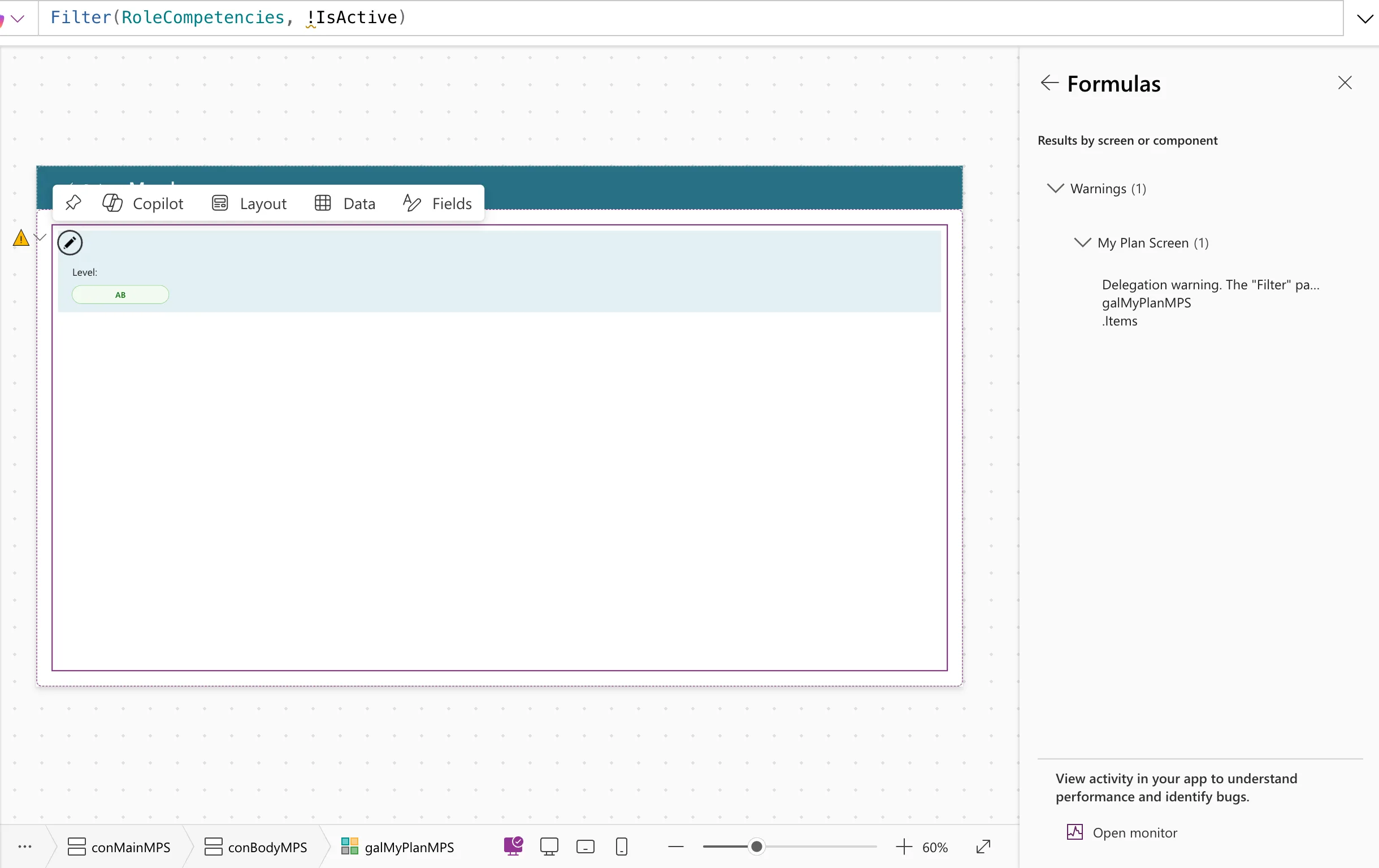
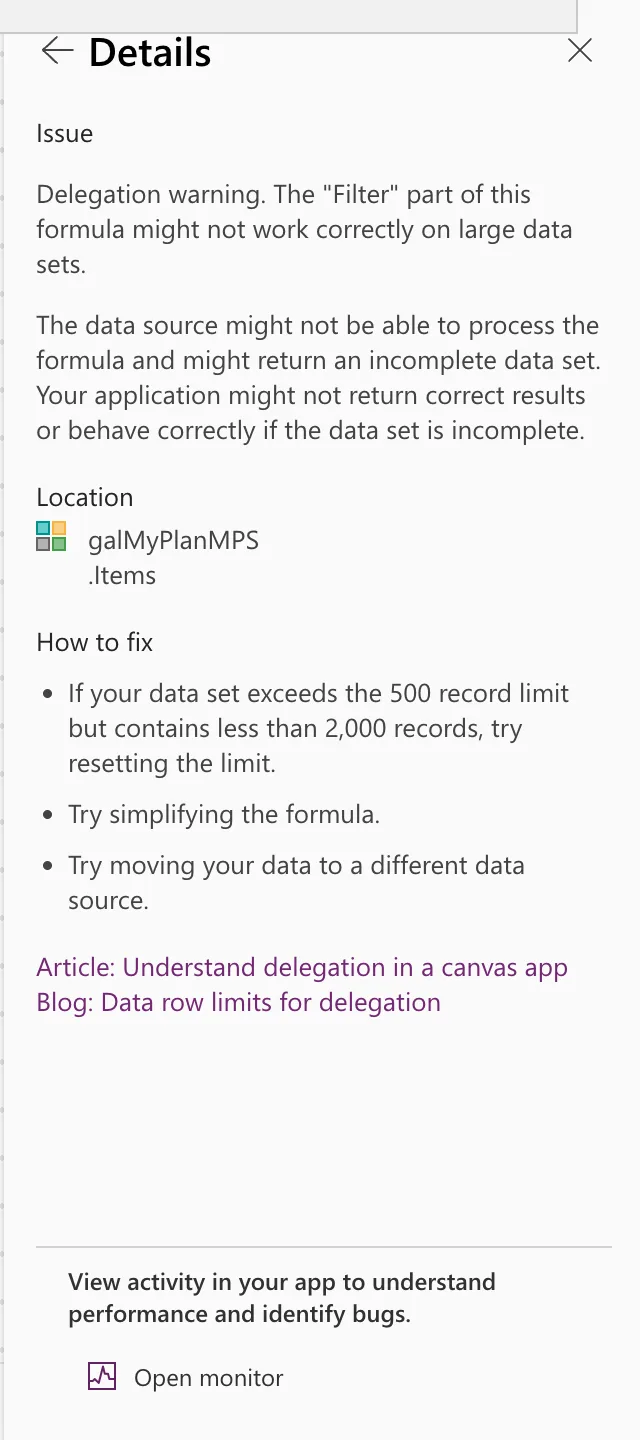
Its Details explained the risk and offered three ideas:
Why It Happens
Power Apps tries to send the whole filter to SharePoint, so SharePoint returns only the matching items: that's delegation. If any part of the formula is something SharePoint can't do, Power Apps doesn't delegate any of it. It downloads the first 500 items (the Data row limit) and filters only those (Delegation overview).
Here the part was !. Microsoft's SharePoint notes say expressions joined with And and Or delegate, but Not doesn't (SharePoint delegation).
The Fix: Rewrite the Part SharePoint Can't Run
!IsActive means the same as IsActive = false, and = on a Yes/No column is delegable:
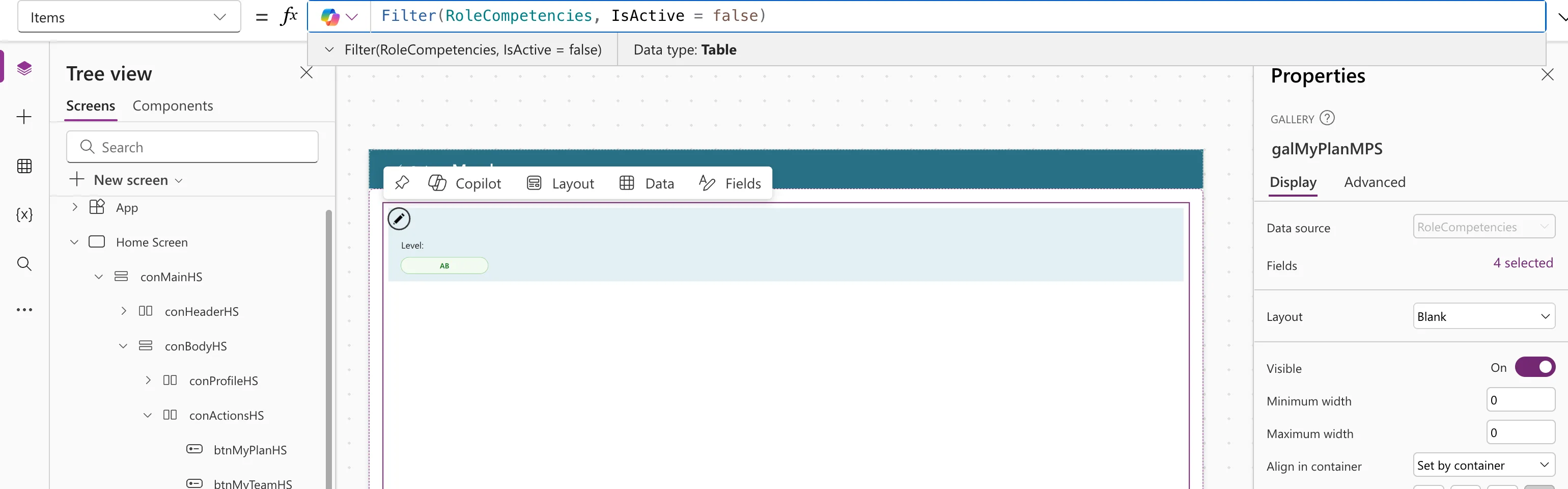
Filter(RoleCompetencies, IsActive = false)
The warning disappeared, with no squiggle in the formula and no triangle on the canvas:
Other Common Causes on SharePoint
The same warning comes from other parts SharePoint can't run. From Microsoft's table:
| Instead of | Try |
|---|---|
Not(...) or !Column | Column = false, or the opposite comparison |
IsBlank(TextColumn) | TextColumn = Blank() |
<, > or <> on a text column | =, or StartsWith |
| Sort by a Choice column | Sort by a text, number or date column |
What Is Delegation in Power Apps? has the whole table.
Why Not Just Raise the Limit?
The App checker suggests resetting the limit if the data has under 2,000 records. That's a stopgap: the formula still breaks once the list outgrows the new limit, and bigger downloads slow the app down. A delegable formula works at any size.
Common Mistakes
| Mistake | What happens | Do this instead |
|---|---|---|
| Ignoring the warning because the list is small | Wrong results later, with no error | Fix it now |
| Moving the non-delegable part into a collection first | The collection only gets the first 500 items | Rewrite the condition |
Troubleshooting
| Symptom | Likely cause | Fix |
|---|---|---|
| The warning stays after the rewrite | Another part still can't be delegated | Hover the remaining underline |
| No warning, but items are missing | The data row limit was reached in a non-delegated step elsewhere | Check every formula that loads the list |
FAQ
Is a delegation warning an error?
No, which is why the app still runs. Microsoft calls it a warning because the formula works on small lists and gives incomplete results on big ones.
Does this happen with collections?
No. Microsoft's delegation article says collections and tables in variables are already in the app's memory and don't need delegation. The query that filled them is the one to check.
Conclusion
The "Filter" part of this formula might not work correctly on large data sets means part of the filter can't run on SharePoint. Find the part with the underline, and rewrite it with delegable operators, such as IsActive = false instead of !IsActive.
