Fixed: Delegation Warning. The "CountRows" Operation Is Not Supported by This Connector

Counting SharePoint items with CountRows(Filter(...)) puts a yellow triangle on the screen: Delegation warning. The highlighted part of this formula might not work correctly on large data sets. The "CountRows" operation is not supported by this connector. SharePoint can't count, so the count happens in the app, on at most 500 items. The fix is to ask SharePoint a question it can answer.
The Warning
In the Career Development Plan app, the My Team screen lists a manager's direct reports. My first version showed how many responses each person had waiting for review, with a count added to each row (How to Add a Column with AddColumns):
UpdateContext({locIsLoading: true});
UpdateContext(
    {
        locMyTeam: AddColumns(
            MyDirectReports As member,
            PendingCount,
            CountRows(
                Filter(
                    CompetencyResponses,
                    EmployeeId = member.id && Status.Value = StatusPending
                )
            )
        )
    }
);
UpdateContext({locIsLoading: false})
A yellow wavy line appeared under CountRows(, with this message:

Delegation warning. The highlighted part of this formula might not work correctly on large data sets. The "CountRows" operation is not supported by this connector.
View Problem (⌥F8)    No quick fixes available
The canvas showed a yellow triangle next to the screen:

What the Documentation Says
The Filter itself is fine: = on a text column and on a Choice column's .Value, joined with &&, are all delegable to SharePoint (SharePoint delegation). The counting isn't:
- Microsoft's article on small data payloads says SharePoint doesn't support CountRows or CountIf, so Power Apps downloads a limited number of rows, 500 by default, and counts them in the app (Small data payloads).
- The delegation overview adds that when any part of a query can't be delegated, Power Apps doesn't delegate any of it, and works on the first 500 records (Delegation overview).
So the count is only reliable while the list stays small. CompetencyResponses gets an item for every person and competency, so it will pass 500.
What Live Monitor Showed
To see the warning at run time, I opened Live monitor (... → Advanced tools → Open live monitor; How to Use Live Monitor in Power Apps) and opened the My Team screen in preview. Live monitor logged a getRowsCount event and a Delegation event for CountRows, with a warning:

getRowsCount:          Requested 500 rows. Received 1 rows.
Delegation CountRows:  Formula not delegated. 1 rows scanned.
The event's details explained that the formula might not work correctly on large data sets and that the data row limit for non-delegable queries is 500. That matches the documentation.
Don't Hide It with With
A common suggestion online is to wrap the filter in With, such as With({pending: Filter(...)}, CountRows(pending)), so the warning goes away. Microsoft's delegation article explains why it would: With, UpdateContext and Set keep results in in-memory tables, which can't be delegated, and you don't see delegation warnings for them (Delegation and collections). The 500-item limit is still there; you just can't see it. That isn't a fix, so I didn't use it.
The Fix: Ask a Question SharePoint Can Answer
The manager doesn't need the number on this screen, only whether someone has something waiting. LookUp answers that, and it's delegable to SharePoint. IsBlank then checks whether it found anything (How to Check If a Record Exists in Power Apps):
UpdateContext({locIsLoading: true});
UpdateContext(
    {
        locMyTeam: AddColumns(
            MyDirectReports As member,
            HasPending,
            !IsBlank(
                LookUp(
                    CompetencyResponses,
                    EmployeeId = member.id && Status.Value = StatusPending
                )
            )
        )
    }
);
UpdateContext({locIsLoading: false})
! and IsBlank work on the record that LookUp returns, after the query, so they don't stop the query from being delegated. The underline and the triangle were gone:
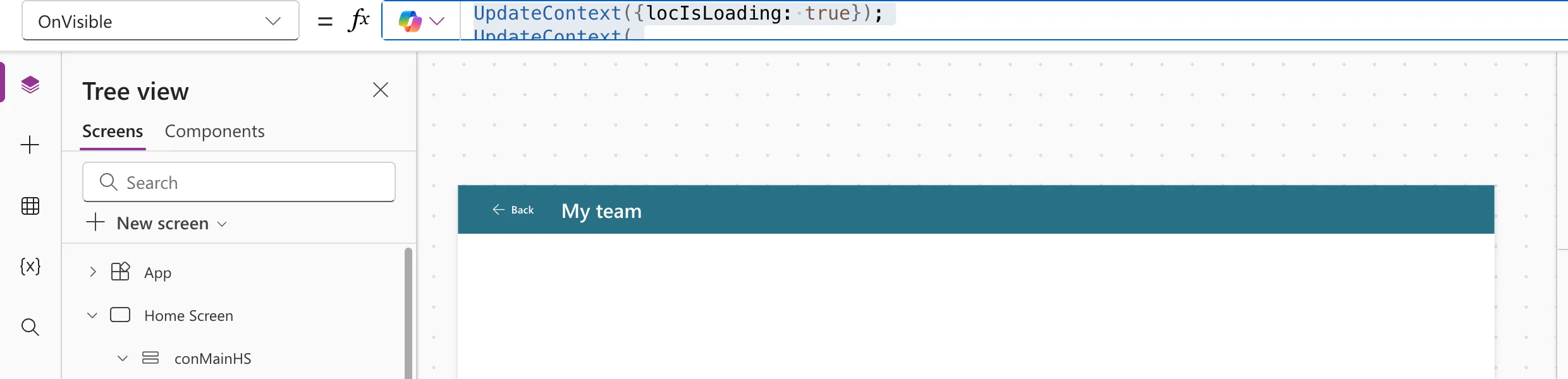
Each row now shows a Waiting for review badge when HasPending is true. The exact list is on the person's own screen, which loads only their responses into a variable with a delegable Filter. Anything you do with that variable afterwards, such as filtering or counting it, runs in the app and doesn't need delegation.
Common Mistakes
| Mistake | What happens | Do this instead |
|---|---|---|
| Ignoring the warning because the list is small today | Wrong counts later, with no error | Fix it while it's easy |
| Wrapping the query in With | The warning disappears, the limit doesn't | Use a delegable query |
| Raising the data row limit to 2,000 | Works until the list outgrows it, and slows the app | Delegate instead |
| Using CountIf instead | Also not delegable to SharePoint | Use LookUp for yes/no, or load one person's items |
Troubleshooting
| Symptom | Likely cause | Fix |
|---|---|---|
| The warning moves to LookUp | Part of the condition isn't delegable, such as <> on text | Check the condition against Microsoft's SharePoint table |
| No warning, but the badge never shows | The status text doesn't match the Choice value | Compare StatusPending with the column's choices |
FAQ
Can SharePoint count items at all?
Not through a canvas app's delegation. Microsoft's Dataverse table lists CountRows and CountIf as delegable, with some conditions; SharePoint's table doesn't list them.
Is the LookUp version slower?
It runs one small query per direct report, which is fine for a team. For one person's full list, the Team Member screen loads their responses once.
Conclusion
The "CountRows" operation is not supported by this connector means SharePoint can't count, so the app counts at most 500 items. Don't hide it with With. Ask a question SharePoint can answer, such as !IsBlank(LookUp(...)), and count only data that's already in the app.
Additional Resources
- Understand delegation in a canvas app
- Power Apps delegable functions and operations for SharePoint
- Small data payloads
- Debugging canvas apps with Live monitor
