Fixed: "Data too long for column 'Name' at row 1" When Saving with EF Core and MySQL

A long category name made my API answer 500, with Data too long for column 'Name' at row 1 in the log. MySQL was right to refuse it: the column is varchar(100), and the name had 101 characters. The problem was that the request got as far as MySQL at all. A validation attribute stops it first, and the client gets an answer it can act on.
What I Was Doing
In a .NET 10 Web API with EF Core 10, Oracle's MySql.EntityFrameworkCore provider and MySQL 9.7, the Category entity maps its name to a varchar(100) column:
builder.Property(c => c.Name)
    .HasMaxLength(100);
The request record only said the name was required:
public sealed record CategoryRequest(
    [Required] string Name);
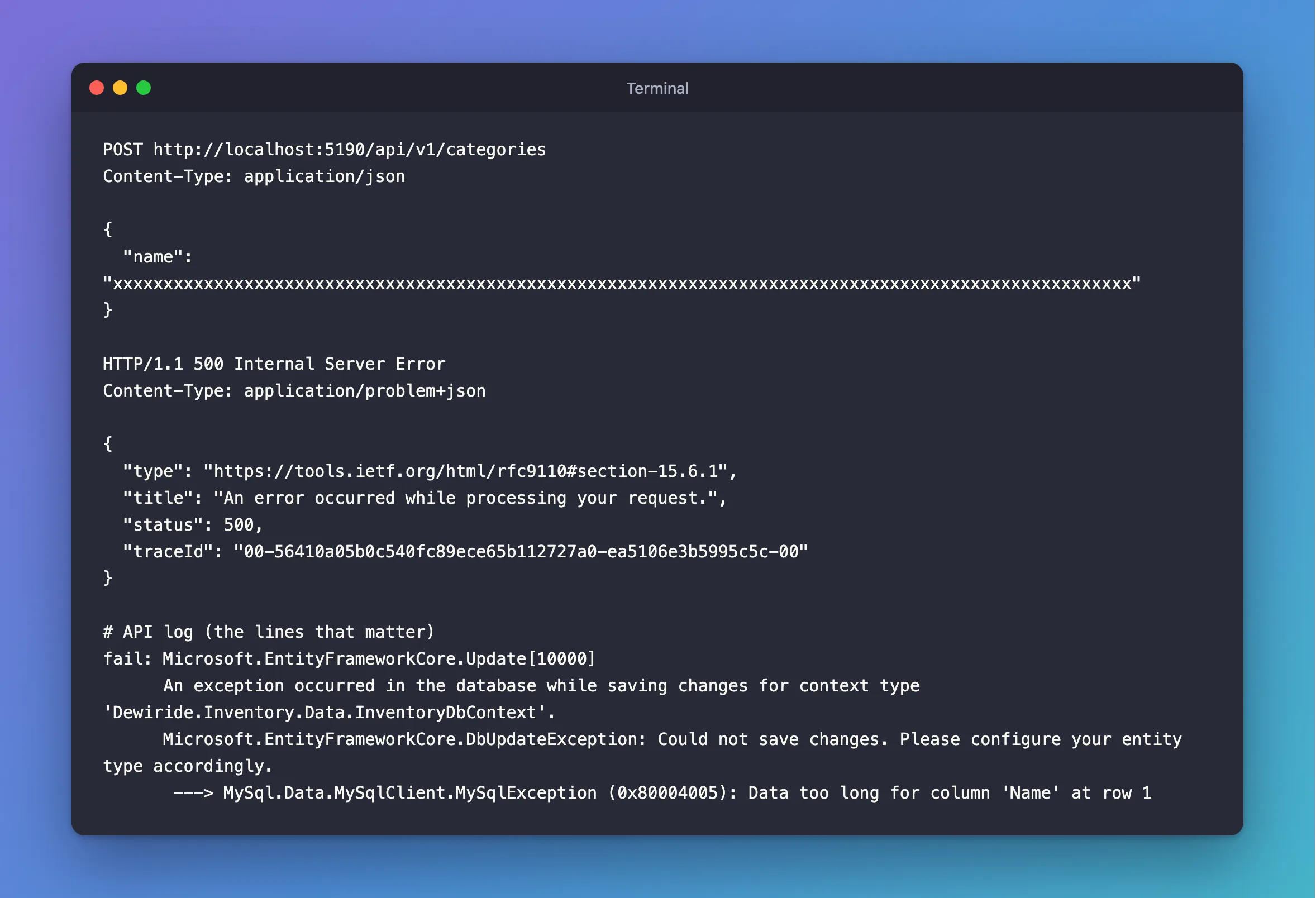
I sent a name of 101 characters:
POST http://localhost:5190/api/v1/categories
Content-Type: application/json

{
  "name": "xxxxxxxxxxxxxxxxxxxxxxxxxxxxxxxxxxxxxxxxxxxxxxxxxxxxxxxxxxxxxxxxxxxxxxxxxxxxxxxxxxxxxxxxxxxxxxxxxxxxx"
}
What I Expected
A 400 Bad Request saying the name is too long.
What I Got
HTTP/1.1 500 Internal Server Error
Content-Type: application/problem+json

{
  "type": "https://tools.ietf.org/html/rfc9110#section-15.6.1",
  "title": "An error occurred while processing your request.",
  "status": 500,
  "traceId": "00-56410a05b0c540fc89ece65b112727a0-ea5106e3b5995c5c-00"
}
fail: Microsoft.EntityFrameworkCore.Update[10000]
      An exception occurred in the database while saving changes for context type 'Dewiride.Inventory.Data.InventoryDbContext'.
      Microsoft.EntityFrameworkCore.DbUpdateException: Could not save changes. Please configure your entity type accordingly.
       ---> MySql.Data.MySqlClient.MySqlException (0x80004005): Data too long for column 'Name' at row 1
What I Checked
What the limit is. The column's maximum length is in information_schema:
SELECT CHARACTER_MAXIMUM_LENGTH FROM information_schema.COLUMNS WHERE TABLE_NAME = 'categories' AND COLUMN_NAME = 'Name';
+--------------------------+
| CHARACTER_MAXIMUM_LENGTH |
+--------------------------+
|                      100 |
+--------------------------+
1 row in set (0.001 sec)
Whether it's EF Core or MySQL. The same insert from the mysql client gets the same refusal, so EF Core isn't the one enforcing it:
INSERT INTO categories (Name, CreatedAtUtc) VALUES (REPEAT('x', 101), UTC_TIMESTAMP(6));
ERROR 1406 (22001): Data too long for column 'Name' at row 1
Why MySQL refuses instead of cutting it. The MySQL error reference lists it as "Error number: 1406; Symbol: ER_DATA_TOO_LONG; SQLSTATE: 22001". The manual's SQL modes page says "Strict mode controls how MySQL handles invalid or missing values in data-change statements such as INSERT or UPDATE", and @@sql_mode on this server includes STRICT_TRANS_TABLES, part of the default. So you get an error, not a silently shortened name.
The parameter size. The log shows @p1='?' (Size = -1) for this request, where a shorter name shows (Size = 100). EF Core sends the whole value when it's longer than the column, so MySQL gets to refuse it, instead of the connector quietly cutting it.
Why It Happens
HasMaxLength(100) tells EF Core and MySQL about the column. It isn't a check on incoming requests: nothing compares the value with 100 until MySQL does. By then, the only way to report it is an exception, which turns into a 500 unless you handle it.
The Fix
Check the length where the request comes in, with the same number as the column. In the request record:
public sealed record CategoryRequest(
    [Required, StringLength(100)] string Name);
[StringLength(100)] works because Program.cs calls builder.Services.AddValidation();, which runs the attributes on request records before an endpoint does. How to Validate Minimal API Requests in .NET 10 covers it.
After the Fix
The same request:
HTTP/1.1 400 Bad Request
Content-Type: application/problem+json

{
  "type": "https://tools.ietf.org/html/rfc9110#section-15.5.1",
  "title": "One or more validation errors occurred.",
  "status": 400,
  "errors": {
    "Name": [
      "The field Name must be a string with a maximum length of 100."
    ]
  },
  "traceId": "00-225e61be81eb96a7d85c60e04b32efca-a6a360f73bbb4f5b-00"
}
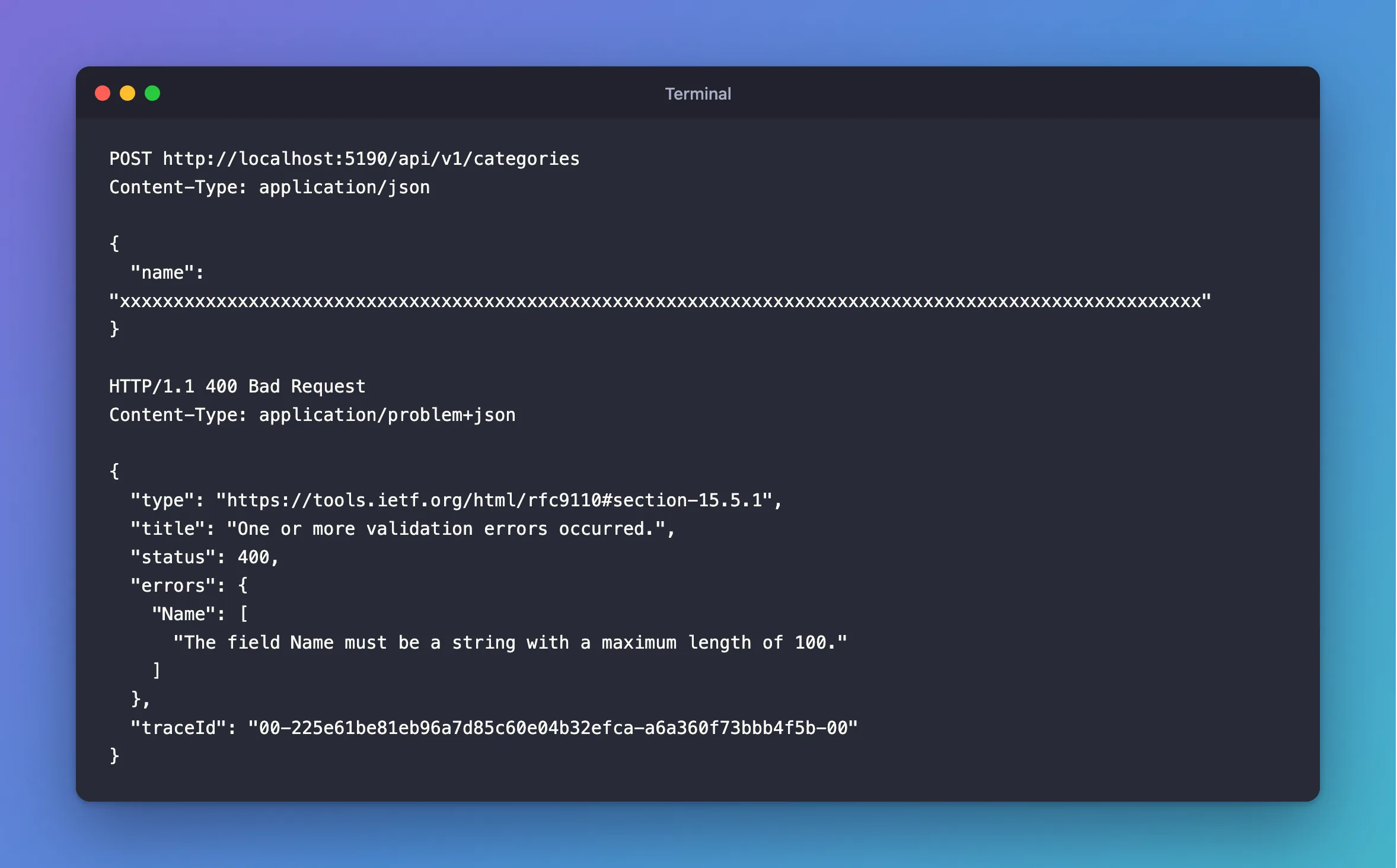
The API's log is empty for this request: validation answered, and MySQL never saw it. A name of exactly 100 characters still works.
Common Mistakes
| Mistake | What happens | Do this instead |
|---|---|---|
| Turning off strict mode to stop the error | MySQL silently cuts the data | Keep strict mode, and validate the length |
Different numbers in HasMaxLength and StringLength | Some values pass validation and still fail in MySQL | Use the same number in both |
Using longtext for everything | No limit, but no useful index either | Give short text a maximum length |
| Catching the exception and cutting the value yourself | Data changes without anyone knowing | Refuse it, and let the client decide |
Troubleshooting
| Symptom | Likely cause | Fix |
|---|---|---|
Data too long for column 'Name' at row 1 in a DbUpdateException | The value is longer than the column | Add [StringLength] to the request |
Data too long for column 'Name' at row 2 while applying a migration | Existing rows don't fit a new, shorter column | See the migration version of this error |
| A name with fewer than 100 characters fails | The value has more characters than you think, such as trailing spaces | Trim it, and check CHAR_LENGTH |
[StringLength] has no effect | AddValidation isn't registered | Add builder.Services.AddValidation(); |
FAQ
Is the limit in characters or in bytes?
Characters. varchar(100) holds 100 characters, whether they're plain letters or emoji, and [StringLength(100)] counts C# characters. C# counts an emoji as two, so it's slightly stricter there, which is safe.
Should I catch error 1406 as well?
You can, but validation already covers it, and an unexpected one is a bug worth seeing as a 500 in your logs.
Conclusion
"Data too long for column 'Name' at row 1" means MySQL's strict mode refused a value longer than the column. HasMaxLength sets the column's size but doesn't check requests, so add [StringLength] with the same number to the request record. The client then gets a clear 400, and the request never reaches MySQL.
Additional Resources
- Server SQL Modes — what strict mode does.
- MySQL 9.7 Server Error Message Reference — error 1406.
