Fixed: "The application path is not writable, please check folder permissions and try again." in create-next-app

create-next-app refused to create my Next.js app in web/agent-chat-ui with The application path is not writable, please check folder permissions and try again. The permissions were fine. The parent folder, web, didn't exist yet, and create-next-app reports a missing parent folder the same way as a locked one. Creating web first fixed it.
What I Was Doing
In Part 5 of the Microsoft Agent Framework series, the chat app goes into the .NET solution folder, in web/agent-chat-ui, next to the API's src folder. From the solution folder, DewirideServiceDesk, I ran create-next-app with the app's path and all its options:
npx create-next-app@16.4.6 web/agent-chat-ui --ts --biome --app --cache-components --no-tailwind --no-src-dir --no-react-compiler --import-alias "@/*" --use-npm --no-agents-md --no-agent-feedback --disable-git
The solution folder had only the .NET projects in it. There was no web folder yet.
What I Expected
create-next-app creates the app's folder itself, so I expected it to create web/agent-chat-ui and install the packages, the same as it does for a plain name such as my-app.
What I Got
Need to install the following packages:
create-next-app@16.4.6
Ok to proceed? (y) y
The application path is not writable, please check folder permissions and try again.
It is likely you do not have write permissions for this folder.
npm notice
npm notice New major version of npm available! 11.20.0 -> 12.2.2
npm notice Changelog: https://github.com/npm/cli/releases/tag/v12.2.2
npm notice To update run: npm install -g npm@12.2.2
npm notice
Nothing was created. The npm notice lines at the end are unrelated: npm reporting a newer release of itself (How to Update npm to the Newest Version).
What I Checked
The folder's permissions. The message blames permissions, but the solution folder belongs to my user, and the earlier parts of the series had just created projects and files in it. Writing there was no problem.
What create-next-app checks. The Next.js installation guide shows npx create-next-app@latest with a project name, and doesn't say anything about the folders around it. So I read create-next-app's own code, in the package npx had downloaded. Before it creates anything, it runs this check on the folder above the app's folder:
const appPath = resolve(projectPath);
if (!(await isWriteable(dirname(appPath)))) {
  console.error("The application path is not writable, please check folder permissions and try again.");
  console.error("It is likely you do not have write permissions for this folder.");
  process.exit(1);
}
isWriteable calls Node.js's fs.access with the "write" check and returns false if the call fails for any reason. For web/agent-chat-ui, dirname is web — the folder that didn't exist.
Why It Happens
fs.access fails for a folder that doesn't exist, just as it fails for one you can't write to, and create-next-app turns every failure into the same permissions message. The folder it creates for you comes later: the app's own folder, made only after the check passes. So a name like my-app works in any folder you can write to, but a nested path works only when everything above its last part already exists.
The Fix
Create the parent folder first, then run the same command again. From the solution folder:
mkdir web
mkdir web works the same in bash, zsh and PowerShell. For a deeper path whose folders are all missing, use mkdir -p a/b on macOS and Linux, or New-Item -ItemType Directory a/b in PowerShell — both create every missing folder in the path.
Then:
npx create-next-app@16.4.6 web/agent-chat-ui --ts --biome --app --cache-components --no-tailwind --no-src-dir --no-react-compiler --import-alias "@/*" --use-npm --no-agents-md --no-agent-feedback --disable-git
Another way: run it inside the parent folder
cd web and pass only the last part, agent-chat-ui. The check then looks at web itself, which exists.
After the Fix
Need to install the following packages:
create-next-app@16.4.6
Ok to proceed? (y) y
npm notice run npx
npm notice run 'create-next-app' web/agent-chat-ui --ts --biome --app --cache-components --no-tailwind --no-src-dir --no-react-compiler --import-alias @/* --use-npm --no-agents-md --no-agent-feedback --disable-git
Creating a new Next.js app in /Users/you/source/DewirideServiceDesk/web/agent-chat-ui.

Using npm.

Initializing project with template: app


Installing dependencies:
- next
- react
- react-dom

Installing devDependencies:
- @biomejs/biome
- @types/node
- @types/react
- @types/react-dom
- typescript


added 30 packages, and audited 31 packages in 19s

7 packages are looking for funding
  run `npm fund` for details

found 0 vulnerabilities

npm notice run agent-chat-ui@0.1.0 npx
npm notice run 'next' typegen
Generating route types...
✓ Types generated successfully

Skipping git initialization.

Success! Created agent-chat-ui at /Users/you/source/DewirideServiceDesk/web/agent-chat-ui
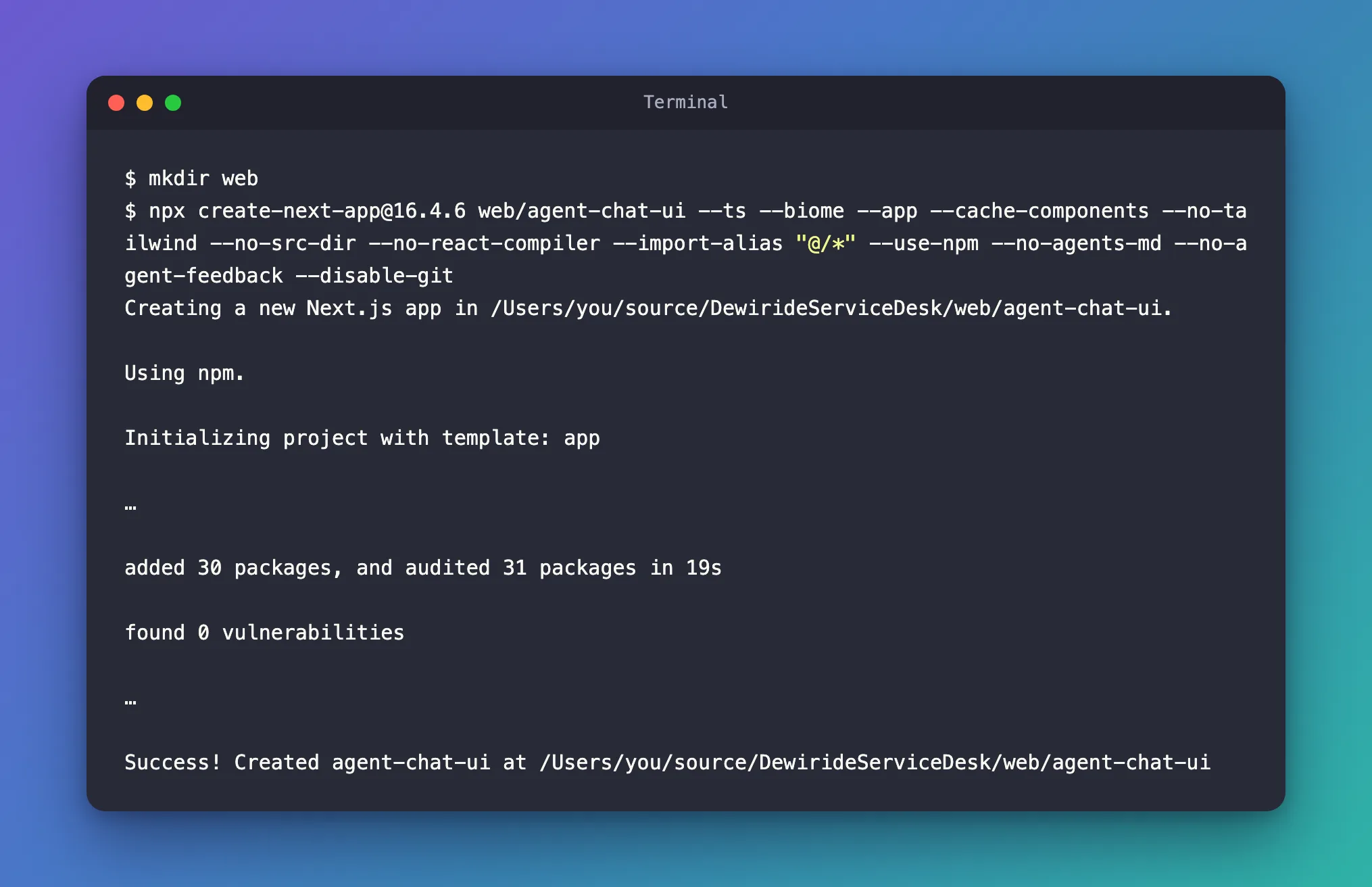
This run used npm 12.2.2, so the npm notice is gone too.
Common Mistakes
| Mistake | What happens | Do this instead |
|---|---|---|
Changing folder permissions with chmod or sudo | Nothing improves, and the app's files may end up owned by another user | Check that every folder above the app's folder exists |
Running the command with sudo | The app's files belong to the root user, and later npm commands fail | Never use sudo for create-next-app |
| Creating the app's own folder first, then pointing create-next-app at it | That works only if the folder is empty | Create the parent folder, and let create-next-app create the app's folder |
Troubleshooting
| Symptom | Likely cause | Fix |
|---|---|---|
The application path is not writable with a path such as web/my-app | The folder above the app's folder doesn't exist | mkdir web, then run the command again |
The same message with a plain name such as my-app | You really can't write to the current folder | Run the command in a folder you own, such as your home folder |
| The directory … contains files that could conflict | The app's folder already exists and isn't empty | Pick a new name, or empty the folder |
FAQ
Does create-next-app create missing folders at all?
It creates the app's own folder, the last part of the path, after the check has passed. Everything above that part must already exist.
Is this only a macOS problem?
No. The check uses Node.js's fs.access, which fails for a missing folder on every operating system.
Conclusion
The application path is not writable from create-next-app doesn't always mean what it says. If the app's path has more than one part, create the folders above the last part first: mkdir web, then npx create-next-app@16.4.6 web/agent-chat-ui ….
Additional Resources
- Next.js: Installation — create-next-app and its options.
- Node.js: fs.access — the check behind the message.
