Fixed: "Connections using insecure transport are prohibited" with MySql.Data

Connections using insecure transport are prohibited while --require_secure_transport=ON is the server refusing a connection with no TLS, on purpose. MySql.Data puts Authentication to host … failed in front of it, but your password is fine. Your connection string needs TLS turned on.
What I Was Doing
The MySQL server had just been set to refuse unencrypted connections, and I connected with SslMode=Disabled, on MySql.Data 26.10.0 and .NET 10:
…;SslMode=Disabled
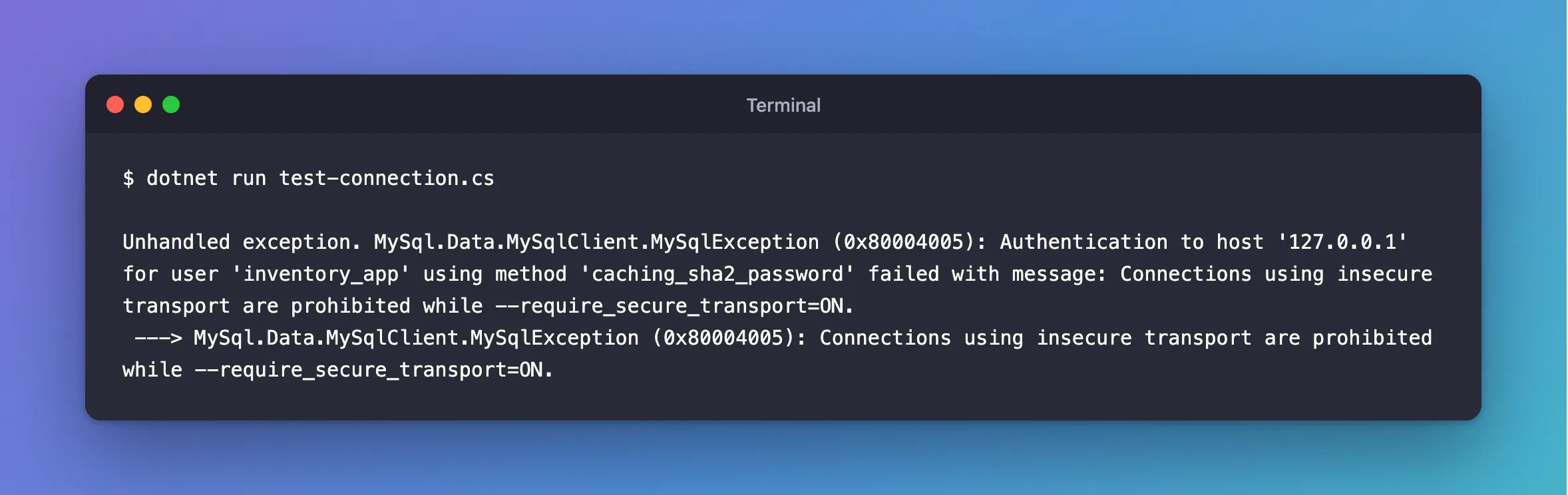
dotnet run test-connection.cs
What I Expected
For this one, a refusal. If you've landed here, you probably expected a connection, and someone changed the server, or the string has SslMode=Disabled or None in it.
What I Got
Unhandled exception. MySql.Data.MySqlClient.MySqlException (0x80004005): Authentication to host '127.0.0.1' for user 'inventory_app' using method 'caching_sha2_password' failed with message: Connections using insecure transport are prohibited while --require_secure_transport=ON.
 ---> MySql.Data.MySqlClient.MySqlException (0x80004005): Connections using insecure transport are prohibited while --require_secure_transport=ON.
What I Checked
The server's setting:
SHOW VARIABLES LIKE 'require_secure_transport';
+--------------------------+-------+
| Variable_name            | Value |
+--------------------------+-------+
| require_secure_transport | ON    |
+--------------------------+-------+
1 row in set (0.001 sec)
The number. That's error 3159 from the server, on the InnerException here. It's not retried, because it's not temporary.
Why It Happens
The driver reports anything that goes wrong during login as Authentication to host … failed, and adds the server's message. The manual says that with require_secure_transport, "clients are required to use encrypted connections".
The Fix
Turn TLS on in the connection string. Use the strongest mode you can:
…;SslMode=VerifyFull;SslCa=…;SslCert=…;SslKey=…
SslMode=Required also gets past this error, but it doesn't check who you're connected to. MySql.Data SslMode Options Explained compares them.
If this is a server you control and something can't use TLS, the fix is still on that client. Turning the setting off affects every connection.
After the Fix
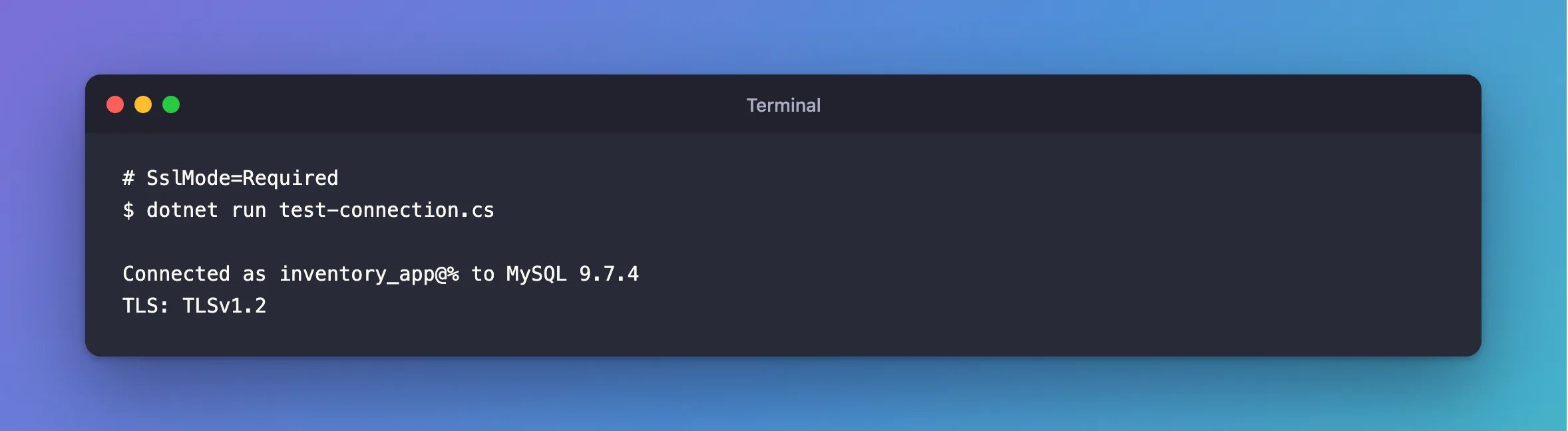
With SslMode=Required:
dotnet run test-connection.cs
Connected as inventory_app@% to MySQL 9.7.4
TLS: TLSv1.2
Common Mistakes
| Mistake | What happens | Do this instead |
|---|---|---|
| Resetting the password because of the word "Authentication" | It isn't the password | Read the end of the message |
SslMode=Preferred, if the server's TLS has failed | It can't connect at all | Fix TLS on the server |
Turning off require_secure_transport to get one app working | Everything may connect unencrypted again | Fix that app's connection string |
Troubleshooting
| Symptom | Likely cause | Fix |
|---|---|---|
Access denied, after adding TLS | Now it really is the login | The fix |
The host … does not support SSL connections | The server has no working TLS | The fix |
Retrieval of the RSA public key is not enabled for insecure connections | The same missing TLS, when the server hasn't seen this login since it started | The fix |
ERROR 2061 from the mysql client | The same setting, for a first login | The fix |
Conclusion
This message means the server demands TLS, and your connection string turned it off. Your password is fine. Change SslMode.
Additional Resources
- Configuring Encrypted Connections as Mandatory —
require_secure_transport. - Connector/NET Connection Options —
SslMode.
