Fixed: "Collection Is Initialized but Never Updated" in the Power Apps App Checker

The App checker's Performance category shows Collection is initialized but never updated. A screen loads data into a collection and then only reads it. Collections are for data that changes in the app, so the checker suggests something lighter. Here's what it means and the two ways to fix it.
The Warning
In the example, the Career Development Plan app's My Plan screen first loaded its data into two collections in OnVisible, with ClearCollect:
Concurrent(
    ClearCollect(colMyPlan, Sort(Filter(RoleCompetencies, JobTitle = MyJobTitle && IsActive = true), Competency)),
    ClearCollect(colMyResponses, Filter(CompetencyResponses, EmployeeId = MyProfile.id))
)
The App checker (stethoscope icon, right edge of Studio) showed Performance (2), one warning per collection:
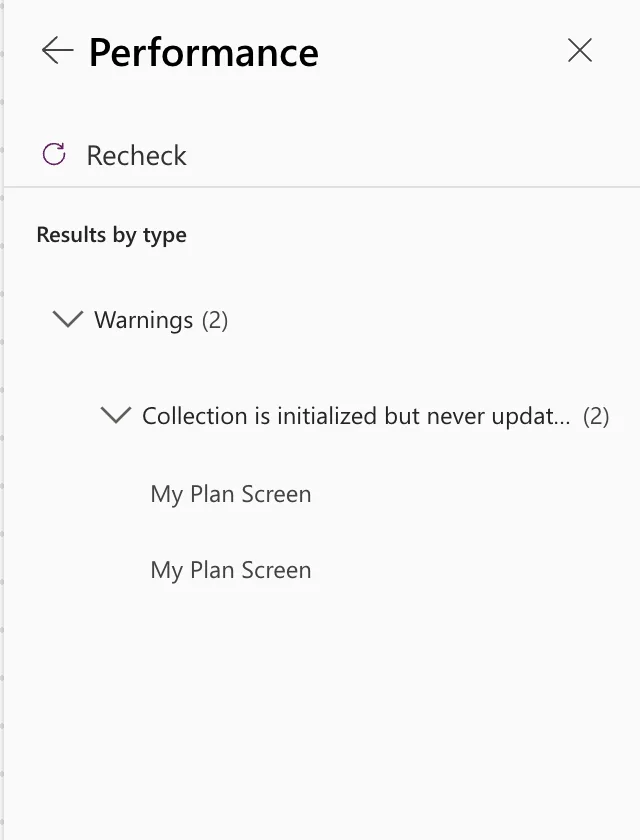
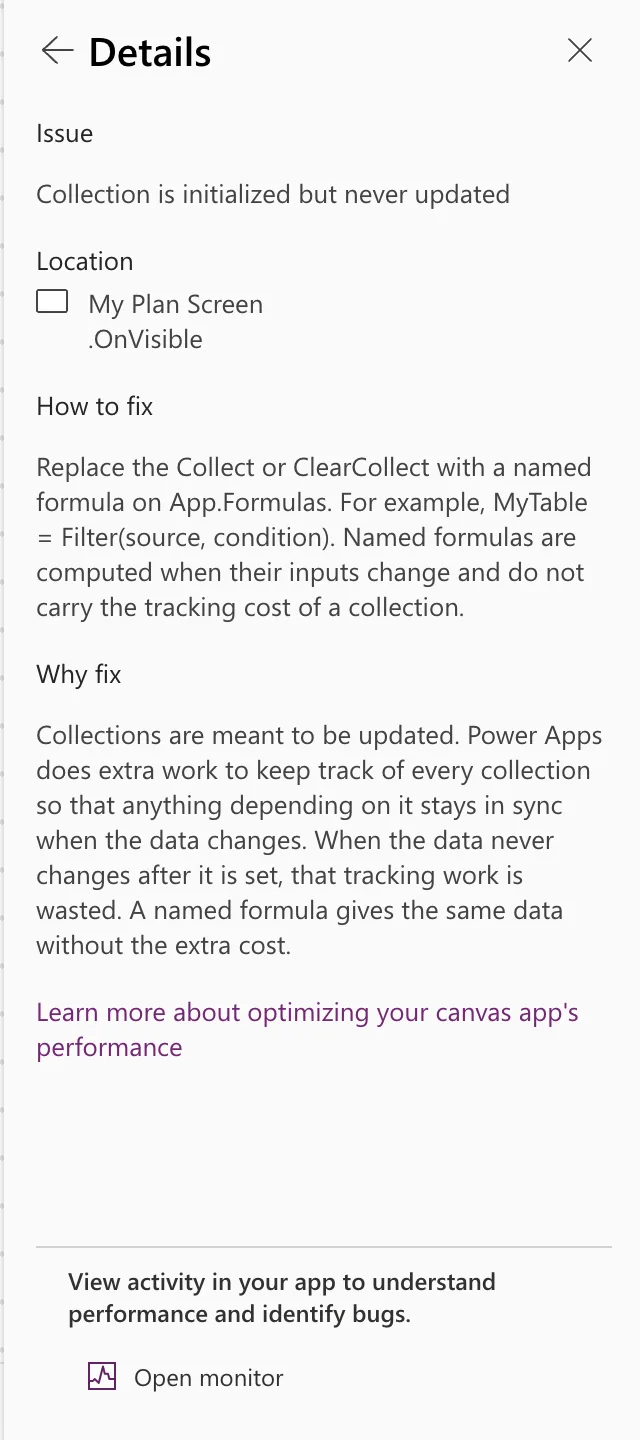
Collection is initialized but never updated
Location: My Plan Screen .OnVisible
How to fix: Replace the Collect or ClearCollect with a named formula on App.Formulas. For example, MyTable = Filter(source, condition). Named formulas are computed when their inputs change and do not carry the tracking cost of a collection.
Why fix: Collections are meant to be updated. Power Apps does extra work to keep track of every collection so that anything depending on it stays in sync when the data changes. When the data never changes after it is set, that tracking work is wasted. A named formula gives the same data without the extra cost.
Why It Happens
The app filled the collections and never added to them, changed them or removed from them. Microsoft's guidance on fast-loading apps says the same: collections suit small data you work on in the app, such as an order basket, and read-only data should be used directly rather than copied into a collection (Optimize app or page load).
Fix 1: A Named Formula
The checker's suggestion: define the data in App.Formulas (How to Use Named Formulas in Power Apps):
MyPlan = Sort(Filter(RoleCompetencies, JobTitle = MyJobTitle && IsActive), Competency);
It's worked out when something needs it, with nothing to set or clear. Choose this when the screen doesn't need to know when the data has finished loading.
Fix 2: A Variable Set When the Screen Opens
The My Plan screen shows a spinner while it loads, and a "no plan yet" message only once it knows there's nothing to show. For that, it needs a clear moment when loading starts and ends, which OnVisible gives. So the example kept OnVisible and stored the rows in context variables instead of collections (How to Use Context Variables in Power Apps):
UpdateContext({locIsLoading: true});
Concurrent(
    UpdateContext(
        {
            locMyPlan: Sort(
                Filter(
                    RoleCompetencies,
                    JobTitle = MyJobTitle && IsActive
                ),
                Competency
            )
        }
    ),
    UpdateContext(
        {
            locMyResponses: Filter(
                CompetencyResponses,
                EmployeeId = MyProfile.id
            )
        }
    )
);
UpdateContext({locIsLoading: false})
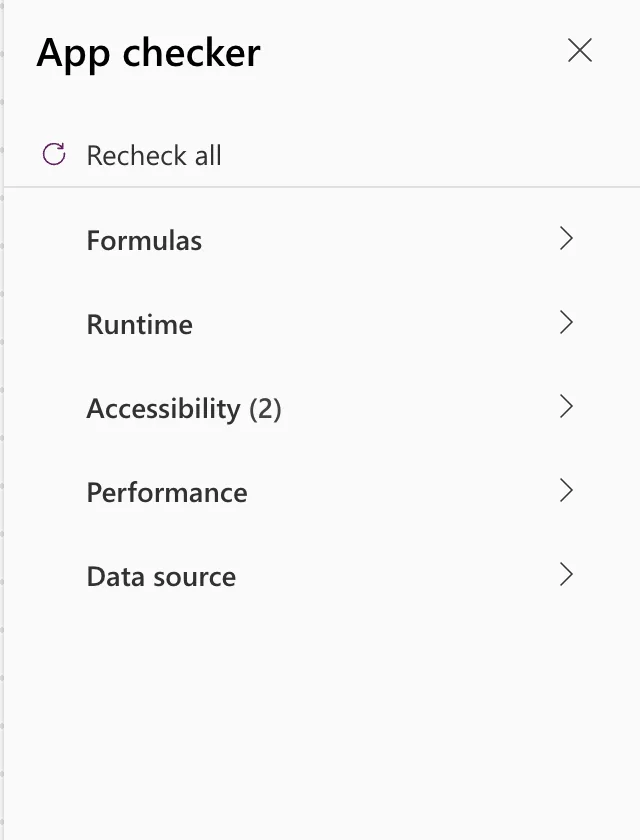
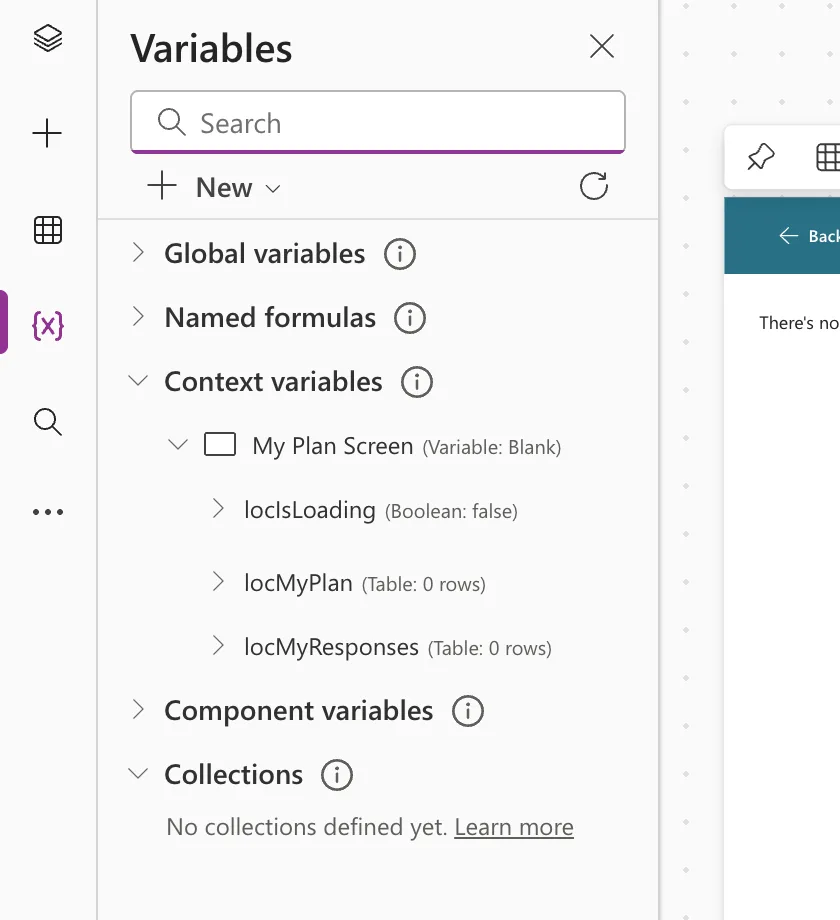
Formulas that used colMyPlan and colMyResponses switched to locMyPlan and locMyResponses. After Recheck all, Performance showed no count, and Variables listed the screen's three context variables and no collections:
When a Collection Is Right
Keep the collection, and the warning won't apply, when the app changes it later: adding items with Collect, removing them, or editing them before saving.
Common Mistakes
| Mistake | What happens | Do this instead |
|---|---|---|
| Caching every list in a collection when the app starts | Slower start, and this warning for each | Load what each screen needs, when it needs it |
| Renaming the collection but keeping ClearCollect | The warning stays | Use a named formula or UpdateContext |
Troubleshooting
| Symptom | Likely cause | Fix |
|---|---|---|
| The warning stays after the change | The checker hasn't rerun, or another screen still collects | Select Recheck all; check each location it lists |
| Formulas error after the switch | They still refer to the old collection names | Point them at the new variables |
FAQ
Named formula or variable?
A named formula when nothing needs to know when the data arrives. A variable set in OnVisible when the screen shows a loading state or must reload at a known moment.
Is the warning harmful to ignore?
The app works either way. The checker's point is wasted work: tracking a collection that never changes.
Conclusion
Collection is initialized but never updated means a collection is used as a read-only copy. Replace it with a named formula, or with a variable set in OnVisible when the screen needs a loading state, and keep collections for data the app changes.
