Fixed: "Check constraint 'CK_products_QuantityOnHand' is violated" with ExecuteUpdateAsync in EF Core and MySQL

Under load, sales failed with MySqlException: Check constraint 'CK_products_QuantityOnHand' is violated. and an HTTP 500. The stock never went below zero, so the constraint had worked. The problem is that a buyer who should have heard "out of stock" heard "server error".
What I Was Doing
In my .NET C# Web API, with EF Core 10.0.14 and MySQL 9.7.4, a sale read the quantity, checked it, and then subtracted one with ExecuteUpdateAsync, which subtracts in the database, so it looked safe:
g.MapPost("/sell-unconditional/{id:int}", async (int id, InventoryDbContext db, CancellationToken cancellationToken) =>
{
    var quantity = await db.Products.Where(p => p.Id == id).Select(p => p.QuantityOnHand).FirstAsync(cancellationToken);

    if (quantity < 1)
    {
        return Results.Problem(title: "There isn't enough stock.", statusCode: 409);
    }

    await db.Products
        .Where(p => p.Id == id)
        .ExecuteUpdateAsync(s => s.SetProperty(p => p.QuantityOnHand, p => p.QuantityOnHand - 1), cancellationToken);

    return Results.Ok();
});
The products table has a CHECK (QuantityOnHand >= 0). The product had one unit, and five requests came at once.
What I Expected
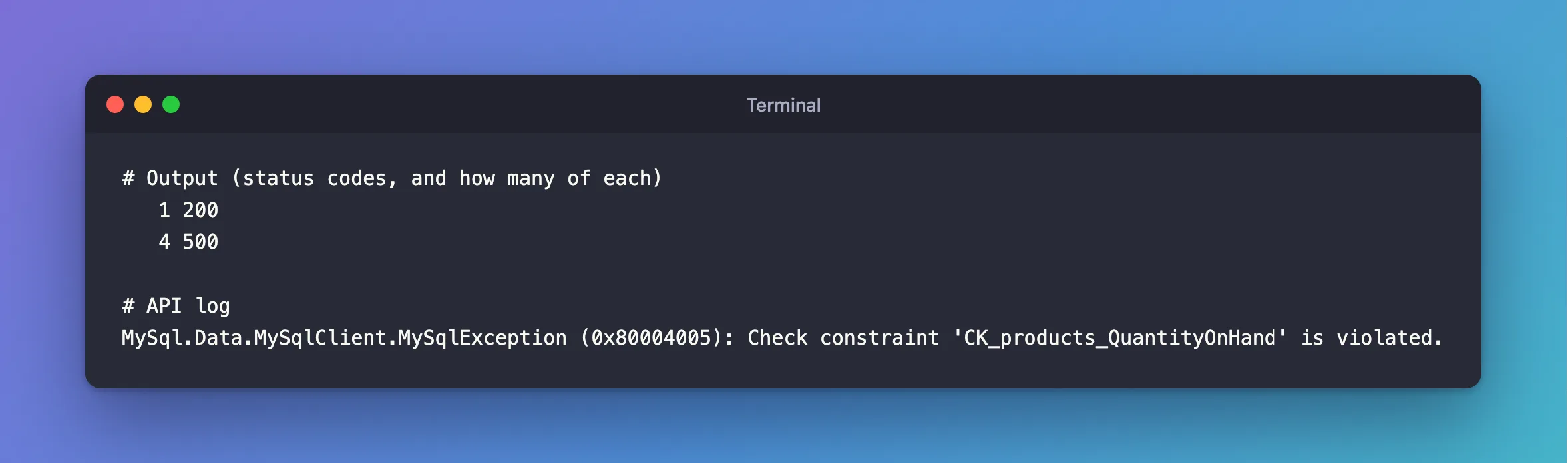
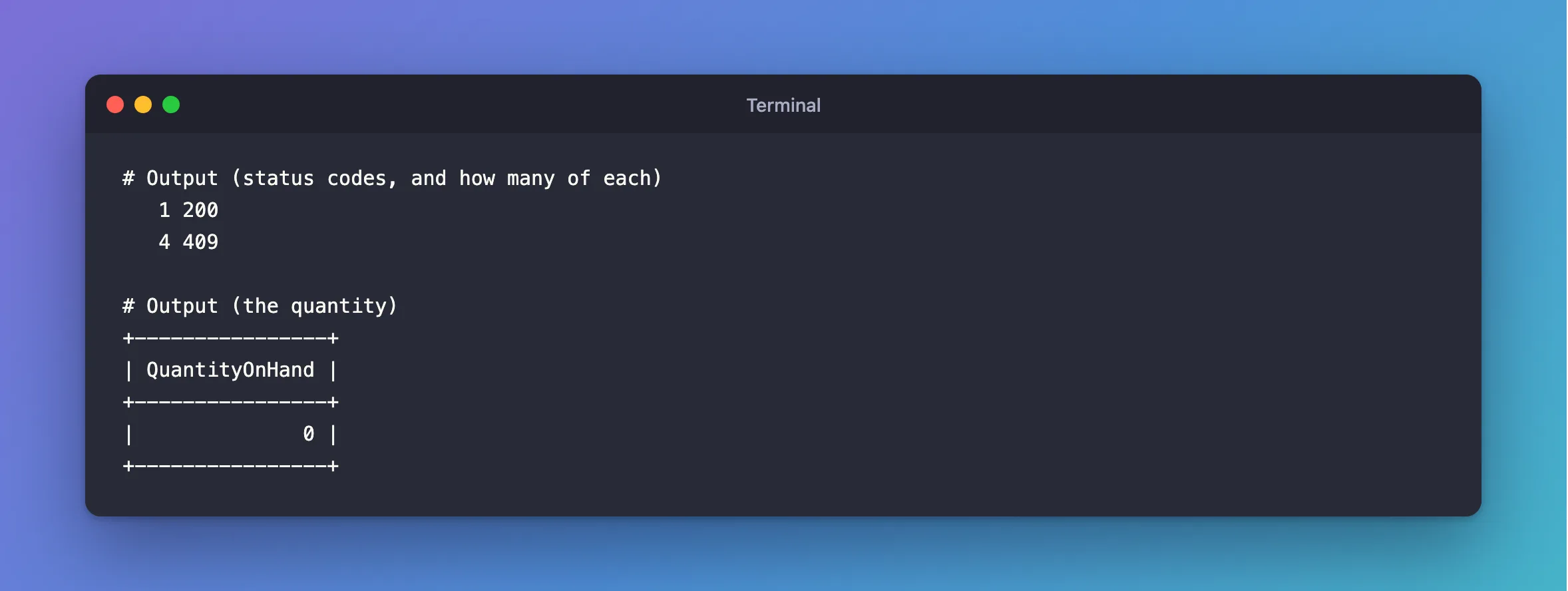
One 200, and four 409.
What I Got
   1 200
   4 500
MySql.Data.MySqlClient.MySqlException (0x80004005): Check constraint 'CK_products_QuantityOnHand' is violated.
What I Checked
The error's details.
[
  {
    "type": "MySqlException",
    "number": 3819,
    "sqlState": null,
    "message": "Check constraint 'CK_products_QuantityOnHand' is violated."
  }
]
Number 3819, MySQL's ER_CHECK_CONSTRAINT_VIOLATED.
The row. The quantity was 0, not negative. MySQL refused the statement, so nothing was damaged.
Why It Happens
Every request read 1, so every one passed the check in C#. Then the UPDATEs ran one at a time. The first set it to 0. The next would have set it to -1, and the constraint stopped it. ExecuteUpdateAsync makes the subtraction safe, but the check before it is still a separate step.
The Fix
Put the check in the UPDATE's WHERE, and read how many rows changed:
g.MapPost("/sell-conditional/{id:int}", async (int id, InventoryDbContext db, CancellationToken cancellationToken) =>
{
    var taken = await db.Products
        .Where(p => p.Id == id && p.QuantityOnHand >= 1)
        .ExecuteUpdateAsync(s => s.SetProperty(p => p.QuantityOnHand, p => p.QuantityOnHand - 1), cancellationToken);

    return taken == 1
        ? Results.Ok()
        : Results.Problem(title: "There isn't enough stock.", statusCode: 409);
});
Now a late buyer's statement matches no rows, so it doesn't try to break the constraint, and that's a 409. Keep the constraint as a backstop: if a bug in some other code gets past this, MySQL still refuses.
After the Fix
   1 200
   4 409
+----------------+
| QuantityOnHand |
+----------------+
|              0 |
+----------------+
Common Mistakes
| Mistake | What happens | Do this instead |
|---|---|---|
| Removing the constraint to stop the error | A bug can sell stock you don't have | Keep it, and fix the WHERE |
Catching 3819 and answering 409 | It works, and the check still races | Put the condition in the UPDATE |
Checking in C# before the UPDATE | Requests pass it together | Check in one statement |
Troubleshooting
| Symptom | Likely cause | Fix |
|---|---|---|
SaveChangesAsync wraps this in DbUpdateException | It's the same error from a different call | Read the number |
The error from the mysql client | A manual change broke the rule | The fix |
The buyer sees 0 rows with stock left | The WHERE has another condition, such as archived | Explain why |
Conclusion
A CHECK violation under load means your code's check and write are separate steps, and the constraint caught what got through. Move the condition into the UPDATE, and keep the constraint as your safety net.
Additional Resources
- CHECK Constraints — how MySQL enforces them.
- ExecuteUpdate and ExecuteDelete — set-based updates.
