Fixed: "Cannot convert string value 'Refund' from the database to any value in the mapped 'StockMovementType' enum." in EF Core

One row in a table held a name my C# enum didn't have, and every query that read that table failed: System.InvalidOperationException: Cannot convert string value 'Refund' from the database to any value in the mapped 'StockMovementType' enum. Here's why EF Core refuses instead of guessing, how to find every bad value with one query, and how to keep them out.
What I Was Doing
In a .NET 10 Web API with EF Core 10 and MySQL 9.7, each stock movement has a type, a C# enum:
public enum StockMovementType
{
    Receipt,
    Adjustment,
    Sale,
    SaleCancelled,
}
The Type column stores the member's name, not its number, because the entity's configuration converts it to a string:
builder.Property(m => m.Type)
    .HasConversion<string>()
    .HasMaxLength(32);
Then I recorded a returned item from the mysql client, with the type Refund:
INSERT INTO stock_movements (ProductId, Type, QuantityChange, Reference, OccurredAtUtc) VALUES (3, 'Refund', 1, 'RMA-7', UTC_TIMESTAMP(6));
Query OK, 1 row affected (0.002 sec)
MySQL accepted it: to MySQL, Refund is just text that fits in a varchar(32). Then the API added one movement through EF Core and listed them all, with a temporary endpoint that reads the table:
app.MapGet("/try/movements", async (InventoryDbContext db) =>
{
    var movements = await db.StockMovements.AsNoTracking().OrderBy(m => m.Id).ToListAsync();
    return movements.Select(m => new { m.Id, Type = m.Type.ToString(), m.QuantityChange });
});
What I Expected
The list of movements, the Refund row included.
What I Got
Writing worked; reading failed:
curl -s -X POST "http://localhost:5190/try/movements?productId=3&type=Sale&quantityChange=-1"
curl -s http://localhost:5190/try/movements
{"id":4,"type":"Sale"}
System.InvalidOperationException: Cannot convert string value 'Refund' from the database to any value in the mapped 'StockMovementType' enum.
   at lambda_method114(Closure, String)
   at lambda_method112(Closure, QueryContext, DbDataReader, ResultContext, SingleQueryResultCoordinator)
   at Microsoft.EntityFrameworkCore.Query.Internal.SingleQueryingEnumerable`1.AsyncEnumerator.MoveNextAsync()
   at Microsoft.EntityFrameworkCore.EntityFrameworkQueryableExtensions.ToListAsync[TSource](IQueryable`1 source, CancellationToken cancellationToken)
   at Microsoft.EntityFrameworkCore.EntityFrameworkQueryableExtensions.ToListAsync[TSource](IQueryable`1 source, CancellationToken cancellationToken)
   at Program.<>c.<<<Main>$>b__0_3>d.MoveNext() in /Users/you/projects/dewiride-inventory-api/src/Dewiride.Inventory.Api/Program.cs:line 78
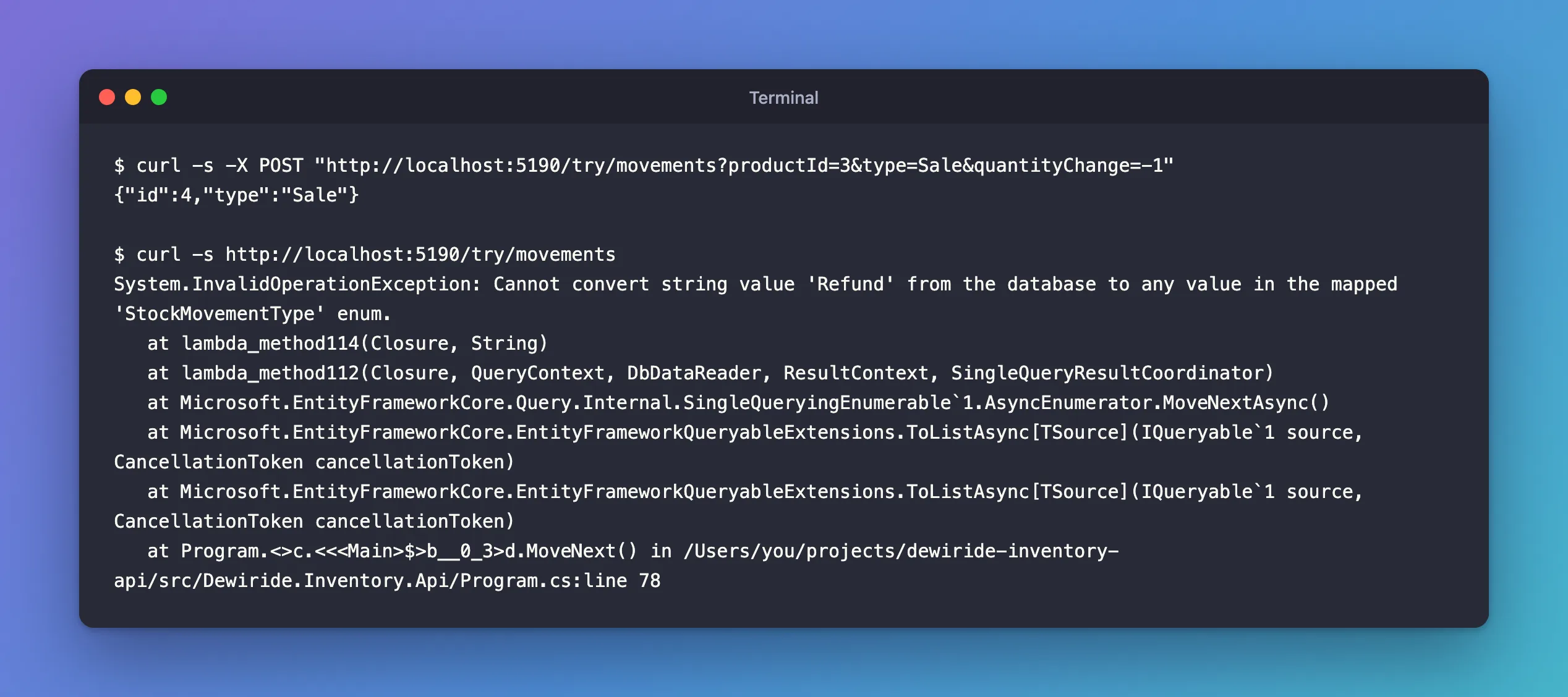
The text is ASP.NET Core's developer exception page, which the app shows in Development. The app's log said the same, from EF Core's query category:
fail: Microsoft.EntityFrameworkCore.Query[10100]
      An exception occurred while iterating over the results of a query for context type 'Dewiride.Inventory.Data.InventoryDbContext'.
      System.InvalidOperationException: Cannot convert string value 'Refund' from the database to any value in the mapped 'StockMovementType' enum.
None of the four rows came back: one bad value failed the whole ToListAsync.
What I Checked
What the table holds. In the mysql client:
SELECT Id, Type, QuantityChange, Reference FROM stock_movements;
+----+--------+----------------+-----------+
| Id | Type   | QuantityChange | Reference |
+----+--------+----------------+-----------+
|  1 | 0      |             20 | DN-1042   |
|  2 | 2      |             -2 | ORD-17    |
|  3 | Refund |              1 | RMA-7     |
|  4 | Sale   |             -1 | NULL      |
+----+--------+----------------+-----------+
4 rows in set (0.000 sec)
Three kinds of value: Sale, which the app had just written by name; Refund, my row; and 0 and 2, older rows from when the column stored numbers, which a migration had turned into text without converting them to names. The error named only Refund.
What the documentation says. The message is a deliberate check, added in EF Core 6.0. The EF Core 6.0 breaking changes page describes the old behaviour: "if the string value did not match and enum member, then the property was set to the default value for the enum." So before 6.0, Refund would have been read as Receipt, the enum's first member, without a word. The new behaviour: "EF Core 6.0 now throws an InvalidOperationException with the message "Cannot convert string value '{value}' from the database to any value in the mapped '{enumType}' enum."" And why: "Converting to the default value can result in database corruption if the entity is later saved back to the database."
Why It Happens
The Type column is a varchar(32), so MySQL accepts any text that fits; only the C# enum knows which names are valid. Refund isn't one of them, so EF Core couldn't turn that row into a StockMovementType, and since EF Core 6.0 it throws instead of guessing, which fails the whole query. Names like that get in through anything that doesn't write through the enum: a manual fix in SQL, a row written by another program, or an enum member that was renamed after rows were stored.
That's the reason to fix the data rather than silence the error: a guessed value, saved back, turns one bad row into a wrong row that looks right.
The Fix
The documentation's first mitigation is the one to follow: "Ideally, ensure that the database column only contains valid values."
Find every value that isn't a member name. List the names in a NOT IN:
SELECT Id, Type FROM stock_movements WHERE Type NOT IN ('Receipt', 'Adjustment', 'Sale', 'SaleCancelled');
+----+--------+
| Id | Type   |
+----+--------+
|  1 | 0      |
|  2 | 2      |
|  3 | Refund |
+----+--------+
3 rows in set (0.000 sec)
This query finds more than the error did: the error stops at the first value it can't convert, the query lists them all.
Decide what each one really is, and update it. The Refund row recorded a returned item counted back into stock, which in this enum is an Adjustment:
UPDATE stock_movements SET Type = 'Adjustment' WHERE Id = 3;
Query OK, 1 row affected (0.002 sec)
Rows matched: 1  Changed: 1  Warnings: 0
Choose the replacement from what the row means, not from what makes the error go away. If no member fits, the enum is missing one: add it to the C# code instead.
After the Fix
The same request again:
curl -s http://localhost:5190/try/movements
[{"id":1,"type":"Receipt","quantityChange":20},{"id":2,"type":"Sale","quantityChange":-2},{"id":3,"type":"Adjustment","quantityChange":1},{"id":4,"type":"Sale","quantityChange":-1}]
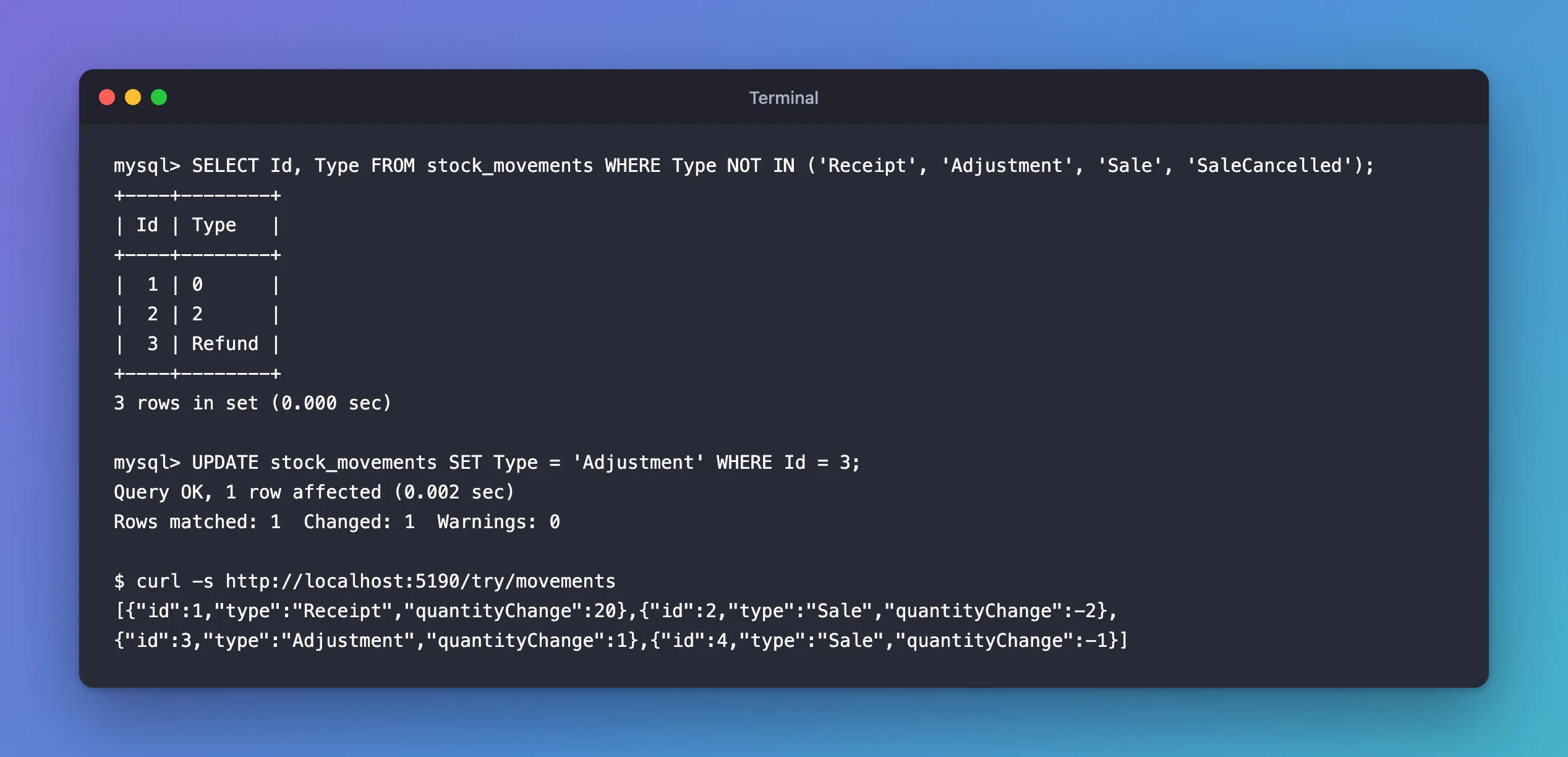
All four rows came back. Rows 1 and 2, which still held 0 and 2, were read as Receipt and Sale, the members with those numbers, so the numbers alone didn't trigger the error. They still aren't names, though, and any tool other than EF Core shows them as 0 and 2. I converted them in the migration that changed the column, with an UPDATE … CASE for each direction; How to Store an Enum as a String with EF Core and MySQL shows that migration.
Keep Unknown Names Out
- Write through the enum. Code that sets
Typeto one of the enum's members stores that member's name. The bad values come from everything else: manual SQL, imports, other programs. - Rename members with a data migration. The column doesn't change when a member is renamed: it's still
varchar(32). After renamingSaletoOrderin the enum,dotnet ef migrations has-pending-model-changesanswered "No changes have been made to the model since the last migration." Nothing reminds you, the rows still saySale, and every read fails. Add a migration yourself, withmigrationBuilder.Sql("UPDATE stock_movements SET Type = 'Order' WHERE Type = 'Sale';")inUp, and ship it with the rename. - Remove a member only after its rows are gone. Update or delete the rows first, then remove the member.
Common Mistakes
| Mistake | What happens | Do this instead |
|---|---|---|
| Catching the exception and skipping the row | The data stays wrong, and every other query on the table still fails | Fix the rows |
| Writing a converter that turns unknown names into a default | The problem the docs warn about: a guessed value saved back looks real | Keep the error; fix the data |
| Fixing only the value in the error message | The next bad value fails the next query | Find them all with NOT IN |
| Renaming an enum member without updating the rows | Every query on the table fails after deployment | Update the stored names in a migration |
Troubleshooting
| Symptom | Likely cause | Fix |
|---|---|---|
| Every query on the table fails with "Cannot convert string value '…'" | One row holds a name the enum doesn't have | Find them all with WHERE Type NOT IN (…) and update each one |
| The error started after an enum member was renamed | The rows still hold the old name | Update the stored names in a migration, with migrationBuilder.Sql |
Values such as 0 and 2 in a string enum column | A migration changed the column from numbers to text without converting the values | Convert each number to its member's name with an UPDATE … CASE |
has-pending-model-changes reports nothing after a rename | Renaming a member doesn't change the column | Add the data migration yourself |
FAQ
Can I make EF Core use a default value again?
The docs mention it: "Alternately, implement a ValueConverter with the old behavior." It's the alternative, not the recommendation, for the reason they give: a defaulted value can be saved back over the real one.
Can MySQL refuse unknown names when they're written?
Yes, with a CHECK constraint that lists the names, such as CHECK (`Type` IN ('Receipt', 'Adjustment', 'Sale', 'SaleCancelled')). I tried that constraint on a temporary table: Sale was accepted, and Refund failed with error 3819, Check constraint 'CK_t_check_Type' is violated. The cost is a migration to change the constraint whenever the enum gains a member. How to Add a CHECK Constraint with EF Core and MySQL shows how to declare one in the model.
Does this happen with enums stored as numbers?
Not with this message: it's about string values. With the default number mapping, renaming a member is safe, because the numbers don't change; reordering or removing members is what breaks the data there.
Conclusion
"Cannot convert string value '…' from the database to any value in the mapped '…' enum" means a string enum column holds a value that isn't one of the enum's names, and since EF Core 6.0 that stops the query instead of quietly reading the default. One SELECT … WHERE Type NOT IN (…) finds every bad row; update each one to the member it really means, or add the missing member to the enum. Keep it from coming back by renaming members together with a data migration, and, if other programs write to the table, with a CHECK constraint.
Additional Resources
- Breaking changes in EF Core 6.0: Unknown enum string values
- Value Conversions —
HasConversion<string>()and the built-in converters.
