Fixed: "Cannot connect to the Docker daemon ... Is the docker daemon running?" on a Mac

Every Docker command that needed Docker's engine stopped with Cannot connect to the Docker daemon at unix:///Users/you/.docker/run/docker.sock. Is the docker daemon running? The docker command was installed, but on a Mac the engine runs inside Docker Desktop, and Docker Desktop wasn't running. Starting it, and waiting until it was ready, fixed it.
What I Was Doing
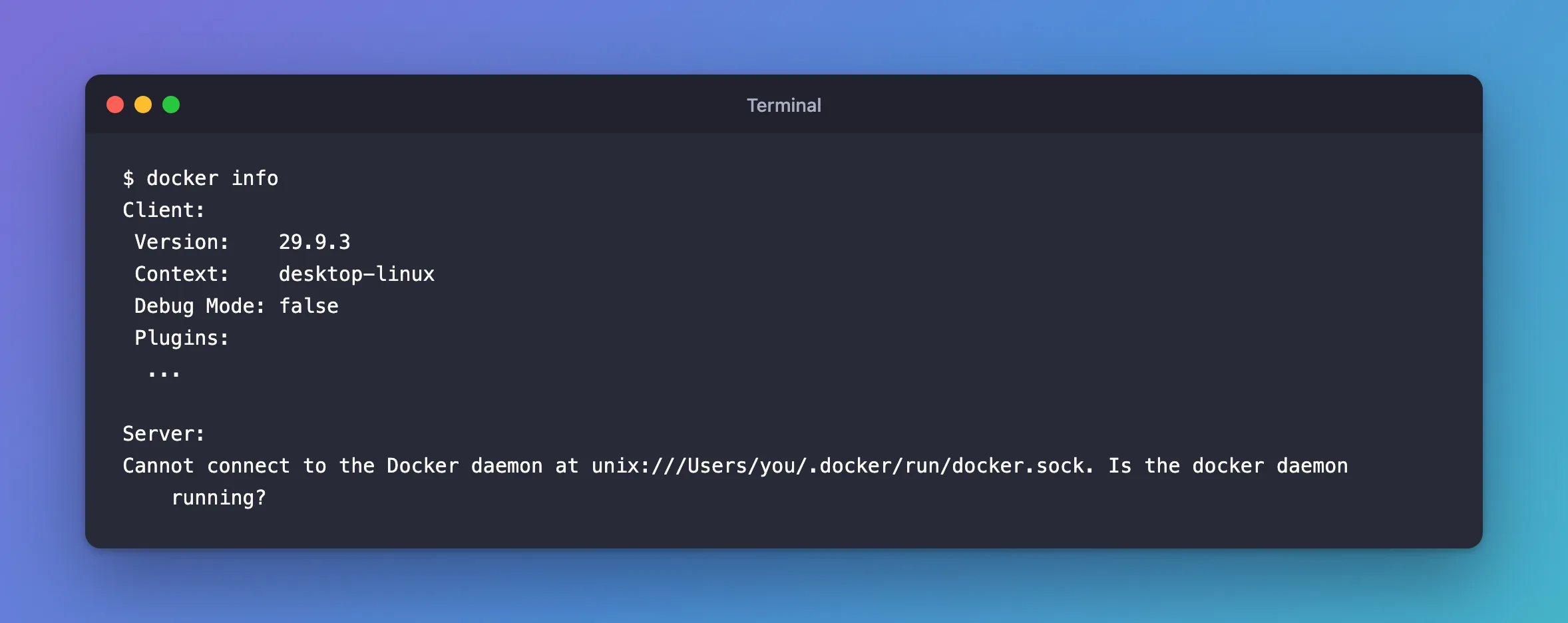
I was about to build a Docker image of a machine learning model for Part 9 of the MLflow series, on a Mac with Docker Desktop 4.100.1 installed. The Mac had restarted since I last used Docker. First I checked Docker:
docker info
What I Expected
Two sections: Client, the docker command, and Server, the engine that builds and runs containers.
What I Got
The client section, then an error where the server section should be:
Client:
 Version:    29.9.3
 Context:    desktop-linux
 Debug Mode: false
 Plugins:
  ...

Server:
Cannot connect to the Docker daemon at unix:///Users/you/.docker/run/docker.sock. Is the docker daemon running?
Building the image failed the same way. MLflow's mlflow models build-docker runs docker build, which printed the same message before MLflow gave up:
2026/11/26 03:46:43 INFO mlflow.pyfunc.backend: Building docker image with name shopper-purchase-prediction
ERROR: Cannot connect to the Docker daemon at unix:///Users/you/.docker/run/docker.sock. Is the docker daemon running?
...
RuntimeError: Docker build failed.
What I Checked
The client works. docker info printed the client's version, 29.9.3, and its context, desktop-linux: the command was installed and set up for Docker Desktop.
The server doesn't answer. The daemon, Docker's engine, is what the command talks to, through the file named in the message, docker.sock. On a Mac, the engine runs in a small Linux machine that Docker Desktop starts, so the socket only answers while Docker Desktop is running. Docker's Mac installation guide says to start it this way: "Double-click Docker.app in the Applications folder to start Docker."
Docker Desktop wasn't running: the Mac had restarted, and it hadn't been started since.
Why It Happens
The docker command is only a client. Building and running containers is the engine's work, and the client reaches the engine through a socket. With Docker Desktop stopped, nothing listens on that socket, so every command that needs the engine stops with this message. Commands that need only the client, such as docker --version, still work, which makes it look as if Docker is fine.
The Fix
Start Docker Desktop: double-click Docker in the Applications folder, or from the terminal:
open -a Docker
On Windows, Docker's Windows installation guide says: "Docker Desktop does not start automatically after installation. To start Docker Desktop: Search for Docker, and select Docker Desktop in the search results."
The engine needs a few seconds to start. Wait until Docker Desktop says the engine is running, then try again.
After the Fix
docker info --format '{{.ServerVersion}}'
29.9.3
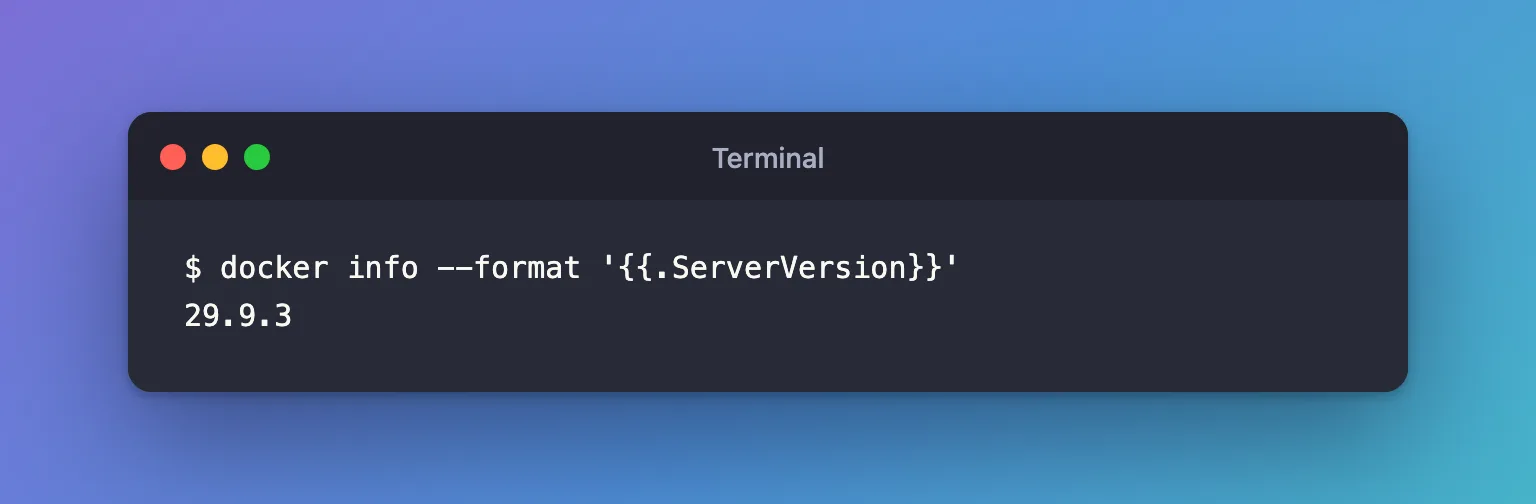
The server answered with its version, and the next mlflow models build-docker reached the engine and ran its build steps.
Common Mistakes
| Mistake | What happens | Do this instead |
|---|---|---|
Checking Docker with docker --version | It works without the engine, so the problem stays hidden | Check with docker info: its Server section needs the engine |
| Running a command right after starting Docker Desktop | The engine may still be starting, and the same message comes back | Wait until Docker Desktop says it's running |
Troubleshooting
| Symptom | Likely cause | Fix |
|---|---|---|
| The message comes back after every restart of the Mac | Docker Desktop doesn't start at sign-in | Start it before you use Docker, or turn on its option to start when you sign in |
RuntimeError: Docker build failed. from mlflow models build-docker | MLflow's build calls docker build, which needs the engine | Start Docker Desktop, then build again |
FAQ
What is the Docker daemon?
The engine that builds images and runs containers. The docker command sends it requests; Docker Desktop runs it on Mac and Windows.
Do I need to start it every time?
Only if its setting is off. Docker Desktop's settings include "Start Docker Desktop when you sign in to your computer", off by default; with it off, start Docker Desktop yourself before you use Docker.
Conclusion
Cannot connect to the Docker daemon meant the docker command had no engine to talk to: Docker Desktop, which runs the engine on a Mac, wasn't running after a restart. Starting it with open -a Docker brought the engine up, and docker info and the image build both worked.
Additional Resources
- Install Docker Desktop on Mac — installing and starting Docker Desktop.
- Install Docker Desktop on Windows — the same for Windows.
- docker info — the command and its
--formatoption.
