Fixed: "Cannot access a disposed context instance" in EF Core

An endpoint started some work in the background and answered 200 OK straight away. Half a second later the log said ObjectDisposedException: Cannot access a disposed context instance. The DbContext belongs to the request: when the request ended, ASP.NET Core disposed of it, and the background task was still holding it. Background work needs a context of its own.
What I Was Doing
In a .NET 10 Web API, an endpoint started a task that counts products, so it could answer without waiting. The task used the InventoryDbContext the endpoint was given:
app.MapGet("/demo/disposed", (InventoryDbContext db, ILoggerFactory loggers) =>
{
    var logger = loggers.CreateLogger("Demo");
    _ = Task.Run(async () =>
    {
        await Task.Delay(500);
        try
        {
            var count = await db.Products.CountAsync();
            DemoLog.Counted(logger, count);
        }
        catch (ObjectDisposedException exception)
        {
            DemoLog.BackgroundFailed(logger, exception);
        }
    });
    return Results.Ok(new { started = true });
});
What I Expected
200 OK, and half a second later a log line with the number of products.
What I Got
The response looked fine:
HTTP/1.1 200 OK
Content-Type: application/json; charset=utf-8

{
  "started": true
}
The log didn't:
fail: Demo[1568076500]
      Background work failed
      System.ObjectDisposedException: Cannot access a disposed context instance. A common cause of this error is disposing a context instance that was resolved from dependency injection and then later trying to use the same context instance elsewhere in your application. This may occur if you are calling 'Dispose' on the context instance, or wrapping it in a using statement. If you are using dependency injection, you should let the dependency injection container take care of disposing context instances.
      Object name: 'InventoryDbContext'.
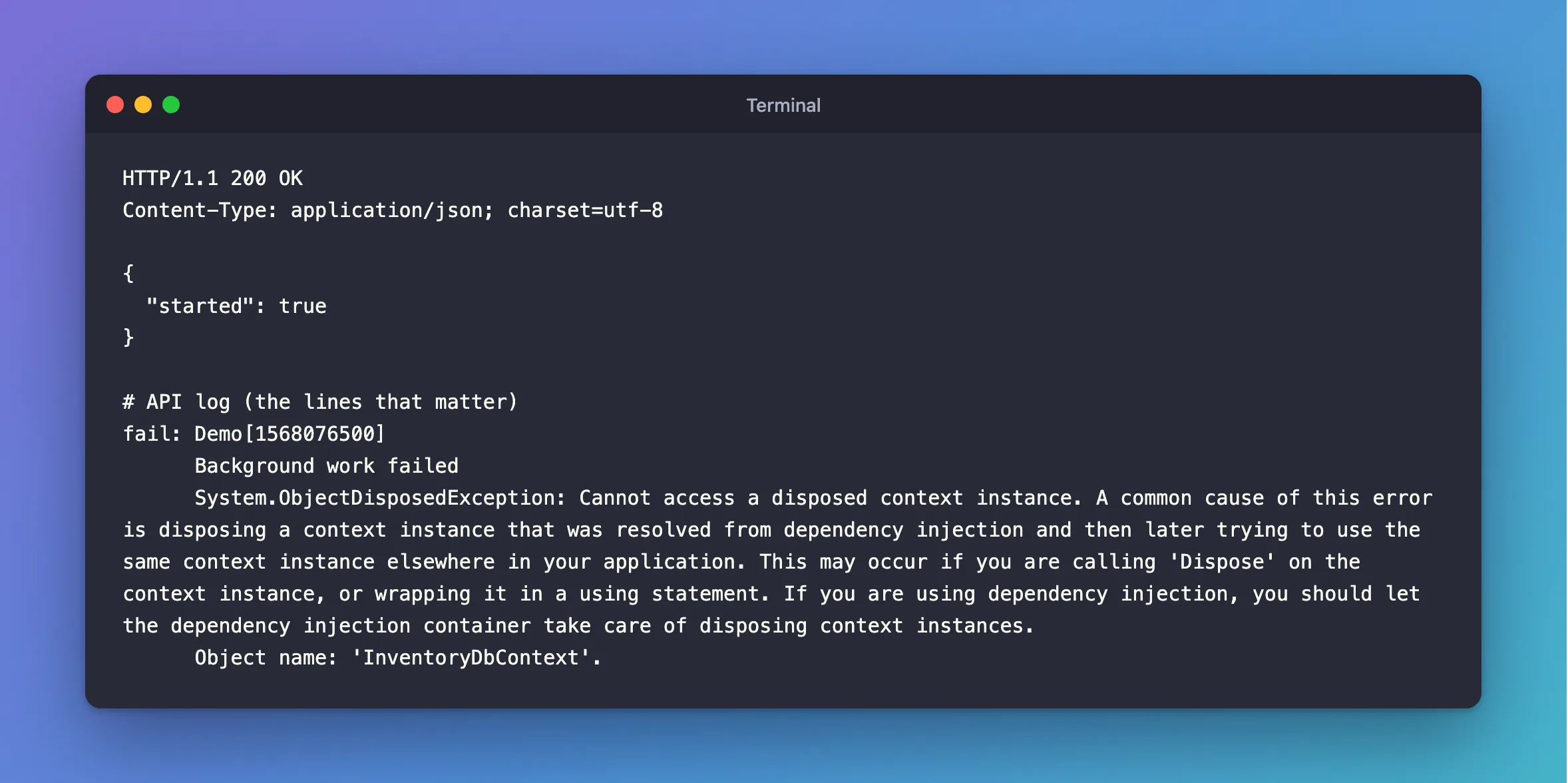
Without the try/catch, nothing would have appeared at all, because nobody is waiting for that task.
What I Checked
Who disposes of the context. I never called Dispose. EF Core's DbContext lifetime page says AddDbContext "registers DbContext types with a scoped lifetime by default", and that "each request gets a separate dependency injection scope (and therefore a separate DbContext instance)". A scoped service is disposed of when its scope ends, and the request's scope ends with the request.
When that happens compared with my task. The endpoint returned at once, and the task waited 500 milliseconds. So the request had finished long before CountAsync ran.
What the message suggests. It spells it out: "A common cause of this error is disposing a context instance that was resolved from dependency injection and then later trying to use the same context instance elsewhere in your application."
Why It Happens
Dependency injection hands out scoped services for the length of the request. Nothing stops your code from keeping a reference after that. A task started with Task.Run, a method marked async void, or a query you forgot to await can all outlive the request. When they touch the context afterwards, it's already disposed of.
The Fix
Give the background work its own scope. IServiceScopeFactory is a singleton, so it's safe to keep, and each scope gets a new DbContext:
app.MapGet("/demo/background-scope", (IServiceScopeFactory scopes, ILoggerFactory loggers) =>
{
    var logger = loggers.CreateLogger("Demo");
    _ = Task.Run(async () =>
    {
        await Task.Delay(500);
        await using var scope = scopes.CreateAsyncScope();
        var db = scope.ServiceProvider.GetRequiredService<InventoryDbContext>();
        var count = await db.Products.CountAsync();
        DemoLog.Counted(logger, count);
    });
    return Results.Ok(new { started = true });
});
await using disposes of the scope and its context when the task is done. For work that matters, use a proper hosted service with a queue, because a Task.Run like this is lost if the app stops.
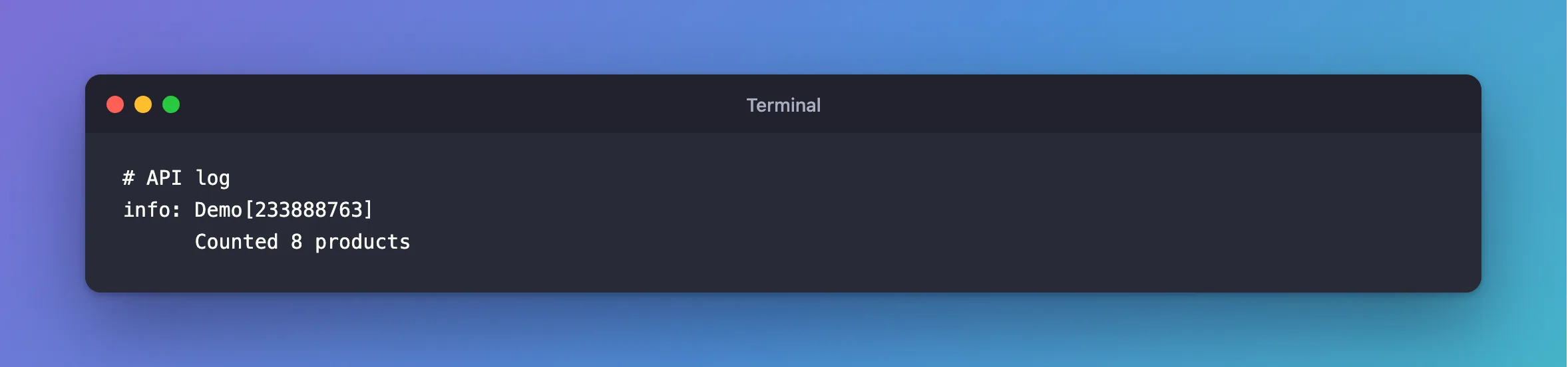
After the Fix
info: Demo[233888763]
      Counted 8 products
Common Mistakes
| Mistake | What happens | Do this instead |
|---|---|---|
Using the request's context in Task.Run | This exception, after the response has gone | Create a scope in the task |
Forgetting await on a query | The request can end first, with the same result | await every call |
Marking a method async void | Nobody waits for it, so it outlives the request | Return Task |
| Fire-and-forget for work that must happen | It's lost if the app stops or the task fails | Use a queue and a hosted service |
| Registering the context as a singleton to "fix" it | All requests share one context | Keep it scoped |
Troubleshooting
| Symptom | Likely cause | Fix |
|---|---|---|
The exception shows Object name: 'InventoryDbContext' | Something kept the context after its scope ended | Find what still holds it |
| It appears only sometimes | A race between the request ending and the task | The same; it isn't really intermittent |
| It appears in a singleton service | The service kept a context | Inject IServiceScopeFactory instead |
| It appears inside a test | The test disposed of the context first | Keep the context alive for the whole test |
FAQ
Why did the response still say 200?
The response was already finished. The task runs on its own, and nothing connects its failure to the request.
Should I catch ObjectDisposedException?
Only to log it, as this example does while finding the problem. It always means a bug.
Conclusion
"Cannot access a disposed context instance" means code used a DbContext after its scope ended, usually a background task holding on to the request's context. The request answers fine, and the error shows up later or not at all. Create a scope in the task with IServiceScopeFactory, or move the work to a hosted service.
Additional Resources
- DbContext Lifetime, Configuration, and Initialization — scoped contexts and threading.
- Use scoped services within a BackgroundService — scopes in background work.
