Fixed: "BLOB, TEXT, GEOMETRY or JSON column 'Description' can't have a default value" When Making an EF Core Column Required on MySQL

I changed a C# property from string? to a required string, and the EF Core migration for it failed on MySQL with "BLOB, TEXT, GEOMETRY or JSON column 'Description' can't have a default value". EF Core had added DEFAULT '' to fill the rows that were empty, and MySQL doesn't accept a plain default on a longtext column. The fix is a two-line edit to the migration: fill the empty rows yourself, then make the column NOT NULL without a default.
What I Was Doing
In a .NET 10 solution with EF Core 10 and Oracle's MySql.EntityFrameworkCore provider, products had an optional description:
public string? Description { get; set; }
Its column was longtext NULL: no maximum length, and empty allowed. I made it required, with C#'s required modifier:
public required string Description { get; set; }
Then I created the migration and looked at its SQL before applying it:
dotnet ef migrations add MakeDescriptionRequired --project src/Dewiride.Inventory.Data --startup-project src/Dewiride.Inventory.Api
dotnet ef migrations script RestrictCategoryDelete MakeDescriptionRequired --project src/Dewiride.Inventory.Data --startup-project src/Dewiride.Inventory.Api
Build started...
Build succeeded.
An operation was scaffolded that may result in the loss of data. Please review the migration for accuracy.
Done. To undo this action, use 'ef migrations remove'
START TRANSACTION;
ALTER TABLE `products` MODIFY `Description` longtext NOT NULL DEFAULT '';

INSERT INTO `__EFMigrationsHistory` (`MigrationId`, `ProductVersion`)
VALUES ('20261103044430_MakeDescriptionRequired', '10.0.14');

COMMIT;
What I Expected
The column to become NOT NULL, with the existing empty descriptions filled with an empty string.
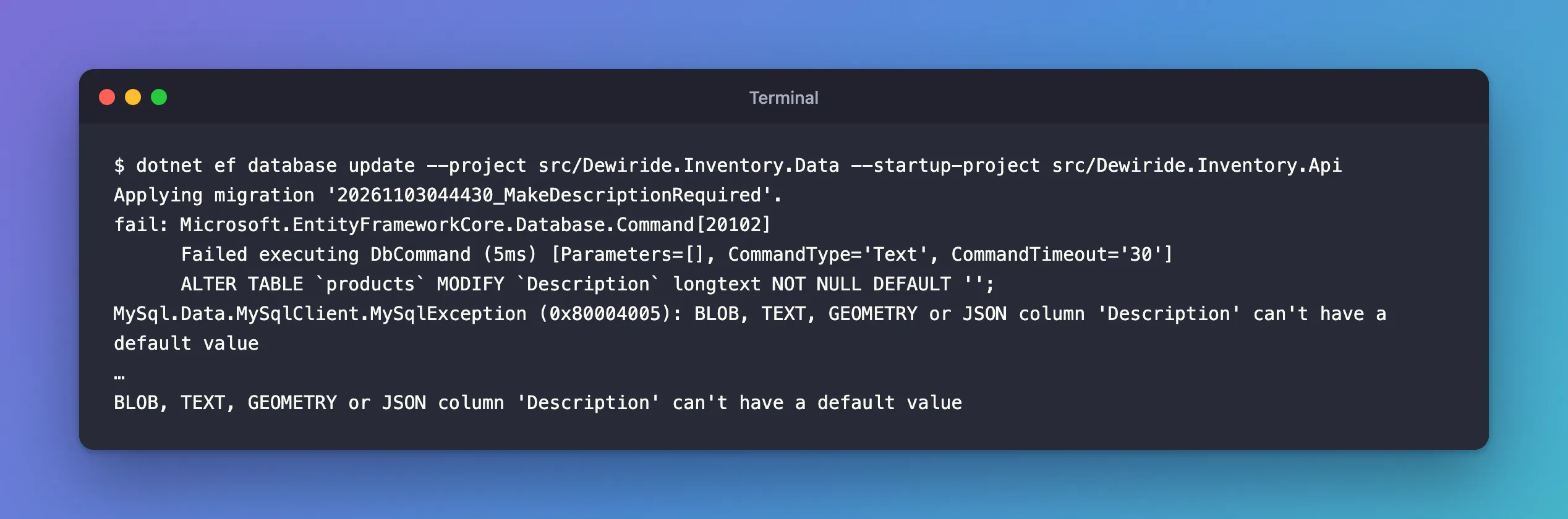
What I Got
dotnet ef database update --project src/Dewiride.Inventory.Data --startup-project src/Dewiride.Inventory.Api
Applying migration '20261103044430_MakeDescriptionRequired'.
fail: Microsoft.EntityFrameworkCore.Database.Command[20102]
      Failed executing DbCommand (5ms) [Parameters=[], CommandType='Text', CommandTimeout='30']
      ALTER TABLE `products` MODIFY `Description` longtext NOT NULL DEFAULT '';
MySql.Data.MySqlClient.MySqlException (0x80004005): BLOB, TEXT, GEOMETRY or JSON column 'Description' can't have a default value
…
BLOB, TEXT, GEOMETRY or JSON column 'Description' can't have a default value
What I Checked
Where the default came from. The generated migration asks for it:
migrationBuilder.AlterColumn<string>(
    name: "Description",
    table: "products",
    type: "longtext",
    nullable: false,
    defaultValue: "",
    oldClrType: typeof(string),
    oldType: "longtext",
    oldNullable: true);
defaultValue: "" is there for the rows that already exist: they hold NULL, and a NOT NULL column can't keep them. EF Core gives the column a default, so MySQL fills those rows with it. That's also what the "may result in the loss of data" warning was about.
What MySQL allows. The manual's data type defaults page states the rule: "The BLOB, TEXT, GEOMETRY, and JSON data types can be assigned a default value only if the value is written as an expression, even if the expression value is a literal". Its example: b BLOB DEFAULT ('abc') is permitted, and b BLOB DEFAULT 'abc' "produces an error". longtext is a TEXT type, so DEFAULT '' is the forbidden form; DEFAULT ('') would be allowed.
Why It Happens
The provider turns defaultValue: "" into a plain literal default, DEFAULT '', which works for varchar but not for longtext. MySQL refuses the whole statement, with error 1101; the error reference lists it as "Error number: 1101; Symbol: ER_BLOB_CANT_HAVE_DEFAULT; SQLSTATE: 42000". Nothing changed: the statement failed before anything ran, and the migration wasn't recorded.
The Fix
The default was only a tool to fill the existing NULLs. Do that explicitly, then make the column NOT NULL with no default at all. EF Core's docs encourage exactly this kind of edit: "you should always review the code and make sure it corresponds to the desired change; in some cases, it is even necessary to do so."
Edit the migration's Up method:
protected override void Up(MigrationBuilder migrationBuilder)
{
    // MySQL can't give a longtext column a literal default, so fill the empty
    // rows first, then make the column NOT NULL without a default.
    migrationBuilder.Sql("UPDATE `products` SET `Description` = '' WHERE `Description` IS NULL;");

    migrationBuilder.AlterColumn<string>(
        name: "Description",
        table: "products",
        type: "longtext",
        nullable: false,
        oldClrType: typeof(string),
        oldType: "longtext",
        oldNullable: true);
}
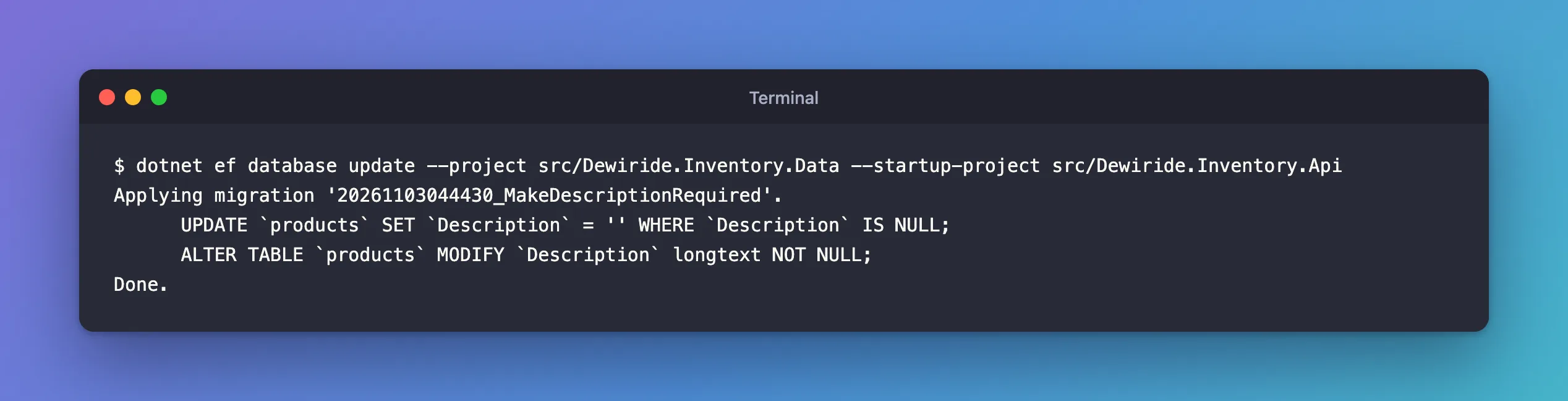
Two changes: a migrationBuilder.Sql statement before the column change, and no defaultValue in AlterColumn. Apply it:
dotnet ef database update --project src/Dewiride.Inventory.Data --startup-project src/Dewiride.Inventory.Api
Applying migration '20261103044430_MakeDescriptionRequired'.
      UPDATE `products` SET `Description` = '' WHERE `Description` IS NULL;
      ALTER TABLE `products` MODIFY `Description` longtext NOT NULL;
Done.
After the Fix
SELECT Sku, Description IS NULL AS IsNull, CHAR_LENGTH(Description) AS Length FROM products;
SHOW COLUMNS FROM products LIKE 'Description';
+--------------+--------+--------+
| Sku          | IsNull | Length |
+--------------+--------+--------+
| ADP-HDMI-01  |      0 |      0 |
| ADP-HDMI-02  |      0 |      0 |
| CHG-USBC-65W |      0 |      0 |
+--------------+--------+--------+
3 rows in set (0.000 sec)

+-------------+----------+------+-----+---------+-------+
| Field       | Type     | Null | Key | Default | Extra |
+-------------+----------+------+-----+---------+-------+
| Description | longtext | NO   |     | NULL    |       |
+-------------+----------+------+-----+---------+-------+
1 row in set (0.001 sec)
No row is NULL any more, and the column is NOT NULL with no default, which is what the C# model says.
Other Ways Around It
I generated the SQL for both alternatives with dotnet ef migrations script to see what the provider writes:
| Option | SQL it generates | When it fits |
|---|---|---|
Give the property a maximum length, such as HasMaxLength(2000) | ALTER TABLE `products` MODIFY `Description` varchar(2000) NOT NULL DEFAULT ''; | Descriptions have a sensible limit. varchar accepts a literal default, so the generated migration works unchanged |
defaultValueSql: "('')" instead of defaultValue: "" in the migration | ALTER TABLE `products` MODIFY `Description` longtext NOT NULL DEFAULT (''); | You want MySQL to keep a default. The parentheses make it an expression, the form the manual permits for TEXT |
| Keep the property nullable | No change | An empty description is a real state in your app |
Common Mistakes
| Mistake | What happens | Do this instead |
|---|---|---|
Removing defaultValue without filling the NULLs | ALTER TABLE fails, because existing rows are NULL | Add the UPDATE first |
Putting the UPDATE after AlterColumn | The ALTER runs first and fails | Fill the rows, then change the column |
| Ignoring the "loss of data" warning | You don't look at the migration until it fails | Read every migration that warns |
Troubleshooting
| Symptom | Likely cause | Fix |
|---|---|---|
dotnet ef database update stops with "BLOB, TEXT, GEOMETRY or JSON column '…' can't have a default value" | The migration gives a longtext column a plain default, such as defaultValue: "" when the column becomes required | Fill the NULLs with migrationBuilder.Sql, then change the column without defaultValue |
The migration's SQL shows DEFAULT '' on a longtext column | The provider writes defaultValue as a literal default | Read the output of dotnet ef migrations script before applying, and edit the migration |
You want MySQL to keep a default on a TEXT column | MySQL accepts only an expression default for TEXT | Use defaultValueSql: "('')", the expression form the manual permits |
FAQ
Is the migration half-applied after the error?
No, here: the failing statement was the first one, and MySQL rejected it before changing anything. In migrations with several statements, check the table, because MySQL can't roll back the ones that already ran.
Does the Down method need an edit too?
No. Down makes the column nullable again, which needs no default. It won't turn the empty strings back into NULL, though.
Conclusion
"BLOB, TEXT, GEOMETRY or JSON column '…' can't have a default value" during an EF Core migration means the migration gives a longtext column a plain default, which MySQL only accepts as an expression. EF Core adds defaultValue: "" to fill existing NULLs when a column becomes required. Replace it with migrationBuilder.Sql("UPDATE … WHERE … IS NULL") before the AlterColumn, remove the default, and the migration applies cleanly.
Additional Resources
- Data Type Default Values — literal and expression defaults.
- Managing Migrations — editing generated migration code.
