Fixed: "AzureCliCredential authentication failed: Azure CLI authentication failed due to an unknown error"

My .NET agent API answered every request with a RUN_ERROR, and its log said AzureCliCredential authentication failed: Azure CLI authentication failed due to an unknown error. The "unknown error" was in the Azure CLI, not in my code: the CLI's own sign-in had expired. One az login fixed the app without a code change.
What I Was Doing
The API from the Microsoft Agent Framework series calls Microsoft Foundry without an API key. It signs in with DefaultAzureCredential from Azure.Identity 1.21.0, and on my machine the launch profile sets AZURE_TOKEN_CREDENTIALS to AzureCliCredential, so the credential borrows my Azure CLI sign-in.
I was moving the series to the newest releases and running its requests again. From the solution folder, I started the API:
dotnet run --project src/Dewiride.ServiceDesk.Api
Then I sent the first request from the API's .http file, a greeting to the agent:
POST {{baseUrl}}/api/agents/service-desk
Content-Type: application/json
Accept: text/event-stream

{
  "threadId": "thread-1",
  "runId": "run-1",
  "messages": [
    {
      "id": "message-1",
      "role": "user",
      "content": "Hi! What can you help me with?"
    }
  ]
}
What I Expected
A greeting from the agent, streamed back as TEXT_MESSAGE_CONTENT events.
What I Got
200 OK, with one event instead of an answer:
HTTP/1.1 200 OK
Content-Type: text/event-stream
Date: Wed, 11 Nov 2026 10:15:38 GMT
Server: Kestrel
Cache-Control: no-cache,no-store
Content-Encoding: identity
Pragma: no-cache
Transfer-Encoding: chunked

data: {"type":"RUN_ERROR","message":"An error occurred while streaming the agent response.","code":"StreamingError"}
The API's terminal had the details. The first lines of the entry, with the long stack trace cut short:
fail: LoggingAgent[1784604714]
      RunStreamingAsync failed.
      Azure.Identity.CredentialUnavailableException: AzureCliCredential authentication failed: Azure CLI authentication failed due to an unknown error. See the troubleshooting guide for more information. https://aka.ms/azsdk/net/identity/azclicredential/troubleshoot ERROR: AADSTS9002313: Invalid request. Request is malformed or invalid. Trace ID: 00000000-0000-0000-0000-000000000000 Correlation ID: 00000000-0000-0000-0000-000000000000 Timestamp: 2026-11-11 10:15:37Z
      Run the command below to authenticate interactively; additional arguments may be added as needed:
      az logout
      az login --tenant "11111111-1111-1111-1111-111111111111" --scope "https://ai.azure.com/.default"
       ---> Azure.Identity.CredentialUnavailableException: Azure CLI authentication failed due to an unknown error. See the troubleshooting guide for more information. https://aka.ms/azsdk/net/identity/azclicredential/troubleshoot ERROR: AADSTS9002313: Invalid request. Request is malformed or invalid. Trace ID: 00000000-0000-0000-0000-000000000000 Correlation ID: 00000000-0000-0000-0000-000000000000 Timestamp: 2026-11-11 10:15:37Z
      Run the command below to authenticate interactively; additional arguments may be added as needed:
      az logout
      az login --tenant "11111111-1111-1111-1111-111111111111" --scope "https://ai.azure.com/.default"
         at Azure.Identity.AzureCliCredential.RequestCliAccessTokenAsync(Boolean async, TokenRequestContext context, CancellationToken cancellationToken)
         at Azure.Identity.AzureCliCredential.GetTokenImplAsync(Boolean async, TokenRequestContext requestContext, CancellationToken cancellationToken)
         --- End of inner exception stack trace ---
         at Azure.Identity.DefaultAzureCredential.GetTokenFromSourcesAsync(TokenCredential[] sources, TokenRequestContext requestContext, Boolean async, CancellationToken cancellationToken)
         …
What I Checked
Where the error came from. The text after ERROR: isn't .NET's: it is the Azure CLI's error message, with its suggestion to run az logout and az login. Microsoft's page on the MSAL-based Azure CLI explains why: AzureCliCredential uses a subprocess to call az account get-access-token. The credential has no sign-in of its own. When the Azure CLI fails, the credential passes the CLI's output on, and "unknown error" only means the credential didn't recognize the cause.
The troubleshooting guide in the message. The link leads to the AzureCliCredential section of the Azure.Identity troubleshooting guide. It doesn't list "unknown error", but it says to check that the Azure CLI itself can get tokens.
The Azure CLI on its own. I asked it for the same token the API needs, printing only the expiry time so the token stays off the screen:
az account get-access-token --resource https://ai.azure.com --query expiresOn -o tsv
It failed with the same AADSTS9002313. So the API's code and settings were fine: the Azure CLI couldn't get any token. Its --debug log showed the real cause, AADSTS50078 — my multifactor sign-in had expired under the tenant's policy. Fixed: AADSTS9002313 in Azure CLI walks through that log.
Why It Happens
AzureCliCredential depends on the Azure CLI's sign-in. That sign-in is a stored refresh token from your last az login, and your organization's policies decide how long the multifactor authentication behind it stays valid. When it expires, every az account get-access-token fails, and so does every app that uses AzureCliCredential, or DefaultAzureCredential set to use it. The agent's host turns the exception into a RUN_ERROR with a general message, and the logging the series added to the agent writes the full exception to the terminal.
The Fix
Sign in to the Azure CLI again:
az login
Complete the sign-in and multifactor authentication in the browser. If your account belongs to several tenants, add --tenant with your tenant's ID. There's nothing to change in the app.
After the Fix
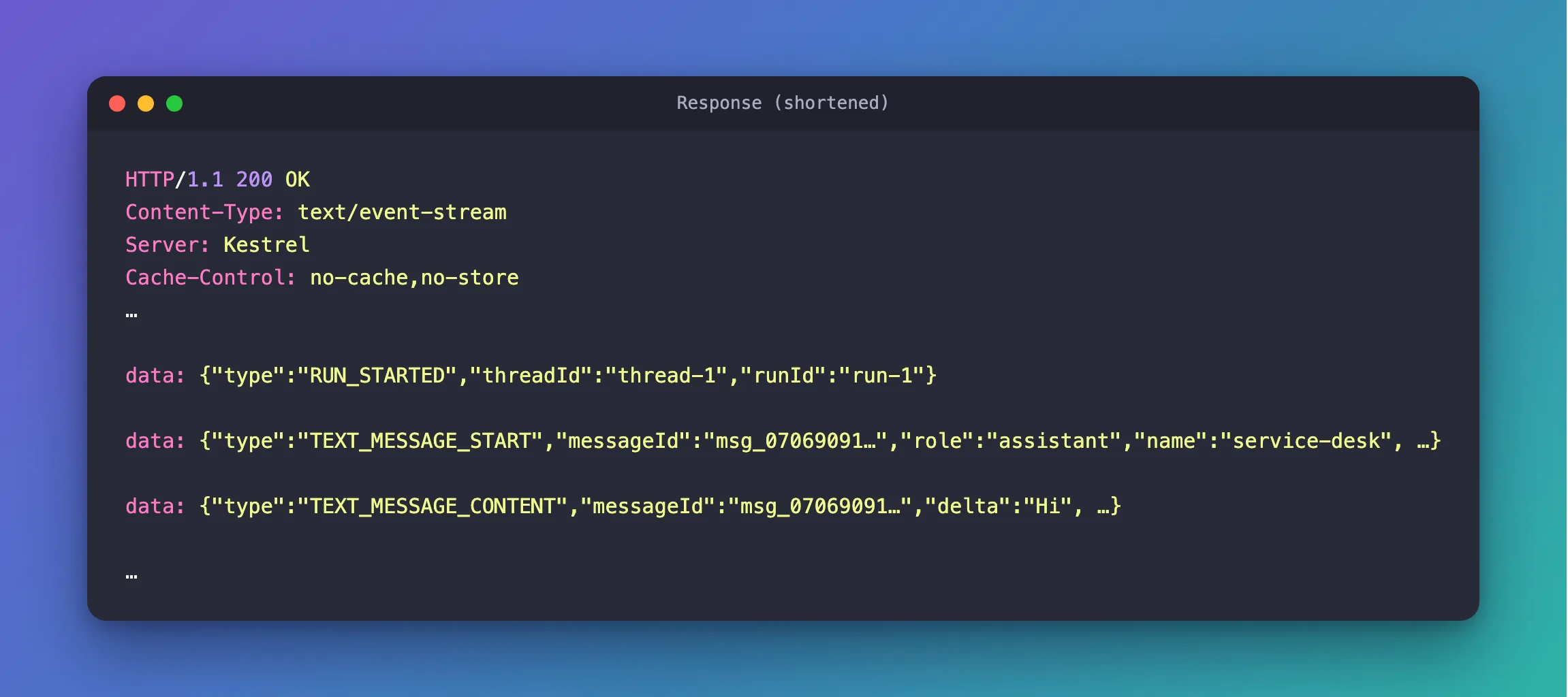
az account get-access-token printed an expiry time again. I started the API again with the same dotnet run command and sent the same greeting request. It streamed an answer:
HTTP/1.1 200 OK
Content-Type: text/event-stream
Date: Wed, 11 Nov 2026 10:47:13 GMT
Server: Kestrel
Cache-Control: no-cache,no-store
Content-Encoding: identity
Pragma: no-cache
Transfer-Encoding: chunked

data: {"type":"RUN_STARTED","threadId":"thread-1","runId":"run-1"}

data: {"type":"TEXT_MESSAGE_START","messageId":"msg_07069091…","role":"assistant","name":"service-desk", …}

data: {"type":"TEXT_MESSAGE_CONTENT","messageId":"msg_07069091…","delta":"Hi", …}

…
Put together, the answer began Hi! I can help with Dewiride IT topics, including: and listed laptops, software, sign-in, email, Wi-Fi, printers and security.
Common Mistakes
| Mistake | What happens | Do this instead |
|---|---|---|
| Debugging the .NET code first | The code is fine; the Azure CLI can't get tokens | Run az account get-access-token yourself |
| Switching to an API key to get going | The app now holds a secret it never needed | Fix the sign-in with az login |
Reading only the RUN_ERROR message | It says only that streaming failed | Read the API's log for the exception |
Troubleshooting
| Symptom | Likely cause | Fix |
|---|---|---|
Azure CLI authentication failed due to an unknown error with AADSTS9002313 | The Azure CLI's sign-in has expired | az login |
| Azure CLI not installed | The Azure CLI isn't installed, or not on PATH | Install it and open a new terminal |
| Please run 'az login' to set up account | No account is signed in to the Azure CLI | az login |
Still failing after az login | The Azure CLI signed in to a different tenant | az login --tenant with your tenant's ID |
FAQ
How do I see which account the Azure CLI uses?
Run az account show. The troubleshooting guide suggests it as the first check, before asking for a token.
Will this happen in Azure?
Not this way. In Azure, the series' API will use a managed identity (Part 21), and Microsoft's multifactor requirement for the Azure CLI applies to user accounts, not to managed identities. AzureCliCredential is for your own machine.
Why does the credential call it an unknown error?
The troubleshooting guide lists two messages for situations the credential recognizes: the Azure CLI isn't installed, or no account is signed in. This failure was neither, so the credential called it unknown and added the Azure CLI's own output — which is where the cause is.
Conclusion
AzureCliCredential authentication failed: Azure CLI authentication failed due to an unknown error means the Azure CLI couldn't get a token. Read the text after ERROR:, run az account get-access-token yourself, and if the CLI's sign-in has expired, az login fixes your app without touching its code.
Additional Resources
- MSAL-based Azure CLI — how
AzureCliCredentialgets its tokens. - Azure.Identity troubleshooting: AzureCliCredential — the guide the error message links to.
- Sign into Azure interactively using the Azure CLI —
az loginand refresh tokens.
