Fixed: Azure CLI --output table Hides the type Column

My Azure CLI query asked for three fields — type, role and text — and --output table printed only two columns. The type column had vanished without a warning. The Azure CLI hides that key in tables on purpose, and renaming it in the query brings it back.
What I Was Doing
While building Part 4 of the Microsoft Agent Framework series, I wanted to see the conversation Microsoft Foundry had stored for one of the agent's answers (How to See the Conversation History Microsoft Foundry Stored for a Response). Each stored item has a type, a role and some text, so I asked for exactly those three, as a table:
az rest --method get --resource "https://ai.azure.com" --url "https://foundry-devblogs-exp.services.ai.azure.com/api/projects/proj-devblogs-exp/openai/v1/responses/resp_07c08057ae4311b7006ae3713e45f48193a394b151bda87601/input_items?order=asc" --query "data[].{type:type,role:role,text:content[0].text}" --output table
What I Expected
A table with three columns — Type, Role and Text — and one row per stored item.
What I Got
Two columns, and a row that looked empty:
Role       Text
---------  --------------------------------------------------------------
user       My laptop won't connect to the office Wi-Fi. What should I do?

assistant  Which operating system is your laptop using: Windows or macOS?
user       It's a Windows 11 laptop.
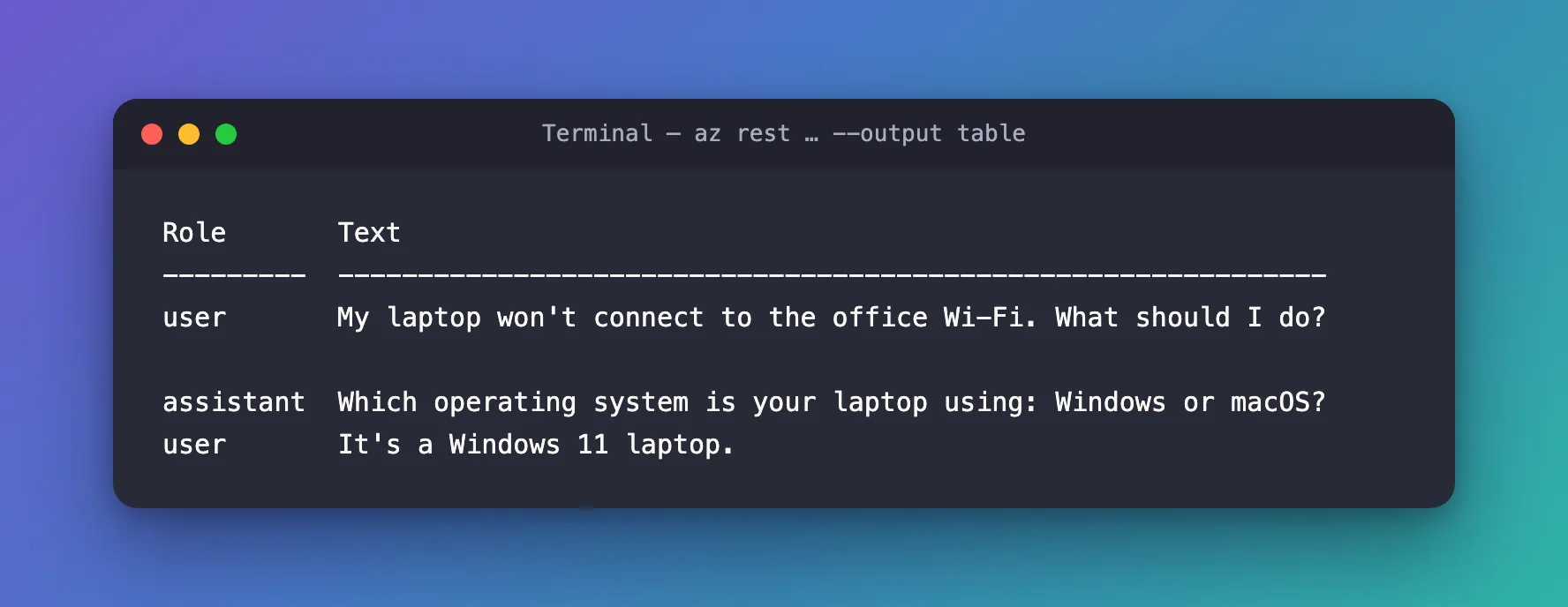
No error and no warning. Without the Type column, the blank second row made no sense at all.
What I Checked
The same query as JSON. I changed only --output table to --output json. Every item had its type, and the blank row was a reasoning item, which has no role and no text:
[
  {
    "role": "user",
    "text": "My laptop won't connect to the office Wi-Fi. What should I do?",
    "type": "message"
  },
  {
    "role": null,
    "text": null,
    "type": "reasoning"
  }
]
So the query was right, and the values were there. Only the table dropped them.
Microsoft's documentation of the table format. Output formats for Azure CLI commands says it plainly: Some keys aren't printed in the table view by default. These keys include id, type, and etag. It also gives the way out: use JMESPath to change the key's name.
Why It Happens
The table format is built for quick, readable overviews of Azure resources, where id, type and etag are long, repetitive values. So the CLI filters those three key names out of every table — including tables made from your own --query, whatever the values are.
The Fix
Give the field another name in the query. In a JMESPath multiselect hash, {name:expression}, the part before the colon is only a label. I renamed type to item:
az rest --method get --resource "https://ai.azure.com" --url "https://foundry-devblogs-exp.services.ai.azure.com/api/projects/proj-devblogs-exp/openai/v1/responses/resp_07c08057ae4311b7006ae3713e45f48193a394b151bda87601/input_items?order=asc" --query "data[].{item:type,role:role,text:content[0].text}" --output table
This command is a single line, so it works unchanged in bash, zsh and PowerShell.
After the Fix
All three columns, and the mystery row explained:
Item       Role       Text
---------  ---------  --------------------------------------------------------------
message    user       My laptop won't connect to the office Wi-Fi. What should I do?
reasoning
message    assistant  Which operating system is your laptop using: Windows or macOS?
message    user       It's a Windows 11 laptop.
The same applies to id and etag. To show a resource ID in a table, Microsoft's example renames it too: --query "[].{objectID:id}".
Common Mistakes
| Mistake | What happens | Do this instead |
|---|---|---|
Naming a column type, id or etag in a table | The column disappears silently | Use another name, such as item, resourceId or version |
| Assuming the query is wrong | You change a query that already works | Run it once with --output json to see the real values |
Troubleshooting
| Symptom | Likely cause | Fix |
|---|---|---|
A column from your --query is missing in --output table | Its key is id, type or etag | Rename the key in the query |
| A row looks empty in the table | Its fields are null, or the only filled field was hidden | Check the same query with --output json |
FAQ
Does this happen with --output tsv or json?
No. The filtering belongs to the table format. JSON and TSV output keep the type field.
Is the column name case-sensitive?
The CLI turns the first letter into a capital for the heading, so item shows as Item. Pick any name except the three filtered ones.
Conclusion
--output table leaves out keys named id, type and etag, even in your own queries. Rename the field in the JMESPath query — {item:type} instead of {type:type} — and the column is back.
Additional Resources
- Output formats for Azure CLI commands — the table format and the keys it hides.
- How to query Azure CLI command output using a JMESPath query — multiselect hashes and renaming.
