Fixed: "Authentication to host '127.0.0.1' for user 'inventory_app' using method 'caching_sha2_password' failed with message: Access denied for user 'inventory_app'@'172.20.0.1' (using password: YES)" in .NET

MySql.Data.MySqlClient.MySqlException (0x80004005): Authentication to host '127.0.0.1' for user 'inventory_app' using method 'caching_sha2_password' failed with message: Access denied for user 'inventory_app'@'172.20.0.1' (using password: YES) That's MySQL error 1045 as .NET reports it, wrapped in a longer sentence with two different addresses. Every part of it is a clue: who you tried to log in as, from where, how, and that a password was sent. Here's how to read it, and what it was in my case.
What I Was Doing
A small .NET 10 program, run as a single C# file, opens a connection to MySQL 9.7 in a Docker container and prints who it's connected as. The connection string comes from an environment variable, MYSQL_CONNECTION_STRING, so the password never sits in the code:
#:package MySql.Data@26.10.0

using MySql.Data.MySqlClient;

// The connection string comes from an environment variable, so no password is written in the code.
var connectionString = Environment.GetEnvironmentVariable("MYSQL_CONNECTION_STRING")
    ?? throw new InvalidOperationException("Set the MYSQL_CONNECTION_STRING environment variable first.");

await using var connection = new MySqlConnection(connectionString);
await connection.OpenAsync();
The connection string had this shape:
Server=127.0.0.1;Port=3306;Database=inventory;User ID=inventory_app;Password=*****;SslMode=Required
dotnet run test-connection.cs
What I Expected
Connected as inventory_app@% and the TLS version, which the program prints once it's connected.
What I Got
Unhandled exception. MySql.Data.MySqlClient.MySqlException (0x80004005): Authentication to host '127.0.0.1' for user 'inventory_app' using method 'caching_sha2_password' failed with message: Access denied for user 'inventory_app'@'172.20.0.1' (using password: YES)
 ---> MySql.Data.MySqlClient.MySqlException (0x80004005): Access denied for user 'inventory_app'@'172.20.0.1' (using password: YES)
   at MySql.Data.MySqlClient.MySqlStream.CheckForServerError()
   at MySql.Data.MySqlClient.MySqlStream.ReadPacketAsync()
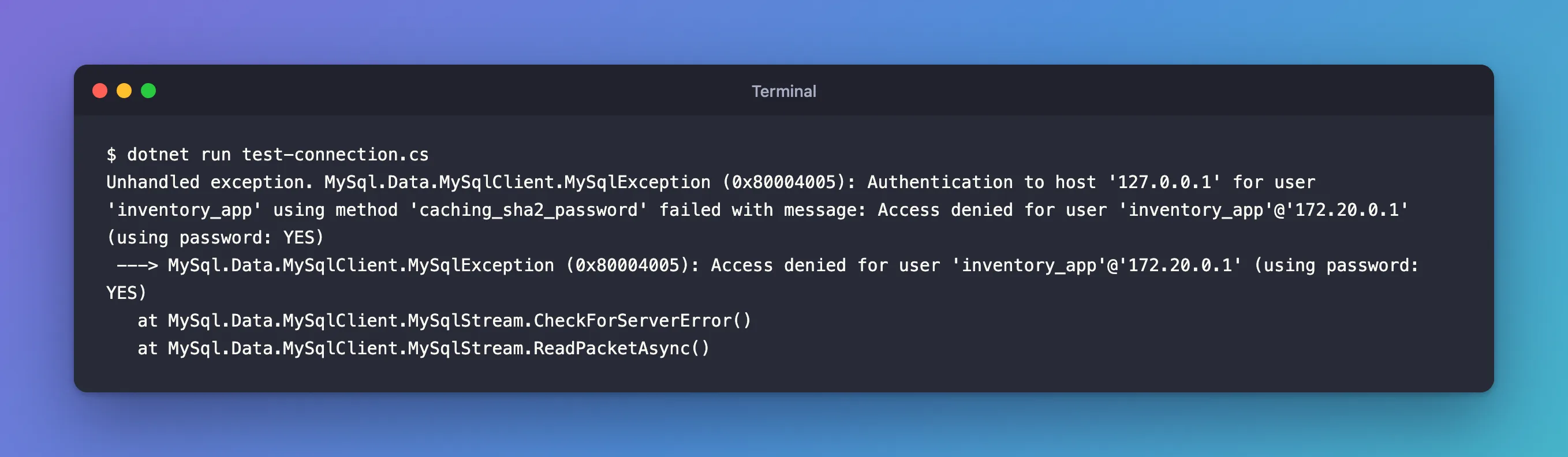
The stack trace continued through MySqlConnection.OpenInternalAsync to line 10 of the program: connection.OpenAsync().
What I Checked
The outer message, from the .NET driver, says where it connected and how: host 127.0.0.1, the Server in the connection string; user inventory_app; authentication method caching_sha2_password, MySQL 9.7's default.
The inner message, from MySQL, is error 1045. The MySQL error reference: "Error number: 1045; Symbol: ER_ACCESS_DENIED_ERROR; SQLSTATE: 28000", with the message "Access denied for user '%s'@'%s' (using password: %s)". The manual's connection problems page: "The Access denied error message tells you who you are trying to log in as, the client host from which you are trying to connect, and whether you were using a password."
Why 172.20.0.1 and not 127.0.0.1. The program connected to 127.0.0.1 on the Mac, but MySQL runs in a container. Docker forwards the published port into the container's network, so to MySQL the connection comes from that network's gateway address, 172.20.0.1. That's normal with Docker, and it's not the cause here: the account was created as inventory_app@%, which matches any host. A working connection later confirmed it: Connected as inventory_app@%.
(using password: YES): a password was sent, and it didn't match. The manual's example for exactly that: "If you get the following error, it means that you are using an incorrect root password", for the same message with (using password: YES).
Why It Happens
MySQL found the account, inventory_app@%, for the connecting host, and compared the password the driver sent with the account's password. They didn't match, so MySQL refused the sign-in with error 1045, and MySql.Data wrapped that in its own "Authentication to host … failed" message. Right user, right host match, wrong password.
The Fix
Put the correct password in the connection string, in whatever holds it: here the environment variable, in an app the user-secrets store or the server's configuration. Then run again:
dotnet run test-connection.cs
After the Fix
Connected as inventory_app@% to MySQL 9.7.4
TLS: TLSv1.2
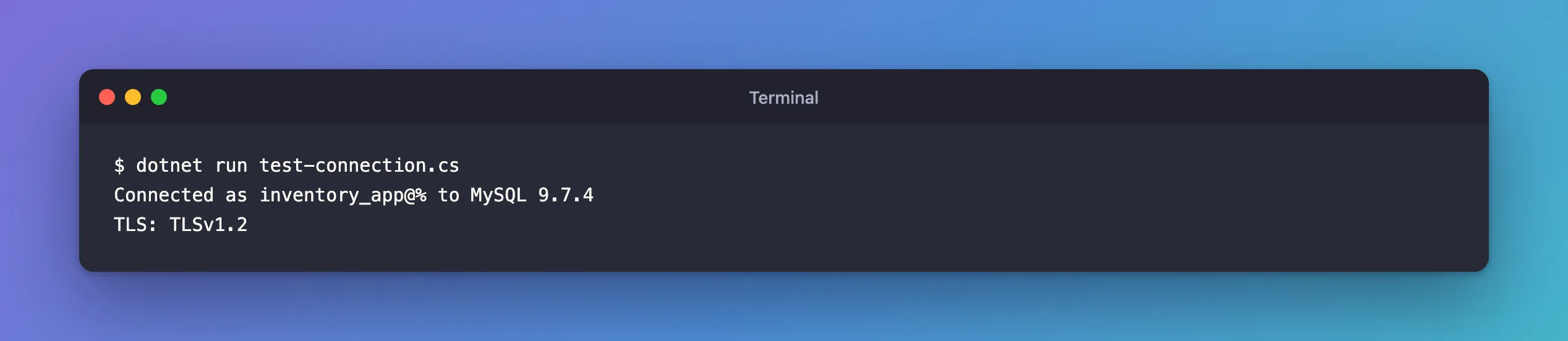
inventory_app@% is the account MySQL matched, and the connection uses TLS, as the connection string's SslMode=Required demands.
If the Password Is Right and It Still Fails
With a MySQL container, the classic cause is a password that was changed in the Compose .env file after the database was first created: the image applies MYSQL_PASSWORD only when it initializes an empty data folder, so the account keeps its first password. Fixed: "ERROR 1045 (28000): Access denied for user 'inventory_app'@'localhost' (using password: YES)" in a MySQL Docker Container shows how to check that and reset the password without losing data.
Common Mistakes
| Mistake | What happens | Do this instead |
|---|---|---|
Reading 172.20.0.1 as the problem | You change hosts and grants that were fine | Check the password first when it says using password: YES |
Changing the password in .env after the first start | The database keeps the old one | Reset it in MySQL with ALTER USER |
| Printing the connection string to debug | The password lands in logs | Print the shape, never the value |
Troubleshooting
| Symptom | Likely cause | Fix |
|---|---|---|
Access denied for user … (using password: YES) | The password in the connection string isn't the account's password | Correct it where the connection string comes from |
Access denied for user … (using password: NO) | No password was sent: the connection string has no Password, or the variable or secret wasn't found | Add the Password, and check that the variable or secret is set |
| The password is right and still refused, with MySQL in Docker | The account kept the password from the container's first start | Reset it with ALTER USER, as the 1045 post shows |
The host in the message is 172.x.x.1, not 127.0.0.1 | Docker forwards the port through its network's gateway | Nothing to fix: an account created as @'%' matches it |
FAQ
What does "using password: NO" mean instead?
That no password was sent at all. The manual: "if you get an error message that contains using password: NO, it means that you tried to log in without a password." Check that the connection string has a Password and that the variable or secret was found.
Does caching_sha2_password cause this error?
Not this one: the method is named because that's how the login was attempted. Problems with the method itself look different; Fixed: "Retrieval of the RSA public key is not enabled for insecure connections" is one.
Conclusion
"Authentication to host … failed with message: Access denied for user …@… (using password: YES)" is MySQL error 1045 seen from .NET: the user and host were recognized well enough to try, and the password didn't match. With Docker, the host in the message is the network gateway, which is normal. Correct the password in the connection string; if it's right and still refused, the database's account has a different password than you think, which the 1045 post shows how to reset.
