Fixed: appsettings.json Is Ignored When an ASP.NET Core DLL Runs from Another Folder

I published my API and started it with dotnet publish/Dewiride.Inventory.Api.dll. It ran and it answered, and it logged SQL statements that its appsettings.json turns off. The file was right there, and nothing said it wasn't being read.
What I Was Doing
I was running a published .NET 10 API on my own machine, to check it the way production would run it. From the solution folder:
- macOS / Linux
- Windows (PowerShell)
dotnet publish src/Dewiride.Inventory.Api -c Release -o publish
ASPNETCORE_URLS=http://localhost:5191 ConnectionStrings__Inventory="Server=127.0.0.1;Port=3306;Database=inventory;User ID=inventory_app;Password=$(grep '^MYSQL_PASSWORD=' .env | cut -d= -f2-);SslMode=Required" dotnet publish/Dewiride.Inventory.Api.dll
dotnet publish src/Dewiride.Inventory.Api -c Release -o publish
$password = (Get-Content .env | Where-Object { $_ -like 'MYSQL_PASSWORD=*' }).Substring('MYSQL_PASSWORD='.Length)
$env:ASPNETCORE_URLS = "http://localhost:5191"
$env:ConnectionStrings__Inventory = "Server=127.0.0.1;Port=3306;Database=inventory;User ID=inventory_app;Password=$password;SslMode=Required"
dotnet publish/Dewiride.Inventory.Api.dll
Then I sent one request to http://localhost:5191/api/v1/categories.
What I Expected
The API's appsettings.json has "Microsoft.EntityFrameworkCore.Database.Command": "Warning", so no SQL statements in the log.
What I Got
A SQL statement, for that one request. These are the messages from its JSON log:
info: Now listening on: http://localhost:5191
info: Application started. Press Ctrl+C to shut down.
info: Hosting environment: Production
info: Content root path: /Users/you/projects/dewiride-inventory-api
info: Executed DbCommand (3ms) [Parameters=[], CommandType='Text', CommandTimeout='0']
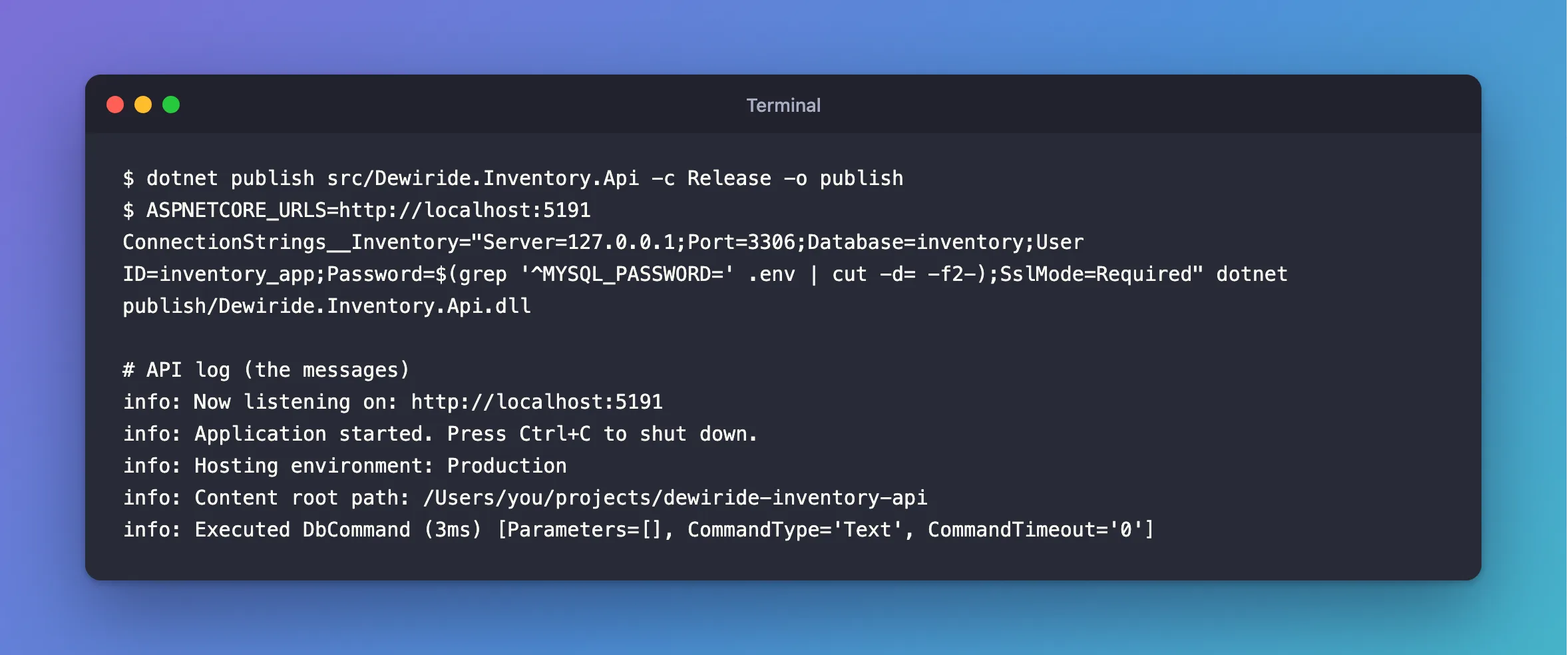
There's no error, and no warning about a missing file.
What I Checked
Whether the file was published. It was. ls publish included:
appsettings.Development.json
appsettings.json
The log's Content root path. It says the solution folder, and not publish. That's the clue.
What the content root does. Microsoft's fundamentals page lists it as the base path for "configuration files", and its generic host page says the default builder "Sets the content root to the path returned by GetCurrentDirectory". So it's the folder I started in, wherever the DLL is.
Why there's no error. Its configuration page lists the source as JsonConfigurationProvider for 'appsettings.json' (Optional). A missing file is fine, as far as the host is concerned.
Why It Happens
ASP.NET Core looks for appsettings.json in the content root, and the content root is the current folder when the app starts. I started it in the solution folder, which has no appsettings.json. That's allowed, so the app carried on with its built-in defaults. An app with sensible defaults runs fine like this, so it's easy to miss. The same happens with the executable, publish/Dewiride.Inventory.Api.
The Fix
Any of these works, with the same two variables set as before.
1. Start it from inside the folder:
cd publish
dotnet Dewiride.Inventory.Api.dll
2. Pass --contentRoot, with a full path. $PWD is the folder you're in, in both bash and PowerShell:
dotnet publish/Dewiride.Inventory.Api.dll --contentRoot "$PWD/publish"
Watch out for a relative path here. It's relative to the DLL's folder, and not yours, so --contentRoot publish looks in publish/publish:
Unhandled exception. System.IO.DirectoryNotFoundException: /Users/you/projects/dewiride-inventory-api/publish/publish/
3. Set ASPNETCORE_CONTENTROOT, which suits a service, whose start folder you may not control:
- macOS / Linux
- Windows (PowerShell)
ASPNETCORE_CONTENTROOT="$PWD/publish" dotnet publish/Dewiride.Inventory.Api.dll
$env:ASPNETCORE_CONTENTROOT = "$PWD/publish"
dotnet publish/Dewiride.Inventory.Api.dll
After the Fix
The same request, from inside the folder:
info: Now listening on: http://localhost:5191
info: Application started. Press Ctrl+C to shut down.
info: Hosting environment: Production
info: Content root path: /Users/you/projects/dewiride-inventory-api/publish
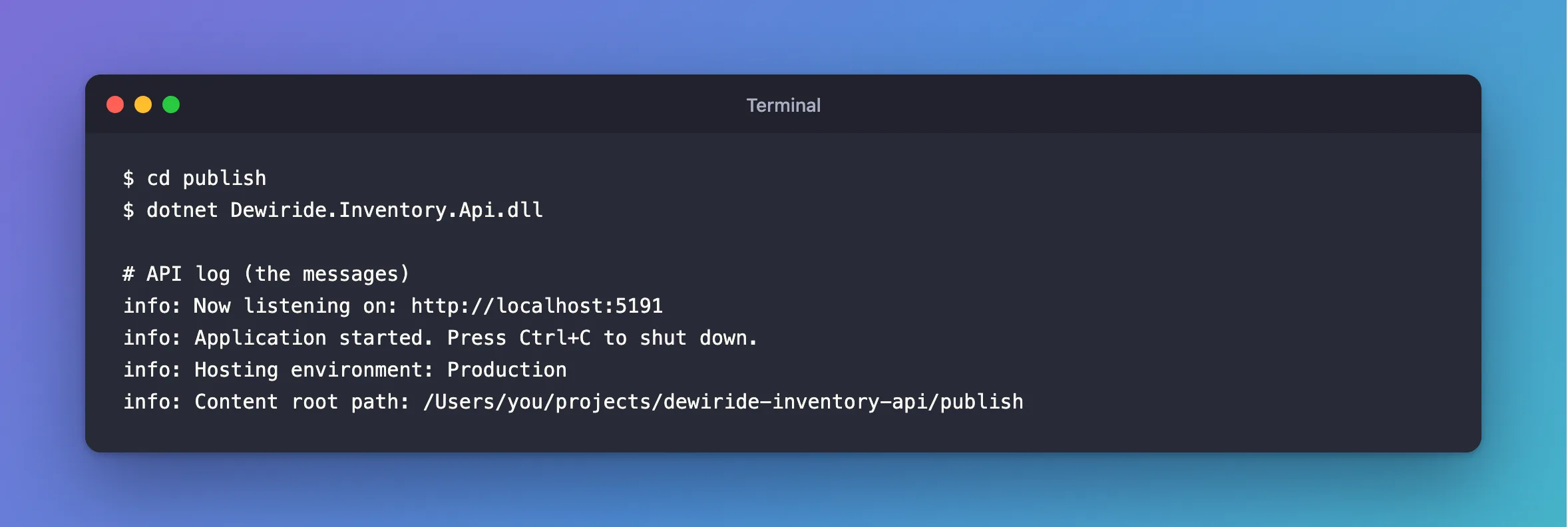
The content root is publish, and the SQL statement has gone. --contentRoot and ASPNETCORE_CONTENTROOT gave the same log.
Common Mistakes
| Mistake | What happens | Do this instead |
|---|---|---|
| Assuming the DLL's folder is the content root | Settings are skipped, with no error | Read Content root path in the log |
Passing a relative --contentRoot | DirectoryNotFoundException | Use a full path |
Testing only with dotnet run | It sets the folder for you | Run the published output too |
Troubleshooting
| Symptom | Likely cause | Fix |
|---|---|---|
| Settings differ between a terminal and a service | The service starts in another folder | Set its working folder, or ASPNETCORE_CONTENTROOT |
wwwroot files return 404 | The same cause: it's under the content root | The same fixes |
| It still ignores a setting | An environment variable overrides it | See the order |
Conclusion
The content root is the folder you start in, and appsettings.json is optional. So start a published app from its own folder, or tell it where that is, and check Content root path in the log.
Additional Resources
- ASP.NET Core fundamentals: content root — what it covers.
- .NET Generic Host in ASP.NET Core — the default, and how to change it.
