Fixed: "An operation was scaffolded that may result in the loss of data. Please review the migration for accuracy." in EF Core

An operation was scaffolded that may result in the loss of data. Please review the migration for accuracy. is a warning, not an error: the migration is created anyway, and nothing stops you from applying it. I got it on five migrations while building one EF Core model on MySQL, each time for a different reason. The one time I applied it without checking the data, the migration failed halfway.
What I Was Doing
I was building an inventory database with EF Core 10, Oracle's MySQL provider (MySql.EntityFrameworkCore) and MySQL 9.7. The first migration created the tables with EF Core's defaults, so every string column was longtext. Then I tightened the model one migration at a time. This is the step I learned from: giving the text columns real maximum lengths.
modelBuilder.Entity<Category>().Property(c => c.Name).HasMaxLength(100);
modelBuilder.Entity<Product>().Property(p => p.Sku).HasMaxLength(32);
modelBuilder.Entity<Product>().Property(p => p.Name).HasMaxLength(200);
Then I created the migration. --project names the project that holds the DbContext and the migrations; --startup-project names the app whose configuration supplies the connection string:
dotnet ef migrations add SetMaxLengths --project src/Dewiride.Inventory.Data --startup-project src/Dewiride.Inventory.Api
What I Expected
A new migration and Done., as with the migrations before it.
What I Got
Build started...
Build succeeded.
An operation was scaffolded that may result in the loss of data. Please review the migration for accuracy.
Done. To undo this action, use 'ef migrations remove'
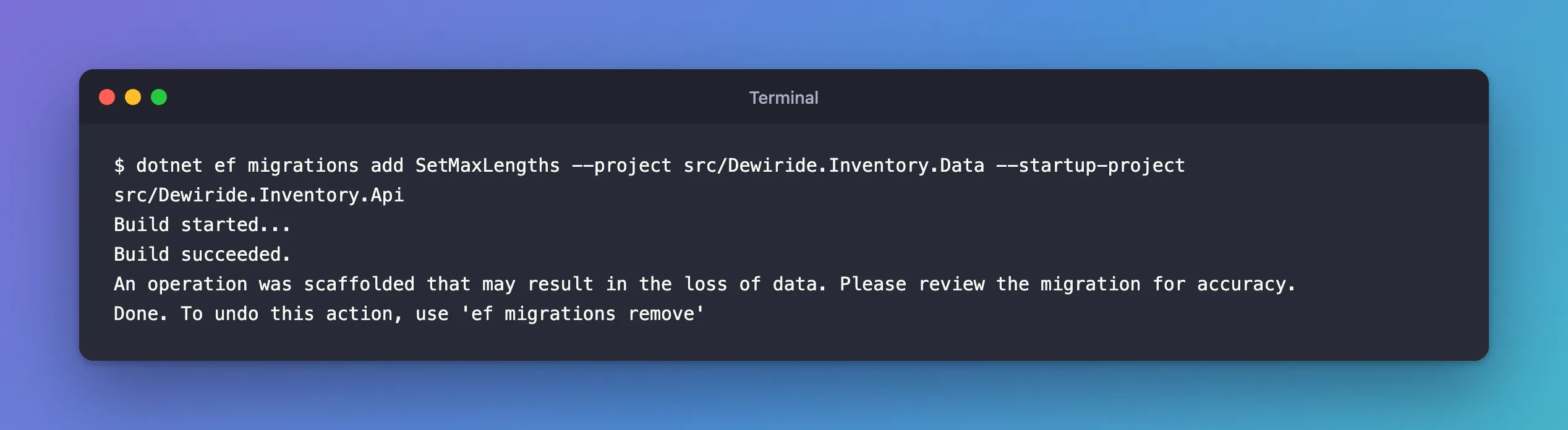
The migration was created; the warning sits between Build succeeded. and Done., easy to scroll past.
What I Checked
The migration file. The warning doesn't say which operation it means, so open the new file in the Migrations folder and read its Up method. Look for operations that change or remove something that already exists: AlterColumn, DropColumn, DropTable. SetMaxLengths had three, all alike:
migrationBuilder.AlterColumn<string>(
    name: "Sku",
    table: "products",
    type: "varchar(32)",
    maxLength: 32,
    nullable: false,
    oldClrType: typeof(string),
    oldType: "longtext");
oldType: "longtext" becomes type: "varchar(32)": a column that held up to 4 GB of text now holds 32 characters. The other two did the same for products.Name (200) and categories.Name (100).
The documentation. EF Core's managing migrations page explains: "The migration scaffolding process warns when an operation might result in data loss (like dropping a column). If you see that warning, be especially sure to review the migrations code for accuracy." The ASP.NET Core Razor Pages tutorial shows the same warning for a length limit: "If a name in the database had more than 50 characters, the 51 to last character would be lost."
Whether EF Core looked at the data. It didn't. This app logs every SQL command EF Core runs, and migrations add printed none: it compares the model with the last migration's snapshot and nothing else. So the warning means "this change could lose data", never "your data will be lost". Only a query against the database can tell which.
Why It Happens
EF Core prints the warning whenever a migration narrows or changes an existing column. These are the five migrations that printed it in this project:
| Migration | Operation | What could be lost |
|---|---|---|
AddCategoryNameIndex | longtext → varchar(255), because MySQL can't index a whole longtext | Names longer than 255 characters |
SetMaxLengths | longtext → varchar(32), varchar(200), varchar(100) | Text longer than the new limits |
SetUnitPricePrecision | decimal(18,2) → decimal(12,2) | Prices above 9,999,999,999.99 |
MakeDescriptionRequired | longtext NULL → longtext NOT NULL, with defaultValue: "" | Every NULL, which becomes '' |
StoreMovementTypeAsString | int → varchar(32) | The meaning of the values: 0 becomes the text '0', not the name 'Receipt' |
Same warning, five different risks: that's why the check has to match the operation.
When I applied one without checking
The products table held one product with a 246-character marketing name. I applied SetMaxLengths anyway:
Applying migration '20261103043648_SetMaxLengths'.
      ALTER TABLE `products` MODIFY `Sku` varchar(32) NOT NULL;
fail: Microsoft.EntityFrameworkCore.Database.Command[20102]
      Failed executing DbCommand (14ms) [Parameters=[], CommandType='Text', CommandTimeout='30']
      ALTER TABLE `products` MODIFY `Name` varchar(200) NOT NULL;
MySql.Data.MySqlClient.MySqlException (0x80004005): Data too long for column 'Name' at row 2
MySQL's strict mode refused to cut the name, which protected the data. But MySQL commits each ALTER TABLE on its own, so Sku was already varchar(32), while Name was still longtext and the migration wasn't recorded as applied: a half-applied migration. Fixed: "Data too long for column 'Name' at row 2" walks through that state and the recovery.
The Fix
Read the warning as a to-do list: for each operation it flags, query the data that the operation could hurt, before dotnet ef database update, and fix what you find.
For SetMaxLengths, the question is which values are longer than the new limits. CHAR_LENGTH counts characters, the unit varchar(n) uses:
SELECT Id, Sku, CHAR_LENGTH(Name) AS NameLength FROM products WHERE CHAR_LENGTH(Name) > 200;
+----+-------------+------------+
| Id | Sku         | NameLength |
+----+-------------+------------+
|  4 | ADP-HDMI-02 |        246 |
+----+-------------+------------+
1 row in set (0.000 sec)
One row. I gave it a shorter name, keeping the meaning instead of letting anything cut it:
UPDATE products SET Name = 'USB-C to HDMI adapter, 4K' WHERE Sku = 'ADP-HDMI-02';
Query OK, 1 row affected (0.002 sec)
Rows matched: 1  Changed: 1  Warnings: 0
The same kind of query works for every operation in the table above:
-- Shorter text: rows longer than the new limit
SELECT Id, Sku, CHAR_LENGTH(Name) AS NameLength FROM products WHERE CHAR_LENGTH(Name) > 200;

-- Smaller decimal: compare the largest value with the new maximum
SELECT MAX(UnitPrice) FROM products;

-- NULL to NOT NULL: how many rows the default would fill
SELECT COUNT(*) FROM products WHERE Description IS NULL;

-- A type change: every value the conversion has to handle
SELECT DISTINCT Type FROM stock_movements;
Fixing the data was right for SetMaxLengths. The other four needed different fixes, each in its own post:
AddCategoryNameIndex: I removed the migration and chose the length myself before indexing, as How to Create a Unique Index with EF Core and MySQL shows.SetUnitPricePrecision: every price fitted, so it applied cleanly; How to Set Decimal Precision for Money with EF Core and MySQL covers choosing the size.MakeDescriptionRequired: applying it failed because MySQL accepts a default on alongtextcolumn only when it's written as an expression, and the provider generated a plain one, so I edited the migration: Fixed: "BLOB, TEXT, GEOMETRY or JSON column can't have a default value".StoreMovementTypeAsString: the generated migration turned0and2into the text'0'and'2', so I edited it to convert the numbers into names: How to Store an Enum as a String with EF Core and MySQL.
After the Fix
With the long name fixed, I applied SetMaxLengths again:
Applying migration '20261103043648_SetMaxLengths'.
      ALTER TABLE `products` MODIFY `Sku` varchar(32) NOT NULL;
      ALTER TABLE `products` MODIFY `Name` varchar(200) NOT NULL;
      ALTER TABLE `categories` MODIFY `Name` varchar(100) NOT NULL;
      INSERT INTO `__EFMigrationsHistory` (`MigrationId`, `ProductVersion`)
      VALUES ('20261103043648_SetMaxLengths', '10.0.14');
Done.
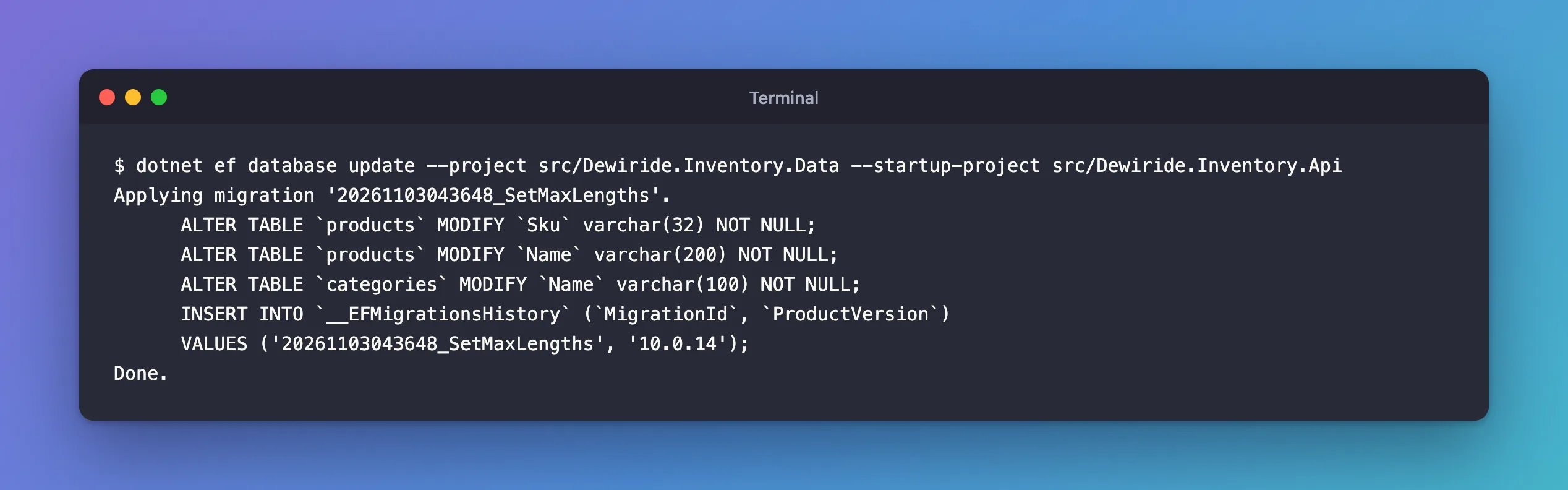
All three columns changed, the history row was written, and no data was lost. The Sku statement ran again without trouble: that column already had the new type from the failed attempt.
Common Mistakes
| Mistake | What happens | Do this instead |
|---|---|---|
| Treating the warning as noise because the command "succeeded" | A failed or data-changing migration later | Read every flagged operation |
| Assuming an empty development database means no risk | The same migration later runs on a database with data | Note the check in the pull request or release steps |
| Turning off MySQL's strict mode to get past a failure | MySQL cuts the values instead of refusing | Fix the data, the limit or the migration |
| Editing the snapshot to make the warning go away | The next migration is wrong | Change the model or the migration, never the snapshot |
Troubleshooting
| Symptom | Likely cause | Fix |
|---|---|---|
migrations add prints the loss-of-data warning | The migration changes or drops something that already exists | Read each AlterColumn, DropColumn or DropTable in the migration's Up method |
database update stops with "Data too long for column" | A row is longer than the new limit | Shorten the data or choose a larger limit, then apply again: the fixes post |
database update stops with "BLOB, TEXT, GEOMETRY or JSON column … can't have a default value" | The migration gives a longtext column a plain default | Fill the NULLs first and remove the default: the fixes post |
An enum column holds '0' and '2' after the migration | The generated migration turns numbers into text, not into names | Edit the migration to convert each number to its name |
FAQ
Can I turn the warning off?
There's nothing to gain from it: it only appears for operations that need a human to look. Read the migration instead.
Does the warning appear when a migration creates new tables?
No. A new table has no data to lose. It appears for operations that change or drop something that already exists.
Does the warning mean data was lost?
No. Nothing touches the database until dotnet ef database update. The warning is about what the migration could do when you apply it.
Conclusion
"An operation was scaffolded that may result in the loss of data" means the new migration narrows or changes an existing column, and EF Core can't tell whether your data fits because it never looks at the data. Open the migration, find the AlterColumn or drop it means, query the data that operation could hurt, and fix the data, the limit or the migration before you apply it. On MySQL in strict mode, skipping the check usually ends in a failed, half-applied migration rather than silent data loss, which is better, but still a mess to clean up.
Additional Resources
- Managing Migrations — reviewing and customizing generated migrations.
- Razor Pages with EF Core: Data Model, Create a migration — the same warning for a length limit.
