Fixed: An instance of type 'Conversation' contains invalid values: aud claim is required in Claims

My Microsoft 365 Agents SDK agent promised a reminder in five seconds and then said nothing. The agent's terminal had the reason: System.ArgumentException: An instance of type 'Conversation' contains invalid values: aud claim is required in Claims. To send a message on its own, an agent has to prove who it is, and an anonymous Agents Playground conversation gives it nothing to prove it with. The fix is to give the agent an identity of its own.
What I Was Doing
I was building the reminder agent for Part 6 of the Microsoft 365 Agents SDK Fundamentals, on Agents SDK 1.9.205 and .NET 10. When someone sends remind me in 5 seconds to drink some water, the agent answers straight away, and a background task sends the reminder later. The background task needs to know which chat to write to, so the handler captures it before the turn ends:
        Conversation conversation = new(turnContext);
        IChannelAdapter adapter = turnContext.Adapter;

        _backgroundTaskQueue.QueueBackgroundWorkItem(async stoppingToken =>
        {
            try
            {
                await Task.Delay(TimeSpan.FromSeconds(seconds), stoppingToken);
                await Proactive.SendActivityAsync(adapter, conversation, MessageFactory.Text($"⏰ Reminder: time to {task}."), stoppingToken);
            }
            catch (OperationCanceledException)
            {
                _logger.LogWarning("The agent stopped before the reminder to {Task} was due", task);
            }
            catch (Exception ex)
            {
                _logger.LogError(ex, "Couldn't send the reminder to {Task}", task);
            }
        });

        await turnContext.SendActivityAsync($"OK, I'll remind you to {task} in {seconds} seconds.", cancellationToken: cancellationToken);
Conversation is the SDK's record of a chat: where it is, and who the agent is in it. Proactive.SendActivityAsync sends a message into that chat outside any turn. I tested it in the Microsoft 365 Agents Playground, started the way the earlier parts start it:
agentsplayground -e http://localhost:3978/api/messages -c emulator
What I Expected
OK, I'll remind you to drink some water in 5 seconds., and five seconds later ⏰ Reminder: time to drink some water.
What I Got
The first message, and nothing after it:
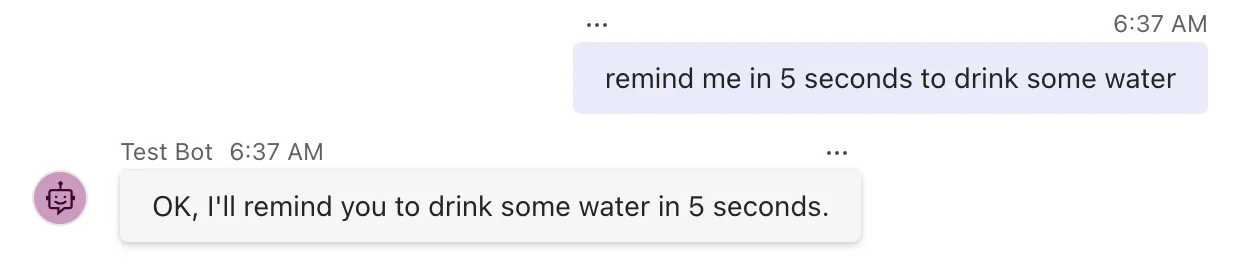
Five seconds later, the agent's terminal logged the error my catch had caught:
fail: Reminders.ReminderAgent[0]
      Couldn't send the reminder to drink some water
      System.ArgumentException: An instance of type 'Conversation' contains invalid values: aud claim is required in Claims
         at Microsoft.Agents.Builder.App.Proactive.ProactiveValidationExtensions.Validate(Conversation conversation, Boolean validateConversation)
         at Microsoft.Agents.Builder.App.Proactive.Proactive.SendActivityAsync(IChannelAdapter adapter, Conversation conversation, IActivity activity, CancellationToken cancellationToken)
         at Reminders.ReminderAgent.<>c__DisplayClass4_0.<<RemindMeAsync>b__0>d.MoveNext() in /Users/you/source/Reminders/ReminderAgent.cs:line 49
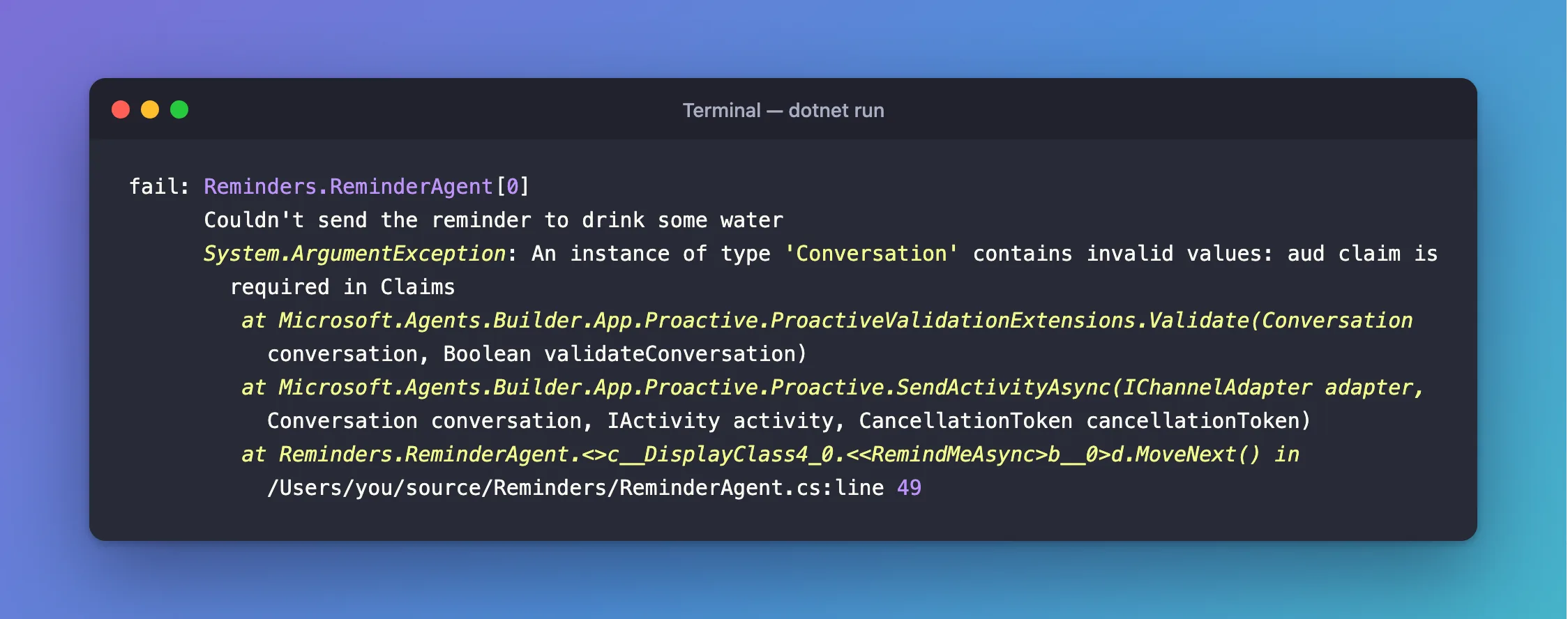
Without that catch, the error would have been lost: a background task has no turn whose error handling could report it.
What I Checked
What a Conversation keeps. new Conversation(turnContext) stores two things: the chat's address, and the claims of the identity that sent the incoming message. Microsoft's API reference for Conversation.ClaimsFromIdentity lists the claims it keeps: Only claims with the types 'aud', 'azp', 'appid', 'idtyp', 'ver', 'iss', and 'tid' are included.
What identity the message had. I sent a message to a test agent that printed turnContext.Identity: it wasn't authenticated and had no claims at all. That fits two warnings the agent logs in the Playground. At start: No connections found in configuration. On every message: Anonymous access is enabled for channel: emulator. The Playground was sending messages without a token, and the agent had no identity of its own configured.
What the SDK requires. The exception comes from ProactiveValidationExtensions.Validate, which every proactive operation calls first. In the SDK's 1.9.205 source, it checks the chat's address, then refuses a Conversation whose claims have no aud. Storing the conversation had worked a moment earlier, because storing doesn't validate. Sending and continuing do.
What aud is for. Microsoft's guide to proactive messaging says a Conversation holds the JSON Web Token (JWT) claims needed to authenticate the outbound call, and its example has "aud": "your-bot-app-id". The agent proves who it is with a token for its own app registration, and aud names that registration. An anonymous conversation has none.
Why It Happens
When an agent answers a message, it replies within that message's turn. A proactive message is different: the agent starts the call itself, so it must authenticate it as itself, with the client ID of its own Microsoft Entra app registration. The SDK takes that client ID from the aud claim of the conversation it captured. In the Agents Playground's default anonymous mode, messages arrive without a token, so the captured conversation has no claims, and the SDK refuses before it sends anything. The Playground's documentation lists two modes: anonymous, and authenticated with Microsoft Entra ID app registrations.
The Fix
Give the agent an identity, and run the Playground in its authenticated mode, so every message carries a token whose aud is the agent's client ID:
-
Register an app for the agent in Microsoft Entra ID, single tenant, as How to Register a Web API in Microsoft Entra ID shows, and note its Application (client) ID and Directory (tenant) ID.
-
Create a client secret for it, as How to Create a Client Secret for an App Registration in Microsoft Entra ID shows.
-
Add the SDK's authentication package, which gets tokens for the agent:
Terminaldotnet add package Microsoft.Agents.Authentication.Msal --version 1.9.205 -
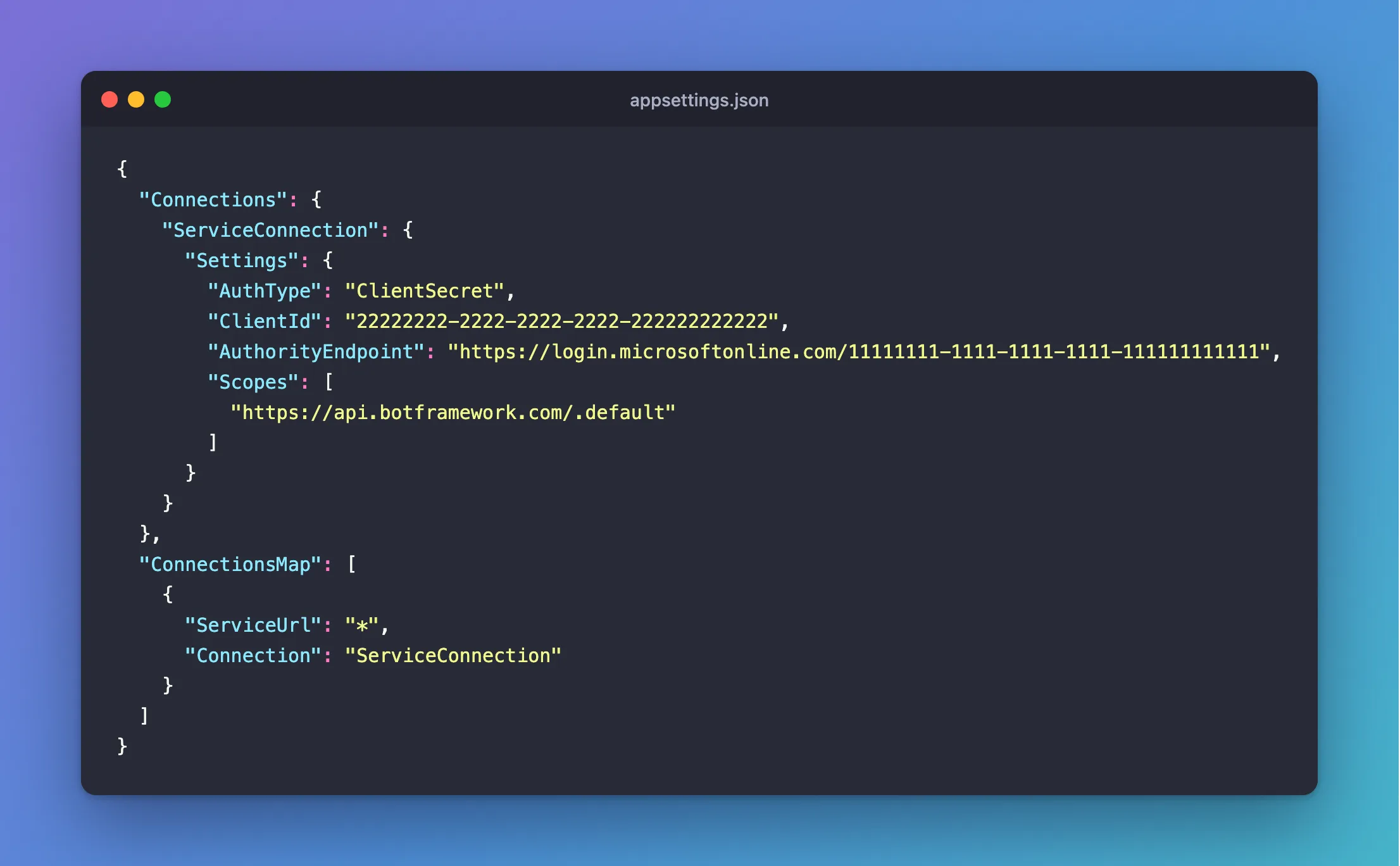
Give the agent its connection in
appsettings.json, with your client ID and tenant ID in place of the placeholders:appsettings.json (the sections to add)"Connections": {"ServiceConnection": {"Settings": {"AuthType": "ClientSecret","ClientId": "22222222-2222-2222-2222-222222222222","AuthorityEndpoint": "https://login.microsoftonline.com/11111111-1111-1111-1111-111111111111","Scopes": ["https://api.botframework.com/.default"]}}},"ConnectionsMap": [{"ServiceUrl": "*","Connection": "ServiceConnection"}]and keep the secret out of the file, in .NET user secrets:
Terminaldotnet user-secrets initdotnet user-secrets set "Connections:ServiceConnection:Settings:ClientSecret" "<your client secret>" -
Start the Playground with the same app's credentials, so it sends a token with every message. How to Test an Agent with Authentication in the Microsoft 365 Agents Playground walks through both sides with a small example.
Don't make up an aud claim to get past the check. The claim isn't decoration: the SDK uses the identity behind it to get the token for the outgoing call.
After the Fix
I restarted the agent and started the Playground in authenticated mode. Its Log Panel said Authentication enabled, and the agent stopped logging Anonymous access is enabled for channel: emulator. I asked for the same reminder again:
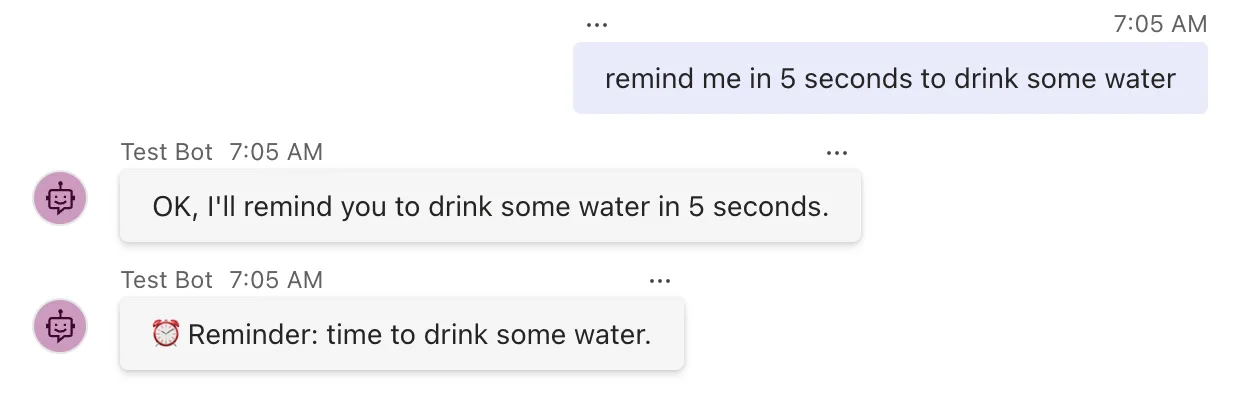
The reminder arrived five seconds after the answer, and the terminal showed the agent getting a token for its app registration instead of the error.
Common Mistakes
| Mistake | What happens | Do this instead |
|---|---|---|
| Testing proactive messages in the Playground's anonymous mode | This error on every proactive send | Start the Playground with the agent's own app registration |
| Configuring the agent but not the Playground | Messages still arrive without a token, so the conversation still has no aud | Give the Playground the same client ID, secret and tenant |
Building a Conversation with an invented aud | The SDK tries to get a token for an identity that can't get one | Use the agent's real app registration |
No catch in the background task | The error disappears and the reminder simply never comes | Catch and log every exception in background work |
Troubleshooting
| Symptom | Likely cause | Fix |
|---|---|---|
| aud claim is required in Claims | The conversation was captured from an anonymous message | Run the Playground in authenticated mode, and capture the conversation again from a new message |
| Storing the conversation works but sending fails | Only sending and continuing validate the claims | Same fix: the stored conversation needs an aud |
| Anonymous access is enabled for channel: emulator in the agent's log | The Playground isn't sending tokens | Start it with --client-id, --client-secret and --tenant-id, or the AUTH_* variables: Fixed: "Anonymous access is enabled for channel: emulator" |
FAQ
Why did replies work all along, but not this?
A reply belongs to the turn that the incoming message started, and in anonymous mode the SDK answers it without a token. A proactive message starts a call of its own, outside any turn, and the SDK requires the agent's identity for that.
Do I have to capture the conversation again after the fix?
Yes. A Conversation keeps the claims it was created with. One captured from an anonymous message has no aud, even after you turn authentication on. Send a new message, and capture the conversation from that.
Is this only a Playground problem?
The Playground is where most people meet it, because anonymous mode is its default. A real channel, such as Microsoft Teams through Azure Bot Service, sends a token with every message, and your agent needs the same identity configured to talk to it.
Conclusion
aud claim is required in Claims means the agent tried to send a proactive message from a conversation that has no identity in it. In the Agents Playground's anonymous mode, no conversation has one. Register an app for the agent, give the agent its connection and the Playground the same credentials, and every conversation you capture carries the aud claim the SDK needs.
Additional Resources
- Proactive messaging in the Agents SDK — what a
Conversationholds and the proactive operations. - Conversation.ClaimsFromIdentity method — the claims a conversation keeps.
- Test your agent locally in Microsoft 365 Agents Playground — anonymous and authenticated modes.
- Configure authentication in your agent — the connection settings for a client secret.
