Fixed: An Action Meant for After the Loop Runs Inside It in Power Automate

I added a summary to run once, after a loop over 14 rows. In the run, it ran at the start of every row, and the first time it said Imported 0: none. Skipped 0: none. I'd used the + just under the loop's header, which adds the loop's first step. The + after the loop's box adds the step after it.
What I Was Doing
I was building Import Old Overtime Timesheet, a flow of the Overtime Timesheet app that imports the rows of an old Excel timesheet. An Apply to each named For each old row handles one row at a time and adds a line to one of three array variables: rows imported, rows skipped, and rows whose hours differ from the workbook (How to Add Items to an Array Variable in Power Automate).
After the loop, a Compose named Import summary was to turn the three lists into one text (How to Use the Compose Action in Power Automate). In the new designer, I selected the + right below the loop's header and added the Compose there.
What I Expected
One summary at the end of the run, listing all 14 rows: the imported ones, the skipped ones with their reasons, and the hours that differ.
What I Got
The run showed Import summary inside the loop, once for each row. In the first iteration, nothing had been imported or skipped yet:
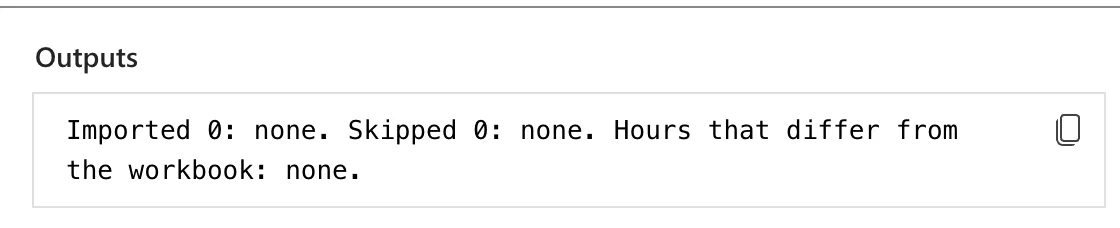
The rest of the run had worked: the rows were imported. Only the summary was in the wrong place.
What I Checked
Where the action was. Paging through the loop's iterations, Import summary was the first step inside each one, before the steps for the row.
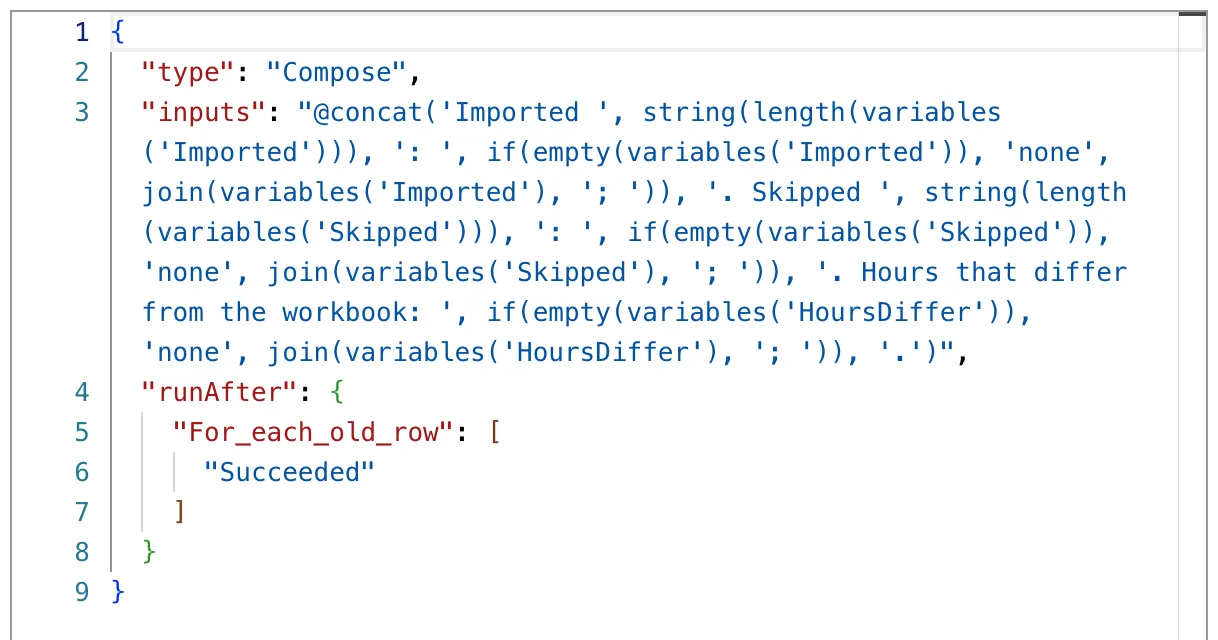
Its Code view. It had no runAfter. Inside a loop, the first action has none: it runs when the iteration starts. An action after the loop has the loop in its runAfter.
The designer's labels. Each + on the canvas has a label, the name a screen reader reads out. The one under the loop's header is Insert a new action between For each old row and Finish date, Finish date being the loop's first step at the time. The one under the loop's box is Insert a new action after For each old row.
Microsoft's documentation. The Power Automate licensing FAQ puts it plainly: Actions inside a loop (Apply to Each, Do Until) run once per iteration.
Why It Happens
The loop's box contains its steps. The + under its header is the start of that box, so an action added there becomes the loop's first step and runs for every item. The + below the box is the next step of the flow.
The Fix
-
Delete the misplaced action. Right-click Import summary on the canvas, select Delete, and confirm with OK. Copy its expression first if you want to paste it again.
-
Add it after the loop. Select the + below the loop's box, the one labelled Insert a new action after For each old row, then Add an action, and add the Compose again.
-
Check its Code view. runAfter now names the loop:
-
Save and publish the flow (How to Save a Draft and Publish a Flow in Power Automate).
After the Fix
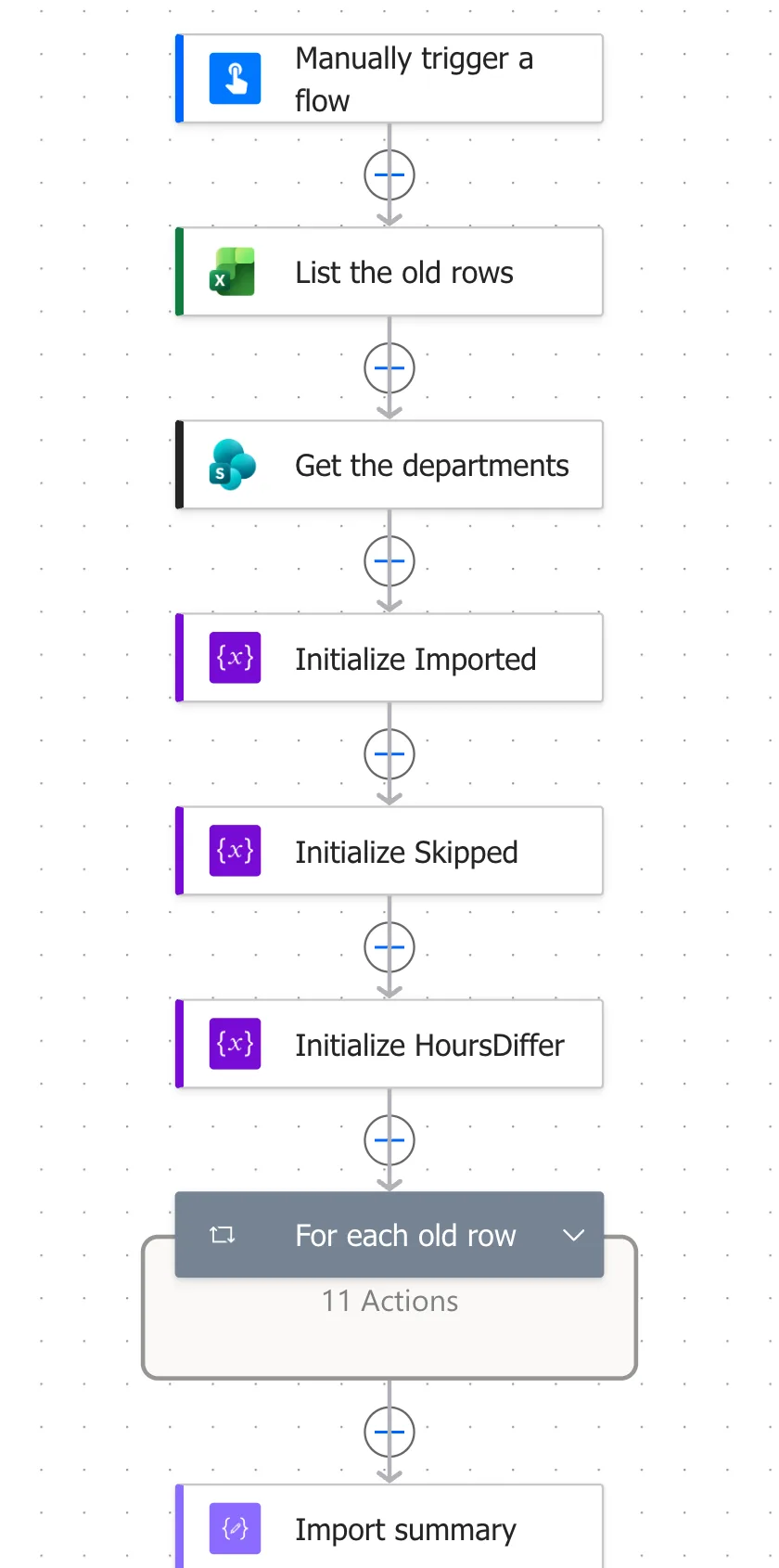
On the canvas, with the loop collapsed, Import summary is below the loop's box:
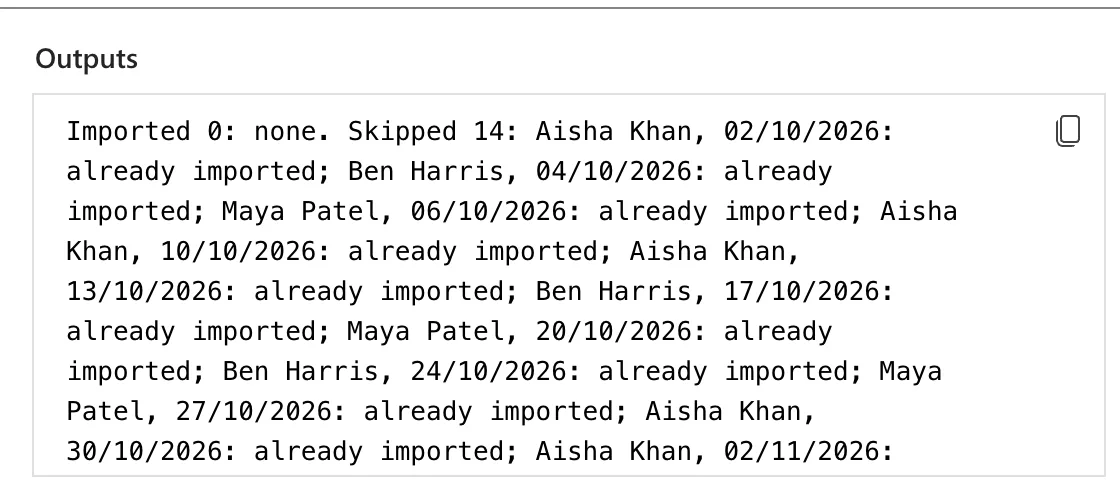
The next run had one summary, after the last row, with every row in it. This run came after the rows had been imported, so each one was already imported:
Common Mistakes
| Mistake | What happens | Do this instead |
|---|---|---|
| The + under the loop's header | The action becomes the loop's first step | The + below the loop's box |
| Not checking where a new action went | It can be inside the loop without looking out of place | Check runAfter in Code view |
| Reading the summary's first iteration as the result | It ran before any row | Look for one run of the summary, after the loop |
Troubleshooting
| Symptom | Likely cause | Fix |
|---|---|---|
| A summary shows 0 or none while the loop worked | It runs inside the loop | Move it after the loop |
| An action runs once per item instead of once | It's inside the loop | Check where it sits in the loop's iterations |
| No runAfter in an action's Code view | It's the first step of the flow or of a container | Expected for a loop's first step |
FAQ
Why didn't the designer warn me?
Nothing was wrong as far as the designer could tell: a Compose is a valid first step for a loop, and Flow checker found no errors or warnings.
Do variables keep their values after the loop?
Yes. Variables live for the whole run, so a step after the loop sees everything the loop added (How to Use Variables in Power Automate).
Conclusion
An action meant for after an Apply to each ran inside it because I added it with the + under the loop's header. Adding it with the + below the loop's box, labelled Insert a new action after the loop, made it run once, at the end, with the loop in its runAfter.
Additional Resources
- Use the Apply to each action to process a list of items periodically
- Power Automate licensing FAQ: action limits: actions inside a loop run once per iteration
