Fixed: "Agent Isolation Key Is Required but Was Not Provided by the Configured AgentIsolationKeyProvider"

I gave a Microsoft Agent Framework agent a session store so it would remember conversations, and every request started failing with a 500: Agent isolation key is required but was not provided by the configured AgentIsolationKeyProvider. I had configured no provider at all. The default store wanted to know who was calling, and my API had no way to tell it.
What I Was Doing
In Part 4 of the Microsoft Agent Framework series, the Dewiride Service Desk API serves an agent over AG-UI: AddAIAgent registers it, and MapAGUIServer turns it into the endpoint POST /api/agents/service-desk. The API has no sign-in yet. To make the agent remember conversations, I registered an in-memory session store in Program.cs with the method's default arguments:
if (builder.Environment.IsDevelopment())
{
    serviceDeskAgent.WithInMemorySessionStore();
}
serviceDeskAgent is the hosted agent builder that AddAIAgent returns. The project built with no warnings and the API started. Then I sent the first message of a conversation:
POST {{baseUrl}}/api/agents/service-desk
Content-Type: application/json
Accept: text/event-stream

{
  "threadId": "thread-2",
  "runId": "run-1",
  "messages": [
    {
      "id": "message-1",
      "role": "user",
      "content": "My laptop won't connect to the office Wi-Fi. What should I do?"
    }
  ]
}
What I Expected
The same answer as before the change — 200 OK and a stream of AG-UI events — and a session saved under thread-2, ready for the next turn.
What I Got
The API had started without complaint, but the request failed:
HTTP/1.1 500 Internal Server Error
Content-Type: text/plain; charset=utf-8
Date: Thu, 29 Oct 2026 16:16:49 GMT
Server: Kestrel
Transfer-Encoding: chunked

System.InvalidOperationException: Agent isolation key is required but was not provided by the configured AgentIsolationKeyProvider.
   at Microsoft.Agents.AI.Hosting.IsolationKeyScopedAgentSessionStore.GetIsolationKeyAsync(CancellationToken cancellationToken)
   at Microsoft.Agents.AI.Hosting.IsolationKeyScopedAgentSessionStore.GetScopedKeyAsync(AgentSessionStoreKey key, CancellationToken cancellationToken)
   at Microsoft.Agents.AI.Hosting.IsolationKeyScopedAgentSessionStore.GetOrCreateSessionAsync(AIAgent agent, AgentSessionStoreKey key, CancellationToken cancellationToken)
   at Microsoft.Agents.AI.Hosting.AGUI.AspNetCore.AGUIEndpointRouteBuilderExtensions.<>c__DisplayClass4_0.<<MapAGUIServerCore>b__0>d.MoveNext()
That is the start of the response body; the rest of the stack trace and the request headers follow. The API's console logged the same exception:
fail: Microsoft.AspNetCore.Diagnostics.DeveloperExceptionPageMiddleware[1]
      An unhandled exception has occurred while executing the request.
      System.InvalidOperationException: Agent isolation key is required but was not provided by the configured AgentIsolationKeyProvider.
         at Microsoft.Agents.AI.Hosting.IsolationKeyScopedAgentSessionStore.GetIsolationKeyAsync(CancellationToken cancellationToken)
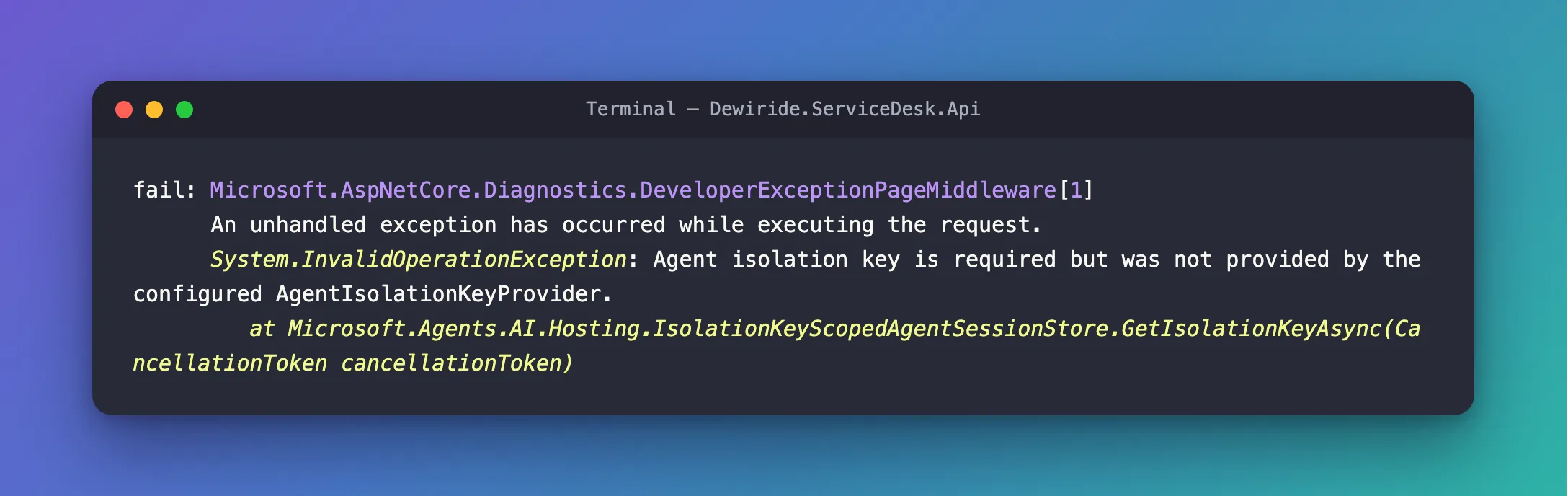
Every request failed the same way, before the agent even ran: the stack trace shows the failure inside GetOrCreateSessionAsync, the call that fetches the conversation's session.
What I Checked
The message itself. It blames the configured AgentIsolationKeyProvider, but nothing was configured. So the wording was a clue rather than an explanation: something expected a provider, or the key it would give.
Microsoft's documentation. Self-host Agent Framework applications has the answer in two sentences. First: The default WithInMemorySessionStore() and WithSessionStore(...) overloads wrap the configured store in IsolationKeyScopedAgentSessionStore. Second: With the default strict isolation behavior, session access fails when the current principal doesn't provide the configured claim. The same page's development example calls WithInMemorySessionStore(withIsolation: false) inside an IsDevelopment() check — and calls that branch the only path that disables isolation.
The framework's source, version 1.26.0 of Microsoft.Agents.AI.Hosting. WithInMemorySessionStore takes bool withIsolation = true. With isolation on, it wraps the store in IsolationKeyScopedAgentSessionStore, whose Strict option defaults to true. With no provider registered, the isolation key stays empty, and in strict mode an empty key throws exactly this exception.
Why It Happens
Isolation keeps one caller's conversations away from everyone else's. An AG-UI request names its conversation with a threadId, and Microsoft's guidance treats that ID as a continuation identifier, not a credential: anyone who knows or guesses it could otherwise continue someone else's conversation. So the default store files every session under an isolation key — normally the signed-in user's ID — as well as the threadId.
My API had no sign-in and no provider to supply that key. In strict mode, a missing key is an error rather than a quiet fallback to one shared namespace. That is the safe choice: a loud 500 is better than mixing users' conversations.
The Fix
Choose the fix that matches who calls your API.
For local development with one user: turn isolation off, in Development only
// On your machine only: remember each conversation by its AG-UI threadId, in memory.
// Part 6 ties every conversation to a signed-in user; Part 12 stores them durably.
if (builder.Environment.IsDevelopment())
{
    serviceDeskAgent.WithInMemorySessionStore(withIsolation: false);
}
This is the fix I applied, and it matches Microsoft's development example. On a developer's machine there is exactly one user, so there is nobody to isolate. Keep it inside the IsDevelopment() check, so a deployed API never runs with isolation off (How to Run Code Only in Development in ASP.NET Core).
For an API with real users: keep isolation on and tell it who is calling
According to the same Microsoft page, an ASP.NET Core API that signs its callers in installs the prerelease Microsoft.Agents.AI.Hosting.AspNetCore package and registers a claims-based isolation provider, keeping isolation on:
builder.Services.AddHttpContextAccessor();
builder.Services.UseClaimsBasedAgentIsolation();
By default it uses the caller's ClaimTypes.NameIdentifier claim as the key. It doesn't sign anyone in by itself: ASP.NET Core authentication must run first, or the claim is missing and the request still fails. I haven't run this path here — the series adds it in Part 6, together with Microsoft Entra ID sign-in.
After the Fix
With withIsolation: false, the same request returned 200 OK. The conversation now continues across requests — the second turn opens with:
data: {"type":"RUN_STARTED","threadId":"thread-2","runId":"run-2","parentRunId":"run-1"}

data: {"type":"RUN_FINISHED","threadId":"thread-2","runId":"run-2","outcome":{"type":"success"},"usage":[{"model":"gpt-5.6-luna-2026-07-09","inputTokens":327,"outputTokens":255,"totalTokens":582,"reasoningTokens":50,"cachedInputTokens":0}]}
The answer in between gave Windows 11 Wi-Fi steps for a question it had heard one request earlier.
Common Mistakes
| Mistake | What happens | Do this instead |
|---|---|---|
Using withIsolation: false outside Development | Anyone who knows a threadId can read and continue that conversation | Keep it inside IsDevelopment(); use claims-based isolation for real users |
Registering UseClaimsBasedAgentIsolation() without authentication | The claim is missing, so requests still fail | Configure ASP.NET Core authentication first |
| Looking for the error at startup | The API starts normally, so the change looks fine | Send a request — the store is only asked for a session when one arrives |
Troubleshooting
| Symptom | Likely cause | Fix |
|---|---|---|
Every AG-UI request returns 500 with Agent isolation key is required but was not provided by the configured AgentIsolationKeyProvider | A session store with isolation on, and no provider or no signed-in caller | withIsolation: false in Development, or claims-based isolation with sign-in |
| After the fix, the agent still forgets every message | The store isn't registered, for example because the app isn't running in Development | Check the startup log for Hosting environment: Development |
FAQ
Why does the message mention a configured provider when I configured none?
The framework uses the same message for both cases: no provider at all, or a provider that returned no key. In both, strict isolation has no key to file the session under.
Is withIsolation: false unsafe?
On a machine with one user, no. On a server with many users, yes: sessions are then found by threadId alone. That is why Microsoft's example disables isolation only in Development.
Does this affect WithSessionStore with my own store?
Yes. Microsoft's documentation says the default WithSessionStore(...) overloads wrap your store in the same isolation decorator, so the same rules apply.
Conclusion
WithInMemorySessionStore() keeps isolation on, and strict isolation refuses to work without a caller identity. On your own machine, pass withIsolation: false inside an IsDevelopment() check; for real users, keep isolation on and let a claims-based provider supply the key from the signed-in user.
Additional Resources
- Self-host Agent Framework applications: Secure session continuation — isolation,
UseClaimsBasedAgentIsolationand the development example. - Security considerations for AG-UI — why a thread ID is not proof of identity.
