Fixed: Accented Letters Disappear When Typed into the mysql Client in a Docker Container

I typed SELECT 'café' into the mysql client inside the official MySQL Docker container, and the client showed 'caf'. The é never appeared on screen and never reached MySQL, and there was no error at all. The container runs without a locale, so the client only accepts plain ASCII. One extra flag on docker compose exec fixes it.
What I Was Doing
I was writing How to Check the MySQL Character Set and Collation against the local MySQL 9.7 container from How to Run MySQL in Docker with Docker Compose. To show how MySQL counts characters and bytes, I opened the client the usual way (How to Connect to MySQL in a Docker Container with the mysql Client):
docker compose exec mysql mysql --user=inventory_app --password inventory
and typed this query, with an accented é in café:
SELECT 'café' AS word, CHAR_LENGTH('café') AS characters, LENGTH('café') AS bytes;
What I Expected
café has 4 characters. In UTF-8, é takes 2 bytes, so I expected café, 4 and 5.
What I Got
As I typed, the é simply didn't appear. The client ran what it had received:
mysql> SELECT 'caf' AS word, CHAR_LENGTH('caf') AS characters, LENGTH('caf') AS bytes;
+------+------------+-------+
| word | characters | bytes |
+------+------------+-------+
| caf  |          3 |     3 |
+------+------------+-------+
1 row in set (0.000 sec)
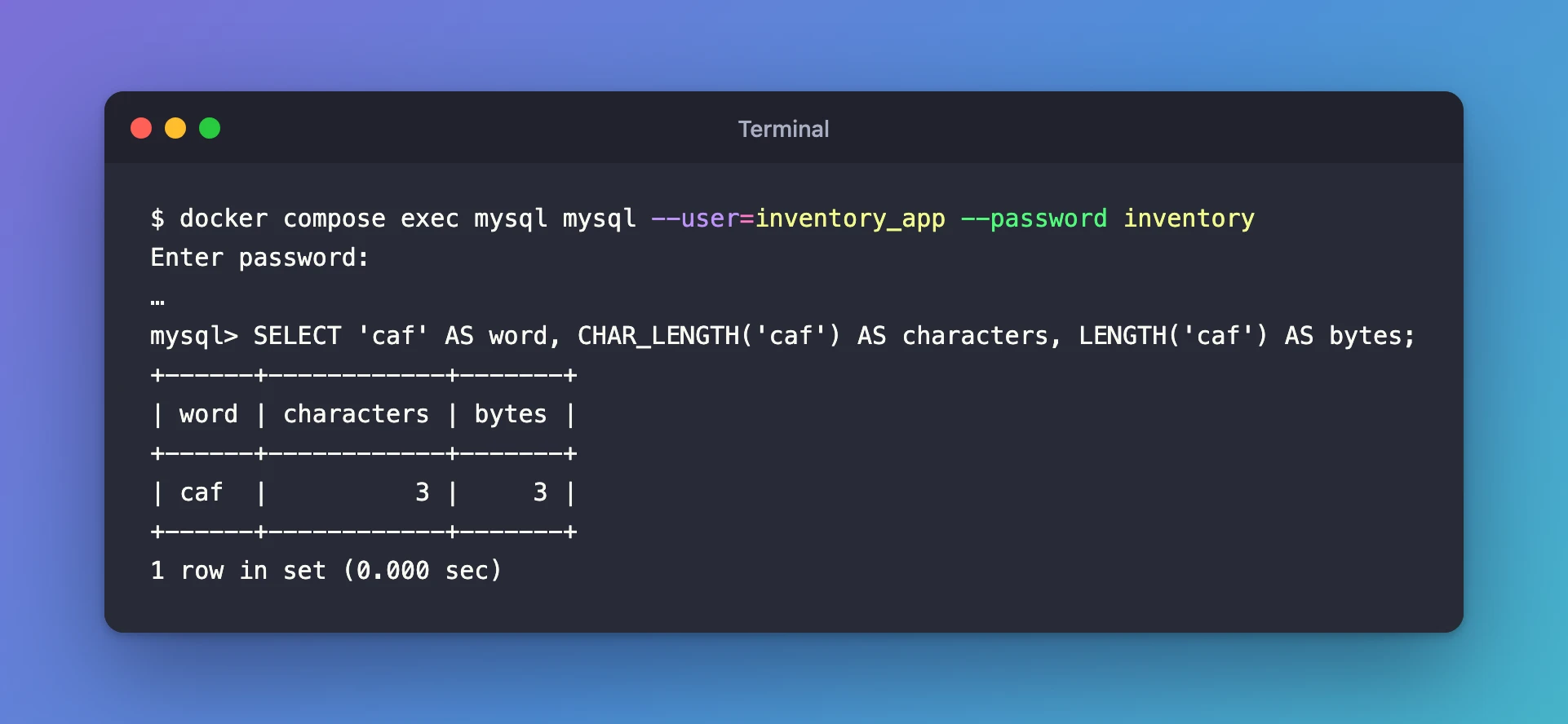
No warning, no error. In a real INSERT, the letter would be silently missing from your data.
What I Checked
Forcing a Unicode connection didn't help. I opened the client again with --default-character-set=utf8mb4, the option MySQL documents for "the default character set for the client and connection", and typed the same query. The result was identical: 'caf', 3, 3. So the problem was in the typing, before anything was sent to MySQL.
The container's locale. A locale tells programs which language and character encoding to use. The container has none:
docker compose exec mysql locale
LANG=
LC_CTYPE="POSIX"
LC_NUMERIC="POSIX"
LC_TIME="POSIX"
LC_COLLATE="POSIX"
LC_MONETARY="POSIX"
LC_MESSAGES="POSIX"
LC_PAPER="POSIX"
LC_NAME="POSIX"
LC_ADDRESS="POSIX"
LC_TELEPHONE="POSIX"
LC_MEASUREMENT="POSIX"
LC_IDENTIFICATION="POSIX"
LC_ALL=
LANG is empty, so everything falls back to POSIX, a locale that only knows plain ASCII. The image does include a UTF-8 locale, though:
docker compose exec mysql locale -a
C
C.utf8
POSIX
What the client does with the locale. MySQL's manual on connection character sets says each client "can autodetect which character set to use based on the operating system setting, such as the value of the LANG or LC_ALL locale environment variable on Unix systems". With no locale, the client chose latin1. The client's status command showed it:
Server characterset:	utf8mb4
Db     characterset:	utf8mb4
Client characterset:	latin1
Conn.  characterset:	latin1
Other people hit the same thing. In the official image's issue tracker (docker-library/mysql#131), users who couldn't type non-ASCII text report that setting the container's locale to UTF-8 fixed it.
A way to set the locale for one command. docker compose exec has -e, --env to "Set environment variables" for the command it runs.
Why It Happens
The official MySQL image doesn't set a locale, so every program in the container runs under POSIX. The mysql client reads your keystrokes through a line-editing library that follows the locale. Under POSIX, a multi-byte character like é (two bytes in UTF-8) isn't a valid character, so it's dropped. The client also picks latin1 for the connection.
--default-character-set=utf8mb4 changes only the connection, not how your typing is read, which is why it wasn't enough on its own.
The Fix
Start the client with a UTF-8 locale. Add -e LANG=C.utf8 (the UTF-8 locale that locale -a listed) before the service name:
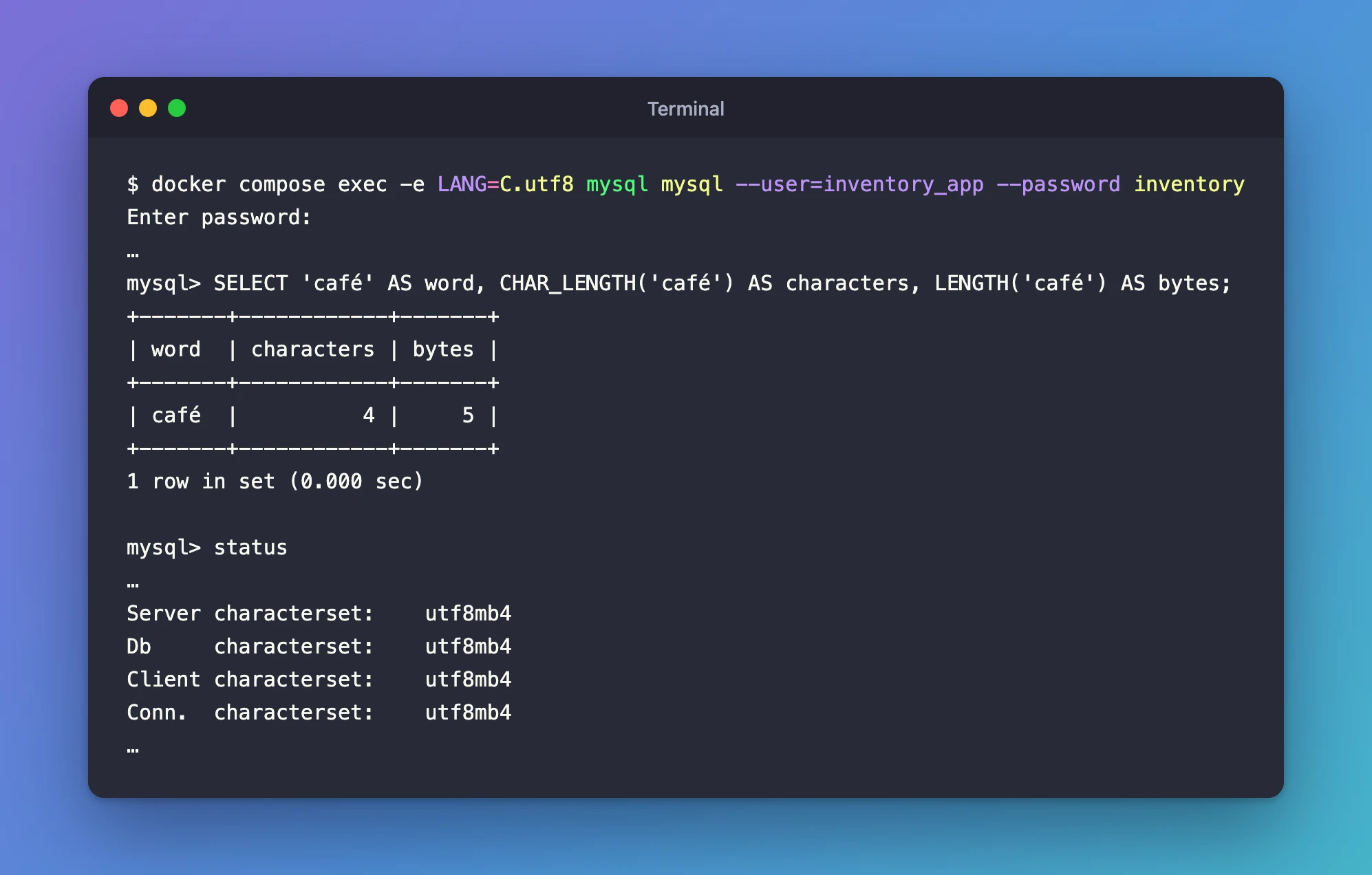
docker compose exec -e LANG=C.utf8 mysql mysql --user=inventory_app --password inventory
-e LANG=C.utf8 sets LANG for this one client session inside the container. Nothing else in the container changes, and MySQL itself keeps running untouched. The command works unchanged in bash, zsh and PowerShell.
After the Fix
The same query, typed the same way:
mysql> SELECT 'café' AS word, CHAR_LENGTH('café') AS characters, LENGTH('café') AS bytes;
+-------+------------+-------+
| word  | characters | bytes |
+-------+------------+-------+
| café  |          4 |     5 |
+-------+------------+-------+
1 row in set (0.000 sec)
é arrives, MySQL counts 4 characters stored in 5 bytes, and the client switched itself to Unicode without any extra option:
Server characterset:	utf8mb4
Db     characterset:	utf8mb4
Client characterset:	utf8mb4
Conn.  characterset:	utf8mb4
Common Mistakes
| Mistake | What happens | Do this instead |
|---|---|---|
Adding only --default-character-set=utf8mb4 | Typed accents are still dropped | Add -e LANG=C.utf8 to docker compose exec |
Using a locale the image doesn't have, such as en_US.UTF-8 | It doesn't fix the problem | Use a locale from locale -a, here C.utf8 |
| Trusting a test that only uses English text | The problem stays hidden until real data arrives | Test with café, naïve or an emoji |
Troubleshooting
| Symptom | Likely cause | Fix |
|---|---|---|
| Accented letters or emoji vanish as you type | The container's locale is POSIX | Start the client with -e LANG=C.utf8 |
status shows Client characterset: latin1 | The client autodetected latin1 from the empty locale | Same fix; status then shows utf8mb4 |
| The fix works for you but a teammate still loses letters | They opened the client without -e LANG=C.utf8 | Share the full command, for example in the project's README |
FAQ
Does this affect my application?
No. An application connects to MySQL through its own driver, over the network, with its own character set setting. It doesn't use the client inside the container or the container's locale. This problem only affects what you type into the mysql client inside the container.
Is the data already in my database damaged?
Only text that was typed this way is affected: the dropped letters are simply missing from those rows. Text written by your applications isn't affected.
Can I use another UTF-8 locale, such as en_US.UTF-8?
Only if the image has it. I tried -e LANG=en_US.UTF-8, and the é was still dropped, because locale -a lists only C, C.utf8 and POSIX in this image. C.utf8 is the one to use.
Conclusion
The mysql client inside the official MySQL container runs without a locale, so it silently drops non-ASCII characters as you type them and talks to MySQL in latin1. Starting it with docker compose exec -e LANG=C.utf8 … fixes both: accents and emoji arrive intact, and the connection switches to utf8mb4.
Additional Resources
- Connection Character Sets and Collations (MySQL 9.7) — how clients pick their character set.
- mysql Client Options (MySQL 9.7) —
--default-character-setand the other options. - docker compose exec — the
-e, --envoption. - docker-library/mysql issue #131 — other users' reports and the locale fix.
