Fixed: "AADSTS9002313: Invalid request. Request is malformed or invalid." in Azure CLI

Every Azure CLI command that needed a token failed with AADSTS9002313: Invalid request. Request is malformed or invalid. Nothing was wrong with the commands. Running one with --debug showed the real cause, an earlier AADSTS50078: my multifactor sign-in had expired under the tenant's policy. A fresh az login fixed it.
What I Was Doing
I was moving the Microsoft Agent Framework series to Azure CLI 2.92.0 and running its requests again. The series' API signs in to Microsoft Foundry with my Azure CLI sign-in, and its first request failed with a credential error (Fixed: AzureCliCredential authentication failed: Azure CLI authentication failed due to an unknown error). To check the Azure CLI on its own, I asked it for the same token the API needs, a token for Foundry:
az account get-access-token --resource https://ai.azure.com --query expiresOn -o tsv
--query expiresOn -o tsv prints only the token's expiry time, so the token itself never appears on screen.
What I Expected
A time about an hour in the future: the moment the new token expires.
What I Got
ERROR: AADSTS9002313: Invalid request. Request is malformed or invalid. Trace ID: 00000000-0000-0000-0000-000000000000 Correlation ID: 00000000-0000-0000-0000-000000000000 Timestamp: 2026-11-11 10:17:06Z
Run the command below to authenticate interactively; additional arguments may be added as needed:
az logout
az login --tenant "11111111-1111-1111-1111-111111111111" --scope "https://ai.azure.com/.default"
The same request with --scope https://ai.azure.com/.default failed the same way. So did a plain az account get-access-token, which asks for an Azure Resource Manager token; its message suggested --scope "https://management.core.windows.net//.default" instead. It wasn't one resource: every token request failed.
What I Checked
What the error code means. Microsoft's authentication and authorization error codes describe AADSTS9002313 as InvalidRequest - Request is malformed or invalid — something was wrong with the request to a sign-in endpoint. That says nothing about why my request would be malformed. I hadn't typed anything unusual.
The Azure CLI version. az version reported "azure-cli": "2.92.0", the newest release.
The debug log. --debug makes the Azure CLI print every step of a command. I ran the same command with it and kept only the lines about the token request:
az account get-access-token --resource https://ai.azure.com --query expiresOn -o tsv --debug
DEBUG: cli.azure.cli.core.auth.msal_credentials: UserCredential.acquire_token: scopes=['https://ai.azure.com/.default'], claims_challenge=None, kwargs={}
DEBUG: msal.application: Cache attempts an RT
DEBUG: msal.application: Refresh failed. invalid_grant: AADSTS50078: Presented multi-factor authentication has expired due to policies configured by your administrator, you must refresh your multi-factor authentication to access '00000000-0000-0000-0000-000000000000'. Trace ID: 00000000-0000-0000-0000-000000000000 Correlation ID: 00000000-0000-0000-0000-000000000000 Timestamp: 2026-11-11 10:18:12Z
DEBUG: msal.application: Cache attempts an RT
DEBUG: msal.application: Refresh failed. invalid_grant: AADSTS9002313: Invalid request. Request is malformed or invalid. Trace ID: 00000000-0000-0000-0000-000000000000 Correlation ID: 00000000-0000-0000-0000-000000000000 Timestamp: 2026-11-11 10:18:12Z
There were two attempts, and the first one failed with a different error. RT is a refresh token. Sign into Azure interactively using the Azure CLI explains that when you sign in, the Azure CLI stores a refresh token and exchanges it for short-lived access tokens whenever a command needs one. The first exchange failed with AADSTS50078, which the error code reference describes as UserStrongAuthExpired — Presented multifactor authentication has expired due to policies configured by your administrator. You must refresh your multifactor authentication to access '{resource}'. The second stored token then failed with AADSTS9002313, and that last error is the only one the Azure CLI printed.
When I had last signed in. The Azure CLI's profile file, ~/.azure/azureProfile.json, which az login writes, had last changed on September 11 — two months earlier.
Why It Happens
When you sign in with az login, you complete multifactor authentication once, and the refresh token carries proof of it. Your organization's sign-in policies decide how long that proof stays valid. Microsoft also requires multifactor authentication for Azure CLI sign-ins with user accounts, as the same sign-in page states. Once the proof expires, a refresh token can't produce new access tokens: only a new interactive sign-in can. The Azure CLI reported the error from its last attempt, AADSTS9002313, rather than the AADSTS50078 that named the real problem.
The Fix
Sign in again:
az login
The browser opens, you sign in and complete multifactor authentication, and the Azure CLI stores a fresh refresh token. If your account belongs to several tenants, add --tenant with your tenant's ID, as the error message does.
The message itself suggests az logout followed by az login with --tenant and --scope. az logout removes the stored sign-in first, and --scope asks for a token for one resource during the sign-in. A plain az login was enough here.
After the Fix
The same command printed the new token's expiry time, in local time:
az account get-access-token --resource https://ai.azure.com --query expiresOn -o tsv
2026-11-11 17:14:32.000000
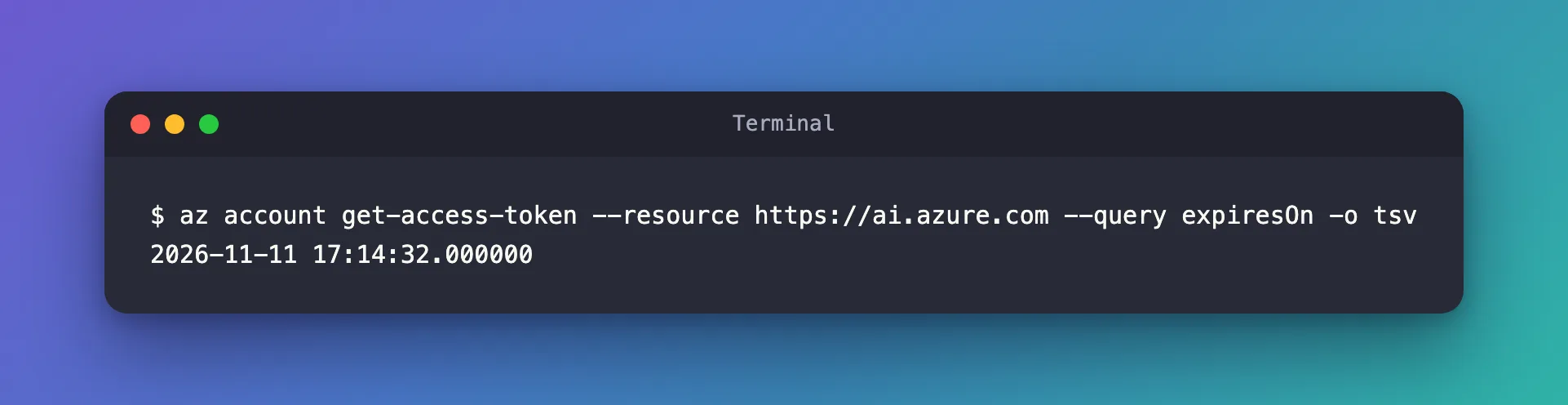
The series' API, which uses the same sign-in, answered its requests again.
Common Mistakes
| Mistake | What happens | Do this instead |
|---|---|---|
| Searching for what's malformed in your command | Nothing is: the command is fine | Run it with --debug and read every Refresh failed line |
| Reinstalling or downgrading the Azure CLI | The stored sign-in stays expired | az login |
| Printing a full token to check the sign-in | The token ends up in your terminal history or a screenshot | Use --query expiresOn -o tsv |
Troubleshooting
| Symptom | Likely cause | Fix |
|---|---|---|
AADSTS9002313 for every resource | The stored sign-in has expired | az login |
--debug shows AADSTS50078 | Multifactor authentication expired under your organization's policy | az login, completing multifactor authentication |
AADSTS9002313 again right after az login | The account signed in to another tenant | az login --tenant with your tenant's ID |
The browser doesn't open for az login | No browser is available | az login --use-device-code |
FAQ
Why didn't the Azure CLI print AADSTS50078?
It tried two stored refresh tokens and printed the error from the last one. The first one's error, the useful one, appears only with --debug.
Will this happen again?
Yes, whenever your organization's policies say the multifactor sign-in is too old. The fix is the same az login.
Do apps that use my Azure CLI sign-in break too?
Yes. Tools such as AzureCliCredential in the Azure SDKs ask the Azure CLI for tokens, so they fail at the same moment — with their own wording of the error.
Conclusion
AADSTS9002313: Invalid request. Request is malformed or invalid. from the Azure CLI doesn't mean your command is wrong. Run the command with --debug: if an earlier line says AADSTS50078, your multifactor sign-in has expired, and az login is the whole fix.
Additional Resources
- Microsoft Entra authentication and authorization error codes —
AADSTS9002313andAADSTS50078. - Sign into Azure interactively using the Azure CLI —
az login, refresh tokens and the multifactor authentication requirement. - Troubleshooting Azure CLI — multifactor authentication errors and
--debug.
