Fixed: A Flow in a Solution Uses Another Solution's Connection Reference in Power Automate

A new flow I created inside a solution connected its SharePoint trigger to a connection reference from another solution in the same environment, and its own solution had no connection reference at all. Power Automate does this on purpose: it reuses an existing reference before it creates one. Creating a SharePoint connection reference in the solution and switching each action to it kept everything the flow needs in its own solution.
What I Was Doing
I was building the approval flow of the Overtime Timesheet app inside its solution, Overtime Timesheet, so that the flow can move to another environment with the app (How to Create an Automated Cloud Flow in a Solution in Power Automate). Its trigger is SharePoint's When an item is created or modified.
The environment already had another solution, from earlier work, with its own SharePoint connection reference.
What I Expected
The flow to use a connection reference in its own solution. A connection reference is the part of a solution that says which connection a flow uses, so a solution that moves to another environment should carry the references its flows need.
What I Got
The trigger's pane said it was Connected to the other solution's SharePoint connection reference. The Overtime Timesheet solution had no connection references at all: its Objects list had the new flow, the app and the environment variables, and no Connection references group:
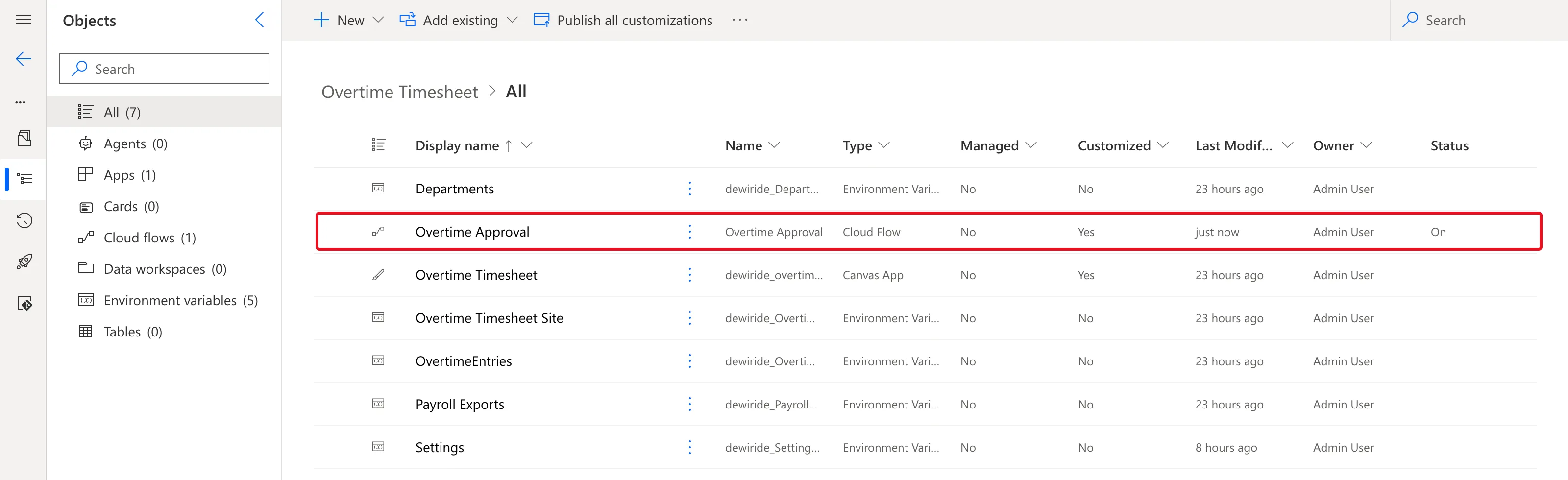
As I added more SharePoint actions, each one connected to the other solution's reference too.
What I Checked
Microsoft's documentation. Use a connection reference in a solution says: When an action is added to a solution flow, Power Automate will try to reuse existing connection references from the current solution or other solutions before creating a new connection reference.
The Overtime Timesheet solution had no SharePoint reference, and the other solution had one, so the designer reused that one.
Why It Happens
Reusing a reference is the designer's documented behaviour, and it looks in other solutions as well as the flow's own. A reference that belongs to another solution isn't in this solution's Objects, so it doesn't travel with this solution.
The Fix
-
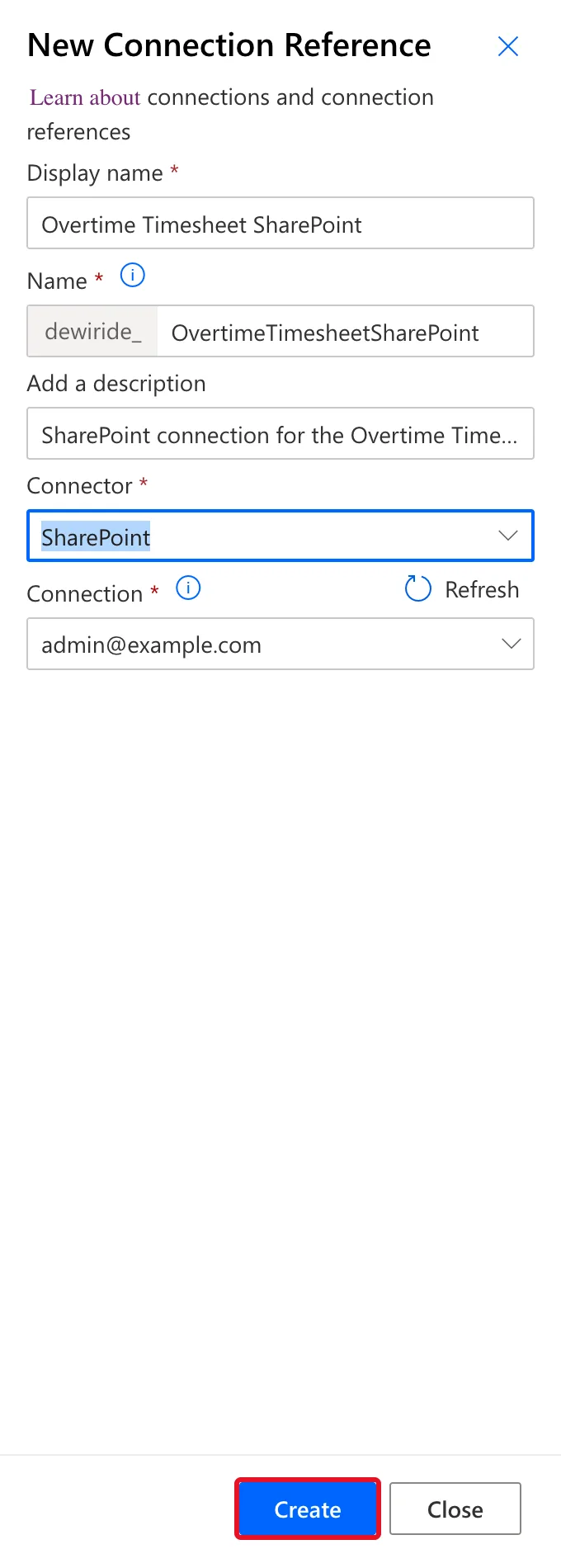
Create a SharePoint connection reference in the solution. In the solution, select New > More > Connection Reference (How to Create a Connection Reference in a Solution in Power Apps). I named it Overtime Timesheet SharePoint, chose the SharePoint connector and my existing SharePoint connection, and selected Create:
-
Switch the trigger and every SharePoint action to it. At the bottom of each one's pane, select Change connection reference and choose Overtime Timesheet SharePoint. While I built the flow, each new SharePoint action got the other solution's reference again, even after I had switched the trigger, so I switched each one as I added it.
-
Publish the flow.
After the Fix
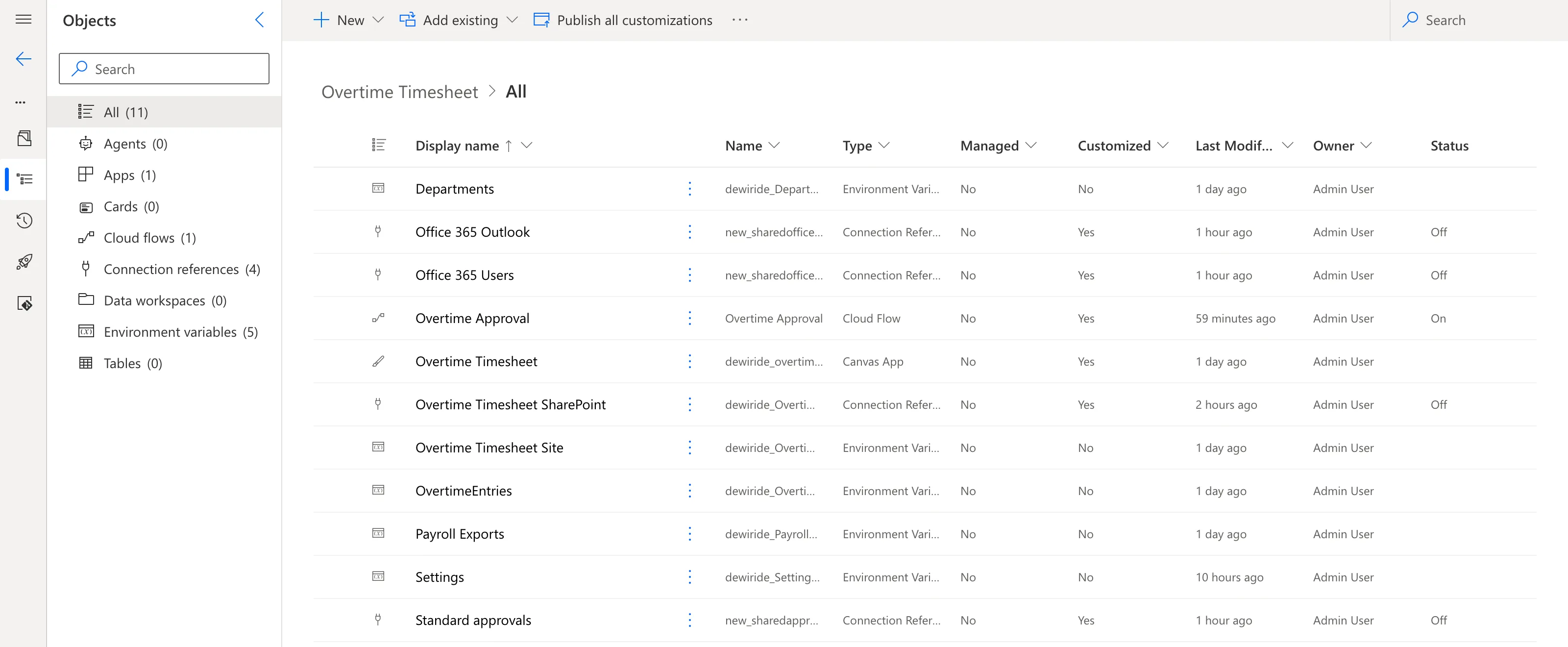
Every SharePoint action's pane said Connected to Overtime Timesheet SharePoint., and the solution's Objects list had a Connection references (4) group: the SharePoint one I created, and the ones the designer created for the flow's other connectors when I first added them, Office 365 Outlook, Office 365 Users and Standard approvals:
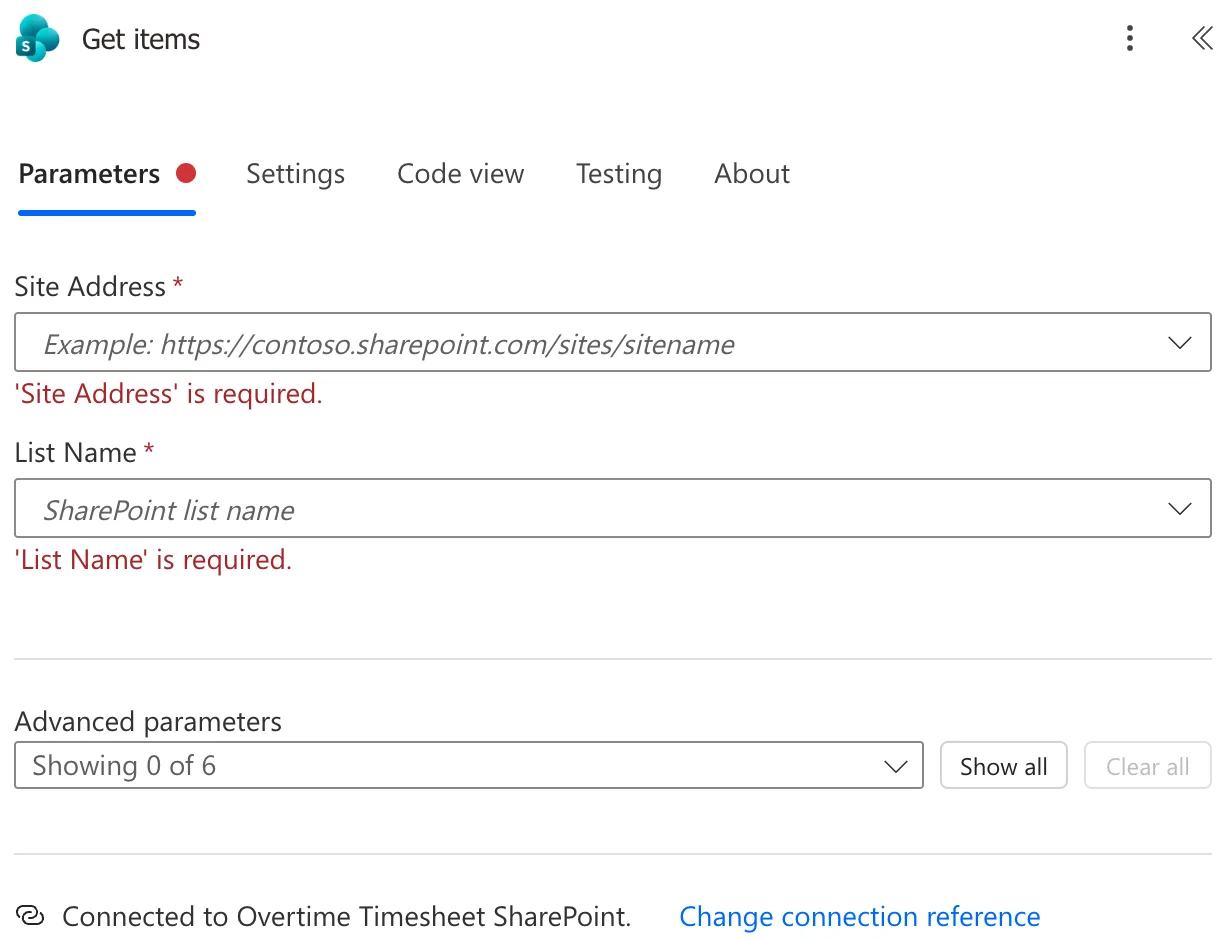
When I added one more SharePoint action at the end, with every action already on Overtime Timesheet SharePoint, it connected to that reference by itself. I removed it again with Undo:
Common Mistakes
| Mistake | What happens | Do this instead |
|---|---|---|
| Not reading Connected to on each action | The flow depends on another solution's reference | Check the last line of each action's pane |
| Switching only the trigger | New actions still get the other reference | Switch each SharePoint action |
| Creating the reference outside the solution | It isn't in the solution's Objects | Create it with New inside the solution |
Troubleshooting
| Symptom | Likely cause | Fix |
|---|---|---|
| No Connection references group in the solution | The flow reuses references from elsewhere | Create one in the solution and switch to it |
| A new action connects to the other reference again | The designer reused it | Change connection reference on that action |
| Change connection reference doesn't list yours | The reference is for another connector | Create one for this action's connector |
FAQ
Do the flow's other connectors need the same fix?
In this flow, they didn't. For the Office 365 Outlook, Office 365 Users and Approvals actions, the designer asked me to create a connection, and it put a new connection reference for each one into this solution. Check the Connected to line of each action anyway.
Does this change which account the flow uses?
No. The new reference points at the same SharePoint connection, mine. What changes is which solution owns the reference.
Conclusion
A solution flow reuses existing connection references, including other solutions' ones, so a new flow can depend on a reference outside its own solution. Create the connection reference in the flow's solution and switch each action to it with Change connection reference.
Additional Resources
- Use a connection reference in a solution: creating references and how flows reuse them.
- Create a cloud flow in a solution: solution cloud flows.
