FirstOrDefaultAsync vs SingleOrDefaultAsync vs FindAsync in EF Core

EF Core has three common ways to read one row: FirstOrDefaultAsync, SingleOrDefaultAsync and FindAsync. They look the same on a happy day and differ in what they send to MySQL and when they throw. This guide runs all three on the same row and compares the SQL, so you can pick with evidence.
Prerequisites
- A .NET C# project with EF Core and a MySQL table. The examples use EF Core 10, Oracle's
MySql.EntityFrameworkCore, MySQL 9.7, and acategoriestable. SQL logging is on, as in How to See the SQL That EF Core Sends.
The Three Calls and Their SQL
Each one reads category 1, and gets the same answer.
FirstOrDefaultAsync
var category = await db.Categories.FirstOrDefaultAsync(c => c.Id == id);
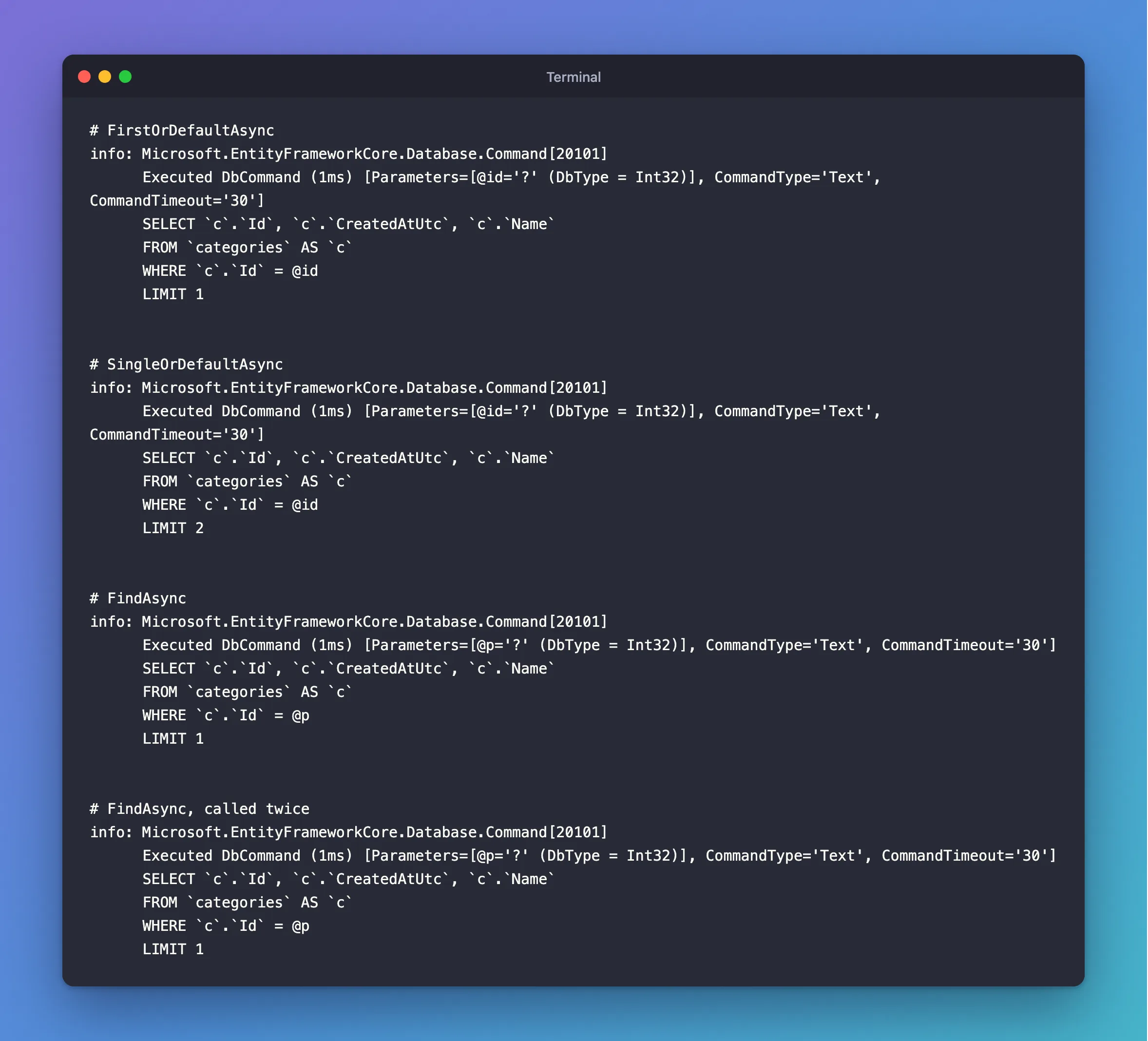
info: Microsoft.EntityFrameworkCore.Database.Command[20101]
      Executed DbCommand (1ms) [Parameters=[@id='?' (DbType = Int32)], CommandType='Text', CommandTimeout='30']
      SELECT `c`.`Id`, `c`.`CreatedAtUtc`, `c`.`Name`
      FROM `categories` AS `c`
      WHERE `c`.`Id` = @id
      LIMIT 1
LIMIT 1: it stops at the first match.
SingleOrDefaultAsync
var category = await db.Categories.SingleOrDefaultAsync(c => c.Id == id);
info: Microsoft.EntityFrameworkCore.Database.Command[20101]
      Executed DbCommand (1ms) [Parameters=[@id='?' (DbType = Int32)], CommandType='Text', CommandTimeout='30']
      SELECT `c`.`Id`, `c`.`CreatedAtUtc`, `c`.`Name`
      FROM `categories` AS `c`
      WHERE `c`.`Id` = @id
      LIMIT 2
LIMIT 2: it asks for a second row, to check there isn't one.
FindAsync
var category = await db.Categories.FindAsync(id);
info: Microsoft.EntityFrameworkCore.Database.Command[20101]
      Executed DbCommand (1ms) [Parameters=[@p='?' (DbType = Int32)], CommandType='Text', CommandTimeout='30']
      SELECT `c`.`Id`, `c`.`CreatedAtUtc`, `c`.`Name`
      FROM `categories` AS `c`
      WHERE `c`.`Id` = @p
      LIMIT 1
The same SQL as FirstOrDefaultAsync. FindAsync only takes the primary key, and it has a trick the others don't. Call it twice in one request:
var first = await db.Categories.FindAsync(id);
var second = await db.Categories.FindAsync(id);
HTTP/1.1 200 OK
Content-Type: application/json; charset=utf-8

{
  "same": true,
  "name": "Cables"
}
info: Microsoft.EntityFrameworkCore.Database.Command[20101]
      Executed DbCommand (1ms) [Parameters=[@p='?' (DbType = Int32)], CommandType='Text', CommandTimeout='30']
      SELECT `c`.`Id`, `c`.`CreatedAtUtc`, `c`.`Name`
      FROM `categories` AS `c`
      WHERE `c`.`Id` = @p
      LIMIT 1
Only one SELECT, and both variables hold the same object. The second call found it in the change tracker, and didn't go to MySQL at all.
What Each Does When the Row Is Missing or Repeated
| Method | No row | Two or more rows | Can use Select first | Checks the change tracker first |
|---|---|---|---|---|
FirstOrDefaultAsync | null | The first one | Yes | No |
SingleOrDefaultAsync | null | Throws | Yes | No |
FindAsync | null | Can't happen: it's the key | No | Yes |
FirstAsync | Throws | The first one | Yes | No |
SingleAsync | Throws | Throws | Yes | No |
Which to Use
FirstOrDefaultAsyncwithWhereandSelectfor reads in a Web API. You choose the columns, and nothing is tracked. It's what Part 3 of the MySQL series uses to read a row for a client.FindAsyncwhen you want the whole entity by its key, especially if it may already be loaded in this request.SingleOrDefaultAsyncwhen more than one match would be a bug you want to hear about, such as a lookup on a column that should be unique.
Common Mistakes
| Mistake | What happens | Do this instead |
|---|---|---|
FirstAsync for an ID a client sent | A missing row gives a 500 | FirstOrDefaultAsync, then 404 |
First with no OrderBy or Where | A warning, and an unpredictable row | Filter or sort |
Thinking Single is slow because of LIMIT 2 | With a key or unique index, it's negligible | Choose by meaning |
FindAsync when you only need two columns | It always loads the whole row | Where and Select |
Expecting fresh data from a second FindAsync | It returns the tracked object, without asking MySQL | Query with AsNoTracking, or use a new context |
FAQ
Is FindAsync faster?
When the row is already tracked, yes: it doesn't go to MySQL. Otherwise, it sends the same SQL as the others.
Can FindAsync take several key columns?
Yes, for a composite key, in the order the key defines. Its parameter is params object[].
Conclusion
All three return null for a missing row. FirstOrDefaultAsync sends LIMIT 1 and takes the first match. SingleOrDefaultAsync sends LIMIT 2 and throws on a second. FindAsync looks in the change tracker before it goes to MySQL, and only works on the key. Use the first for most reads, and the others when their extra behaviour is what you want.
Additional Resources
- Querying Data — loading a single entity.
- DbSet.FindAsync — the API reference.
