How to Connect a .NET C# Web API to a MySQL Database — Part 5: Production Checklist for the MySQL Connection

Your API works, but it would hand its password to any server that answered on its address, its account can drop every table, and, as I found while writing this part, 150 requests at once kill the whole process. This last part fixes all three, and ends with a checklist you can use on any .NET C# API that talks to MySQL.
This is Part 5 of a 5-part series.
- Part 1: Connect with EF Core and a Secure Connection String
- Part 2: Create MySQL Tables with EF Core Migrations
- Part 3: Read and Write MySQL Data with EF Core
- Part 4: Transactions, Row Locks and Retries with MySQL
- Part 5: Production Checklist for the MySQL Connection (you are here)
Every command and output on this page is real, captured while building the project.
Get the Source Code
Get the complete source code of Inventory and Orders API for .NET C# and MySQL on Dewiride Store →
It holds the finished project with everything in this checklist already applied, and this post gets it running. Every step is still shown here, for free.
Where the App Is Now
The example is a small inventory API. After Part 4, it keeps its data right under pressure: transactions, row locks, retries and time limits all work. But it still runs on trust, and each risk below is one you'll see for yourself and then close:
| Risk | The check | Step |
|---|---|---|
| Another server answers on MySQL's address, and receives the password | Verify the server's certificate | 2 |
| A bug or an injected query drops a table | The app's account isn't allowed to | 3 |
| A burst of requests kills the process | Size the pool, and limit requests | 4 |
| A dead server keeps clients waiting for a minute | Shorter timeouts | 5 |
| Passwords or customer data reach the logs | Production settings | 6 |
| A migration runs with more rights than it needs, or the app with too many | Two accounts | 3 and 7 |
Step 4 is the one not to skip. I found that crash by testing the pool sizes for this part, and it happens on the driver's default settings.
"Production" here means the settings and code. How you deploy the API, and where, is up to you: this series ends with code that runs on your machine, ready to go wherever you take it.
Versions Used
| Piece | Version |
|---|---|
| .NET SDK / runtime | 10.0.403 / 10.0.14 (C# 14) |
| EF Core and dotnet-ef | 10.0.14 |
| MySql.EntityFrameworkCore (Oracle's provider) | 10.0.12 |
| MySql.Data | 26.10.0 |
| Scalar.AspNetCore | 2.19.0 |
| MySQL Community Server | 9.7.4 LTS, in Docker |
Every version is the newest generally available release, checked on 6 November 2026. .NET 11 is still a release candidate. Nothing in this part costs anything: it all runs on your computer.
Prerequisites
- Part 4, finished: Part 4: Transactions, Row Locks and Retries with MySQL. You need its code and its rows.
- Three terminals: one runs the API, one holds a
rootsession in MySQL, and one runs everything else. - A way to send requests: the project's
.httpfile, as in Part 4. - For many requests at once:
curlandxargson macOS and Linux, or PowerShell on Windows. I tested the PowerShell commands in version 7.6.6 on macOS, not on Windows itself, so tell me if a line behaves differently there.
Run every command from the project folder, dewiride-inventory-api.
Step 1: Start MySQL and See Where You Stand
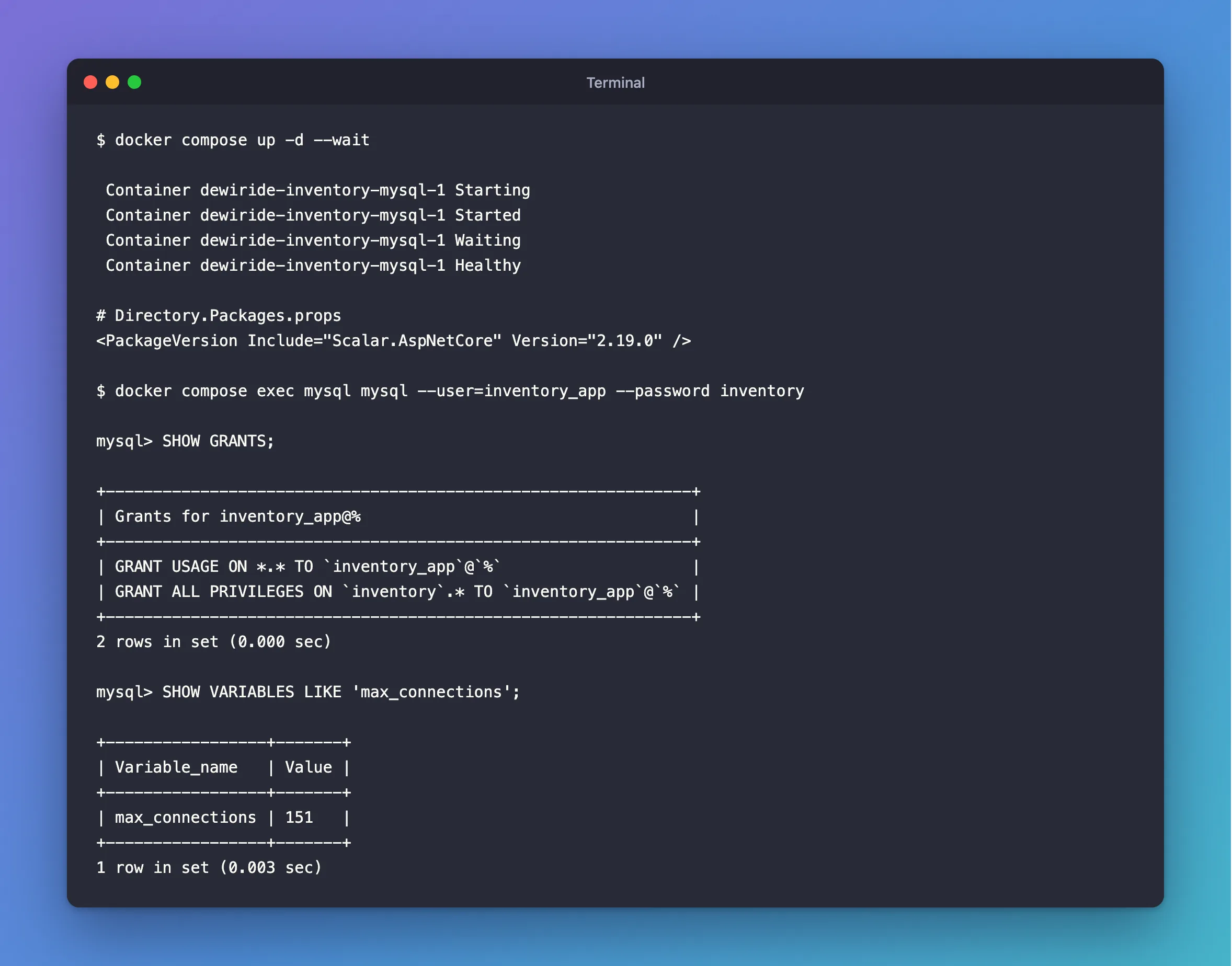
docker compose up -d --wait
 Container dewiride-inventory-mysql-1 Starting
 Container dewiride-inventory-mysql-1 Started
 Container dewiride-inventory-mysql-1 Waiting
 Container dewiride-inventory-mysql-1 Healthy
One upgrade first. Scalar.AspNetCore has a new release since Part 3, so change its line in Directory.Packages.props:
<PackageVersion Include="Scalar.AspNetCore" Version="2.19.0" />
Now sign in as the app, and look at what it's allowed to do. The password is MYSQL_PASSWORD in your .env:
docker compose exec mysql mysql --user=inventory_app --password inventory
SHOW GRANTS;
+--------------------------------------------------------------+
| Grants for inventory_app@%                                   |
+--------------------------------------------------------------+
| GRANT USAGE ON *.* TO `inventory_app`@`%`                    |
| GRANT ALL PRIVILEGES ON `inventory`.* TO `inventory_app`@`%` |
+--------------------------------------------------------------+
2 rows in set (0.000 sec)
SHOW VARIABLES LIKE 'max_connections';
+-----------------+-------+
| Variable_name   | Value |
+-----------------+-------+
| max_connections | 151   |
+-----------------+-------+
1 row in set (0.003 sec)
Two things to remember from this:
ALL PRIVILEGESon theinventorydatabase. That includes dropping every table. The MySQL image gives this toMYSQL_USER, and it was useful while the migrations were running from this account.max_connectionsis 151, and the driver's pool can grow to 100 connections. Step 4 comes back to both.
Type exit to leave the session.
Step 2: Check Who You're Talking To
What SslMode Really Checks
The connection string from Part 1 says SslMode=Required. That encrypts the connection, and nothing more. To see why that matters, you need two ideas:
- A certificate is a small file a server shows when a TLS connection starts. It says who the server is.
- A certificate authority (CA) is whoever signed that certificate. If you trust the CA, you can trust what the certificate says.
SslMode decides how much of that the driver looks at:
SslMode | Encrypted? | Checks who signed the certificate? | Checks the name on it? |
|---|---|---|---|
Disabled | No | No | No |
Preferred (the default) | If the server offers it | No | No |
Required | Yes | No | No |
VerifyCA | Yes | Yes | No |
VerifyFull | Yes | Yes | Yes |
MySQL's manual is direct about the difference: "to help prevent sophisticated man-in-the-middle attacks, it is important for the client to verify the server's identity."
See the Problem
Start a second MySQL, on port 3307, as a stand-in for a server that shouldn't be there. It has the same account name and password, and its own certificate:
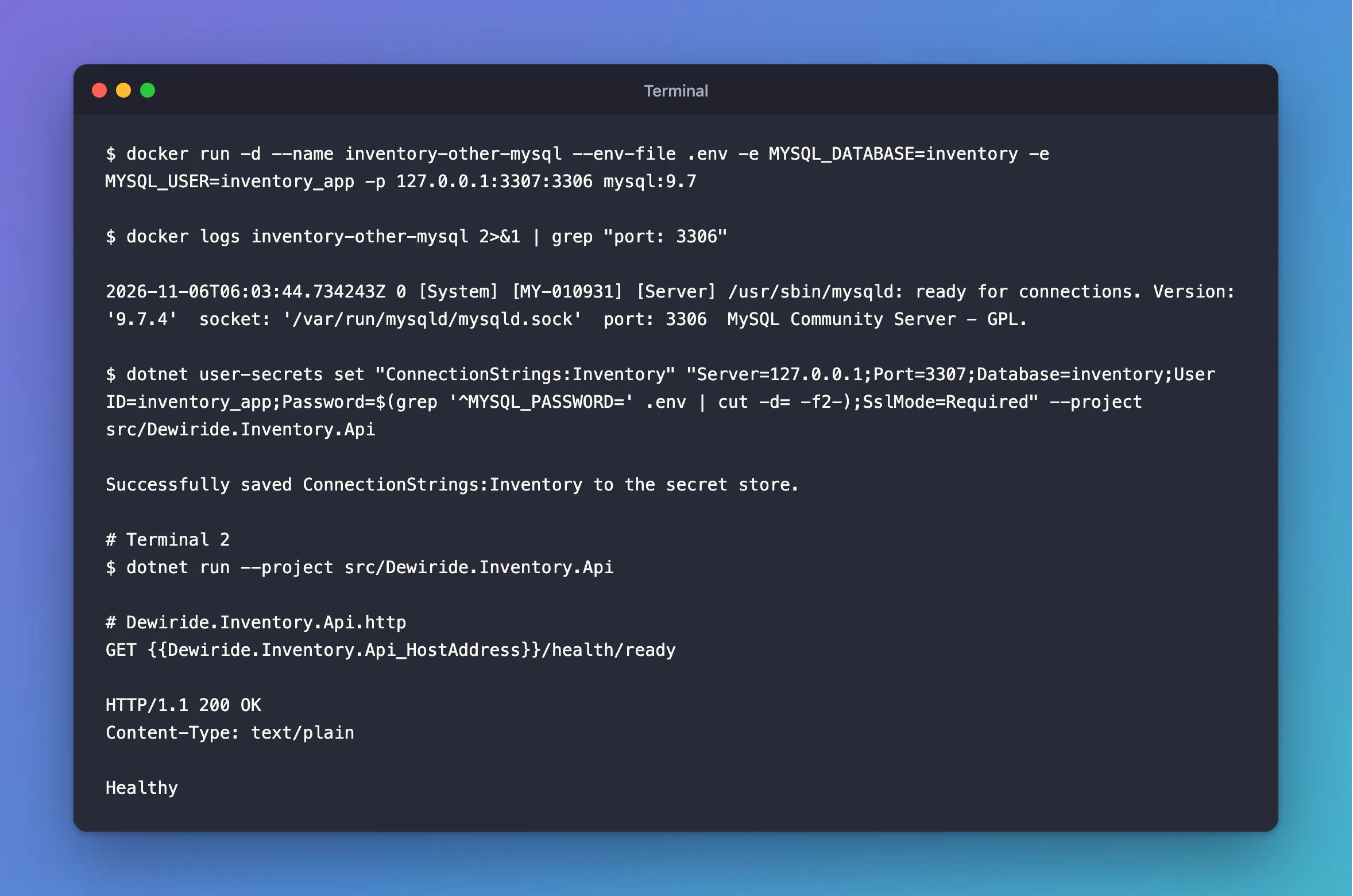
docker run -d --name inventory-other-mysql --env-file .env -e MYSQL_DATABASE=inventory -e MYSQL_USER=inventory_app -p 127.0.0.1:3307:3306 mysql:9.7
Give it about 30 seconds to set itself up. This command prints a line once it's ready:
- macOS / Linux
- Windows (PowerShell)
docker logs inventory-other-mysql 2>&1 | grep "port: 3306"
docker logs inventory-other-mysql 2>&1 | Select-String "port: 3306"
2026-11-06T06:03:44.734243Z 0 [System] [MY-010931] [Server] /usr/sbin/mysqld: ready for connections. Version: '9.7.4' socket: '/var/run/mysqld/mysqld.sock' port: 3306 MySQL Community Server - GPL.
Point the API at it, keeping SslMode=Required:
- macOS / Linux
- Windows (PowerShell)
dotnet user-secrets set "ConnectionStrings:Inventory" "Server=127.0.0.1;Port=3307;Database=inventory;User ID=inventory_app;Password=$(grep '^MYSQL_PASSWORD=' .env | cut -d= -f2-);SslMode=Required" --project src/Dewiride.Inventory.Api
$password = (Get-Content .env | Where-Object { $_ -like 'MYSQL_PASSWORD=*' }).Substring('MYSQL_PASSWORD='.Length)
dotnet user-secrets set "ConnectionStrings:Inventory" "Server=127.0.0.1;Port=3307;Database=inventory;User ID=inventory_app;Password=$password;SslMode=Required" --project src/Dewiride.Inventory.Api
Successfully saved ConnectionStrings:Inventory to the secret store.
In a second terminal, start the API. It reads the connection string when it starts, so after every change in this part, stop it with Ctrl+C and start it again:
dotnet run --project src/Dewiride.Inventory.Api
Then send the readiness request from the .http file:
GET {{Dewiride.Inventory.Api_HostAddress}}/health/ready
HTTP/1.1 200 OK
Content-Type: text/plain

Healthy
Healthy. The API has just connected to a server it has never seen, sent it the account name, and proved it knows the password. The traffic was encrypted, but encrypted to the wrong place. That's what Required doesn't check.
Check Who Signed the Certificate
When MySQL first starts, it creates its own CA and a certificate signed by it, in its data folder. Copy the CA file to your project. It holds no secrets, but you'll keep other files beside it that do, so tell Git to ignore that folder first. Add this at the end of .gitignore:
# Certificates and keys for the MySQL connection
certs/
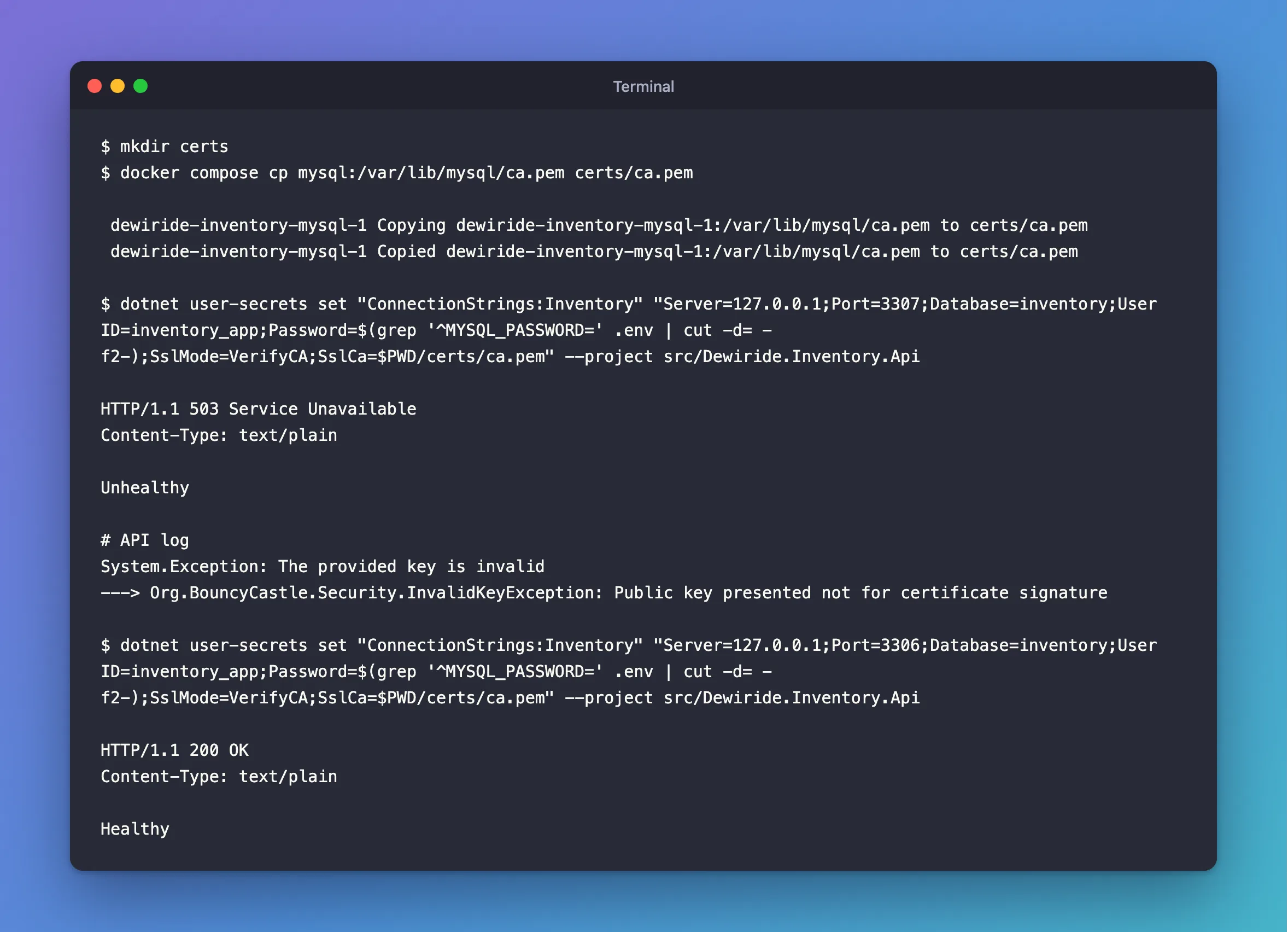
mkdir certs
docker compose cp mysql:/var/lib/mysql/ca.pem certs/ca.pem
 dewiride-inventory-mysql-1 Copying dewiride-inventory-mysql-1:/var/lib/mysql/ca.pem to certs/ca.pem
 dewiride-inventory-mysql-1 Copied dewiride-inventory-mysql-1:/var/lib/mysql/ca.pem to certs/ca.pem
Now make the driver check the signature, still pointing at the wrong server. $PWD puts your project's full path in the connection string. A relative path would depend on the folder the app starts in, and dotnet run --project starts it in the project's own folder, not this one:
- macOS / Linux
- Windows (PowerShell)
dotnet user-secrets set "ConnectionStrings:Inventory" "Server=127.0.0.1;Port=3307;Database=inventory;User ID=inventory_app;Password=$(grep '^MYSQL_PASSWORD=' .env | cut -d= -f2-);SslMode=VerifyCA;SslCa=$PWD/certs/ca.pem" --project src/Dewiride.Inventory.Api
$password = (Get-Content .env | Where-Object { $_ -like 'MYSQL_PASSWORD=*' }).Substring('MYSQL_PASSWORD='.Length)
dotnet user-secrets set "ConnectionStrings:Inventory" "Server=127.0.0.1;Port=3307;Database=inventory;User ID=inventory_app;Password=$password;SslMode=VerifyCA;SslCa=$PWD/certs/ca.pem" --project src/Dewiride.Inventory.Api
Restart the API and send the readiness request:
HTTP/1.1 503 Service Unavailable
Content-Type: text/plain

Unhealthy
Refused. The readiness check doesn't say why, so send any normal request and read the API's log:
System.Exception: The provided key is invalid
---> Org.BouncyCastle.Security.InvalidKeyException: Public key presented not for certificate signature
An odd way to say it, but it's the right answer: that server's certificate wasn't signed by your CA. Point it back at the real server:
- macOS / Linux
- Windows (PowerShell)
dotnet user-secrets set "ConnectionStrings:Inventory" "Server=127.0.0.1;Port=3306;Database=inventory;User ID=inventory_app;Password=$(grep '^MYSQL_PASSWORD=' .env | cut -d= -f2-);SslMode=VerifyCA;SslCa=$PWD/certs/ca.pem" --project src/Dewiride.Inventory.Api
$password = (Get-Content .env | Where-Object { $_ -like 'MYSQL_PASSWORD=*' }).Substring('MYSQL_PASSWORD='.Length)
dotnet user-secrets set "ConnectionStrings:Inventory" "Server=127.0.0.1;Port=3306;Database=inventory;User ID=inventory_app;Password=$password;SslMode=VerifyCA;SslCa=$PWD/certs/ca.pem" --project src/Dewiride.Inventory.Api
Restart the API:
HTTP/1.1 200 OK
Content-Type: text/plain

Healthy
The second MySQL has done its job, so stop it. Clean Up, at the end, removes it:
docker stop inventory-other-mysql
Check the Name on the Certificate
VerifyCA proves that your CA signed the certificate, but not that it was issued to this server. If a CA signs certificates for many servers, any of them would pass. VerifyFull adds the name check, and it needs three more things. I hit them one at a time:
| What I did | What the log said | Why |
|---|---|---|
Set SslMode=VerifyFull with only SslCa | No file path has been provided for the connection option SslCert | With PEM files, the driver insists on a client certificate and key too |
Copied MySQL's client-cert.pem and client-key.pem | The specified file cannot be converted to a key | The driver only reads keys that start with BEGIN RSA PRIVATE KEY, and this one starts with BEGIN PRIVATE KEY |
| Converted the key | The host name does not match the name on the certificate | The certificate has no name you could connect to |
Oracle's documentation does list the first one: "you must also provide values for the SslCa, SslCert, and SslKey connection options". So here are all three, in one go. First, the client certificate and a converted copy of its key:
docker compose cp mysql:/var/lib/mysql/client-cert.pem certs/client-cert.pem
docker compose exec --user mysql mysql openssl rsa -in /var/lib/mysql/client-key.pem -traditional -out /var/lib/mysql/client-rsa-key.pem
docker compose cp mysql:/var/lib/mysql/client-rsa-key.pem certs/client-key.pem
Next, the name. Read what the server's certificate says today:
docker compose exec mysql openssl x509 -in /var/lib/mysql/server-cert.pem -noout -subject -issuer -enddate -ext subjectAltName
No extensions in certificate
subject=CN=MySQL_Server_9.7.4_Auto_Generated_Server_Certificate
issuer=CN=MySQL_Server_9.7.4_Auto_Generated_CA_Certificate
notAfter=Nov  3 06:02:30 2036 GMT
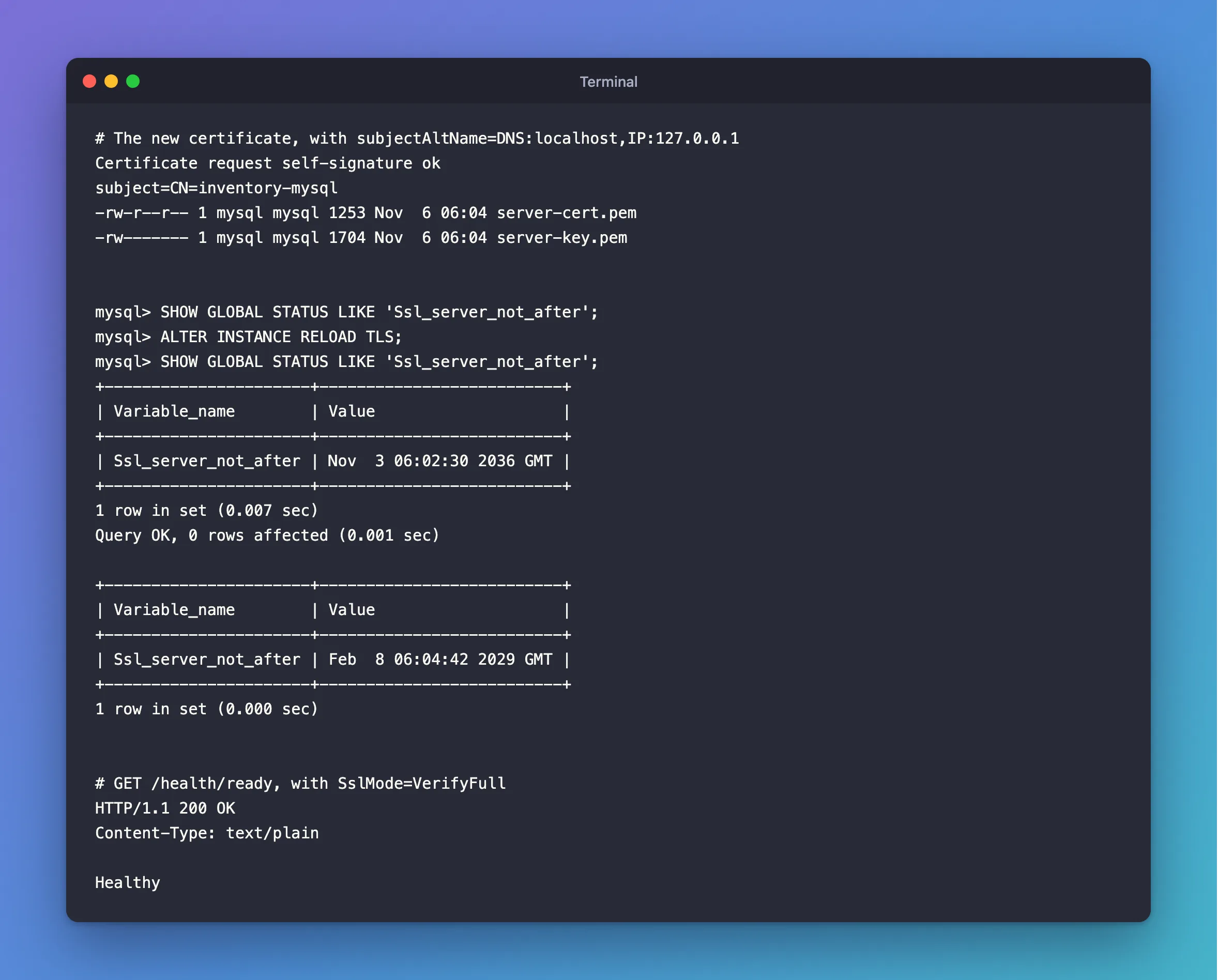
No extensions means there's no Subject Alternative Name (SAN), the list of host names a certificate is valid for. And its common name is MySQL_Server_9.7.4_Auto_Generated_Server_Certificate, which is nobody's host name. So give the server a new certificate, signed by the same CA, for the two names the API can use. This runs inside the container, so you don't need OpenSSL on your computer, and it's the same in every shell:
docker compose exec --user mysql mysql sh -c '
  cd /var/lib/mysql &&
  printf "subjectAltName=DNS:localhost,IP:127.0.0.1\n" > san.ext &&
  openssl req -newkey rsa:2048 -nodes -keyout new-server-key.pem -out server.csr -subj "/CN=inventory-mysql" &&
  openssl x509 -req -in server.csr -CA ca.pem -CAkey ca-key.pem -CAcreateserial -days 825 -extfile san.ext -out new-server-cert.pem &&
  mv new-server-key.pem server-key.pem &&
  mv new-server-cert.pem server-cert.pem &&
  rm server.csr san.ext &&
  ls -l server-cert.pem server-key.pem
'
Certificate request self-signature ok
subject=CN=inventory-mysql
-rw-r--r-- 1 mysql mysql 1253 Nov  6 06:04 server-cert.pem
-rw------- 1 mysql mysql 1704 Nov  6 06:04 server-key.pem
Each openssl line does one job: req makes a new key and a request for a certificate, and x509 -req has your CA sign it, adding the names from san.ext.
MySQL read the old certificate when it started. Tell it to read the new one. In a third terminal, sign in as root, whose password is MYSQL_ROOT_PASSWORD in .env. Keep this session open, because the next steps use it:
docker compose exec mysql mysql --user=root --password
SHOW GLOBAL STATUS LIKE 'Ssl_server_not_after';
ALTER INSTANCE RELOAD TLS;
SHOW GLOBAL STATUS LIKE 'Ssl_server_not_after';
+----------------------+--------------------------+
| Variable_name        | Value                    |
+----------------------+--------------------------+
| Ssl_server_not_after | Nov  3 06:02:30 2036 GMT |
+----------------------+--------------------------+
1 row in set (0.007 sec)
Query OK, 0 rows affected (0.001 sec)

+----------------------+--------------------------+
| Variable_name        | Value                    |
+----------------------+--------------------------+
| Ssl_server_not_after | Feb  8 06:04:42 2029 GMT |
+----------------------+--------------------------+
1 row in set (0.000 sec)
The certificate's end date changed, with no restart, so MySQL is using the new one. Back in your first terminal, switch the connection string:
- macOS / Linux
- Windows (PowerShell)
dotnet user-secrets set "ConnectionStrings:Inventory" "Server=127.0.0.1;Port=3306;Database=inventory;User ID=inventory_app;Password=$(grep '^MYSQL_PASSWORD=' .env | cut -d= -f2-);SslMode=VerifyFull;SslCa=$PWD/certs/ca.pem;SslCert=$PWD/certs/client-cert.pem;SslKey=$PWD/certs/client-key.pem" --project src/Dewiride.Inventory.Api
$password = (Get-Content .env | Where-Object { $_ -like 'MYSQL_PASSWORD=*' }).Substring('MYSQL_PASSWORD='.Length)
dotnet user-secrets set "ConnectionStrings:Inventory" "Server=127.0.0.1;Port=3306;Database=inventory;User ID=inventory_app;Password=$password;SslMode=VerifyFull;SslCa=$PWD/certs/ca.pem;SslCert=$PWD/certs/client-cert.pem;SslKey=$PWD/certs/client-key.pem" --project src/Dewiride.Inventory.Api
Restart the API, and send the request:
HTTP/1.1 200 OK
Content-Type: text/plain

Healthy
The client certificate is never sent. That surprised me, so I tested it: a certificate from an unrelated CA connects just as well, and an account with REQUIRE X509 refuses this connection even with the right pair, while the mysql client with the same files gets in. In this driver, with PEM files, SslCert and SslKey only have to exist and be readable. So on a managed MySQL server, where you can't get a client certificate, a throwaway pair you create yourself works. How to Use VerifyFull with MySql.Data in .NET C# shows that, and how to handle a provider's CA file that holds several certificates: the driver only reads the first one.
Make MySQL Refuse Unencrypted Connections
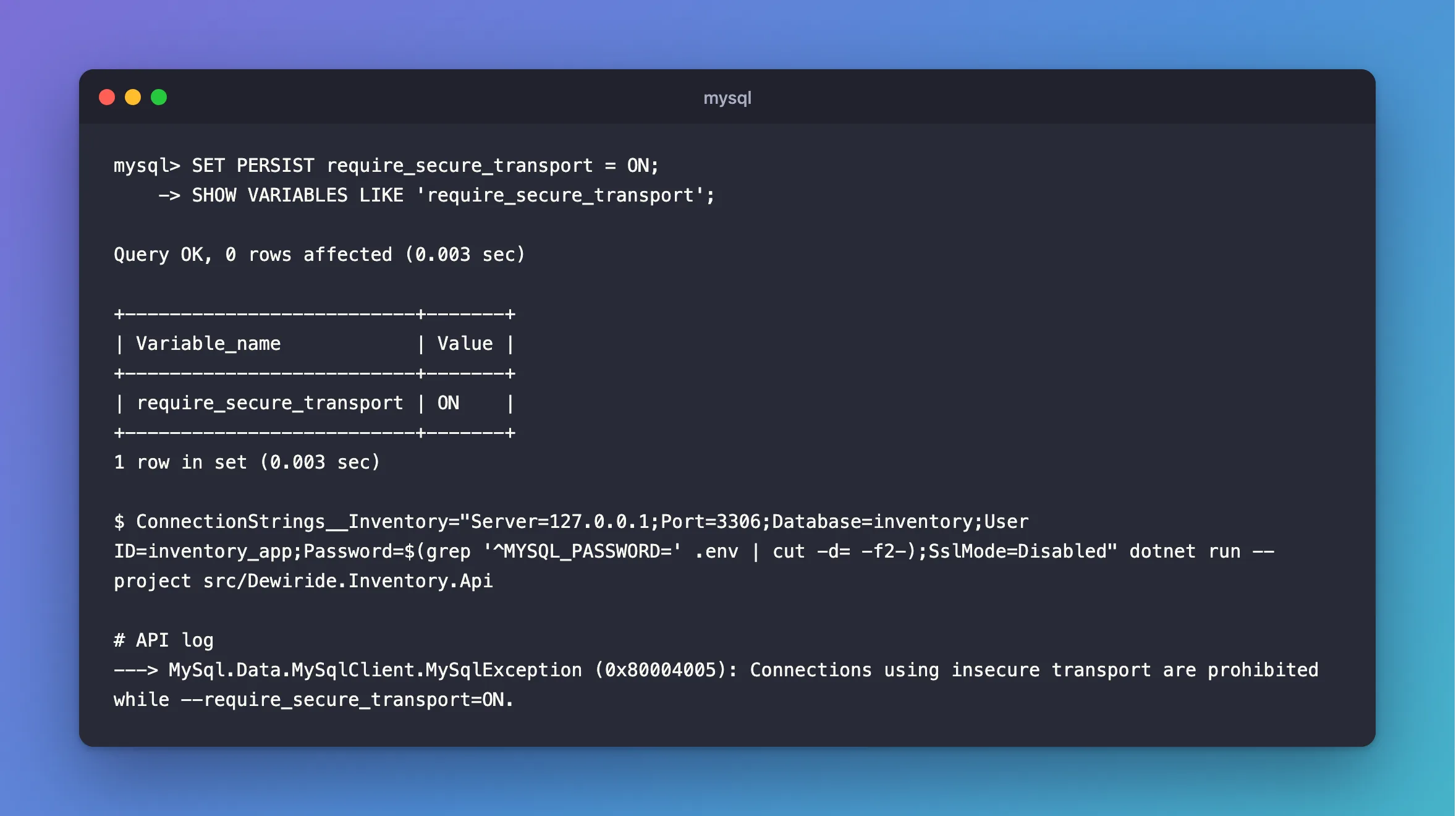
So far, the app has chosen to use TLS. A mistake in a connection string could still turn it off. Make that impossible, in the root session:
SET PERSIST require_secure_transport = ON;
SHOW VARIABLES LIKE 'require_secure_transport';
Query OK, 0 rows affected (0.003 sec)

+--------------------------+-------+
| Variable_name            | Value |
+--------------------------+-------+
| require_secure_transport | ON    |
+--------------------------+-------+
1 row in set (0.003 sec)
SET PERSIST also saves the setting in the data folder, so it survives a restart. To see it work, start the API once with TLS off. An environment variable overrides user-secrets for that one run:
- macOS / Linux
- Windows (PowerShell)
ConnectionStrings__Inventory="Server=127.0.0.1;Port=3306;Database=inventory;User ID=inventory_app;Password=$(grep '^MYSQL_PASSWORD=' .env | cut -d= -f2-);SslMode=Disabled" dotnet run --project src/Dewiride.Inventory.Api
$password = (Get-Content .env | Where-Object { $_ -like 'MYSQL_PASSWORD=*' }).Substring('MYSQL_PASSWORD='.Length)
$env:ConnectionStrings__Inventory = "Server=127.0.0.1;Port=3306;Database=inventory;User ID=inventory_app;Password=$password;SslMode=Disabled"
dotnet run --project src/Dewiride.Inventory.Api
Remove-Item Env:ConnectionStrings__Inventory
Send a request to /api/v1/categories, and read the log:
---> MySql.Data.MySqlClient.MySqlException (0x80004005): Connections using insecure transport are prohibited while --require_secure_transport=ON.
Stop the API. From here on, it can't connect without TLS, whatever its connection string says. The mysql client you've been using still works, because a local socket counts as secure.
Step 3: Give Each Job Its Own Account
The Account for Migrations
The API needs to read and change rows. It never needs to change the tables. Only migrations do that, so they get their own account, and inventory_app loses everything else.
First, which rights do migrations need? I applied this project's migrations to an empty database, removing one right each time:
| Without this right | Applying the migrations | First error |
|---|---|---|
CREATE | Fails | CREATE command denied … for table '__EFMigrationsHistory' |
ALTER | Fails | ALTER command denied … for table 'stock_movements' |
INDEX | Fails | INDEX command denied … for table 'categories' |
REFERENCES | Fails | REFERENCES command denied … for table 'rights_demo.categories' |
SELECT | Fails | SELECT command denied … for table '__EFMigrationsHistory' |
INSERT | Fails | INSERT command denied … for table '__EFMigrationsHistory' |
DROP | Works | Rolling back fails: DROP command denied |
DELETE | Works | Rolling back fails: DELETE command denied on the history table |
UPDATE | Works | Nothing here uses it |
Those failures left half-finished work, up to four tables, because MySQL can't roll back a CREATE TABLE. So find out the rights before a real migration, not during one. These migrations need eight rights. Add UPDATE only if a migration of yours changes rows.
Add the new password to .env.example, so it stays a complete list:
# Password of the inventory_migrator account that applies migrations.
MYSQL_MIGRATOR_PASSWORD=
Then generate the password into .env, and create the account. The password never appears on screen:
- macOS / Linux
- Windows (PowerShell)
echo "MYSQL_MIGRATOR_PASSWORD=$(openssl rand -hex 24)" >> .env
password=$(grep '^MYSQL_MIGRATOR_PASSWORD=' .env | cut -d= -f2-)
docker compose exec -T mysql sh -c 'exec mysql --user=root --password="$MYSQL_ROOT_PASSWORD" --table inventory' <<SQL
CREATE USER 'inventory_migrator'@'%' IDENTIFIED BY '$password';
GRANT CREATE, ALTER, DROP, INDEX, REFERENCES, SELECT, INSERT, DELETE ON inventory.* TO 'inventory_migrator'@'%';
SHOW GRANTS FOR 'inventory_migrator'@'%';
SQL
$bytes = [byte[]]::new(24); [System.Security.Cryptography.RandomNumberGenerator]::Create().GetBytes($bytes); "MYSQL_MIGRATOR_PASSWORD=" + (-join ($bytes | ForEach-Object { $_.ToString('x2') })) | Add-Content .env
$password = (Get-Content .env | Where-Object { $_ -like 'MYSQL_MIGRATOR_PASSWORD=*' }).Substring('MYSQL_MIGRATOR_PASSWORD='.Length)
@"
CREATE USER 'inventory_migrator'@'%' IDENTIFIED BY '$password';
GRANT CREATE, ALTER, DROP, INDEX, REFERENCES, SELECT, INSERT, DELETE ON inventory.* TO 'inventory_migrator'@'%';
SHOW GRANTS FOR 'inventory_migrator'@'%';
"@ | docker compose exec -T mysql sh -c 'exec mysql --user=root --password="$MYSQL_ROOT_PASSWORD" --table inventory'
mysql: [Warning] Using a password on the command line interface can be insecure.
+-------------------------------------------------------------------------------------------------------------------+
| Grants for inventory_migrator@%                                                                                   |
+-------------------------------------------------------------------------------------------------------------------+
| GRANT USAGE ON *.* TO `inventory_migrator`@`%`                                                                    |
| GRANT SELECT, INSERT, DELETE, CREATE, DROP, REFERENCES, INDEX, ALTER ON `inventory`.* TO `inventory_migrator`@`%` |
+-------------------------------------------------------------------------------------------------------------------+
The first line, Using a password on the command line interface can be insecure, is a warning from inside the container, where the password comes from its own settings. It's harmless here.
The Account for the App
In your root session, take away what the app doesn't use:
REVOKE ALL PRIVILEGES ON inventory.* FROM 'inventory_app'@'%';
GRANT SELECT, INSERT, UPDATE, DELETE ON inventory.* TO 'inventory_app'@'%';
SHOW GRANTS FOR 'inventory_app'@'%';
+------------------------------------------------------------------------------+
| Grants for inventory_app@%                                                   |
+------------------------------------------------------------------------------+
| GRANT USAGE ON *.* TO `inventory_app`@`%`                                    |
| GRANT SELECT, INSERT, UPDATE, DELETE ON `inventory`.* TO `inventory_app`@`%` |
+------------------------------------------------------------------------------+
2 rows in set (0.000 sec)
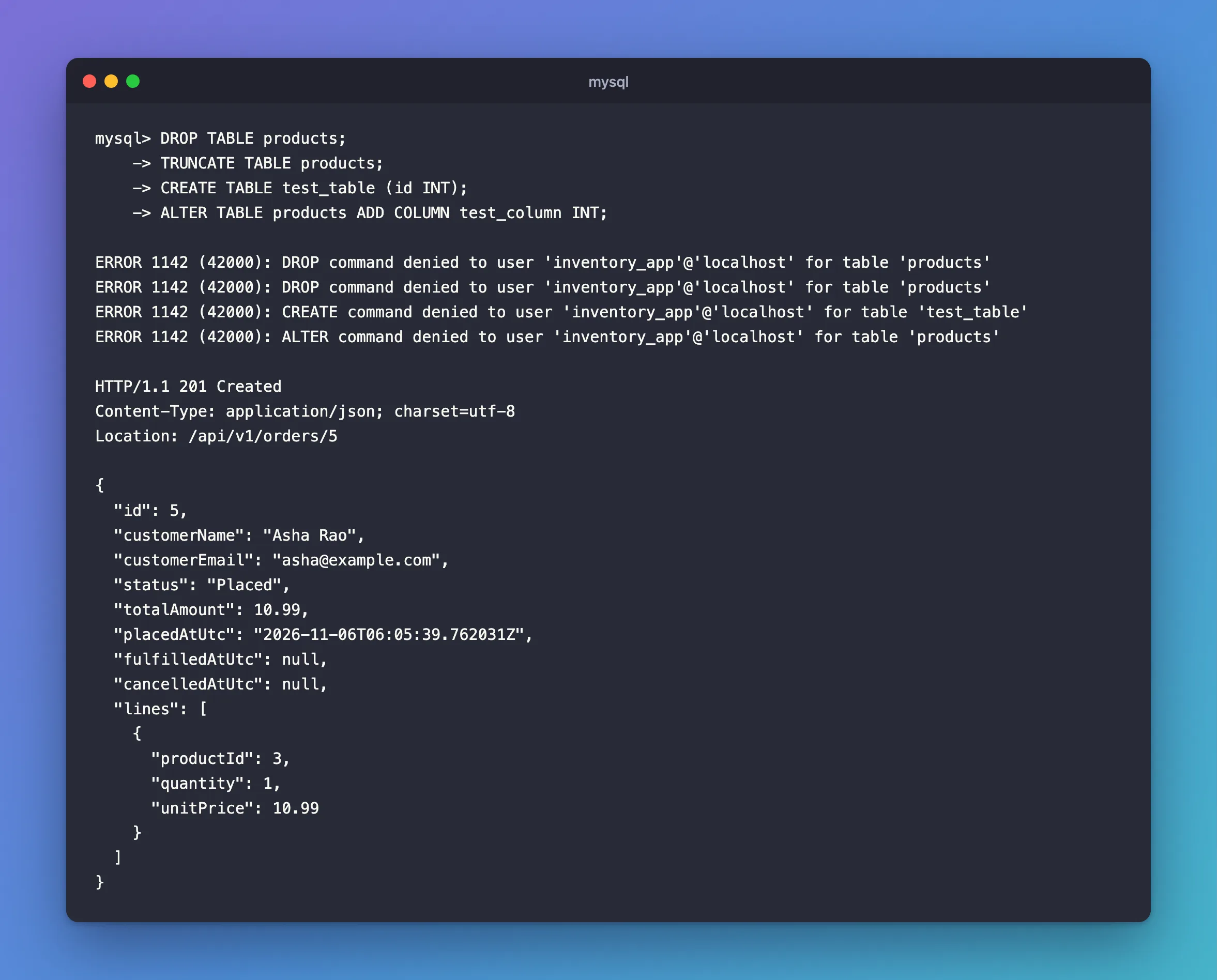
Now try the damage a bug or an injected query could do. Open a session as the app:
docker compose exec mysql mysql --user=inventory_app --password inventory
DROP TABLE products;
TRUNCATE TABLE products;
CREATE TABLE test_table (id INT);
ALTER TABLE products ADD COLUMN test_column INT;
ERROR 1142 (42000): DROP command denied to user 'inventory_app'@'localhost' for table 'products'
ERROR 1142 (42000): DROP command denied to user 'inventory_app'@'localhost' for table 'products'
ERROR 1142 (42000): CREATE command denied to user 'inventory_app'@'localhost' for table 'test_table'
ERROR 1142 (42000): ALTER command denied to user 'inventory_app'@'localhost' for table 'products'
All refused, and the rows are still there. Type exit to leave that session. Now check the API still does its job. Start it, and place an order. Use a product ID of yours that has stock:
POST {{Dewiride.Inventory.Api_HostAddress}}/api/v1/orders
Content-Type: application/json

{
  "customerName": "Asha Rao",
  "customerEmail": "asha@example.com",
  "lines": [{ "productId": 3, "quantity": 1 }]
}
HTTP/1.1 201 Created
Content-Type: application/json; charset=utf-8
Location: /api/v1/orders/5

{
  "id": 5,
  "customerName": "Asha Rao",
  "customerEmail": "asha@example.com",
  "status": "Placed",
  "totalAmount": 10.99,
  "placedAtUtc": "2026-11-06T06:05:39.762031Z",
  "fulfilledAtUtc": null,
  "cancelledAtUtc": null,
  "lines": [
    {
      "productId": 3,
      "quantity": 1,
      "unitPrice": 10.99
    }
  ]
}
I also sent a request to every endpoint in the API with these four rights, and each one worked. SELECT ... FOR UPDATE, transactions and the session limits from Part 4 need nothing more.
A change like this takes effect quickly, even on a running app. MySQL's manual says that "Database privilege changes take effect the next time the client executes a USE" statement, and this driver sends the equivalent each time it takes a connection from the pool. So the very next request runs with the new rights.
Stop the API with Ctrl+C before the next commands, which build the project.
Run Migrations with the New Account
From now on, dotnet ef database update has to run as inventory_migrator. The app's account would fail right away with CREATE command denied, even with nothing to apply, because EF Core's first statement creates the history table if it's missing.
An environment variable for that one command does it. It overrides user-secrets, and the password stays out of your shell history. See the migrations first:
- macOS / Linux
- Windows (PowerShell)
ConnectionStrings__Inventory="Server=127.0.0.1;Port=3306;Database=inventory;User ID=inventory_migrator;Password=$(grep '^MYSQL_MIGRATOR_PASSWORD=' .env | cut -d= -f2-);SslMode=VerifyFull;SslCa=$PWD/certs/ca.pem;SslCert=$PWD/certs/client-cert.pem;SslKey=$PWD/certs/client-key.pem" dotnet ef migrations list --project src/Dewiride.Inventory.Data --startup-project src/Dewiride.Inventory.Api
$password = (Get-Content .env | Where-Object { $_ -like 'MYSQL_MIGRATOR_PASSWORD=*' }).Substring('MYSQL_MIGRATOR_PASSWORD='.Length)
$env:ConnectionStrings__Inventory = "Server=127.0.0.1;Port=3306;Database=inventory;User ID=inventory_migrator;Password=$password;SslMode=VerifyFull;SslCa=$PWD/certs/ca.pem;SslCert=$PWD/certs/client-cert.pem;SslKey=$PWD/certs/client-key.pem"
dotnet ef migrations list --project src/Dewiride.Inventory.Data --startup-project src/Dewiride.Inventory.Api
Remove-Item Env:ConnectionStrings__Inventory
20261103030957_CreateCatalogTables
20261103031745_AddStockMovements
20261103033027_AddOrders
20261104102318_AddProductVersion
20261105050914_AddStockMovementIdempotencyKey
Then apply them:
- macOS / Linux
- Windows (PowerShell)
ConnectionStrings__Inventory="Server=127.0.0.1;Port=3306;Database=inventory;User ID=inventory_migrator;Password=$(grep '^MYSQL_MIGRATOR_PASSWORD=' .env | cut -d= -f2-);SslMode=VerifyFull;SslCa=$PWD/certs/ca.pem;SslCert=$PWD/certs/client-cert.pem;SslKey=$PWD/certs/client-key.pem" dotnet ef database update --project src/Dewiride.Inventory.Data --startup-project src/Dewiride.Inventory.Api
$password = (Get-Content .env | Where-Object { $_ -like 'MYSQL_MIGRATOR_PASSWORD=*' }).Substring('MYSQL_MIGRATOR_PASSWORD='.Length)
$env:ConnectionStrings__Inventory = "Server=127.0.0.1;Port=3306;Database=inventory;User ID=inventory_migrator;Password=$password;SslMode=VerifyFull;SslCa=$PWD/certs/ca.pem;SslCert=$PWD/certs/client-cert.pem;SslKey=$PWD/certs/client-key.pem"
dotnet ef database update --project src/Dewiride.Inventory.Data --startup-project src/Dewiride.Inventory.Api
Remove-Item Env:ConnectionStrings__Inventory
      No migrations were applied. The database is already up to date.
No migrations were applied. The database is already up to date.
Done.
Nothing to do, and the new account could see that. Step 7 covers doing this in production.
Step 4: Stop a Burst of Requests from Killing the Process
How Many Connections the API Uses
A connection pool keeps connections open after you've finished with them, because opening a new one takes many round trips to the server. When Maximum Pool Size connections are all busy, the next request has to wait for one. The default is 100.
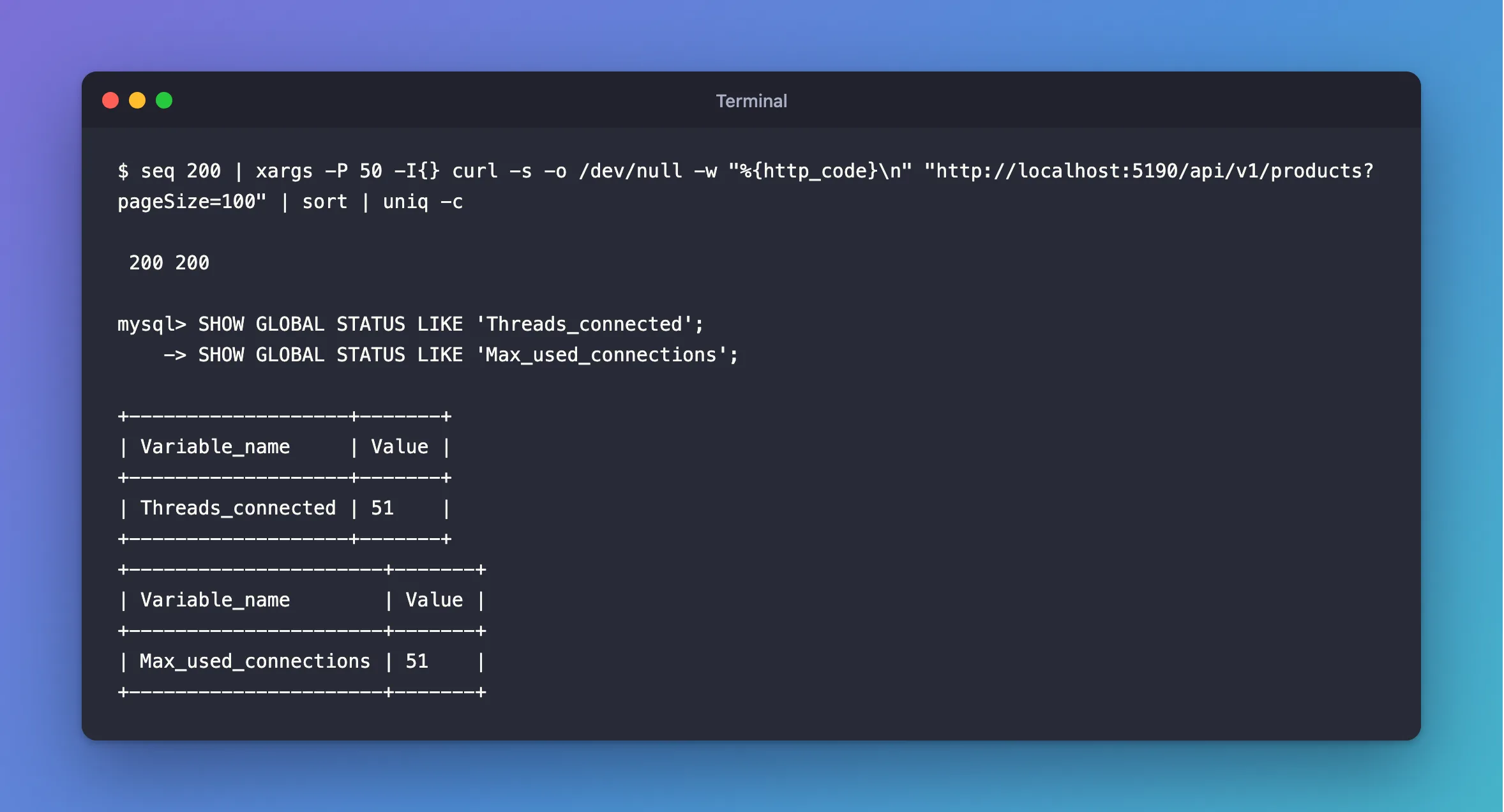
Start the API, then send 200 requests, 50 at a time:
- macOS / Linux
- Windows (PowerShell)
seq 200 | xargs -P 50 -I{} curl -s -o /dev/null -w "%{http_code}\n" "http://localhost:5190/api/v1/products?pageSize=100" | sort | uniq -c
Add-Type -AssemblyName System.Net.Http
$client = [System.Net.Http.HttpClient]::new()
$requests = 1..50 | ForEach-Object { $client.GetAsync("http://localhost:5190/api/v1/products?pageSize=100") }
try { [System.Threading.Tasks.Task]::WaitAll([System.Threading.Tasks.Task[]]$requests) } catch { }
$requests | Group-Object { if ($_.IsFaulted) { "no answer" } else { [int]$_.Result.StatusCode } } | Select-Object Count, Name
200 200
All fine, in under a second. In your root session, see what that left behind:
SHOW GLOBAL STATUS LIKE 'Threads_connected';
SHOW GLOBAL STATUS LIKE 'Max_used_connections';
+-------------------+-------+
| Variable_name     | Value |
+-------------------+-------+
| Threads_connected | 51    |
+-------------------+-------+
+----------------------+-------+
| Variable_name        | Value |
+----------------------+-------+
| Max_used_connections | 51    |
+----------------------+-------+
Fifty requests at once opened 50 connections, and your session is the 51st. A pool grows to meet the demand, up to its limit.
Go Past the Limit
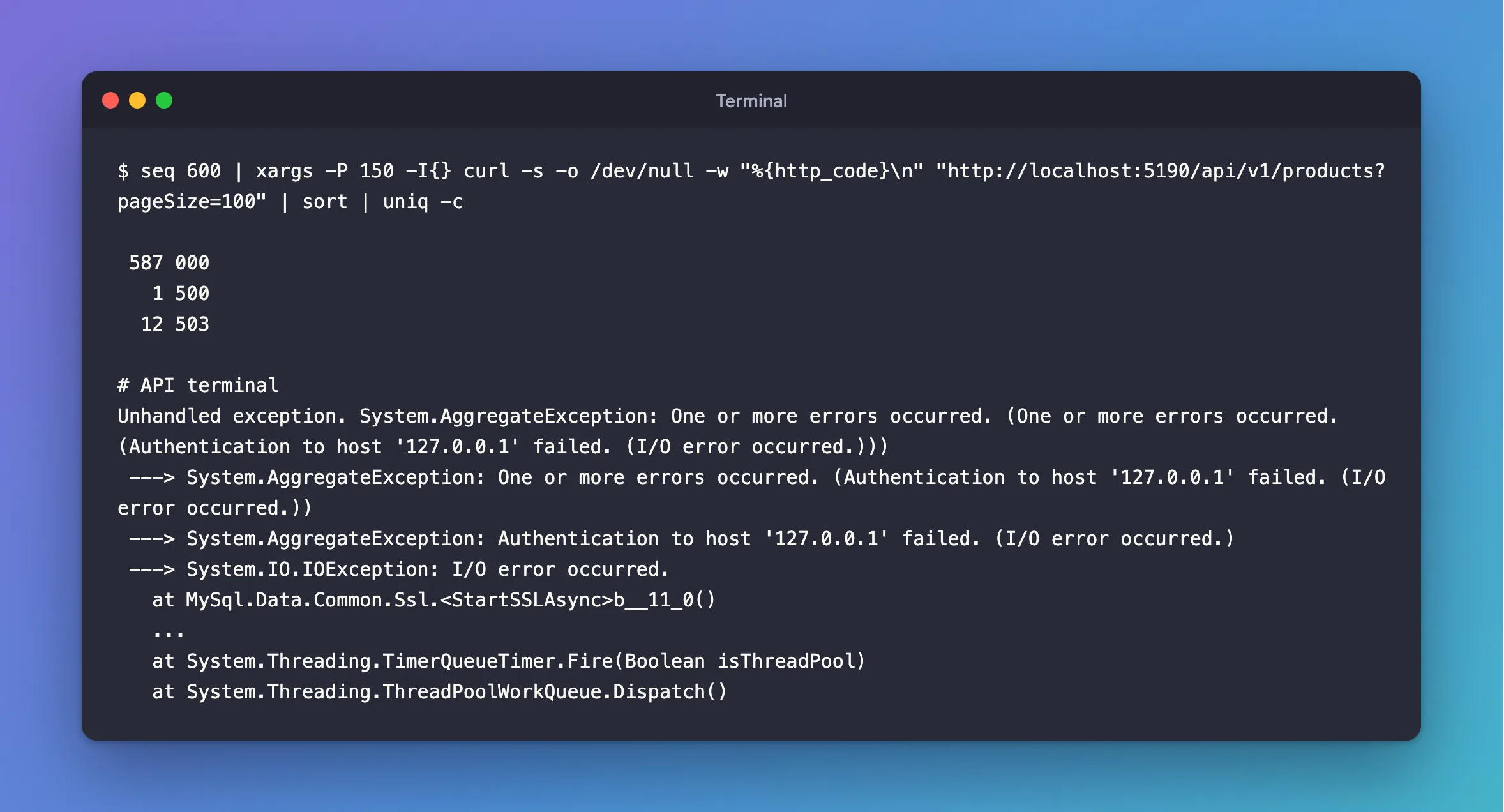
Now send more at once than the pool can hold. Stop the API with Ctrl+C and start it again, so that it has no connections yet, then send 600 requests, 150 at a time:
- macOS / Linux
- Windows (PowerShell)
seq 600 | xargs -P 150 -I{} curl -s -o /dev/null -w "%{http_code}\n" "http://localhost:5190/api/v1/products?pageSize=100" | sort | uniq -c
Add-Type -AssemblyName System.Net.Http
$client = [System.Net.Http.HttpClient]::new()
$requests = 1..600 | ForEach-Object { $client.GetAsync("http://localhost:5190/api/v1/products?pageSize=100") }
try { [System.Threading.Tasks.Task]::WaitAll([System.Threading.Tasks.Task[]]$requests) } catch { }
$requests | Group-Object { if ($_.IsFaulted) { "no answer" } else { [int]$_.Result.StatusCode } } | Select-Object Count, Name
 587 000
   1 500
  12 503
000 isn't a status from the API. It means curl got no answer at all. Look at the API's terminal: it isn't running any more.
Unhandled exception. System.AggregateException: One or more errors occurred. (One or more errors occurred. (Authentication to host '127.0.0.1' failed. (I/O error occurred.)))
 ---> System.AggregateException: One or more errors occurred. (Authentication to host '127.0.0.1' failed. (I/O error occurred.))
 ---> System.AggregateException: Authentication to host '127.0.0.1' failed. (I/O error occurred.)
 ---> System.IO.IOException: I/O error occurred.
   at MySql.Data.Common.Ssl.<StartSSLAsync>b__11_0()
   ...
   at System.Threading.TimerQueueTimer.Fire(Boolean isThreadPool)
   at System.Threading.ThreadPoolWorkQueue.Dispatch()
The whole process has ended, with exit code 134, about 15 seconds after the burst began. Every other request it was serving went with it. No try/catch of yours could have caught this.
It's a race, so it doesn't happen every time. I ran this burst 26 times on a freshly started API. The process ended in 17 of them. In 4 more it stayed up, but gave dozens of 500s and 503s, over 20 to 150 seconds. Only 5 got through cleanly. So if your API lives through it, restart it and send the burst again.
Why It Happens
Three lines in the driver, working together. They're in Oracle's source for 26.10.0:
When the pool is full, a request blocks a thread while it waits. This is inside an async method, but WaitOne doesn't let go of the thread:
// We have no tickets right now, lets wait for one.
if (!_autoEvent.WaitOne(timeOut, false)) break;
Opening a connection starts a timer of Connect Timeout seconds, 15 by default:
if (settings.ConnectionTimeout != 0)
  connTimeoutSource = new CancellationTokenSource((int)settings.ConnectionTimeout * 1000);
If that timer fires during the TLS handshake, its callback throws. A timer runs on its own thread, with nothing above it to catch an exception, and .NET ends the process when that happens:
using (cancellationToken.Register(() => throw new AggregateException($"Authentication to host '{_settings.Server}' failed.", new IOException())))
  await sslStream.AuthenticateAsClientAsync(_settings.Server, certs, tlsProtocol, false).ConfigureAwait(false);
So the chain goes like this:
Whether a handshake is running at that exact moment comes down to timing, which is why some runs survive. I didn't take that chain on faith, so I measured it. During the burst, the API's threads grew slowly:
Before the burst   31 threads
After 2 seconds    39 threads
After 4 seconds    43 threads
After 6 seconds    46 threads
After 8 seconds    50 threads
After 10 seconds   52 threads
After 12 seconds   57 threads
After 14 seconds   the process is gone
Then I ran the same burst with the thread pool allowed 500 threads from the start, by setting DOTNET_ThreadPool_ForceMinWorkerThreads. All 600 requests answered 200 in about 2.4 seconds, in all 8 runs. That proves threads were the bottleneck, and it's a fix of sorts. But look at the cost, with 500 requests at once and a pool of 25:
| Time for 2,000 requests | Threads in the process afterwards | |
|---|---|---|
| 500 threads allowed | 6.2 s | 386 to 425 |
| A limit on requests (below) | 6.0 s | 38 to 39 |
Same speed, with a tenth of the threads. So fix the cause: don't let more requests reach the pool than it can hold.
Limit the Requests to the Size of the Pool
ASP.NET Core has a rate limiter, and one of its limiters is exactly this: "The concurrency limiter limits the number of concurrent requests." The extra requests wait in its queue, and that wait doesn't hold a thread. A request uses one connection at a time, so if the limit equals Maximum Pool Size, nothing ever waits inside the driver.
Add the settings first. Create src/Dewiride.Inventory.Api/Infrastructure/RequestLimitsOptions.cs:
using System.ComponentModel.DataAnnotations;

namespace Dewiride.Inventory.Api.Infrastructure;

/// <summary>
/// The limits on incoming requests, read from the RequestLimits section of the configuration.
/// </summary>
public sealed class RequestLimitsOptions
{
    /// <summary>The name of the section in appsettings.json.</summary>
    public const string SectionName = "RequestLimits";

    /// <summary>How many requests may wait for a turn before the API answers 503.</summary>
    [Range(0, 100_000)]
    public int QueueLimit { get; init; } = 500;

    /// <summary>How many requests one client address may send per minute before the API answers 429.</summary>
    [Range(1, 1_000_000)]
    public int RequestsPerMinutePerClient { get; init; } = 6000;

    /// <summary>The largest request body the API reads, in bytes. A larger one gets a 413.</summary>
    [Range(1, 30_000_000)]
    public long MaxRequestBodyBytes { get; init; } = 1_048_576;
}
Three limits, with defaults you can change in appsettings.json:
QueueLimitis how many requests may wait. Past that, the API answers503straight away, which is kinder than a long wait.RequestsPerMinutePerClientstops one client from filling that queue for everyone. It's a safety net, set high enough that normal use doesn't reach it.MaxRequestBodyBytescaps how much a request can send. The default in ASP.NET Core is about 28.6 MB, far more than this API needs.
The heart of it is the concurrency limit, with its size read from the connection string, so the two can't drift apart:
// A request uses one connection at a time, so this many requests can never run out of them.
var connectionString = configuration.GetConnectionString(InventoryDataServiceCollectionExtensions.ConnectionStringName);
var maximumPoolSize = (int)new MySqlConnectionStringBuilder(connectionString).MaximumPoolSize;
// Extra requests wait here without holding a thread, instead of inside the driver.
PartitionedRateLimiter.Create<HttpContext, string>(_ =>
    RateLimitPartition.GetConcurrencyLimiter(
        "database-connections",
        _ => new ConcurrencyLimiterOptions
        {
            PermitLimit = maximumPoolSize,
            QueueLimit = limits.QueueLimit,
            QueueProcessingOrder = QueueProcessingOrder.OldestFirst,
        })));
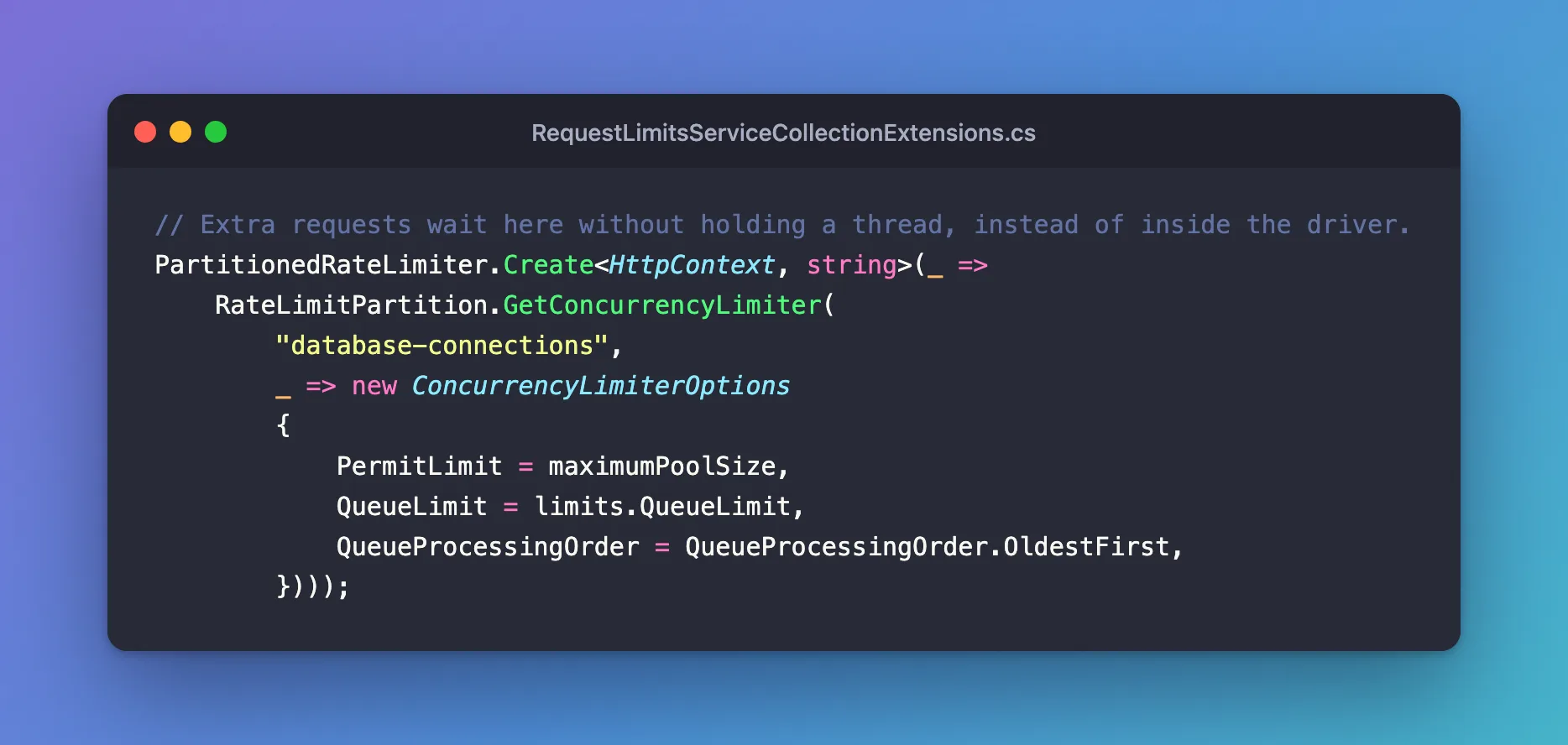
The complete file, in src/Dewiride.Inventory.Api/Infrastructure/RequestLimitsServiceCollectionExtensions.cs:
using System.Globalization;
using System.Threading.RateLimiting;
using Dewiride.Inventory.Data;
using Microsoft.AspNetCore.Server.Kestrel.Core;
using MySql.Data.MySqlClient;

namespace Dewiride.Inventory.Api.Infrastructure;

/// <summary>
/// Registers the limits that keep a burst of requests away from the MySQL driver's connection pool.
/// </summary>
public static class RequestLimitsServiceCollectionExtensions
{
    private const int BusyRetryAfterSeconds = 5;

    /// <summary>
    /// Adds a limit per client address and a limit on requests running at once. Call it after
    /// AddInventoryData, which checks that the connection string is there.
    /// </summary>
    public static IServiceCollection AddRequestLimits(
        this IServiceCollection services,
        IConfiguration configuration)
    {
        ArgumentNullException.ThrowIfNull(services);
        ArgumentNullException.ThrowIfNull(configuration);

        services.AddOptions<RequestLimitsOptions>()
            .Bind(configuration.GetSection(RequestLimitsOptions.SectionName))
            .ValidateDataAnnotations()
            .ValidateOnStart();

        var limits = configuration.GetSection(RequestLimitsOptions.SectionName).Get<RequestLimitsOptions>()
            ?? new RequestLimitsOptions();

        // Kestrel doesn't read its limits from configuration, so set this one in code.
        services.Configure<KestrelServerOptions>(options =>
            options.Limits.MaxRequestBodySize = limits.MaxRequestBodyBytes);

        // A request uses one connection at a time, so this many requests can never run out of them.
        var connectionString = configuration.GetConnectionString(InventoryDataServiceCollectionExtensions.ConnectionStringName);
        var maximumPoolSize = (int)new MySqlConnectionStringBuilder(connectionString).MaximumPoolSize;

        services.AddRateLimiter(options =>
        {
            options.GlobalLimiter = PartitionedRateLimiter.CreateChained(
                // One client can't use up the queue for everyone else. A readiness probe isn't a client.
                PartitionedRateLimiter.Create<HttpContext, string>(context =>
                    context.Request.Path.StartsWithSegments("/health")
                        ? RateLimitPartition.GetNoLimiter("health")
                        : RateLimitPartition.GetFixedWindowLimiter(
                            context.Connection.RemoteIpAddress?.ToString() ?? "unknown",
                            _ => new FixedWindowRateLimiterOptions
                            {
                                PermitLimit = limits.RequestsPerMinutePerClient,
                                Window = TimeSpan.FromMinutes(1),
                                QueueLimit = 0,
                            })),

                // Extra requests wait here without holding a thread, instead of inside the driver.
                PartitionedRateLimiter.Create<HttpContext, string>(_ =>
                    RateLimitPartition.GetConcurrencyLimiter(
                        "database-connections",
                        _ => new ConcurrencyLimiterOptions
                        {
                            PermitLimit = maximumPoolSize,
                            QueueLimit = limits.QueueLimit,
                            QueueProcessingOrder = QueueProcessingOrder.OldestFirst,
                        })));

            // UseStatusCodePages writes the problem details body.
            options.OnRejected = (context, _) =>
            {
                var response = context.HttpContext.Response;

                if (context.Lease.TryGetMetadata(MetadataName.RetryAfter, out var retryAfter))
                {
                    // Only the per-client limit knows when its window ends.
                    response.StatusCode = StatusCodes.Status429TooManyRequests;
                    response.Headers.RetryAfter =
                        ((long)Math.Ceiling(retryAfter.TotalSeconds)).ToString(CultureInfo.InvariantCulture);
                }
                else
                {
                    response.StatusCode = StatusCodes.Status503ServiceUnavailable;
                    response.Headers.RetryAfter = BusyRetryAfterSeconds.ToString(CultureInfo.InvariantCulture);
                }

                return ValueTask.CompletedTask;
            };
        });

        return services;
    }
}
What the rest of it does:
CreateChainedruns two limiters, in order. A request needs a pass from both.GetNoLimiterkeeps/healthout of the per-client limit, because a readiness probe isn't a client./health/readystill goes through the concurrency limit, because it uses connections too.OnRejectedtells the client when to come back. The per-client limiter knows when its minute ends, so that's a429with its ownRetry-After. The concurrency limiter can't know, so that's a503and 5 seconds.UseStatusCodePages, from Part 3, writes the body.KestrelServerOptionssets the body limit. It has to be in code:Kestrel:Limitsinappsettings.jsondoes nothing, and I lost a test run finding that out.
Add the settings to appsettings.json, after AllowedHosts:
"RequestLimits": {
  "QueueLimit": 500,
  "RequestsPerMinutePerClient": 6000,
  "MaxRequestBodyBytes": 1048576
},
And wire it up in src/Dewiride.Inventory.Api/Program.cs. Register it just before var app = builder.Build();:
// Keeps a burst of requests out of the MySQL driver's connection pool.
builder.Services.AddRequestLimits(builder.Configuration);
Switch it on just after app.UseStatusCodePages();:
// Runs after the error handlers above, so a refused request gets a problem details body.
app.UseRateLimiter();
And keep liveness out of it, because it uses no connection and should always answer:
// Liveness: the API process is running. It runs no checks and is never limited.
app.MapHealthChecks("/health/live", new HealthCheckOptions
{
    Predicate = _ => false,
}).DisableRateLimiting();
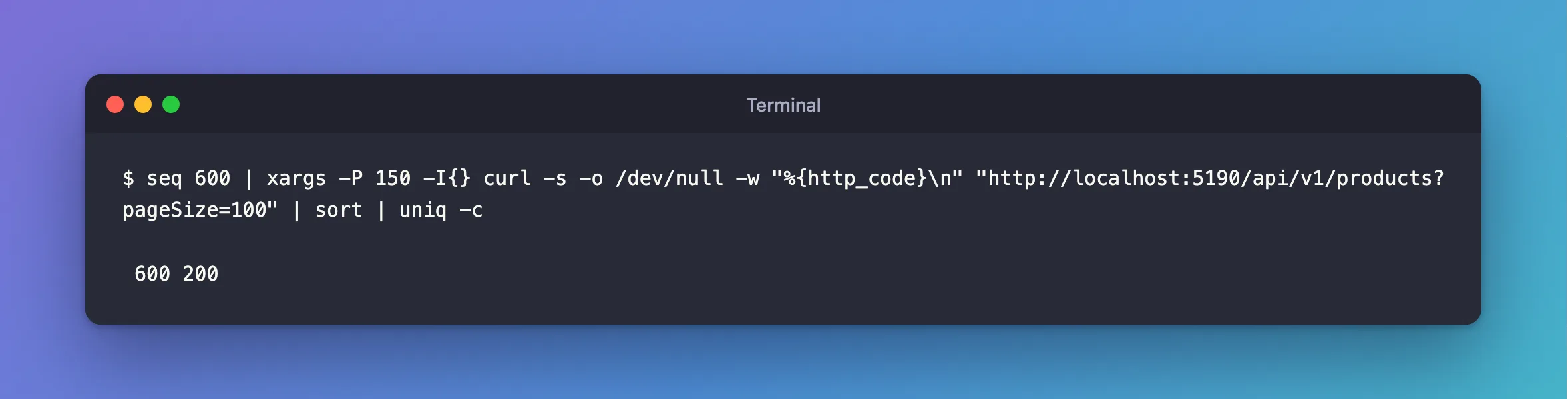
Start the API, and send the same burst:
600 200
All 600 answered, in about 2.4 seconds, and the API is still running. I ran it 8 times, and all 8 went the same way.
Choose the Size of the Pool
Now that requests can't overrun it, how big should the pool be? I ran the same burst at three sizes, with the limit following each one:
Maximum Pool Size | 600 requests, 150 at a time | Connections MySQL held |
|---|---|---|
| 5 | All 200, in 2.34 s | 6 |
| 25 | All 200, in 2.11 s | 26 |
| 100 | All 200, in 2.13 s | 101 |
More connections didn't make it faster, because these queries take about a millisecond, so a few connections keep up. A pool of 100 just uses up the server's connections. Your numbers will depend on how long your queries take, so run the same burst against your own busiest endpoint. To choose:
- Start from the server's limit.
max_connectionsis 151 here, and it covers everything that connects. - Count the pools. Each copy of the app has one pool per connection string, and I found a second one here: Oracle's readiness check connects without a database, which makes a different string, so it gets its own pool. It normally stays small, but it can grow as far as the first.
- Do the sum: copies of the app × 2 ×
Maximum Pool Sizemust stay belowmax_connections. With 25, three copies could use 150 at the very worst.
This project uses 25. As a ceiling in case something else goes wrong, you can also limit the account itself, in the root session. That covers its two pools, with room to spare:
ALTER USER 'inventory_app'@'%' WITH MAX_USER_CONNECTIONS 60;
If an account does reach that limit, MySQL refuses with error 1226. That's temporary, like a full server, so add it to the list in src/Dewiride.Inventory.Data/MySqlRetryStrategy.cs. After the retries, the client gets the 503 from Part 4:
1053 or // Server shutdown in progress.
1226 or // The account is at its MAX_USER_CONNECTIONS limit.
1213    // Deadlock found: MySQL rolled the transaction back.
Step 5: Fail Quickly When MySQL Doesn't Answer
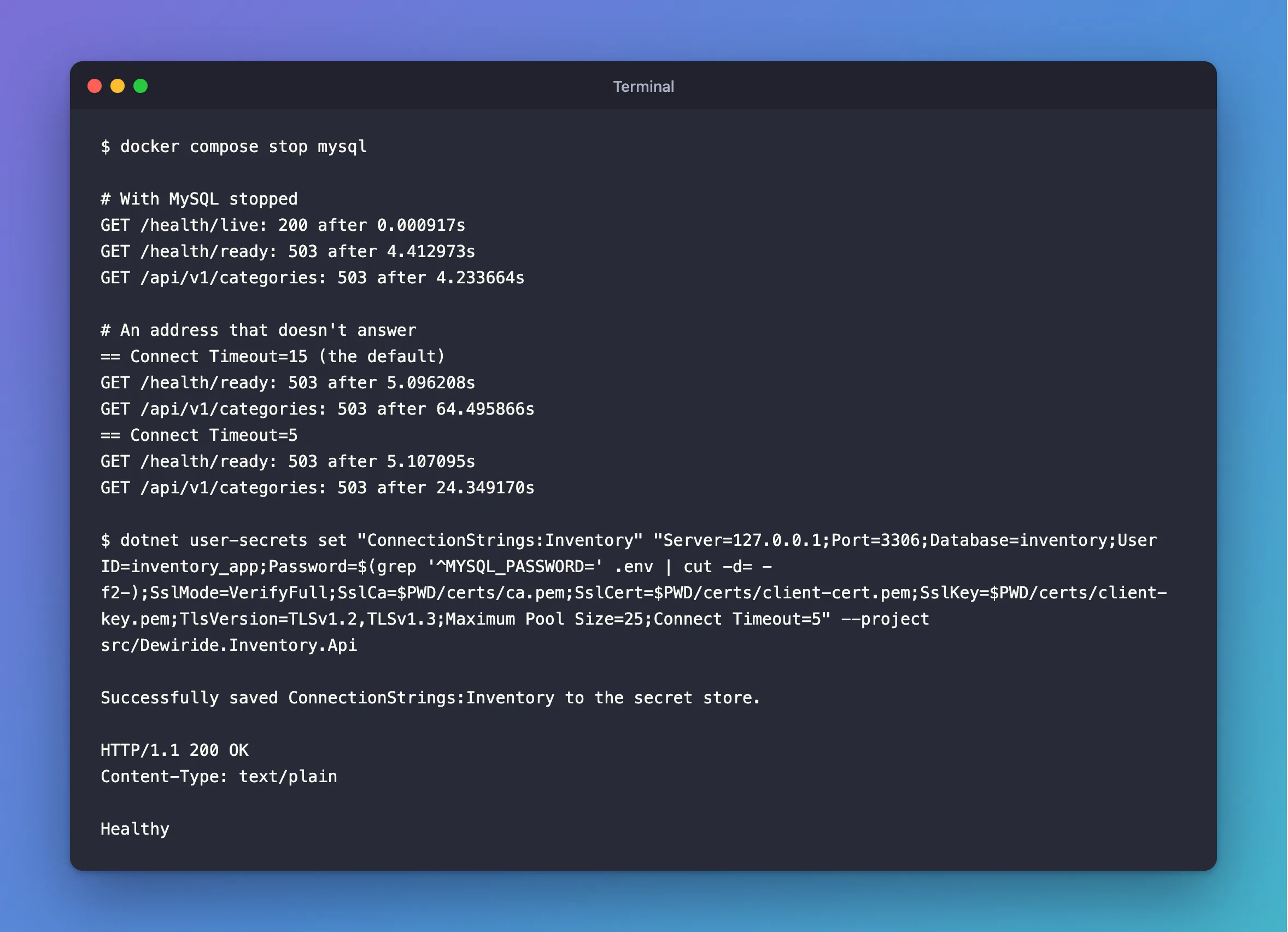
Stop MySQL for a moment, with the API running, and send requests. It fails fast, because the port refuses the connection straight away:
docker compose stop mysql
GET /health/live: 200 after 0.000917s
GET /health/ready: 503 after 4.412973s
GET /api/v1/categories: 503 after 4.233664s
/health/live still answers, as it should: the process is fine. Start MySQL again with docker compose up -d --wait, and the next request works, with no restart of the API.
But a server that's unreachable, rather than stopped, doesn't refuse: it stays silent, and the driver waits. I pointed the API at an address that doesn't answer:
== Connect Timeout=15 (the default)
GET /health/ready: 503 after 5.096208s
GET /api/v1/categories: 503 after 64.495866s
== Connect Timeout=5
GET /health/ready: 503 after 5.107095s
GET /api/v1/categories: 503 after 24.349170s
A request waits for Connect Timeout on each of its 4 attempts: 15 × 4, plus the delays between retries, makes 64 seconds. Nobody waits that long. Connect Timeout=5 brings it to 24 seconds.
The readiness check needed its own fix, because a load balancer asking "are you ready?" wants an answer in seconds. Before I added this it took 64 seconds too. Add it to Program.cs, just after AddHealthChecks:
// Report a server that doesn't answer within seconds, not after every retry has timed out.
builder.Services.Configure<HealthCheckServiceOptions>(options =>
{
    foreach (var registration in options.Registrations)
    {
        registration.Timeout = TimeSpan.FromSeconds(5);
    }
});
AddDbContextCheck has no timeout parameter, so this sets it on the registration. It needs using Microsoft.Extensions.Diagnostics.HealthChecks; at the top of the file.
Now put every setting into the connection string:
- macOS / Linux
- Windows (PowerShell)
dotnet user-secrets set "ConnectionStrings:Inventory" "Server=127.0.0.1;Port=3306;Database=inventory;User ID=inventory_app;Password=$(grep '^MYSQL_PASSWORD=' .env | cut -d= -f2-);SslMode=VerifyFull;SslCa=$PWD/certs/ca.pem;SslCert=$PWD/certs/client-cert.pem;SslKey=$PWD/certs/client-key.pem;TlsVersion=TLSv1.2,TLSv1.3;Maximum Pool Size=25;Connect Timeout=5" --project src/Dewiride.Inventory.Api
$password = (Get-Content .env | Where-Object { $_ -like 'MYSQL_PASSWORD=*' }).Substring('MYSQL_PASSWORD='.Length)
dotnet user-secrets set "ConnectionStrings:Inventory" "Server=127.0.0.1;Port=3306;Database=inventory;User ID=inventory_app;Password=$password;SslMode=VerifyFull;SslCa=$PWD/certs/ca.pem;SslCert=$PWD/certs/client-cert.pem;SslKey=$PWD/certs/client-key.pem;TlsVersion=TLSv1.2,TLSv1.3;Maximum Pool Size=25;Connect Timeout=5" --project src/Dewiride.Inventory.Api
Successfully saved ConnectionStrings:Inventory to the secret store.
Restart the API, and send the readiness request:
HTTP/1.1 200 OK
Content-Type: text/plain

Healthy
What each new option does:
Maximum Pool Size=25andConnect Timeout=5are the values from above.TlsVersion=TLSv1.2,TLSv1.3lets the driver use TLS 1.3. Left out, it uses TLS 1.2 on every platform, and against a server that only accepts 1.3 it fails with a bafflingCannot determine the frame size or a corrupted frame was received. With this list, a Linux container negotiated TLS 1.3 in my test. On macOS it stays on 1.2 unless you opt in, which is fine for development.
What's Left, and What to Do About It
The limit stops traffic from causing the crash. It can't stop a network from causing it. I wrote a small proxy that passes MySQL's greeting and then goes silent during the handshake, and the process still ended when Connect Timeout ran out, or at the 5 seconds of the readiness timeout, whichever came first. Nothing in the app can catch it.
The window is small, because a handshake takes milliseconds. But it does mean the API must run under something that restarts it when it stops: Kubernetes, systemd, a container's restart policy, or your hosting platform. Almost every production setup does that already, and with one, this costs a request or two instead of an outage. A client that disconnects during a handshake is safe: Kestrel catches that one and only logs it.
Step 6: Run It the Way Production Will
Until now, the app has run with the http launch profile, as Development. Production has no launch profile, no user-secrets and no Scalar. Three small pieces of code make the app behave properly there. Add the JSON logs at the top of Program.cs, right after CreateBuilder:
// One JSON object per log entry outside Development, for log tools to read.
if (!builder.Environment.IsDevelopment())
{
    builder.Logging.AddJsonConsole(options =>
    {
        options.UseUtcTimestamp = true;
        options.TimestampFormat = "yyyy-MM-ddTHH:mm:ss.fffZ";
    });
}
A log tool can search these by field, where plain text would only let it search words.
Next, a log line that answers "what is this running with?" at startup, without ever including the password. Create src/Dewiride.Inventory.Api/Infrastructure/DatabaseSettingsLog.cs:
using Dewiride.Inventory.Data;
using MySql.Data.MySqlClient;

namespace Dewiride.Inventory.Api.Infrastructure;

/// <summary>
/// Writes the database settings the app really runs with to the log when it starts. It reads them
/// one by one, so the password can never reach the log.
/// </summary>
public static partial class DatabaseSettingsLog
{
    /// <summary>Logs the connection settings, and warns when the server's identity isn't checked.</summary>
    public static void LogDatabaseSettings(this WebApplication app)
    {
        ArgumentNullException.ThrowIfNull(app);

        var connectionString = app.Configuration.GetConnectionString(InventoryDataServiceCollectionExtensions.ConnectionStringName);
        var settings = new MySqlConnectionStringBuilder(connectionString);

        LogSettings(
            app.Logger,
            settings.Server,
            settings.Database,
            settings.UserID,
            settings.SslMode,
            settings.MaximumPoolSize,
            settings.ConnectionTimeout);

        if (!app.Environment.IsDevelopment() && settings.SslMode is not (MySqlSslMode.VerifyCA or MySqlSslMode.VerifyFull))
        {
            LogServerNotVerified(app.Logger, settings.SslMode);
        }
    }

    [LoggerMessage(
        Level = LogLevel.Information,
        Message = "MySQL connection: server {Server}, database {Database}, user {User}, SslMode {SslMode}, pool up to {MaximumPoolSize}, connect timeout {ConnectTimeoutSeconds} s")]
    private static partial void LogSettings(
        ILogger logger,
        string server,
        string database,
        string user,
        MySqlSslMode sslMode,
        uint maximumPoolSize,
        uint connectTimeoutSeconds);

    [LoggerMessage(
        Level = LogLevel.Warning,
        Message = "SslMode is {SslMode}: the connection doesn't check the MySQL server's certificate. Use VerifyFull in production.")]
    private static partial void LogServerNotVerified(ILogger logger, MySqlSslMode sslMode);
}
It reads the settings one by one through MySqlConnectionStringBuilder, so the password never gets near the log. Outside Development, it warns if the server's identity isn't being checked. Call it in Program.cs, right after var app = builder.Build();:
app.LogDatabaseSettings();
The complete file, in src/Dewiride.Inventory.Api/Program.cs:
using System.Text.Json.Serialization;
using Dewiride.Inventory.Api.Features.Categories;
using Dewiride.Inventory.Api.Features.Orders;
using Dewiride.Inventory.Api.Features.Products;
using Dewiride.Inventory.Api.Features.Stock;
using Dewiride.Inventory.Api.Infrastructure;
using Dewiride.Inventory.Data;
using Microsoft.AspNetCore.Diagnostics.HealthChecks;
using Microsoft.Extensions.Diagnostics.HealthChecks;
using Scalar.AspNetCore;

var builder = WebApplication.CreateBuilder(args);

// One JSON object per log entry outside Development, for log tools to read.
if (!builder.Environment.IsDevelopment())
{
    builder.Logging.AddJsonConsole(options =>
    {
        options.UseUtcTimestamp = true;
        options.TimestampFormat = "yyyy-MM-ddTHH:mm:ss.fffZ";
    });
}

// Add services to the container.
// Learn more about configuring OpenAPI at https://aka.ms/aspnet/openapi
builder.Services.AddOpenApi();

// Answers every error with the same JSON shape, the standard "problem details" format.
builder.Services.AddProblemDetails();

// Checks the validation attributes on request records before an endpoint runs.
builder.Services.AddValidation();

// The clock. Code asks for it instead of calling DateTime.UtcNow directly.
builder.Services.AddSingleton(TimeProvider.System);

// Enums travel as their names, such as "Receipt", not as numbers.
builder.Services.ConfigureHttpJsonOptions(options =>
    options.SerializerOptions.Converters.Add(new JsonStringEnumConverter()));

// Answers 503 when the database can't do the work right now.
builder.Services.AddExceptionHandler<DatabaseUnavailableExceptionHandler>();

// The MySQL database, through EF Core. The connection string comes from configuration:
// dotnet user-secrets in development, an environment variable everywhere else.
builder.Services.AddInventoryData(builder.Configuration);

// The "mysql" check opens a connection to MySQL. Only the readiness endpoint runs it.
builder.Services.AddHealthChecks()
    .AddDbContextCheck<InventoryDbContext>(name: "mysql", tags: ["ready"]);

// Report a server that doesn't answer within seconds, not after every retry has timed out.
builder.Services.Configure<HealthCheckServiceOptions>(options =>
{
    foreach (var registration in options.Registrations)
    {
        registration.Timeout = TimeSpan.FromSeconds(5);
    }
});

// Keeps a burst of requests out of the MySQL driver's connection pool.
builder.Services.AddRequestLimits(builder.Configuration);

var app = builder.Build();

app.LogDatabaseSettings();

// Turn unhandled exceptions into a problem response, with no stack trace outside Development.
app.UseExceptionHandler(new ExceptionHandlerOptions
{
    // In Development, a request the endpoint can't read, such as broken JSON, throws
    // BadHttpRequestException. That's the client's mistake, so keep its 400 instead of a 500.
    StatusCodeSelector = exception => exception is BadHttpRequestException badRequest
        ? badRequest.StatusCode
        : StatusCodes.Status500InternalServerError,

    // Keep logging the exceptions an IExceptionHandler answers, so an outage shows up in the logs.
    SuppressDiagnosticsCallback = _ => false,
});

// Give error responses without a body, such as a plain 404, a problem details body.
app.UseStatusCodePages();

// Runs after the error handlers above, so a refused request gets a problem details body.
app.UseRateLimiter();

// Configure the HTTP request pipeline.
if (app.Environment.IsDevelopment())
{
    app.MapOpenApi();

    // Interactive API documentation at /scalar/v1, built from the OpenAPI document.
    app.MapScalarApiReference();
}

// Liveness: the API process is running. It runs no checks and is never limited.
app.MapHealthChecks("/health/live", new HealthCheckOptions
{
    Predicate = _ => false,
}).DisableRateLimiting();

// Readiness: the API can reach MySQL, so it's ready for requests.
app.MapHealthChecks("/health/ready", new HealthCheckOptions
{
    Predicate = check => check.Tags.Contains("ready"),
});

// Every data endpoint lives under /api/v1.
var api = app.MapGroup("/api/v1");
api.MapCategoryEndpoints();
api.MapProductEndpoints();
api.MapStockEndpoints();
api.MapOrderEndpoints();

app.Run();
And src/Dewiride.Inventory.Api/appsettings.json:
{
  "Logging": {
    "LogLevel": {
      "Default": "Information",
      "Microsoft.AspNetCore": "Warning",
      "Microsoft.EntityFrameworkCore.Database.Command": "Warning"
    }
  },
  "AllowedHosts": "*",
  "RequestLimits": {
    "QueueLimit": 500,
    "RequestsPerMinutePerClient": 6000,
    "MaxRequestBodyBytes": 1048576
  },
  "Database": {
    "MaxRetryCount": 3,
    "MaxRetryDelaySeconds": 5,
    "LockWaitTimeoutSeconds": 5,
    "QueryTimeoutSeconds": 30
  }
}
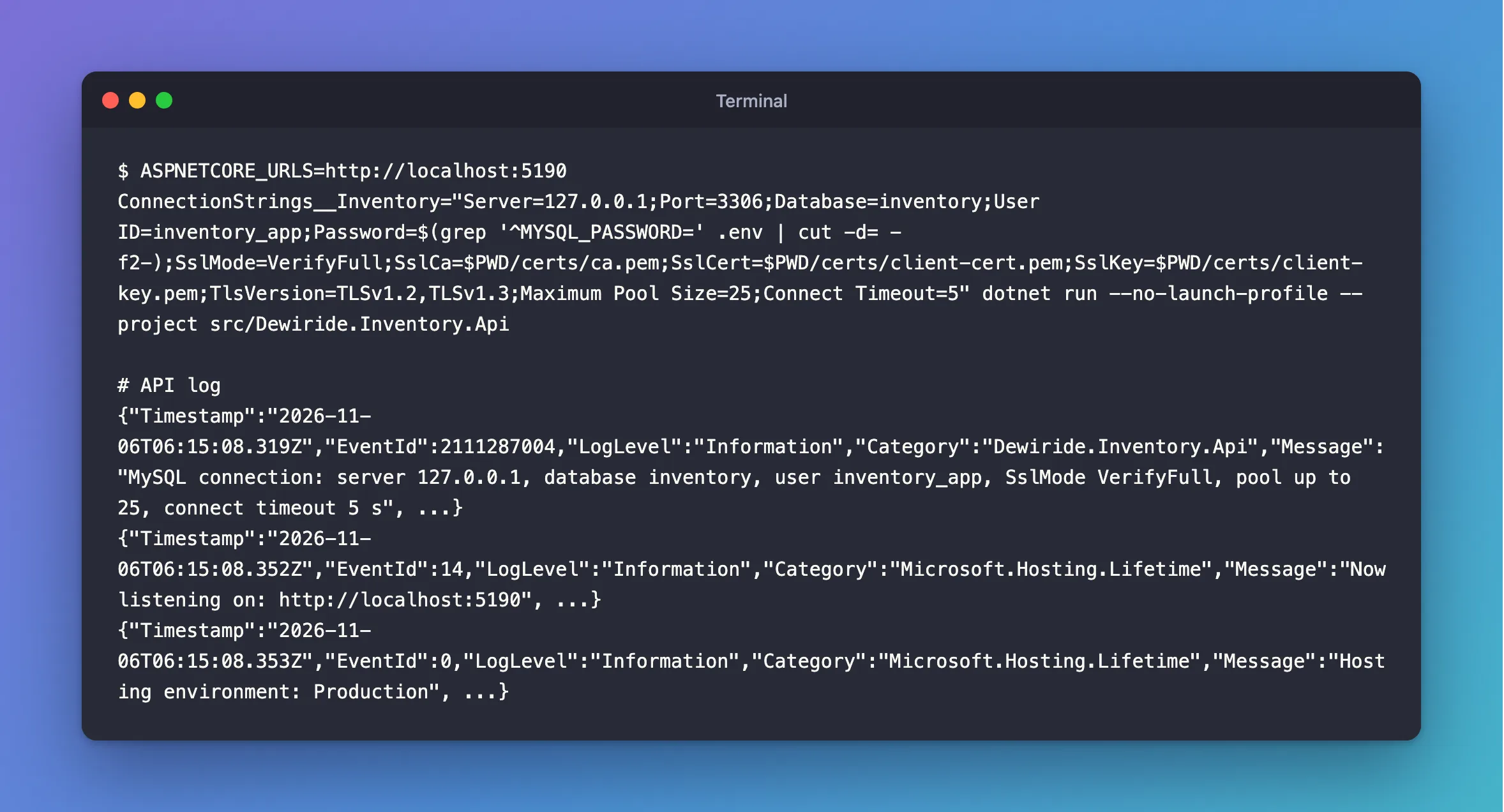
Now run it with no launch profile. That also means no ASPNETCORE_ENVIRONMENT, so the app is in Production, and the connection string comes from an environment variable, as it will on a server:
- macOS / Linux
- Windows (PowerShell)
ASPNETCORE_URLS=http://localhost:5190 ConnectionStrings__Inventory="Server=127.0.0.1;Port=3306;Database=inventory;User ID=inventory_app;Password=$(grep '^MYSQL_PASSWORD=' .env | cut -d= -f2-);SslMode=VerifyFull;SslCa=$PWD/certs/ca.pem;SslCert=$PWD/certs/client-cert.pem;SslKey=$PWD/certs/client-key.pem;TlsVersion=TLSv1.2,TLSv1.3;Maximum Pool Size=25;Connect Timeout=5" dotnet run --no-launch-profile --project src/Dewiride.Inventory.Api
$password = (Get-Content .env | Where-Object { $_ -like 'MYSQL_PASSWORD=*' }).Substring('MYSQL_PASSWORD='.Length)
$env:ASPNETCORE_URLS = "http://localhost:5190"
$env:ConnectionStrings__Inventory = "Server=127.0.0.1;Port=3306;Database=inventory;User ID=inventory_app;Password=$password;SslMode=VerifyFull;SslCa=$PWD/certs/ca.pem;SslCert=$PWD/certs/client-cert.pem;SslKey=$PWD/certs/client-key.pem;TlsVersion=TLSv1.2,TLSv1.3;Maximum Pool Size=25;Connect Timeout=5"
dotnet run --no-launch-profile --project src/Dewiride.Inventory.Api
Its first log lines, one JSON object each. I've shortened the rest of each line:
{"Timestamp":"2026-11-06T06:15:08.319Z","EventId":2111287004,"LogLevel":"Information","Category":"Dewiride.Inventory.Api","Message":"MySQL connection: server 127.0.0.1, database inventory, user inventory_app, SslMode VerifyFull, pool up to 25, connect timeout 5 s", ...}
{"Timestamp":"2026-11-06T06:15:08.352Z","EventId":14,"LogLevel":"Information","Category":"Microsoft.Hosting.Lifetime","Message":"Now listening on: http://localhost:5190", ...}
{"Timestamp":"2026-11-06T06:15:08.353Z","EventId":0,"LogLevel":"Information","Category":"Microsoft.Hosting.Lifetime","Message":"Hosting environment: Production", ...}
I checked what this run did and what it wrote:
| Check | Result |
|---|---|
GET /openapi/v1.json and GET /scalar/v1 | 404: the API's documentation isn't public |
| A 2 MB request body | 413 Payload Too Large |
| The log, after an order and a MySQL outage | Every line is JSON |
Any password from .env in the log | None |
| The customer's email in the log | None |
| The SQL statements in the log | None: appsettings.json keeps them at Warning |
Stop the API with Ctrl+C. That's every piece of code this part needs.
Step 7: Apply Migrations in Production
Three rules, each learned earlier in this series:
- Never call
Migrate()when the app starts. Copies starting together would race, and the app's account can't do it now anyway. - Generate the SQL or a bundle, then run it as the migrations account. A SQL script from the last migration you applied is the simplest to review: How to Generate a SQL Script from EF Core Migrations. A bundle is a single file you can run on a server: How to Apply EF Core Migrations with a Migrations Bundle. This app reads its connection string as it starts, so give a bundle
ConnectionStrings__Inventoryrather than--connection. - Don't use
--idempotent. With Oracle's provider, that script fails on MySQL with ERROR 1064.
Step 8: The Checklist
Here's everything in one place, with how to check each item. Use it on any .NET C# API that talks to MySQL.
| Item | Setting | How to check |
|---|---|---|
| The server's identity is verified | SslMode=VerifyFull, with SslCa, SslCert and SslKey | Point it at another server: it must refuse |
| The certificate's names match how you connect | A SAN with your host name | openssl x509 -noout -ext subjectAltName |
| You know when the certificate expires | Your calendar or monitoring | SHOW GLOBAL STATUS LIKE 'Ssl_server_not_after' |
| MySQL refuses unencrypted connections | SET PERSIST require_secure_transport = ON | SslMode=Disabled must fail with error 3159 |
| The app can't change tables | SELECT, INSERT, UPDATE, DELETE only | SHOW GRANTS, and DROP TABLE must fail |
| Migrations have their own account | Eight rights, on one database | dotnet ef migrations list as that account |
| No more requests run than the pool holds | The concurrency limit, read from Maximum Pool Size | A burst above the limit: all 200, process still up |
| The pools fit on the server | Copies × 2 × pool size is below max_connections | SHOW GLOBAL STATUS LIKE 'Max_used_connections' under load |
| The account has a ceiling | MAX_USER_CONNECTIONS | SELECT user, max_user_connections FROM mysql.user |
| One client can't take all the capacity | A limit per client address | Past the limit: 429 with Retry-After |
| A dead server fails fast | Connect Timeout=5, a readiness timeout | Point it at an address that doesn't answer, and time it |
| Something restarts the process | Your platform's restart policy | Stop the process: it comes back |
| Passwords stay out of Git and logs | An environment variable, and certs/ ignored | git status, and search the log |
| Statements stop at a time limit | The session limits from Part 4 | A statement past QueryTimeoutSeconds stops with error 3024 |
Temporary errors retry, and clients get 503 | MySqlRetryStrategy from Part 4 | Restart MySQL during a burst |
| A retry can't repeat a change | An idempotency key from Part 4 | Send the same key twice: one row |
| Requests have a size limit | MaxRequestBodySize | A 2 MB body gets 413 |
Rotating a password doesn't need downtime, either: ALTER USER … RETAIN CURRENT PASSWORD lets the old and new passwords both work while you switch over. How to Change a MySQL Password Without Downtime goes through it.
Step 9: Commit Your Work
See what changed:
git status --short
 M .env.example
 M .gitignore
 M Directory.Packages.props
 M src/Dewiride.Inventory.Api/Program.cs
 M src/Dewiride.Inventory.Api/appsettings.json
 M src/Dewiride.Inventory.Data/MySqlRetryStrategy.cs
?? src/Dewiride.Inventory.Api/Infrastructure/DatabaseSettingsLog.cs
?? src/Dewiride.Inventory.Api/Infrastructure/RequestLimitsOptions.cs
?? src/Dewiride.Inventory.Api/Infrastructure/RequestLimitsServiceCollectionExtensions.cs
certs/ and .env aren't on the list, as they shouldn't be. Commit:
git add .
git commit -m "Part 5: request limits, safer logs and a production connection"
[main 1f8450a] Part 5: request limits, safer logs and a production connection
 9 files changed, 212 insertions(+), 3 deletions(-)
 create mode 100644 src/Dewiride.Inventory.Api/Infrastructure/DatabaseSettingsLog.cs
 create mode 100644 src/Dewiride.Inventory.Api/Infrastructure/RequestLimitsOptions.cs
 create mode 100644 src/Dewiride.Inventory.Api/Infrastructure/RequestLimitsServiceCollectionExtensions.cs
Your Project Now Looks Like This
dewiride-inventory-api/
├── certs/                                  ignored by Git
│   ├── ca.pem                              the CA that signs the server's certificate
│   ├── client-cert.pem                     the driver needs it for VerifyFull
│   └── client-key.pem                      converted to BEGIN RSA PRIVATE KEY
├── .env                                    now with MYSQL_MIGRATOR_PASSWORD, ignored by Git
├── .env.example
├── compose.yaml
├── Directory.Packages.props                Scalar.AspNetCore 2.19.0
├── …
└── src/
    ├── Dewiride.Inventory.Api/
    │   ├── Features/
    │   ├── Infrastructure/
    │   │   ├── DatabaseSettingsLog.cs      the settings, at startup
    │   │   ├── DatabaseUnavailableExceptionHandler.cs
    │   │   ├── RequestLimitsOptions.cs     the limits, from appsettings.json
    │   │   └── RequestLimitsServiceCollectionExtensions.cs
    │   ├── appsettings.json
    │   └── Program.cs
    └── Dewiride.Inventory.Data/
        ├── MySqlRetryStrategy.cs           error 1226 is on the list
        └── …
In MySQL, inventory_app can only read and change rows, inventory_migrator applies migrations, the server has a certificate with the right names, and it refuses unencrypted connections.
Clean Up
This is the end of the series, so here's how to remove everything. Keep the project if you plan to use it. Run these from the project folder, one at a time. Number 3 deletes the database and all its data, for good:
docker rm inventory-other-mysqlremoves the second MySQL from Step 2. It's stopped, and this deletes its container.dotnet user-secrets clear --project src/Dewiride.Inventory.Apiremoves the stored connection string.docker compose down -vremoves the container, its network and the data volume.docker image rm mysql:9.7frees the space the MySQL image uses.- Delete the
dewiride-inventory-apifolder, with the certificates and.envinside it.
If you only want to stop for now, your rows stay in the Docker volume:
docker compose stop
Removing the volume also removes both accounts' changes and the new certificate. The image creates inventory_app with ALL PRIVILEGES again on an empty volume, and a new CA, so repeat Steps 2 and 3 after that.
Common Mistakes
| Mistake | What happens | Do this instead |
|---|---|---|
Stopping at SslMode=Required | The connection is encrypted, to whoever answered | Use VerifyFull |
| Using the key file as MySQL wrote it | The specified file cannot be converted to a key | Convert it with openssl rsa -traditional |
Giving SslCa a file with several certificates | The certificate authority (CA) does not match, because only the first is read | Keep only the CA that signed your server's certificate |
A relative path in SslCa | Failed to read file at the specified location, depending on where the app starts | Use a full path |
Raising Maximum Pool Size to survive a burst | It only moves the crash, and uses up MySQL's connections | Limit the requests to the size of the pool |
Setting Connect Timeout=0 for "no limit" | Every pooled connection fails at once | Use a number |
Running migrations from Program.cs | The app's account can't, and shouldn't | Run them as inventory_migrator, before the app starts |
Putting Kestrel:Limits in appsettings.json | Nothing happens | Set it in code |
| A per-client limit behind a reverse proxy, without forwarded headers | Every client looks like the proxy, and they share one limit | Configure forwarded headers first |
Troubleshooting
| Symptom | Likely cause | Fix |
|---|---|---|
No file path has been provided for the connection option SslCa | VerifyCA or VerifyFull without a CA file | The fix |
No file path has been provided for the connection option SslCert | VerifyFull needs a client pair | The fix |
The host name does not match the name on the certificate | The certificate has no SAN for how you connect | The fix |
The provided key is invalid | The server's certificate wasn't signed by your CA | The fix |
That error after docker compose down -v | A new volume means a new CA | Copy ca.pem again, and repeat Step 2 |
certificate expired on | The server's certificate has run out | The fix |
The host 127.0.0.1 does not support SSL connections | A failed ALTER INSTANCE RELOAD TLS NO ROLLBACK ON ERROR turned TLS off | The fix |
Connections using insecure transport are prohibited | require_secure_transport is on, and the connection has no TLS | The fix |
CREATE command denied … '__EFMigrationsHistory' | dotnet ef ran as the app's account | The fix |
User has exceeded the 'max_user_connections' resource | The account's ceiling is below its pools | The fix |
Option not supported (Parameter …) | A ; in the password, unquoted | The fix |
The API stops with Unhandled exception and Authentication to host | Requests above the pool, or a stalled handshake | The fix |
503 straight away under load | The queue is full | Raise QueueLimit, or find what's slow |
429 from one client | It passed RequestsPerMinutePerClient | Raise it, or look at that client |
FAQ
Is VerifyCA enough?
If only your own server's certificates are signed by that CA, as with the CA MySQL creates for itself, VerifyCA already refuses other servers, and it needs no client files. Use VerifyFull where a CA signs for many servers, as a cloud provider's does, because then another customer's certificate would pass VerifyCA.
Does this work with a managed MySQL server, such as Azure or AWS?
I didn't test against one: this series runs on your own computer. Going by what the driver did here, you'd download the provider's CA file, keep only the certificate that signs your server's, and create a throwaway client pair with openssl. Server= must be the host name in the provider's certificate. How to Use VerifyFull with MySql.Data in .NET C# shows each piece.
Would a different driver avoid the crash?
Possibly. MySqlConnector is a separate open-source driver, and I haven't tested it. But the EF Core provider built on it, Pomelo, has no release for EF Core 10: its newest on NuGet today is 9.0.0, which is why this series uses Oracle's. Keep the limit either way: it also stops one burst from taking every connection you have.
Should I use AddDbContextPool as well?
It's a different pool: it reuses DbContext objects, not connections. I swapped it in and measured no difference: 8.13 seconds for 3,000 requests without it, 8.11 with it. Microsoft says the setup cost "may be significant in high-performance scenarios", so try it if yours is one. How to Use AddDbContextPool with MySQL in EF Core has the measurements.
What should I add before putting this on the internet?
Sign-in. This API has none, on purpose, because this series is about the connection. Put it behind your own authentication or a gateway, and serve it over HTTPS.
Conclusion
You've built the whole connection now, from a first SELECT to something fit for production:
- Part 1 connected EF Core to MySQL in Docker, with the password out of the code and TLS on.
- Part 2 created the tables from C# classes, with migrations.
- Part 3 read and wrote data, and turned MySQL's errors into clear answers.
- Part 4 kept the data right under pressure, with transactions, locks, retries and time limits.
- This part closed the gaps:
VerifyFullchecks who you're talking to, two accounts keep each job to its own rights, a limit on requests protects the pool and the process, and shorter timeouts report a dead server quickly.
Those last pieces came from testing, not from any documentation. Required looked secure until a second server said Healthy. A pool of 100 looked generous until 150 requests ended the process. If you take one habit from this series, make it that one: try the failure on purpose, on your own machine, before your users find it.
If you'd rather start from working code, the finished project is on Dewiride Store, and How to Set Up and Run the Inventory and Orders API for .NET C# and MySQL takes you from the download to a running API.
← Previous: Part 4: Transactions, Row Locks and Retries with MySQL
Additional Resources
- Configuring MySQL to Use Encrypted Connections — server settings, and
require_secure_transport. - Connector/NET Connection Options — every option in the connection string.
- Using PEM Certificates in Connector/NET —
VerifyFulland its three files. - When Privilege Changes Take Effect — why a
REVOKEreaches a running app. - MySQL Connector/NET source, tag 26.10.0 — the driver code quoted above.
- Rate limiting middleware in ASP.NET Core — the concurrency limiter, chaining and rejection.
- Debug ThreadPool starvation — what blocked threads do to an app.
- Health checks in ASP.NET Core — registrations and the database check.
