How to Connect a .NET C# Web API to a MySQL Database — Part 2: Create MySQL Tables with EF Core Migrations

Part 1 connected a .NET C# Web API to MySQL, but the database is still empty. This part describes the inventory data as C# classes and lets EF Core migrations create the matching MySQL tables, with the column types, keys, indexes and constraints you'd otherwise write by hand. You'll read the SQL before it runs, apply it, change the model and add a second migration, and then check every table from inside MySQL.
This is Part 2 of a 5-part series.
- Part 1: Connect with EF Core and a Secure Connection String
- Part 2: Create MySQL Tables with EF Core Migrations (you are here)
- Part 3: Read and Write MySQL Data with EF Core (coming soon)
- Part 4: Transactions, Row Locks and Retries with MySQL (coming soon)
- Part 5: Production Checklist for the MySQL Connection (coming soon)
Every command and output on this page is real, captured while building the project.
Where the App Is Now
The example is a small inventory API: it keeps a catalogue of products, tracks how many of each are in stock, and later takes orders. After Part 1, it has:
- an
InventoryDbContextclass in theDewiride.Inventory.Dataproject, registered with Oracle's MySQL provider,UseMySQL; - a connection string in user-secrets, with
SslMode=Required; - a
/health/readyendpoint that proves the API can reach MySQL.
What it doesn't have is a single table. The inventory database that the MySQL container created is empty, and InventoryDbContext doesn't know about any data yet. This part adds three tables:
| Table | What it holds |
|---|---|
categories | Groups of products, such as "Cables" |
products | Everything the business sells: a unique code (SKU), name, price, quantity in stock and the level at which to reorder |
stock_movements | Every change to a product's stock, such as a delivery or a sale, so the quantity can always be explained |
You won't write any CREATE TABLE statements. You'll write C# classes, and EF Core will write the SQL.
How EF Core Migrations Work
EF Core's Migrations Overview describes the idea in two steps:
- "When a data model change is introduced, the developer uses EF Core tools to add a corresponding migration describing the updates necessary to keep the database schema in sync. EF Core compares the current model against a snapshot of the old model to determine the differences, and generates migration source files."
- "Once a new migration has been generated, it can be applied to a database in various ways. EF Core records all applied migrations in a special history table, allowing it to know which migrations have been applied and which haven't."
| Piece | What it is |
|---|---|
| Model | What EF Core knows about your data: the entity classes, plus the configuration that says how each maps to a table |
| Migration | A C# class with an Up method that changes the database and a Down method that undoes it |
| Model snapshot | A C# file describing the whole model as of the latest migration; EF Core compares your current model with it to find what changed |
__EFMigrationsHistory | A table EF Core creates in your database, with one row per applied migration |
Migrations are ordinary files in your project. You read them, commit them, and apply them to every copy of the database, so the development database on your computer and any other copy end up with the same tables.
Versions Used
| Piece | Version |
|---|---|
| .NET SDK / runtime | 10.0.403 / 10.0.14 (C# 14) |
| EF Core and Microsoft.EntityFrameworkCore.Design | 10.0.14 |
| dotnet-ef (EF Core command-line tools) | 10.0.14, as a local tool |
| MySql.EntityFrameworkCore (Oracle's provider) | 10.0.12 |
| MySQL Community Server | 9.7.4 LTS, in Docker |
Every version is the newest generally available release, checked on 3 November 2026. Nothing in this part costs anything: it all runs on your computer, as in Part 1.
Prerequisites
- Part 1, finished: Part 1: Connect with EF Core and a Secure Connection String. You need its solution, its MySQL container and the connection string in user-secrets.
- The EF Core command-line tools, installed as a local tool, with the
Microsoft.EntityFrameworkCore.Designpackage in the API project: How to Install dotnet-ef as a Local Tool in a .NET C# Project does both. Check from the project folder:
dotnet ef --version
Entity Framework Core .NET Command-line Tools
10.0.14
- An editor: VS Code or Visual Studio 2026. Every change in this part is a
dotnetcommand or a file edit, so both work the same way.
Run every command from the project folder, dewiride-inventory-api. They work unchanged in bash, zsh and PowerShell.
Step 1: Start MySQL
docker compose up -d --wait
[+] up 1/1
 ✔ Container dewiride-inventory-mysql-1 Healthy                                                           2.6s
dotnet ef database update needs MySQL running. Creating a migration doesn't, but it's simpler to start it now.
Step 2: Describe the Data as C# Classes
Classes that EF Core maps to tables are called entities. Put them in a new Entities folder in the Data project, so the database code stays together.
Category
A category has a key, a name and the moment it was created:
public int Id { get; set; }

public required string Name { get; set; }

public DateTime CreatedAtUtc { get; set; }
Idbecomes the primary key. EF Core picks a property namedIdby convention, and the configuration in Step 3 says so explicitly too.string Namewithout a?becomes aNOT NULLcolumn. The solution has nullable reference types turned on, and EF Core's entity properties page says that then "string?will be configured as optional, butstringwill be configured as required."requiredis a C# keyword: code that creates aCategorymust setName. EF Core's nullable reference types page calls required members "the perfect solution" for non-nullable properties.CreatedAtUtcends inUtcon purpose: every date in this database is stored in UTC, as Step 4 makes sure.
A category also knows its products:
public ICollection<Product> Products { get; } = [];
This is a navigation: it lets C# code go from a category to its products. It doesn't become a column. The products table holds the link instead, as you'll see next. The same page says collection navigations "should always be non-nullable. An empty collection means that no related entities exist", which is why it starts as an empty list.
The complete file:
namespace Dewiride.Inventory.Data.Entities;

/// <summary>
/// A group of products, such as "Cables". Stored in the categories table.
/// </summary>
public sealed class Category
{
    public int Id { get; set; }

    public required string Name { get; set; }

    public DateTime CreatedAtUtc { get; set; }

    public ICollection<Product> Products { get; } = [];
}
Product
A product has a code, a name and an optional description:
/// <summary>The stock-keeping unit: a short, unique code such as "CBL-USBC-2M".</summary>
public required string Sku { get; set; }

public required string Name { get; set; }

public string? Description { get; set; }
Description is string?, so its column allows NULL: a product doesn't need one.
Every product belongs to one category:
public int CategoryId { get; set; }

public Category Category { get; set; } = null!;
CategoryId becomes the foreign key column, the number that points at a row in categories. Category is the navigation back to it. It starts as null! because EF Core fills it in only when a query loads the category; the nullable reference types page shows exactly this pattern for navigations: public Product Product { get; set; } = null!;.
The rest are the numbers and dates the business needs:
public decimal UnitPrice { get; set; }

public int QuantityOnHand { get; set; }

/// <summary>When the quantity on hand drops to this level, it's time to order more.</summary>
public int ReorderLevel { get; set; }

public bool IsArchived { get; set; }

public DateTime? ArchivedAtUtc { get; set; }

public DateTime CreatedAtUtc { get; set; }

public DateTime UpdatedAtUtc { get; set; }
Money is a decimal, never a double, because decimal stores amounts like 9.99 exactly. Products the business stops selling are archived rather than deleted, so their history stays; DateTime? lets ArchivedAtUtc be empty until then.
The complete file:
namespace Dewiride.Inventory.Data.Entities;

/// <summary>
/// Something the business sells and keeps in stock. Stored in the products table.
/// </summary>
public sealed class Product
{
    public int Id { get; set; }

    /// <summary>The stock-keeping unit: a short, unique code such as "CBL-USBC-2M".</summary>
    public required string Sku { get; set; }

    public required string Name { get; set; }

    public string? Description { get; set; }

    public int CategoryId { get; set; }

    public Category Category { get; set; } = null!;

    public decimal UnitPrice { get; set; }

    public int QuantityOnHand { get; set; }

    /// <summary>When the quantity on hand drops to this level, it's time to order more.</summary>
    public int ReorderLevel { get; set; }

    public bool IsArchived { get; set; }

    public DateTime? ArchivedAtUtc { get; set; }

    public DateTime CreatedAtUtc { get; set; }

    public DateTime UpdatedAtUtc { get; set; }
}
Step 3: Map Each Class to a MySQL Table
The classes say what the data is. A configuration class says how it's stored: the table's name, the length of each text column, the indexes and the rules. EF Core reads one IEntityTypeConfiguration<T> class per entity, which keeps the entity classes free of database details. Put them in a Configurations folder.
The categories table
builder.ToTable("categories");
Table names are lowercase on purpose. MySQL stores each table as files on disk, so whether Categories and categories are the same table depends on the operating system: they're different on Linux, where this MySQL container runs, and the same on Windows and macOS. The MySQL 9.7 manual's identifier case sensitivity page advises "always creating and referring to databases and tables using lowercase names. This convention is recommended for maximum portability and ease of use."
builder.Property(c => c.Name)
    .HasMaxLength(100);

builder.HasIndex(c => c.Name)
    .IsUnique();
HasMaxLength(100) makes the column varchar(100). Without a maximum length, Oracle's provider uses longtext, which can hold up to 4 GB and which MySQL can't index in full. The MySQL manual's column indexes page says: "When you index a BLOB or TEXT column, you must specify a prefix length for the index." The unique index on Name needs a varchar, and it makes MySQL itself refuse two categories with the same name.
The complete file:
using Dewiride.Inventory.Data.Entities;
using Microsoft.EntityFrameworkCore;
using Microsoft.EntityFrameworkCore.Metadata.Builders;

namespace Dewiride.Inventory.Data.Configurations;

/// <summary>
/// How the Category class maps to the categories table in MySQL.
/// </summary>
public sealed class CategoryConfiguration : IEntityTypeConfiguration<Category>
{
    public void Configure(EntityTypeBuilder<Category> builder)
    {
        ArgumentNullException.ThrowIfNull(builder);

        builder.ToTable("categories");

        builder.HasKey(c => c.Id);

        builder.Property(c => c.Name)
            .HasMaxLength(100);

        builder.HasIndex(c => c.Name)
            .IsUnique();
    }
}
ArgumentNullException.ThrowIfNull(builder) is there because the solution's analysis rules ask every public method to check its arguments.
The products table
The products table has rules that MySQL itself enforces:
builder.ToTable("products", table =>
{
    // MySQL checks these on every INSERT and UPDATE, whatever program sends them.
    table.HasCheckConstraint("CK_products_UnitPrice", "`UnitPrice` >= 0");
    table.HasCheckConstraint("CK_products_QuantityOnHand", "`QuantityOnHand` >= 0");
    table.HasCheckConstraint("CK_products_ReorderLevel", "`ReorderLevel` >= 0");
});
A check constraint is a condition every row must meet. Your C# code will check these values too, but the database is the last line of defence: it applies the rule to every program and every hand-written query. The MySQL manual's CHECK constraints page says constraints "are evaluated for INSERT, UPDATE, REPLACE, LOAD DATA, and LOAD XML statements and an error occurs if a constraint evaluates to FALSE." The conditions are SQL, so column names use MySQL's backtick quotes.
builder.Property(p => p.Sku)
    .HasMaxLength(32);

builder.HasIndex(p => p.Sku)
    .IsUnique();

builder.Property(p => p.Name)
    .HasMaxLength(200);

// Description has no maximum length on purpose: MySQL stores it as longtext.
The SKU is short and unique, so it gets varchar(32) and a unique index. A description can be long and is never searched by index, so longtext suits it.
builder.HasOne(p => p.Category)
    .WithMany(c => c.Products)
    .HasForeignKey(p => p.CategoryId)
    .OnDelete(DeleteBehavior.Restrict);
This reads like a sentence: a product has one category, a category has many products, and CategoryId holds the link. OnDelete(DeleteBehavior.Restrict) decides what happens when someone deletes a category that still has products: MySQL refuses. Without it, EF Core's default for a required relationship is to delete the products too, which an inventory must never do by accident.
The complete file:
using Dewiride.Inventory.Data.Entities;
using Microsoft.EntityFrameworkCore;
using Microsoft.EntityFrameworkCore.Metadata.Builders;

namespace Dewiride.Inventory.Data.Configurations;

/// <summary>
/// How the Product class maps to the products table in MySQL.
/// </summary>
public sealed class ProductConfiguration : IEntityTypeConfiguration<Product>
{
    public void Configure(EntityTypeBuilder<Product> builder)
    {
        ArgumentNullException.ThrowIfNull(builder);

        builder.ToTable("products", table =>
        {
            // MySQL checks these on every INSERT and UPDATE, whatever program sends them.
            table.HasCheckConstraint("CK_products_UnitPrice", "`UnitPrice` >= 0");
            table.HasCheckConstraint("CK_products_QuantityOnHand", "`QuantityOnHand` >= 0");
            table.HasCheckConstraint("CK_products_ReorderLevel", "`ReorderLevel` >= 0");
        });

        builder.HasKey(p => p.Id);

        builder.Property(p => p.Sku)
            .HasMaxLength(32);

        builder.HasIndex(p => p.Sku)
            .IsUnique();

        builder.Property(p => p.Name)
            .HasMaxLength(200);

        // Description has no maximum length on purpose: MySQL stores it as longtext.

        builder.HasOne(p => p.Category)
            .WithMany(c => c.Products)
            .HasForeignKey(p => p.CategoryId)
            .OnDelete(DeleteBehavior.Restrict);
    }
}
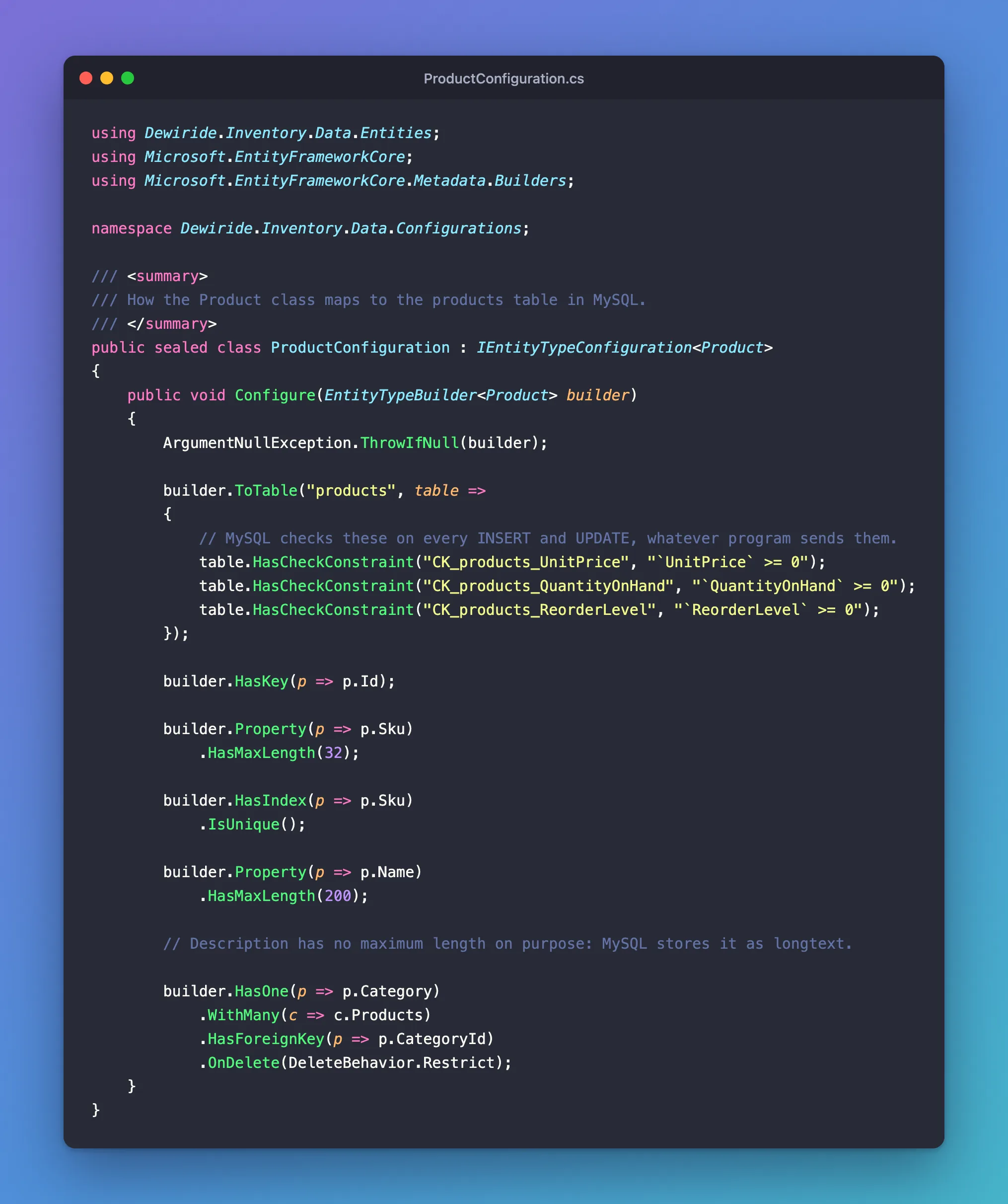
With the two configuration classes, EF Core knows each table's name, keys, text lengths, indexes and rules.
Step 4: Set Rules for Every Column of One Type
Some rules apply to every property of a type, wherever it appears: every amount of money, every date. EF Core's pre-convention configuration sets them once, in the DbContext, so new entities follow them without anyone remembering to.
Money: decimal(12,2)
// Every amount of money: up to 10 digits before the decimal point and 2 after.
configurationBuilder.Properties<decimal>()
    .HavePrecision(12, 2);
HavePrecision(12, 2) makes every decimal a MySQL decimal(12,2): 12 digits in total, 2 of them after the point. That holds prices up to 9,999,999,999.99, exactly.
Dates: UTC in, UTC out
MySQL's DATETIME type stores a date and a time, but no time zone. The MySQL manual's date and time types page explains that MySQL "converts TIMESTAMP values from the current time zone to UTC for storage, and back from UTC to the current time zone for retrieval. (This does not occur for other types such as DATETIME.)" So a DATETIME is just numbers, and your app decides what they mean.
TIMESTAMP isn't the answer either: the same page says it "has a range of '1970-01-01 00:00:01' UTC to '2038-01-19 03:14:07' UTC", too short for data that lives for years. The provider maps DateTime to datetime(6), a DATETIME with microseconds, and this app always stores UTC in it.
The catch is on the way back. A DateTime read from a DATETIME column doesn't know it's UTC: its Kind is Unspecified, and JSON writes it without the Z that marks UTC. A value converter fixes both directions. Put it in a Conversions folder:
using Microsoft.EntityFrameworkCore.Storage.ValueConversion;

namespace Dewiride.Inventory.Data.Conversions;

/// <summary>
/// Saves every DateTime as UTC and marks every DateTime read back from MySQL as UTC.
/// MySQL's DATETIME type stores no time zone, so without this, values come back with
/// DateTimeKind.Unspecified.
/// </summary>
public sealed class UtcDateTimeConverter : ValueConverter<DateTime, DateTime>
{
    public UtcDateTimeConverter()
        : base(
            value => value.Kind == DateTimeKind.Local ? value.ToUniversalTime() : value,
            value => DateTime.SpecifyKind(value, DateTimeKind.Utc))
    {
    }
}
The first function runs when saving: a local time is converted to UTC, and a UTC time is saved as it is. The second runs when reading: it marks the value as UTC without changing it. Register it for every DateTime:
// Every date and time is stored as UTC and read back as UTC.
configurationBuilder.Properties<DateTime>()
    .HaveConversion<UtcDateTimeConverter>();
This covers DateTime? properties like ArchivedAtUtc too. EF Core's value conversions page explains why that's safe: "A null value will never be passed to a value converter", which "allows them to be shared amongst nullable and non-nullable properties."
The DbContext
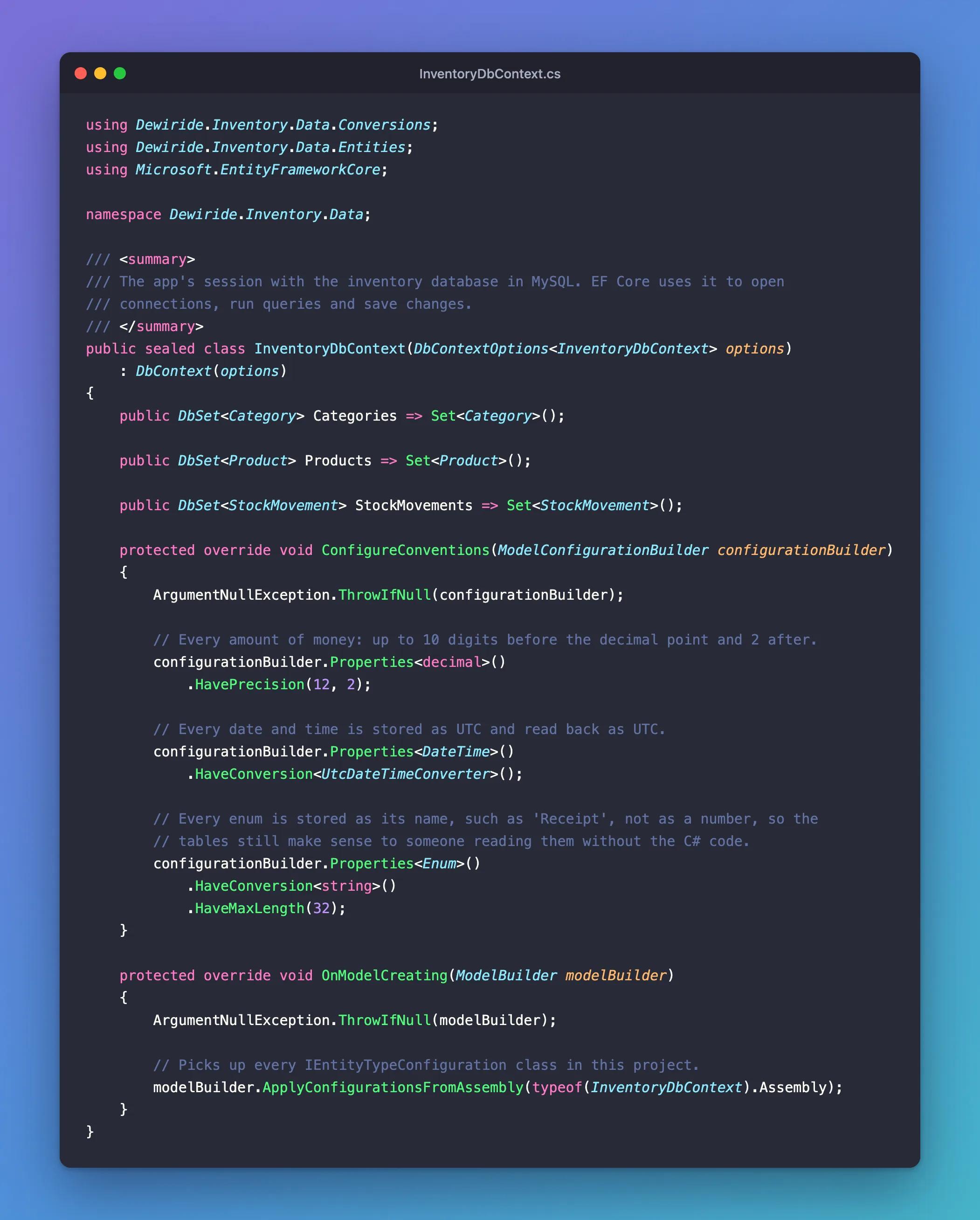
Add a DbSet for each table, the two conventions, and one line that loads every configuration class:
using Dewiride.Inventory.Data.Conversions;
using Dewiride.Inventory.Data.Entities;
using Microsoft.EntityFrameworkCore;

namespace Dewiride.Inventory.Data;

/// <summary>
/// The app's session with the inventory database in MySQL. EF Core uses it to open
/// connections, run queries and save changes.
/// </summary>
public sealed class InventoryDbContext(DbContextOptions<InventoryDbContext> options)
    : DbContext(options)
{
    public DbSet<Category> Categories => Set<Category>();

    public DbSet<Product> Products => Set<Product>();

    protected override void ConfigureConventions(ModelConfigurationBuilder configurationBuilder)
    {
        ArgumentNullException.ThrowIfNull(configurationBuilder);

        // Every amount of money: up to 10 digits before the decimal point and 2 after.
        configurationBuilder.Properties<decimal>()
            .HavePrecision(12, 2);

        // Every date and time is stored as UTC and read back as UTC.
        configurationBuilder.Properties<DateTime>()
            .HaveConversion<UtcDateTimeConverter>();
    }

    protected override void OnModelCreating(ModelBuilder modelBuilder)
    {
        ArgumentNullException.ThrowIfNull(modelBuilder);

        // Picks up every IEntityTypeConfiguration class in this project.
        modelBuilder.ApplyConfigurationsFromAssembly(typeof(InventoryDbContext).Assembly);
    }
}
ApplyConfigurationsFromAssembly finds CategoryConfiguration, ProductConfiguration and every configuration you add later, so you never register them one by one. Build to check everything compiles:
dotnet build
Restore complete (1.4s)
  Dewiride.Inventory.Data net10.0 succeeded (1.7s) → src/Dewiride.Inventory.Data/bin/Debug/net10.0/Dewiride.Inventory.Data.dll
  Dewiride.Inventory.Api net10.0 succeeded (1.0s) → src/Dewiride.Inventory.Api/bin/Debug/net10.0/Dewiride.Inventory.Api.dll

Build succeeded in 4.2s
Step 5: Create the First Migration
Give the migration a name that says what it does, the way you'd write a commit message:
dotnet ef migrations add CreateCatalogTables --project src/Dewiride.Inventory.Data --startup-project src/Dewiride.Inventory.Api
| Part of the command | What it does |
|---|---|
migrations add CreateCatalogTables | Creates a migration named CreateCatalogTables |
--project src/Dewiride.Inventory.Data | The target project: the migration files go here, next to the DbContext |
--startup-project src/Dewiride.Inventory.Api | The startup project: the tools build and start it to get the DbContext |
Build started...
Build succeeded.
Done. To undo this action, use 'ef migrations remove'
To read your model, the tools built the API and ran its startup code, including AddInventoryData from Part 1. EF Core's Applying Migrations page says the tools use "the Development environment when neither ASPNETCORE_ENVIRONMENT nor DOTNET_ENVIRONMENT is set", which is why the connection string in user-secrets was available. Creating a migration doesn't connect to MySQL; applying it does.
The command added a Migrations folder to the Data project with three files. EF Core's Managing Migrations page describes each one:
| File | What it is |
|---|---|
20261103030957_CreateCatalogTables.cs | "The main migrations file. Contains the operations necessary to apply the migration (in Up) and to revert it (in Down)." |
20261103030957_CreateCatalogTables.Designer.cs | "The migrations metadata file. Contains information used by EF." |
InventoryDbContextModelSnapshot.cs | "A snapshot of your current model. Used to determine what changed when adding the next migration." |
The number at the start is the date and time in UTC, so the files sort in the order they were made. Yours will be different.
Read the migration
Open the main file. This is how it creates the categories table:
migrationBuilder.CreateTable(
    name: "categories",
    columns: table => new
    {
        Id = table.Column<int>(type: "int", nullable: false)
            .Annotation("MySQL:ValueGenerationStrategy", MySQLValueGenerationStrategy.IdentityColumn),
        Name = table.Column<string>(type: "varchar(100)", maxLength: 100, nullable: false),
        CreatedAtUtc = table.Column<DateTime>(type: "datetime(6)", nullable: false)
    },
    constraints: table =>
    {
        table.PrimaryKey("PK_categories", x => x.Id);
    })
    .Annotation("MySQL:Charset", "utf8mb4");
MySQLValueGenerationStrategy.IdentityColumn asks MySQL to number new rows itself, with AUTO_INCREMENT. Every C# type turned into a MySQL type:
| C# property | MySQL column | Why |
|---|---|---|
int Id (key) | int NOT NULL AUTO_INCREMENT | MySQL numbers new rows |
string with HasMaxLength(n) | varchar(n) | Short text that can be indexed |
string? without a maximum | longtext NULL | Long text, up to 4 GB |
decimal | decimal(12,2) | The money convention from Step 4 |
int | int | Whole numbers |
bool | tinyint(1) | MySQL's own numeric types page: BOOL and BOOLEAN "are synonyms for TINYINT(1)" |
DateTime | datetime(6) | Date and time to the microsecond, no time zone |
DateTime? | datetime(6) NULL | The same, and it may be empty |
The Down method undoes Up, in reverse order, because products points at categories:
protected override void Down(MigrationBuilder migrationBuilder)
{
    migrationBuilder.DropTable(
        name: "products");

    migrationBuilder.DropTable(
        name: "categories");
}
Down runs only when you deliberately go back to an earlier migration, and it deletes the tables with their data.
Step 6: Read the SQL Before It Runs
dotnet ef migrations script turns migrations into SQL and prints it. It doesn't connect to MySQL or change anything, so it's the safe way to see exactly what a migration will do:
dotnet ef migrations script --project src/Dewiride.Inventory.Data --startup-project src/Dewiride.Inventory.Api
CREATE TABLE IF NOT EXISTS `__EFMigrationsHistory` (
    `MigrationId` varchar(150) NOT NULL,
    `ProductVersion` varchar(32) NOT NULL,
    PRIMARY KEY (`MigrationId`)
);

START TRANSACTION;
CREATE TABLE `categories` (
    `Id` int NOT NULL AUTO_INCREMENT,
    `Name` varchar(100) NOT NULL,
    `CreatedAtUtc` datetime(6) NOT NULL,
    PRIMARY KEY (`Id`)
);

CREATE TABLE `products` (
    `Id` int NOT NULL AUTO_INCREMENT,
    `Sku` varchar(32) NOT NULL,
    `Name` varchar(200) NOT NULL,
    `Description` longtext NULL,
    `CategoryId` int NOT NULL,
    `UnitPrice` decimal(12,2) NOT NULL,
    `QuantityOnHand` int NOT NULL,
    `ReorderLevel` int NOT NULL,
    `IsArchived` tinyint(1) NOT NULL,
    `ArchivedAtUtc` datetime(6) NULL,
    `CreatedAtUtc` datetime(6) NOT NULL,
    `UpdatedAtUtc` datetime(6) NOT NULL,
    PRIMARY KEY (`Id`),
    CONSTRAINT `CK_products_QuantityOnHand` CHECK (`QuantityOnHand` >= 0),
    CONSTRAINT `CK_products_ReorderLevel` CHECK (`ReorderLevel` >= 0),
    CONSTRAINT `CK_products_UnitPrice` CHECK (`UnitPrice` >= 0),
    CONSTRAINT `FK_products_categories_CategoryId` FOREIGN KEY (`CategoryId`) REFERENCES `categories` (`Id`) ON DELETE RESTRICT
);

CREATE UNIQUE INDEX `IX_categories_Name` ON `categories` (`Name`);

CREATE INDEX `IX_products_CategoryId` ON `products` (`CategoryId`);

CREATE UNIQUE INDEX `IX_products_Sku` ON `products` (`Sku`);

INSERT INTO `__EFMigrationsHistory` (`MigrationId`, `ProductVersion`)
VALUES ('20261103030957_CreateCatalogTables', '10.0.14');

COMMIT;
The output starts with Build started... and Build succeeded., left out here. Three things are worth knowing before this SQL runs:
- The history table comes first.
CREATE TABLE IF NOT EXISTSmakes__EFMigrationsHistoryonly if it's missing, and theINSERTat the end records the migration in it. - The transaction doesn't make it all-or-nothing in MySQL. The MySQL manual's implicit commit page says statements such as
CREATE TABLEandCREATE INDEX"implicitly end any transaction active in the current session, as if you had done aCOMMIT". If the third statement failed, the first two would stay. Keep each migration small and focused, so a failure is easy to understand and repair. - There's no character set in the SQL. The migration code mentions
utf8mb4, but the provider doesn't write aCHARACTER SETclause, so each table takes the database's default. That'sutf8mb4here, as you'll confirm from inside MySQL in Step 13.
EF Core also offers --idempotent scripts, meant to bring any copy of a database up to date. With Oracle's provider they don't run on MySQL; Fixed: ERROR 1064 in an EF Core Idempotent Migration Script shows what happens and what to use instead.
Step 7: Apply the Migration
dotnet ef database update --project src/Dewiride.Inventory.Data --startup-project src/Dewiride.Inventory.Api
This time the tools connect to MySQL, with the same connection string and account as the API. The log shows every statement, because the app logs EF Core's SQL at the Information level:
Build started...
Build succeeded.
info: Microsoft.EntityFrameworkCore.Migrations[20411]
      Acquiring an exclusive lock for migration application. See https://aka.ms/efcore-docs-migrations-lock for more information if this takes too long.
Acquiring an exclusive lock for migration application. See https://aka.ms/efcore-docs-migrations-lock for more information if this takes too long.
info: Microsoft.EntityFrameworkCore.Database.Command[20101]
      Executed DbCommand (2ms) [Parameters=[], CommandType='Text', CommandTimeout='30']
      SELECT GET_LOCK('__EFMigrationsLock',-1);
info: Microsoft.EntityFrameworkCore.Database.Command[20101]
      Executed DbCommand (11ms) [Parameters=[], CommandType='Text', CommandTimeout='30']
      CREATE TABLE IF NOT EXISTS `__EFMigrationsHistory` (
          `MigrationId` varchar(150) NOT NULL,
          `ProductVersion` varchar(32) NOT NULL,
          PRIMARY KEY (`MigrationId`)
      );
info: Microsoft.EntityFrameworkCore.Database.Command[20101]
      Executed DbCommand (1ms) [Parameters=[], CommandType='Text', CommandTimeout='30']
      SELECT 1 FROM INFORMATION_SCHEMA.TABLES WHERE TABLE_SCHEMA='inventory' AND TABLE_NAME='__EFMigrationsHistory';
info: Microsoft.EntityFrameworkCore.Database.Command[20101]
      Executed DbCommand (4ms) [Parameters=[], CommandType='Text', CommandTimeout='30']
      SELECT `MigrationId`, `ProductVersion`
      FROM `__EFMigrationsHistory`
      ORDER BY `MigrationId`;
info: Microsoft.EntityFrameworkCore.Migrations[20402]
      Applying migration '20261103030957_CreateCatalogTables'.
Applying migration '20261103030957_CreateCatalogTables'.
info: Microsoft.EntityFrameworkCore.Database.Command[20101]
      Executed DbCommand (8ms) [Parameters=[], CommandType='Text', CommandTimeout='30']
      CREATE TABLE `categories` (
          `Id` int NOT NULL AUTO_INCREMENT,
          `Name` varchar(100) NOT NULL,
          `CreatedAtUtc` datetime(6) NOT NULL,
          PRIMARY KEY (`Id`)
      );
…
info: Microsoft.EntityFrameworkCore.Database.Command[20101]
      Executed DbCommand (2ms) [Parameters=[], CommandType='Text', CommandTimeout='30']
      INSERT INTO `__EFMigrationsHistory` (`MigrationId`, `ProductVersion`)
      VALUES ('20261103030957_CreateCatalogTables', '10.0.14');
info: Microsoft.EntityFrameworkCore.Database.Command[20101]
      Executed DbCommand (1ms) [Parameters=[], CommandType='Text', CommandTimeout='30']
      SELECT RELEASE_LOCK('__EFMigrationsLock');
Done.
The … hides the other CREATE statements, the same ones the script showed. Read from the top, the log tells the whole story:
- It takes a lock.
GET_LOCK('__EFMigrationsLock',-1)asks MySQL for a named lock. The MySQL manual's locking functions page says "A negative timeout value means infinite timeout", so a seconddatabase updatestarted at the same moment waits for this one instead of creating the same tables twice. EF Core's Applying Migrations page explains that EF Core 9 and later take this lock automatically. - It makes sure the history table exists, then checks that it's there.
- It reads which migrations are applied. The table is new and empty, so none are.
- It applies the missing one, statement by statement, and records it in
__EFMigrationsHistory. - It releases the lock and prints
Done.
Some lines appear twice. The tools start the app to get the DbContext, so EF Core's messages reach both the app's own console logger, the lines that start with info:, and the dotnet ef tool's output, the plain lines. With the app's log level set to Warning, both copies disappear and only Done. is left, which shows they come from the same messages.
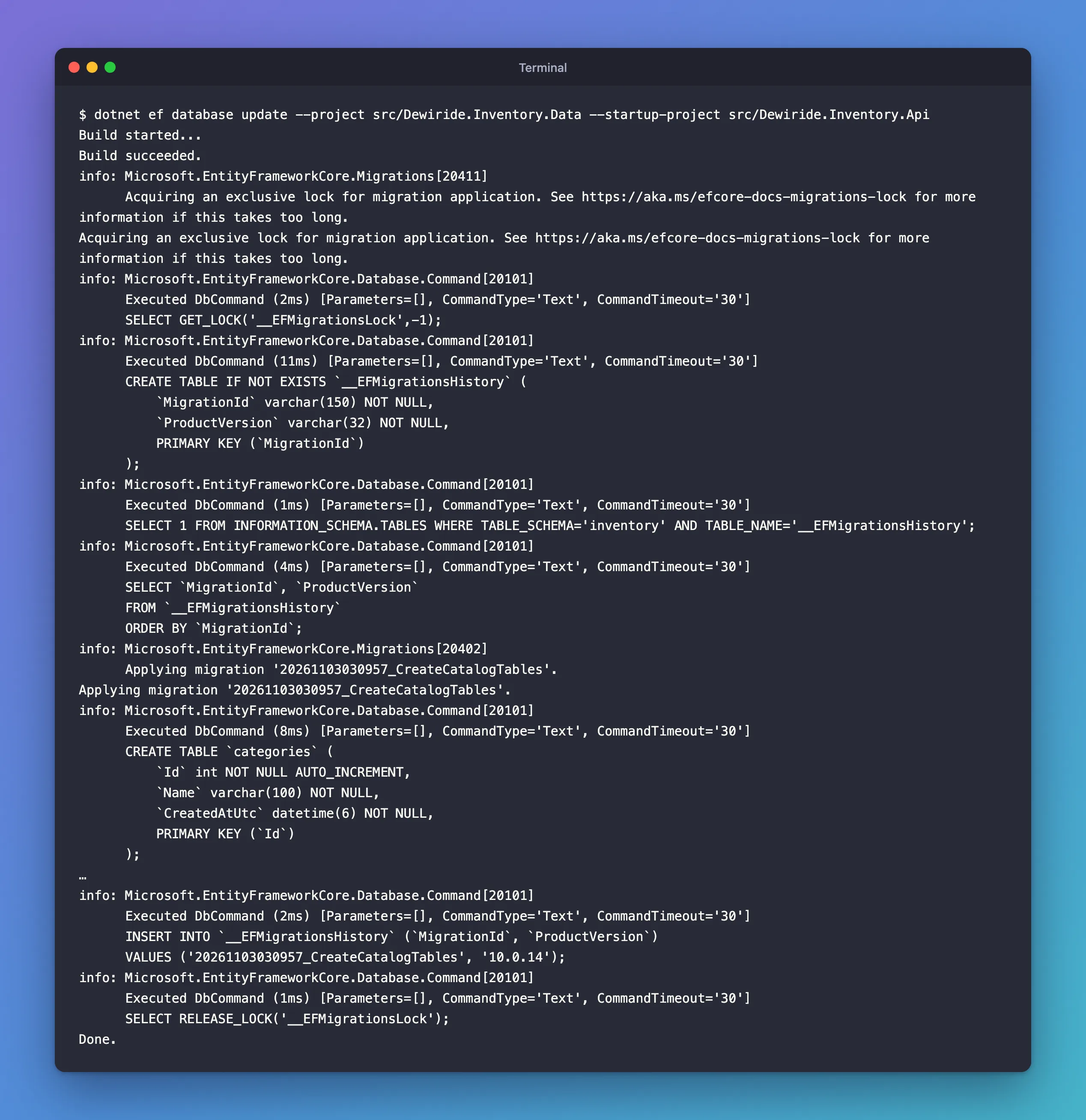
The categories and products tables now exist in MySQL.
Step 8: Change the Model: Add the Stock History Table
Real projects change their tables all the time. The next table the app needs records every change to a product's stock. Each row is one change: what kind, how much, why and when. Rows are only ever added, so the table explains every number in QuantityOnHand.
An enum for the kind of change
namespace Dewiride.Inventory.Data.Entities;

/// <summary>Why a product's stock changed. Stored as its name, such as "Receipt".</summary>
public enum StockMovementType
{
    /// <summary>Stock arrived, for example a delivery from a supplier.</summary>
    Receipt,

    /// <summary>A person corrected the count, for example after a stocktake.</summary>
    Adjustment,

    /// <summary>An order took the stock.</summary>
    Sale,

    /// <summary>A cancelled order put the stock back.</summary>
    SaleCancelled,
}
By default EF Core stores an enum as its number, so Adjustment would be 1 in the table. Anyone reading the table without the C# code would have to guess what 1 means, and reordering the enum would silently change the meaning of old rows. Storing the name avoids both. Add a third convention to ConfigureConventions:
// Every enum is stored as its name, such as 'Receipt', not as a number, so the
// tables still make sense to someone reading them without the C# code.
configurationBuilder.Properties<Enum>()
    .HaveConversion<string>()
    .HaveMaxLength(32);
Properties<Enum>() matches every enum, because Enum is the base type of all of them; the pre-convention configuration page notes that "The type specified in a call from ConfigureConventions can be a base type". HaveConversion<string>() uses EF Core's built-in conversion from an enum to its name, and HaveMaxLength(32) keeps the column a varchar instead of longtext.
The entity
namespace Dewiride.Inventory.Data.Entities;

/// <summary>
/// One change to a product's stock, such as a delivery or a sale. Rows are only ever added,
/// never changed or removed, so the table holds the full history. Stored in the
/// stock_movements table.
/// </summary>
public sealed class StockMovement
{
    public long Id { get; set; }

    public int ProductId { get; set; }

    public Product Product { get; set; } = null!;

    public required StockMovementType Type { get; set; }

    /// <summary>How much the quantity on hand changed: positive for stock in, negative for stock out.</summary>
    public required int QuantityChange { get; set; }

    /// <summary>Why the stock changed, in a person's words, such as "2 found damaged".</summary>
    public string? Reason { get; set; }

    /// <summary>The document behind the change, such as a supplier's delivery note number.</summary>
    public string? Reference { get; set; }

    public DateTime OccurredAtUtc { get; set; }
}
The key is a long because this table grows with every delivery and sale; it becomes a MySQL bigint. Type and QuantityChange are required, so code can't forget them: a movement without a kind or an amount means nothing.
The configuration
using Dewiride.Inventory.Data.Entities;
using Microsoft.EntityFrameworkCore;
using Microsoft.EntityFrameworkCore.Metadata.Builders;

namespace Dewiride.Inventory.Data.Configurations;

/// <summary>
/// How the StockMovement class maps to the stock_movements table in MySQL.
/// </summary>
public sealed class StockMovementConfiguration : IEntityTypeConfiguration<StockMovement>
{
    public void Configure(EntityTypeBuilder<StockMovement> builder)
    {
        ArgumentNullException.ThrowIfNull(builder);

        builder.ToTable("stock_movements", table =>
            table.HasCheckConstraint("CK_stock_movements_QuantityChange", "`QuantityChange` <> 0"));

        builder.HasKey(m => m.Id);

        builder.Property(m => m.Reason)
            .HasMaxLength(200);

        builder.Property(m => m.Reference)
            .HasMaxLength(64);

        // A product's history is read by product, newest first. This index serves that
        // query and also covers the foreign key, so EF Core creates no separate index for it.
        builder.HasIndex(m => new { m.ProductId, m.OccurredAtUtc });

        builder.HasOne(m => m.Product)
            .WithMany()
            .HasForeignKey(m => m.ProductId)
            .OnDelete(DeleteBehavior.Restrict);
    }
}
<> 0: a change of zero isn't a change, so MySQL refuses it.- The two-column index puts each product's movements together, in time order, which is how the history is read. EF Core normally adds an index for every foreign key, but its relationship conventions page says "EF does not create indexes for properties that are already covered by an existing index". This index starts with
ProductId, so it covers the foreign key and no second index is created. WithMany()with no argument: a stock movement points at its product, butProducthas no list of movements. A product's history can run to thousands of rows, so it's always read with a query, never loaded with the product.
The updated DbContext
Add the new DbSet and the enum convention:
using Dewiride.Inventory.Data.Conversions;
using Dewiride.Inventory.Data.Entities;
using Microsoft.EntityFrameworkCore;

namespace Dewiride.Inventory.Data;

/// <summary>
/// The app's session with the inventory database in MySQL. EF Core uses it to open
/// connections, run queries and save changes.
/// </summary>
public sealed class InventoryDbContext(DbContextOptions<InventoryDbContext> options)
    : DbContext(options)
{
    public DbSet<Category> Categories => Set<Category>();

    public DbSet<Product> Products => Set<Product>();

    public DbSet<StockMovement> StockMovements => Set<StockMovement>();

    protected override void ConfigureConventions(ModelConfigurationBuilder configurationBuilder)
    {
        ArgumentNullException.ThrowIfNull(configurationBuilder);

        // Every amount of money: up to 10 digits before the decimal point and 2 after.
        configurationBuilder.Properties<decimal>()
            .HavePrecision(12, 2);

        // Every date and time is stored as UTC and read back as UTC.
        configurationBuilder.Properties<DateTime>()
            .HaveConversion<UtcDateTimeConverter>();

        // Every enum is stored as its name, such as 'Receipt', not as a number, so the
        // tables still make sense to someone reading them without the C# code.
        configurationBuilder.Properties<Enum>()
            .HaveConversion<string>()
            .HaveMaxLength(32);
    }

    protected override void OnModelCreating(ModelBuilder modelBuilder)
    {
        ArgumentNullException.ThrowIfNull(modelBuilder);

        // Picks up every IEntityTypeConfiguration class in this project.
        modelBuilder.ApplyConfigurationsFromAssembly(typeof(InventoryDbContext).Assembly);
    }
}
Step 9: Create the Second Migration
dotnet ef migrations add AddStockMovements --project src/Dewiride.Inventory.Data --startup-project src/Dewiride.Inventory.Api
Build started...
Build succeeded.
Done. To undo this action, use 'ef migrations remove'
EF Core compared your model with the snapshot from the first migration. The Migrations Overview says it this way: "EF Core now compares your updated model against a snapshot of the old model". The only difference is the new table, so that's all the new migration contains:
migrationBuilder.CreateTable(
    name: "stock_movements",
    columns: table => new
    {
        Id = table.Column<long>(type: "bigint", nullable: false)
            .Annotation("MySQL:ValueGenerationStrategy", MySQLValueGenerationStrategy.IdentityColumn),
        ProductId = table.Column<int>(type: "int", nullable: false),
        Type = table.Column<string>(type: "varchar(32)", maxLength: 32, nullable: false),
        QuantityChange = table.Column<int>(type: "int", nullable: false),
        Reason = table.Column<string>(type: "varchar(200)", maxLength: 200, nullable: true),
        Reference = table.Column<string>(type: "varchar(64)", maxLength: 64, nullable: true),
        OccurredAtUtc = table.Column<DateTime>(type: "datetime(6)", nullable: false)
    },
    // …the primary key, check constraint and foreign key…

migrationBuilder.CreateIndex(
    name: "IX_stock_movements_ProductId_OccurredAtUtc",
    table: "stock_movements",
    columns: new[] { "ProductId", "OccurredAtUtc" });
long became bigint, and the enum became varchar(32), from the new convention. categories and products aren't mentioned: they're already in the snapshot.
The build fails
When I built the solution next, it stopped:
  Dewiride.Inventory.Data net10.0 failed with 1 error(s) (0.2s)
    /Users/you/projects/dewiride-inventory-api/src/Dewiride.Inventory.Data/Migrations/20261103031745_AddStockMovements.cs(44,26): error CA1861: Prefer 'static readonly' fields over constant array arguments if the called method is called repeatedly and is not mutating the passed array (https://learn.microsoft.com/dotnet/fundamentals/code-analysis/quality-rules/ca1861)
The new[] { "ProductId", "OccurredAtUtc" } array of the two-column index broke one of the code-quality rules that the solution turns into errors. The first migration only had one-column indexes, which EF Core writes without an array. The rule's own page lists "The invocation only runs once" as a reason to turn it off, and a migration runs once per database, so add this to the end of .editorconfig:
# EF Core migrations
[**/Migrations/*.cs]

# A migration runs once per database, so CA1861's advice to reuse arrays across repeated
# calls doesn't apply to the arrays EF Core writes into migrations.
dotnet_diagnostic.CA1861.severity = none
Fixed: error CA1861 in an EF Core Migration shows what I checked, the options I didn't use and why. With the section in place:
dotnet build
Restore complete (0.5s)
  Dewiride.Inventory.Data net10.0 succeeded (0.2s) → src/Dewiride.Inventory.Data/bin/Debug/net10.0/Dewiride.Inventory.Data.dll
  Dewiride.Inventory.Api net10.0 succeeded (0.4s) → src/Dewiride.Inventory.Api/bin/Debug/net10.0/Dewiride.Inventory.Api.dll

Build succeeded in 1.1s
Step 10: Read the SQL for the Change Only
Give migrations script a starting migration and an ending one, and it writes only the changes between them:
dotnet ef migrations script CreateCatalogTables AddStockMovements --project src/Dewiride.Inventory.Data --startup-project src/Dewiride.Inventory.Api
START TRANSACTION;
CREATE TABLE `stock_movements` (
    `Id` bigint NOT NULL AUTO_INCREMENT,
    `ProductId` int NOT NULL,
    `Type` varchar(32) NOT NULL,
    `QuantityChange` int NOT NULL,
    `Reason` varchar(200) NULL,
    `Reference` varchar(64) NULL,
    `OccurredAtUtc` datetime(6) NOT NULL,
    PRIMARY KEY (`Id`),
    CONSTRAINT `CK_stock_movements_QuantityChange` CHECK (`QuantityChange` <> 0),
    CONSTRAINT `FK_stock_movements_products_ProductId` FOREIGN KEY (`ProductId`) REFERENCES `products` (`Id`) ON DELETE RESTRICT
);

CREATE INDEX `IX_stock_movements_ProductId_OccurredAtUtc` ON `stock_movements` (`ProductId`, `OccurredAtUtc`);

INSERT INTO `__EFMigrationsHistory` (`MigrationId`, `ProductVersion`)
VALUES ('20261103031745_AddStockMovements', '10.0.14');

COMMIT;
EF Core's Applying Migrations page explains the first argument: "The from migration should be the last migration applied to the database before running the script." The database has CreateCatalogTables, so this is exactly what it still needs. There's no separate index for ProductId, as the configuration intended.
Step 11: Apply the Second Migration
dotnet ef database update --project src/Dewiride.Inventory.Data --startup-project src/Dewiride.Inventory.Api
Build started...
Build succeeded.
…
      SELECT `MigrationId`, `ProductVersion`
      FROM `__EFMigrationsHistory`
      ORDER BY `MigrationId`;
info: Microsoft.EntityFrameworkCore.Migrations[20402]
      Applying migration '20261103031745_AddStockMovements'.
Applying migration '20261103031745_AddStockMovements'.
info: Microsoft.EntityFrameworkCore.Database.Command[20101]
      Executed DbCommand (15ms) [Parameters=[], CommandType='Text', CommandTimeout='30']
      CREATE TABLE `stock_movements` (
…
      INSERT INTO `__EFMigrationsHistory` (`MigrationId`, `ProductVersion`)
      VALUES ('20261103031745_AddStockMovements', '10.0.14');
info: Microsoft.EntityFrameworkCore.Database.Command[20101]
      Executed DbCommand (0ms) [Parameters=[], CommandType='Text', CommandTimeout='30']
      SELECT RELEASE_LOCK('__EFMigrationsLock');
Done.
The lock and the history check ran as before. This time the history table already had CreateCatalogTables, so EF Core applied only AddStockMovements. That's the whole point of the history table: every database update brings the database from wherever it is to the newest migration, and never runs a migration twice.
Step 12: Check That Code and Database Agree
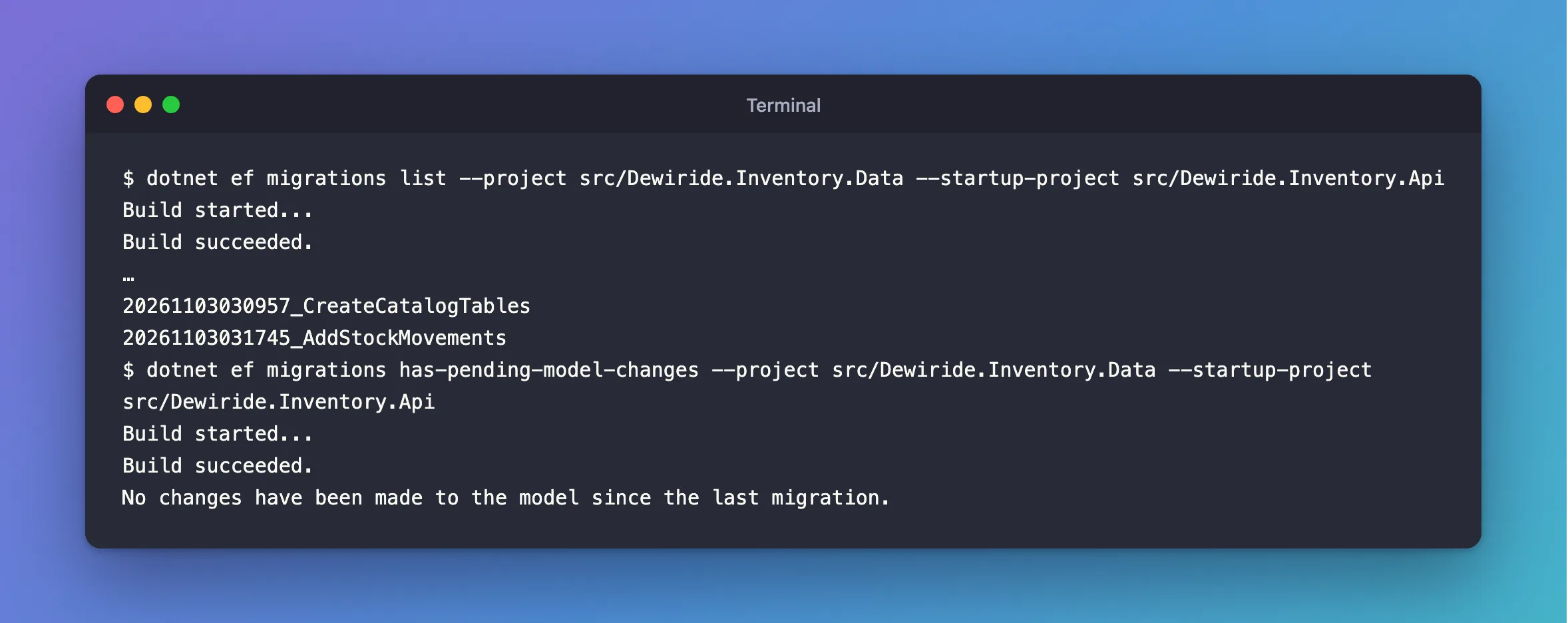
Two commands answer the questions you'll ask most often. Which migrations exist, and which has the database got?
dotnet ef migrations list --project src/Dewiride.Inventory.Data --startup-project src/Dewiride.Inventory.Api
Build started...
Build succeeded.
…
20261103030957_CreateCatalogTables
20261103031745_AddStockMovements
The shortened lines are the two queries EF Core ran against __EFMigrationsHistory to compare the project's migrations with the database's.
Did anyone change the model without adding a migration?
dotnet ef migrations has-pending-model-changes --project src/Dewiride.Inventory.Data --startup-project src/Dewiride.Inventory.Api
Build started...
Build succeeded.
No changes have been made to the model since the last migration.
The Managing Migrations page suggests this check "can help you know when you or a teammate forgot to add a migration". It matters more since EF Core 9: according to the breaking changes page, applying migrations to a model with changes that no migration captures now stops with an error.
Step 13: Look at the Tables from Inside MySQL
EF Core says the tables exist. Check what MySQL itself has, as the same inventory_app account the API uses. How to Connect to MySQL in a Docker Container with the mysql Client explains this command:
docker compose exec mysql mysql --user=inventory_app --password inventory
Enter password:
Reading table information for completion of table and column names
You can turn off this feature to get a quicker startup with -A
Those two lines are new: now that the database has tables, the client reads their names so the Tab key can complete them. List the tables:
SHOW TABLES;
+-----------------------+
| Tables_in_inventory   |
+-----------------------+
| __EFMigrationsHistory |
| categories            |
| products              |
| stock_movements       |
+-----------------------+
4 rows in set (0.001 sec)
SELECT * FROM __EFMigrationsHistory;
+------------------------------------+----------------+
| MigrationId                        | ProductVersion |
+------------------------------------+----------------+
| 20261103030957_CreateCatalogTables | 10.0.14        |
| 20261103031745_AddStockMovements   | 10.0.14        |
+------------------------------------+----------------+
2 rows in set (0.000 sec)
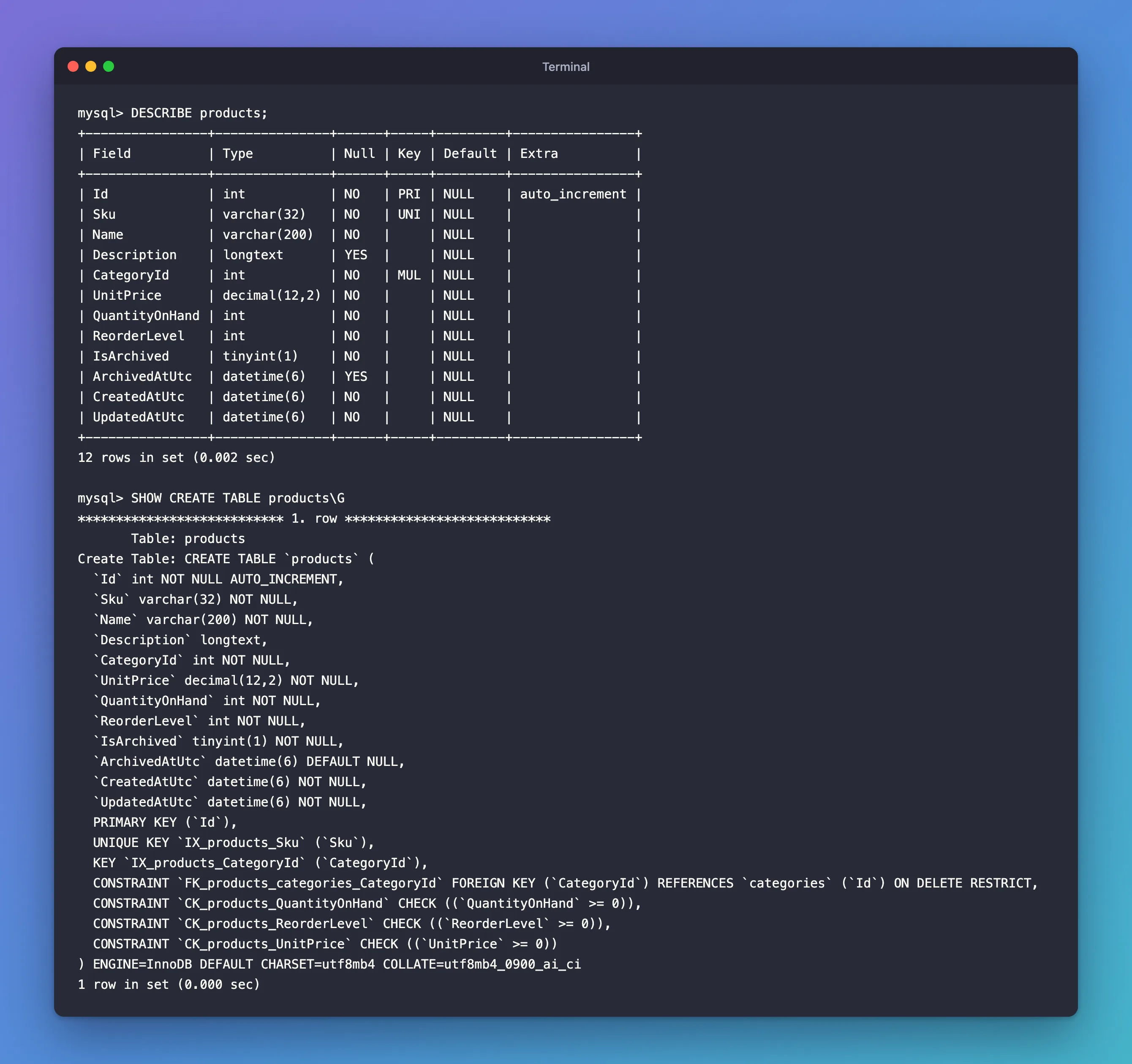
One row per applied migration, with the EF Core version that applied it. DESCRIBE shows a table's columns in a compact form:
DESCRIBE products;
+----------------+---------------+------+-----+---------+----------------+
| Field          | Type          | Null | Key | Default | Extra          |
+----------------+---------------+------+-----+---------+----------------+
| Id             | int           | NO   | PRI | NULL    | auto_increment |
| Sku            | varchar(32)   | NO   | UNI | NULL    |                |
| Name           | varchar(200)  | NO   |     | NULL    |                |
| Description    | longtext      | YES  |     | NULL    |                |
| CategoryId     | int           | NO   | MUL | NULL    |                |
| UnitPrice      | decimal(12,2) | NO   |     | NULL    |                |
| QuantityOnHand | int           | NO   |     | NULL    |                |
| ReorderLevel   | int           | NO   |     | NULL    |                |
| IsArchived     | tinyint(1)    | NO   |     | NULL    |                |
| ArchivedAtUtc  | datetime(6)   | YES  |     | NULL    |                |
| CreatedAtUtc   | datetime(6)   | NO   |     | NULL    |                |
| UpdatedAtUtc   | datetime(6)   | NO   |     | NULL    |                |
+----------------+---------------+------+-----+---------+----------------+
12 rows in set (0.002 sec)
Every C# property is there with the type you chose. In the Key column, PRI is the primary key, UNI a unique index and MUL an index that allows repeated values, here the one on the foreign key. SHOW CREATE TABLE shows the full definition, constraints included; \G instead of ; prints it as one readable block:
SHOW CREATE TABLE products\G
*************************** 1. row ***************************
       Table: products
Create Table: CREATE TABLE `products` (
  `Id` int NOT NULL AUTO_INCREMENT,
  `Sku` varchar(32) NOT NULL,
  `Name` varchar(200) NOT NULL,
  `Description` longtext,
  `CategoryId` int NOT NULL,
  `UnitPrice` decimal(12,2) NOT NULL,
  `QuantityOnHand` int NOT NULL,
  `ReorderLevel` int NOT NULL,
  `IsArchived` tinyint(1) NOT NULL,
  `ArchivedAtUtc` datetime(6) DEFAULT NULL,
  `CreatedAtUtc` datetime(6) NOT NULL,
  `UpdatedAtUtc` datetime(6) NOT NULL,
  PRIMARY KEY (`Id`),
  UNIQUE KEY `IX_products_Sku` (`Sku`),
  KEY `IX_products_CategoryId` (`CategoryId`),
  CONSTRAINT `FK_products_categories_CategoryId` FOREIGN KEY (`CategoryId`) REFERENCES `categories` (`Id`) ON DELETE RESTRICT,
  CONSTRAINT `CK_products_QuantityOnHand` CHECK ((`QuantityOnHand` >= 0)),
  CONSTRAINT `CK_products_ReorderLevel` CHECK ((`ReorderLevel` >= 0)),
  CONSTRAINT `CK_products_UnitPrice` CHECK ((`UnitPrice` >= 0))
) ENGINE=InnoDB DEFAULT CHARSET=utf8mb4 COLLATE=utf8mb4_0900_ai_ci
1 row in set (0.000 sec)
This is MySQL's own description of the table, rewritten in its own style: the check conditions gained an extra pair of parentheses, and the indexes are listed as KEY and UNIQUE KEY. The last line answers the character set question from Step 6: the table uses utf8mb4, the database's default, with the utf8mb4_0900_ai_ci collation. How to Check the MySQL Character Set and Collation explains what those mean.
The stock table has the single two-column index, and no separate one for ProductId:
SHOW CREATE TABLE stock_movements\G
*************************** 1. row ***************************
       Table: stock_movements
Create Table: CREATE TABLE `stock_movements` (
  `Id` bigint NOT NULL AUTO_INCREMENT,
  `ProductId` int NOT NULL,
  `Type` varchar(32) NOT NULL,
  `QuantityChange` int NOT NULL,
  `Reason` varchar(200) DEFAULT NULL,
  `Reference` varchar(64) DEFAULT NULL,
  `OccurredAtUtc` datetime(6) NOT NULL,
  PRIMARY KEY (`Id`),
  KEY `IX_stock_movements_ProductId_OccurredAtUtc` (`ProductId`,`OccurredAtUtc`),
  CONSTRAINT `FK_stock_movements_products_ProductId` FOREIGN KEY (`ProductId`) REFERENCES `products` (`Id`) ON DELETE RESTRICT,
  CONSTRAINT `CK_stock_movements_QuantityChange` CHECK ((`QuantityChange` <> 0))
) ENGINE=InnoDB DEFAULT CHARSET=utf8mb4 COLLATE=utf8mb4_0900_ai_ci
1 row in set (0.000 sec)
Leave the client with exit:
exit
Bye
The database now has exactly the tables the C# model describes, with the keys, indexes and rules you configured.
Step 14: Commit Your Work
Migrations belong in Git with the rest of the code. Check what changed:
git status --short
 M .editorconfig
 M Directory.Packages.props
 M src/Dewiride.Inventory.Api/Dewiride.Inventory.Api.csproj
 M src/Dewiride.Inventory.Data/InventoryDbContext.cs
?? dotnet-tools.json
?? src/Dewiride.Inventory.Data/Configurations/
?? src/Dewiride.Inventory.Data/Conversions/
?? src/Dewiride.Inventory.Data/Entities/
?? src/Dewiride.Inventory.Data/Migrations/
git add .
git commit -m "Create the catalog and stock tables with EF Core migrations"
[main b6907e6] Create the catalog and stock tables with EF Core migrations
 18 files changed, 897 insertions(+)
 create mode 100644 dotnet-tools.json
 create mode 100644 src/Dewiride.Inventory.Data/Configurations/CategoryConfiguration.cs
 create mode 100644 src/Dewiride.Inventory.Data/Configurations/ProductConfiguration.cs
 create mode 100644 src/Dewiride.Inventory.Data/Configurations/StockMovementConfiguration.cs
 create mode 100644 src/Dewiride.Inventory.Data/Conversions/UtcDateTimeConverter.cs
 create mode 100644 src/Dewiride.Inventory.Data/Entities/Category.cs
 create mode 100644 src/Dewiride.Inventory.Data/Entities/Product.cs
 create mode 100644 src/Dewiride.Inventory.Data/Entities/StockMovement.cs
 create mode 100644 src/Dewiride.Inventory.Data/Entities/StockMovementType.cs
 create mode 100644 src/Dewiride.Inventory.Data/Migrations/20261103030957_CreateCatalogTables.Designer.cs
 create mode 100644 src/Dewiride.Inventory.Data/Migrations/20261103030957_CreateCatalogTables.cs
 create mode 100644 src/Dewiride.Inventory.Data/Migrations/20261103031745_AddStockMovements.Designer.cs
 create mode 100644 src/Dewiride.Inventory.Data/Migrations/20261103031745_AddStockMovements.cs
 create mode 100644 src/Dewiride.Inventory.Data/Migrations/InventoryDbContextModelSnapshot.cs
Your commit ID will be different. Commit the snapshot and the .Designer.cs files too. EF Core uses the snapshot to work out the next migration, and its team environments page says each migration's designer metadata "is used when the migration is removed."
Your Project Now Looks Like This
dewiride-inventory-api/
├── .editorconfig                         now turns off CA1861 for migration files
├── Directory.Packages.props              now with Microsoft.EntityFrameworkCore.Design 10.0.14
├── dotnet-tools.json                     pins dotnet-ef 10.0.14
├── …                                     the other solution files from Part 1
└── src/
    ├── Dewiride.Inventory.Api/
    │   ├── Dewiride.Inventory.Api.csproj now references the Design package
    │   └── …
    └── Dewiride.Inventory.Data/
        ├── Configurations/
        │   ├── CategoryConfiguration.cs
        │   ├── ProductConfiguration.cs
        │   └── StockMovementConfiguration.cs
        ├── Conversions/
        │   └── UtcDateTimeConverter.cs
        ├── Entities/
        │   ├── Category.cs
        │   ├── Product.cs
        │   ├── StockMovement.cs
        │   └── StockMovementType.cs
        ├── Migrations/
        │   ├── 20261103030957_CreateCatalogTables.cs
        │   ├── 20261103030957_CreateCatalogTables.Designer.cs
        │   ├── 20261103031745_AddStockMovements.cs
        │   ├── 20261103031745_AddStockMovements.Designer.cs
        │   └── InventoryDbContextModelSnapshot.cs
        ├── DatabaseOptions.cs
        ├── Dewiride.Inventory.Data.csproj
        ├── InventoryDataServiceCollectionExtensions.cs
        └── InventoryDbContext.cs         three tables and three conventions
In MySQL, the inventory database has categories, products, stock_movements and __EFMigrationsHistory, all empty except the history.
Applying Migrations Beyond Your Computer
dotnet ef database update is the right tool for your own development database. EF Core's Applying Migrations page lists the options for other databases: a reviewed SQL script, a migration bundle (a small program that applies migrations), the command-line tools, or code in the app itself. Two decisions in this series follow from that page:
- The app never migrates its own database at startup. The page warns that with runtime migration "The application must have elevated access to modify the database schema", and that "The SQL commands are applied directly by the program, without giving the developer a chance to inspect or modify them."
- Schema changes and data access will use different accounts. The page advises: "Use a separate identity for deployment that has permission to change the schema." In this part,
inventory_appdoes both, because the MySQL image gave it every right on theinventorydatabase. Part 5 splits it into an account that changes tables and one that only reads and writes data.
Stop When You're Done
Stop MySQL so it doesn't use memory in the background. Your tables and data stay in the Docker volume:
docker compose stop
[+] stop 1/1
 ✔ Container dewiride-inventory-mysql-1 Stopped                                                           1.6s
Next time, start it with docker compose start --wait. Keep everything: Part 3 continues from here.
If you want to remove only what this part added to the database, dotnet ef database update 0 --project src/Dewiride.Inventory.Data --startup-project src/Dewiride.Inventory.Api runs every migration's Down method, which drops the tables and every row in them. EF Core's tools reference describes 0 as "a special case that means before the first migration and causes all migrations to be reverted." To remove everything from Part 1 as well, follow the list in Part 1's Stop When You're Done.
Common Mistakes
| Mistake | What happens | Do this instead |
|---|---|---|
Leaving out --startup-project | The tools use the Data project, which has no Design package, and stop with Your startup project 'Dewiride.Inventory.Data' doesn't reference Microsoft.EntityFrameworkCore.Design. | Pass --startup-project src/Dewiride.Inventory.Api |
| Strings without a maximum length | They become longtext, which MySQL can't index without a prefix length | Give every short string HasMaxLength |
| Deleting a migration file by hand | The snapshot still contains its changes, so the next migration is wrong | Use dotnet ef migrations remove for the newest migration, before it's applied |
| Editing a migration that's already applied | The database keeps the old version; other copies get the new one | Add a new migration for the change |
Storing local times in DATETIME | Nobody can tell later which time zone a value was in | Store UTC, as the converter here does |
Using TIMESTAMP for dates that must last | Its range ends in January 2038 | Use DATETIME, as the provider does for DateTime |
| Storing enums as numbers | Reordering the enum changes the meaning of old rows | Store the names, with the enum convention |
Calling Database.Migrate() at startup | The app needs schema rights and applies SQL nobody reviewed | Apply migrations as a separate, deliberate step |
Troubleshooting
| Symptom | Likely cause | Fix |
|---|---|---|
error CA1861: Prefer 'static readonly' fields over constant array arguments in a migration | A multi-column index under the solution's strict analysis rules | Turn CA1861 off for migration files, as in Step 9 |
Your startup project 'Dewiride.Inventory.Data' doesn't reference Microsoft.EntityFrameworkCore.Design. | The startup project is wrong, or it lacks the package | Point --startup-project at the API project |
dotnet ef --version prints an older version | You're outside the repository, or the local tool isn't restored | Run dotnet tool restore in the project folder |
ERROR 1064 (42000) near IF NOT EXISTS(SELECT * FROM __EFMigrationsHistory | An idempotent script from Oracle's provider | See Fixed: ERROR 1064 in an EF Core Idempotent Migration Script |
database update waits and prints nothing after Acquiring an exclusive lock | Another migration run holds __EFMigrationsLock | Let the other run finish; the lock is released when its session ends |
The model for context … has pending changes. Add a new migration before updating the database. | The model changed, but no migration captures the change | Run dotnet ef migrations add before database update |
FAQ
Why lowercase table names, when the C# classes are PascalCase?
MySQL table names follow the case rules of the server's file system, so Products and products can be one table or two depending on where MySQL runs. Lowercase names behave the same everywhere, which the MySQL manual recommends. Column names aren't affected: the same page says column names "are not case-sensitive on any platform", so they keep the C# property names.
Can I write the SQL myself instead?
You can, but then the C# model and the tables can drift apart without anyone noticing. Migrations keep both in one place, and migrations script still gives you the SQL to read.
Why not EnsureCreated?
Database.EnsureCreated() creates tables from the model but records nothing in the history table, so it can't apply later changes. EF Core's Applying Migrations page warns: "EnsureCreatedAsync() bypasses Migrations to create the schema, which causes MigrateAsync() to fail."
How do I undo the last migration?
If it isn't applied yet, dotnet ef migrations remove deletes it and resets the snapshot. If it's applied to your own development database, update the database to the previous migration first, for example dotnet ef database update CreateCatalogTables, which runs AddStockMovements's Down method and drops its table. For a database other people use, add a new migration that reverses the change instead.
Why are there no categories or products yet?
Migrations create structure, not data. Part 3 writes and reads rows through the API.
Conclusion
The inventory database now has real tables, created from C# instead of hand-written SQL:
- entity classes describe the data, and configuration classes map each one to a lowercase MySQL table, with lengths, unique indexes, check constraints and restricted foreign keys;
- conventions make every amount
decimal(12,2), every date UTC indatetime(6)and every enum its name in avarchar; dotnet ef migrations addturned the model into migrations,migrations scriptshowed their SQL, anddatabase updateapplied them under a lock and recorded them in__EFMigrationsHistory;- the second migration contained only the new table, because EF Core compared the model with its snapshot;
- MySQL's own
DESCRIBEandSHOW CREATE TABLEconfirm every column, key and rule.
← Previous: Part 1: Connect with EF Core and a Secure Connection String
Next → Part 3: Read and Write MySQL Data with EF Core (coming soon). You'll add and read rows through the API, see the SQL EF Core sends to MySQL, and turn MySQL's errors, such as a duplicate SKU, into clear HTTP answers.
Additional Resources
- Migrations Overview and Managing Migrations — how migrations work and how to add, list and remove them.
- Applying Migrations — scripts, bundles, the tools, locking and the deployment advice quoted above.
- Model bulk configuration —
ConfigureConventionsand pre-convention configuration. - Value Conversions — converters, including enums stored as strings.
- The DATE, DATETIME, and TIMESTAMP Types and CHECK Constraints — the MySQL behaviour behind the choices in this part.
- Statements That Cause an Implicit Commit — why a MySQL migration isn't all-or-nothing.
