How to Connect a .NET C# Web API to a MySQL Database — Part 1: Connect with EF Core and a Secure Connection String

A Web API needs somewhere to keep its data, and MySQL is one of the most popular places to keep it. This part connects an ASP.NET Core minimal API, written in .NET 10 and C#, to MySQL 9.7 through Entity Framework Core. It keeps the password out of the code, encrypts the connection, proves the connection works with a health check, and then looks at that same connection from inside MySQL so you can see exactly what happened.
This is Part 1 of a 5-part series.
- Part 1: Connect with EF Core and a Secure Connection String (you are here)
- Part 2: Create MySQL Tables with EF Core Migrations
- Part 3: Read and Write MySQL Data with EF Core (coming soon)
- Part 4: Transactions, Row Locks and Retries with MySQL (coming soon)
- Part 5: Production Checklist for the MySQL Connection (coming soon)
Every command and output on this page is real, captured while building the project.
What You'll Have at the End of the Series
Each part of this series covers one thing a .NET C# Web API needs to do with MySQL, in detail. By the end of Part 5 you'll have an API that:
- connects to MySQL securely, with the password outside the code and the connection encrypted (this part);
- creates its own tables from C# classes, with the right MySQL column types (Part 2);
- reads and writes data and turns MySQL errors into clear HTTP answers (Part 3);
- stays correct under pressure, so two people can't buy the last item in stock at the same moment (Part 4);
- is ready for production, with a verified certificate, a least-privilege account and sensible pool and timeout settings (Part 5).
The examples come from a small inventory and orders API: products, stock and orders. The series doesn't walk you through building that whole app. Each part shows only the code that talks to MySQL, so you can use the same steps in your own API.
How a .NET C# Web API Talks to MySQL
When your API reads or writes data, the request passes through several layers before it reaches the database. Knowing them makes every later step, and every error message, easier to understand.
| Layer | What it is |
|---|---|
| EF Core | Microsoft's data library for .NET. It turns C# classes and LINQ queries into SQL, so you rarely write SQL by hand. Libraries like this are called ORMs (object-relational mappers). |
| DbContext | Your app's session with one database. You create a class that inherits from DbContext; EF Core uses it to open connections, run queries and save changes. |
| Provider | A plug-in that teaches EF Core one database's SQL dialect. For MySQL, this series uses Oracle's MySql.EntityFrameworkCore. |
| Driver | The low-level library that speaks MySQL's network protocol. Oracle's provider brings its own driver, MySql.Data (also called Connector/NET). |
| Connection string | One line of text that tells the driver where MySQL is, which account to use and how to connect. |
| Connection pool | A set of open connections the driver keeps and reuses, because opening a new one takes several round trips. |
Opening a new connection takes several steps. MySQL's protocol documentation describes the order: the client connects, the server sends a greeting, the client can ask for an encrypted (TLS) channel, and only then does it send the account name and password.
You'll see real evidence of each of these steps in Step 10, from MySQL's side.
Choosing the MySQL Provider for EF Core 10
Two EF Core providers for MySQL are widely used, and only one of them works with EF Core 10 today.
- Pomelo.EntityFrameworkCore.MySql is the popular community provider, and most older tutorials use it. Its newest release on NuGet, 9.0.0, only accepts EF Core versions from 9.0.0 up to 9.0.999, and its "EF Core 10 support" issue #2007 is still open. Microsoft's provider list warns that "EF Core providers typically do not work across major versions."
- MySql.EntityFrameworkCore is Oracle's own provider, from the team that makes MySQL. Version 10.0.12, released on 21 October 2026, supports EF Core 10, and Oracle's compatibility table lists Connector/NET 26.10.0 for EF Core 10 on .NET 10. This series uses it.
Oracle's provider and the MySql.Data driver are licensed under GPL-2.0-only with the Universal FOSS Exception, and the packages are marked as requiring licence acceptance, so Visual Studio shows you the licence when you install them. That's no problem for learning or for running your own API. If you plan to ship compiled copies of an application to other people, read the licence first.
Versions Used
| Piece | Version |
|---|---|
| .NET SDK / runtime | 10.0.403 / 10.0.14 (C# 14) |
| EF Core | 10.0.14 |
| MySql.EntityFrameworkCore (Oracle's provider) | 10.0.12 |
| MySql.Data (Oracle's driver, installed by the provider) | 26.10.0 |
| Microsoft.Extensions.Diagnostics.HealthChecks.EntityFrameworkCore | 10.0.14 |
| MySQL Community Server | 9.7.4 LTS, in Docker |
| Docker Desktop | Engine 29.9.2, Compose v5.6.1 |
Every version is the newest generally available (GA) release, checked on 2 November 2026. .NET 11 is still a release candidate, so the series uses .NET 10, which is also a long-term support release.
What It Costs
Nothing, for most readers. .NET, EF Core, Oracle's provider, MySQL Community Server and the official MySQL image are free. Docker Desktop is free for personal use, education, non-commercial open source and "small businesses (fewer than 250 employees AND less than $10 million in annual revenue)". Larger organizations need a paid Docker subscription, according to the Docker Desktop license agreement. Everything runs on your own computer.
Prerequisites
Set these up first. Each one links to a short guide that does it step by step.
- The .NET 10 SDK, from the Downloads page. Check it:
dotnet --version
10.0.403
- Docker Desktop, installed and running.
- MySQL 9.7 running in Docker, with an
inventorydatabase and aninventory_appaccount whose password is in a.envfile. How to Run MySQL in Docker with Docker Compose creates exactly that, in a project folder nameddewiride-inventory-api. - A .NET C# Web API solution in that same folder, with an API project and a class library for the data code. How to Create a .NET C# Web API Solution with a Class Library builds it.
- An editor: VS Code on macOS, Linux or Windows, or Visual Studio 2026 on Windows. Every change in this part is made with the
dotnetcommand or by editing files, so both editors work the same way. - curl, which is built into macOS, Linux, and Windows 10 and 11.
Run every command from the project folder, dewiride-inventory-api. They work unchanged in bash, zsh and PowerShell unless a step shows tabs.
The Starting Point
This is the solution you start from:
dewiride-inventory-api/
├── .editorconfig                  code style that VS Code and Visual Studio both follow
├── .env                           the MySQL passwords (ignored by Git)
├── .env.example
├── .gitattributes                 stores text files with LF line endings
├── .gitignore
├── compose.yaml                   runs MySQL 9.7 for development
├── Dewiride.Inventory.slnx        the solution
├── Directory.Build.props          build rules for every project: warnings stop the build
├── Directory.Packages.props       one place for every NuGet package version
├── global.json                    pins the .NET 10 SDK
└── src/
    ├── Dewiride.Inventory.Api/    the ASP.NET Core minimal API, on http://localhost:5190
    └── Dewiride.Inventory.Data/   an empty class library for the database code
The API project references the Data project, so the API can use everything you put there. Keeping the database code in its own project means the API never needs to know which database or provider sits behind it.
Step 1: Start MySQL
Start the MySQL container and wait until it reports healthy:
docker compose up -d --wait
[+] up 1/1
 ✔ Container dewiride-inventory-mysql-1 Healthy                                                           2.6s
docker compose ps
NAME                         IMAGE       COMMAND                  SERVICE   CREATED             STATUS                   PORTS
dewiride-inventory-mysql-1   mysql:9.7   "docker-entrypoint.s…"   mysql     About an hour ago   Up 3 seconds (healthy)   127.0.0.1:3306->3306/tcp
(healthy) means MySQL answers on port 3306, and 127.0.0.1:3306->3306/tcp means only your own computer can reach it. Your API will sign in as inventory_app, the account the container created. It has full rights on the inventory database and none anywhere else, which How to Connect to MySQL in a Docker Container with the mysql Client shows with SHOW GRANTS.
Step 2: Add Oracle's MySQL Provider to the Data Project
The provider belongs in the Data project, because that's where the database code lives. Add it:
dotnet package add MySql.EntityFrameworkCore --version 10.0.12 --project src/Dewiride.Inventory.Data
dotnet package add adds a NuGet package to a project, --version picks the exact version, and --project says which project gets it. The output is long; these are the lines that matter:
info : Adding PackageReference for package 'MySql.EntityFrameworkCore' into project '/Users/you/projects/dewiride-inventory-api/src/Dewiride.Inventory.Data/Dewiride.Inventory.Data.csproj'.
…
info : Installed MySql.EntityFrameworkCore 10.0.12+MySQL26.10.0 from https://api.nuget.org/v3/index.json to /Users/you/.nuget/packages/mysql.entityframeworkcore/10.0.12 with content hash …
info : Installed Microsoft.EntityFrameworkCore.Relational 10.0.12 from https://api.nuget.org/v3/index.json to /Users/you/.nuget/packages/microsoft.entityframeworkcore.relational/10.0.12 with content hash …
info : Installed Microsoft.EntityFrameworkCore 10.0.12 from https://api.nuget.org/v3/index.json to /Users/you/.nuget/packages/microsoft.entityframeworkcore/10.0.12 with content hash …
…
info : Installed MySql.Data 26.10.0 from https://api.nuget.org/v3/index.json to /Users/you/.nuget/packages/mysql.data/26.10.0 with content hash …
…
info : PackageReference for package 'MySql.EntityFrameworkCore' version '10.0.12' added to file '/Users/you/projects/dewiride-inventory-api/Directory.Packages.props'.
…
log  : Restored /Users/you/projects/dewiride-inventory-api/src/Dewiride.Inventory.Data/Dewiride.Inventory.Data.csproj (in 6.99 sec).
One package brought three more with it: the MySql.Data driver, and EF Core itself in version 10.0.12. That version isn't the newest. The provider only says it needs "EF Core 10.0.12 or newer", and NuGet always picks the lowest version that satisfies such a rule. EF Core 10.0.14 is the newest patch, with two releases' worth of fixes, so ask for it directly:
dotnet package add Microsoft.EntityFrameworkCore.Relational --version 10.0.14 --project src/Dewiride.Inventory.Data
Microsoft.EntityFrameworkCore.Relational is the part of EF Core that every SQL database provider builds on. Referencing it yourself lifts the whole of EF Core to 10.0.14. Check what the project uses now:
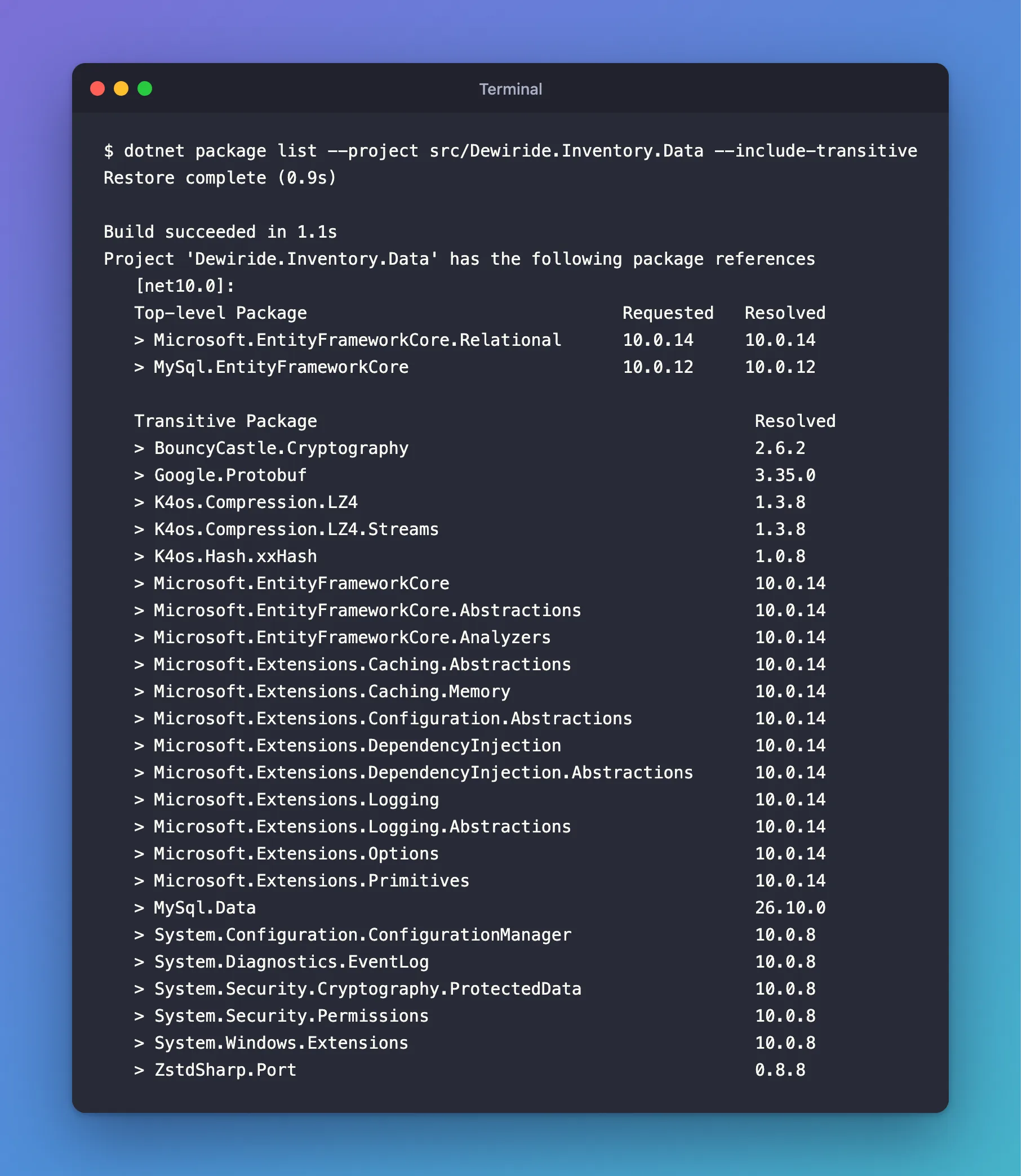
dotnet package list --project src/Dewiride.Inventory.Data --include-transitive
Project 'Dewiride.Inventory.Data' has the following package references
   [net10.0]:
   Top-level Package                               Requested   Resolved
   > Microsoft.EntityFrameworkCore.Relational      10.0.14     10.0.14
   > MySql.EntityFrameworkCore                     10.0.12     10.0.12

   Transitive Package                                           Resolved
…
   > Microsoft.EntityFrameworkCore                              10.0.14
…
   > MySql.Data                                                 26.10.0
…
"Top-level" packages are the ones you added; "transitive" ones came along with them. EF Core is now 10.0.14 everywhere.
Because the solution uses central package management, dotnet package add wrote each version into Directory.Packages.props and left only the package names in the project file:
<Project>
  <PropertyGroup>
    <!-- Enable central package management, https://learn.microsoft.com/en-us/nuget/consume-packages/Central-Package-Management -->
    <ManagePackageVersionsCentrally>true</ManagePackageVersionsCentrally>
  </PropertyGroup>
  <ItemGroup>
    <PackageVersion Include="Microsoft.AspNetCore.OpenApi" Version="10.0.14" />
    <PackageVersion Include="Microsoft.EntityFrameworkCore.Relational" Version="10.0.14" />
    <PackageVersion Include="MySql.EntityFrameworkCore" Version="10.0.12" />
  </ItemGroup>
</Project>
If your own solution doesn't use central package management, the same command writes the version into the .csproj file instead. Nothing else in this part changes.
Step 3: Create the DbContext
The DbContext is the class your code uses to talk to the database. Create InventoryDbContext.cs in the Data project:
using Microsoft.EntityFrameworkCore;

namespace Dewiride.Inventory.Data;

/// <summary>
/// The app's session with the inventory database in MySQL. EF Core uses it to open
/// connections, run queries and save changes.
/// </summary>
public sealed class InventoryDbContext(DbContextOptions<InventoryDbContext> options)
    : DbContext(options)
{
}
(DbContextOptions<InventoryDbContext> options)is a primary constructor. The options carry everything EF Core needs to know: the provider, the connection string and the retry rules. They're filled in when you register the context in Step 5, so this class never contains a connection string.: DbContext(options)passes those options to EF Core's ownDbContextclass.sealedmeans no other class can inherit from it. Nothing needs to, and the strict code-quality rules inDirectory.Build.propsask for it.
The class has no tables yet. Part 2 adds them; connecting doesn't need any.
Step 4: Put the Connection Settings in a Class
A few settings control how the app talks to MySQL: how often to retry after a short outage, and how long a query may run. They're not secret, so they go in appsettings.json, and a small class gives the code typed access to them. Create DatabaseOptions.cs in the Data project:
using System.ComponentModel.DataAnnotations;

namespace Dewiride.Inventory.Data;

/// <summary>
/// Settings for how the app talks to MySQL, read from the "Database" configuration section.
/// The connection string itself is kept separately, in ConnectionStrings:Inventory.
/// </summary>
public sealed class DatabaseOptions
{
    /// <summary>The configuration section these settings are read from.</summary>
    public const string SectionName = "Database";

    /// <summary>How many times EF Core retries an operation that failed with a transient MySQL error.</summary>
    [Range(0, 10)]
    public int MaxRetryCount { get; set; } = 3;

    /// <summary>The longest wait, in seconds, between two retries.</summary>
    [Range(1, 30)]
    public int MaxRetryDelaySeconds { get; set; } = 5;

    /// <summary>How long, in seconds, one SQL command may run before it's cancelled.</summary>
    [Range(1, 300)]
    public int CommandTimeoutSeconds { get; set; } = 30;
}
Each property has a sensible default, and [Range] sets the values it accepts. If someone writes MaxRetryCount: 50 in a config file, the app refuses to start and says why, instead of running with a bad value. This is the options pattern, explained in How to Read from appsettings.json in ASP.NET Core.
Add the section to appsettings.json in the API project, so the values are visible and easy to change:
{
  "Logging": {
    "LogLevel": {
      "Default": "Information",
      "Microsoft.AspNetCore": "Warning"
    }
  },
  "AllowedHosts": "*",
  "Database": {
    "MaxRetryCount": 3,
    "MaxRetryDelaySeconds": 5,
    "CommandTimeoutSeconds": 30
  }
}
Notice what's not here: the connection string. It contains a password, and appsettings.json is committed to Git. Step 8 puts it somewhere safer.
Step 5: Register the DbContext with UseMySQL
Registering the DbContext tells ASP.NET Core how to create it whenever a request needs it. This is where the API gets connected to MySQL. You'll write it as an extension method in the Data project, so the API only has to call one line.
The method reads its settings through two small Microsoft packages that a plain class library doesn't include. The API project gets them from ASP.NET Core; the Data project needs them added:
dotnet package add Microsoft.Extensions.Options.ConfigurationExtensions --version 10.0.14 --project src/Dewiride.Inventory.Data
dotnet package add Microsoft.Extensions.Options.DataAnnotations --version 10.0.14 --project src/Dewiride.Inventory.Data
ConfigurationExtensions copies a configuration section into a class, and DataAnnotations checks the [Range] rules. Now create InventoryDataServiceCollectionExtensions.cs in the Data project. Here's what it does, one block at a time.
Read and check the settings:
services.AddOptions<DatabaseOptions>()
    .Bind(configuration.GetSection(DatabaseOptions.SectionName))
    .ValidateDataAnnotations()
    .ValidateOnStart();
Bind fills a DatabaseOptions object from the Database section, ValidateDataAnnotations applies the [Range] rules, and ValidateOnStart runs those checks as the app starts, not later on the first request.
Make sure the connection string exists:
var connectionString = configuration.GetConnectionString(ConnectionStringName);
if (string.IsNullOrWhiteSpace(connectionString))
{
    throw new InvalidOperationException(
        $"The connection string 'ConnectionStrings:{ConnectionStringName}' is missing. " +
        "In development, set it with dotnet user-secrets. Everywhere else, set the " +
        $"ConnectionStrings__{ConnectionStringName} environment variable.");
}
GetConnectionString("Inventory") reads ConnectionStrings:Inventory from configuration, wherever it comes from. If it's missing, the app stops right away with a message that says how to fix it. Without this check, the API would start, look healthy, and fail on the first request that needs the database.
Register the context with Oracle's provider:
services.AddDbContext<InventoryDbContext>((serviceProvider, options) =>
{
    var database = serviceProvider.GetRequiredService<IOptions<DatabaseOptions>>().Value;

    options.UseMySQL(connectionString, mySql =>
    {
        // Retry operations that fail because of a short outage, such as a dropped connection.
        mySql.EnableRetryOnFailure(
            maxRetryCount: database.MaxRetryCount,
            maxRetryDelay: TimeSpan.FromSeconds(database.MaxRetryDelaySeconds),
            errorNumbersToAdd: []);

        mySql.CommandTimeout(database.CommandTimeoutSeconds);
    });
});
AddDbContextregistersInventoryDbContextso that each HTTP request gets its own instance, which is disposed when the request ends.UseMySQLpicks Oracle's provider and gives it the connection string. Mind the spelling: Oracle's method ends in capital SQL.UseMySql, with a lowercase "ql", belongs to Pomelo's provider, so code copied from older tutorials won't compile with Oracle's package.EnableRetryOnFailureturns on connection resiliency. When an operation fails with an error the provider considers temporary, such as a dropped connection, EF Core waits and tries again, up toMaxRetryCounttimes. Without the parameters, Oracle's default is 6 retries, which its documentation says adds up to "about a minute"; this API uses 3, with at most 5 seconds between tries.errorNumbersToAdd: []means no extra MySQL error numbers on top of the provider's own list.CommandTimeoutcancels any single SQL command that runs longer than 30 seconds.
Microsoft's connection resiliency documentation notes one cost: with retries on, EF Core buffers each query's results in memory, so very large result sets use more memory. It also changes how transactions work, which Part 4 covers.
Here's the complete file:
using Microsoft.EntityFrameworkCore;
using Microsoft.Extensions.Configuration;
using Microsoft.Extensions.DependencyInjection;
using Microsoft.Extensions.Options;

namespace Dewiride.Inventory.Data;

/// <summary>
/// Registers the inventory database with dependency injection.
/// </summary>
public static class InventoryDataServiceCollectionExtensions
{
    /// <summary>The name of the connection string, read from ConnectionStrings:Inventory.</summary>
    public const string ConnectionStringName = "Inventory";

    /// <summary>
    /// Adds <see cref="InventoryDbContext"/>, connected to MySQL through Oracle's EF Core provider,
    /// and validates the <see cref="DatabaseOptions"/> when the app starts.
    /// </summary>
    public static IServiceCollection AddInventoryData(
        this IServiceCollection services,
        IConfiguration configuration)
    {
        ArgumentNullException.ThrowIfNull(services);
        ArgumentNullException.ThrowIfNull(configuration);

        services.AddOptions<DatabaseOptions>()
            .Bind(configuration.GetSection(DatabaseOptions.SectionName))
            .ValidateDataAnnotations()
            .ValidateOnStart();

        // Fail at startup with a clear message, not on the first request.
        var connectionString = configuration.GetConnectionString(ConnectionStringName);
        if (string.IsNullOrWhiteSpace(connectionString))
        {
            throw new InvalidOperationException(
                $"The connection string 'ConnectionStrings:{ConnectionStringName}' is missing. " +
                "In development, set it with dotnet user-secrets. Everywhere else, set the " +
                $"ConnectionStrings__{ConnectionStringName} environment variable.");
        }

        services.AddDbContext<InventoryDbContext>((serviceProvider, options) =>
        {
            var database = serviceProvider.GetRequiredService<IOptions<DatabaseOptions>>().Value;

            options.UseMySQL(connectionString, mySql =>
            {
                // Retry operations that fail because of a short outage, such as a dropped connection.
                mySql.EnableRetryOnFailure(
                    maxRetryCount: database.MaxRetryCount,
                    maxRetryDelay: TimeSpan.FromSeconds(database.MaxRetryDelaySeconds),
                    errorNumbersToAdd: []);

                mySql.CommandTimeout(database.CommandTimeoutSeconds);
            });
        });

        return services;
    }
}
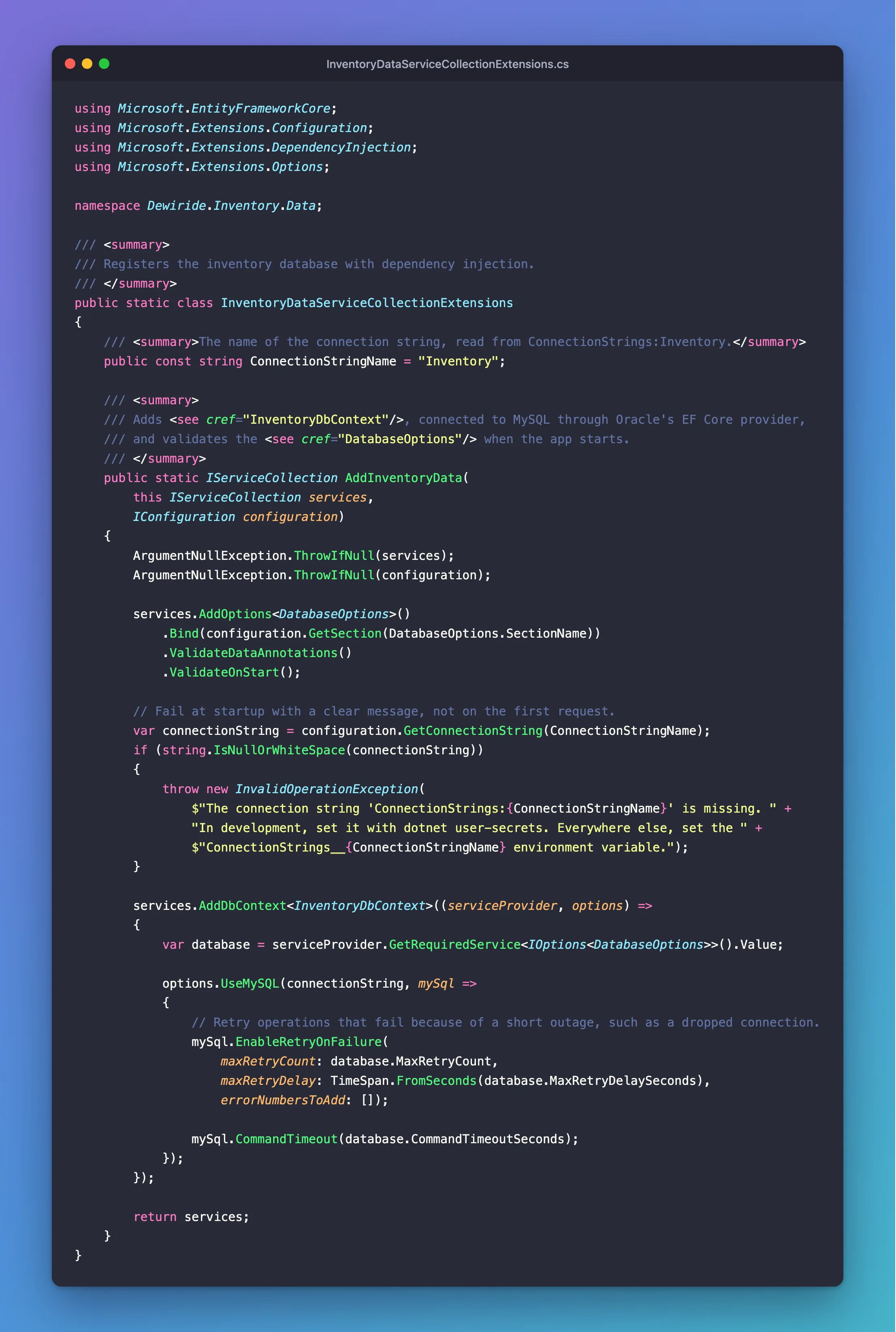
ArgumentNullException.ThrowIfNull at the top makes the method fail clearly if it's ever called with nothing.
Step 6: Call It from Program.cs and Add Health Checks
A health check is an endpoint that tells the outside world whether the API is working. The API gets two:
/health/live(liveness) answers as long as the API process runs. It checks nothing else./health/ready(readiness) also checks MySQL. It only says "Healthy" when the API can really reach the database.
How to Add Liveness and Readiness Health Checks to a .NET C# Web API explains health checks in full. The database check comes from a Microsoft package; add it to the API project:
dotnet package add Microsoft.Extensions.Diagnostics.HealthChecks.EntityFrameworkCore --version 10.0.14 --project src/Dewiride.Inventory.Api
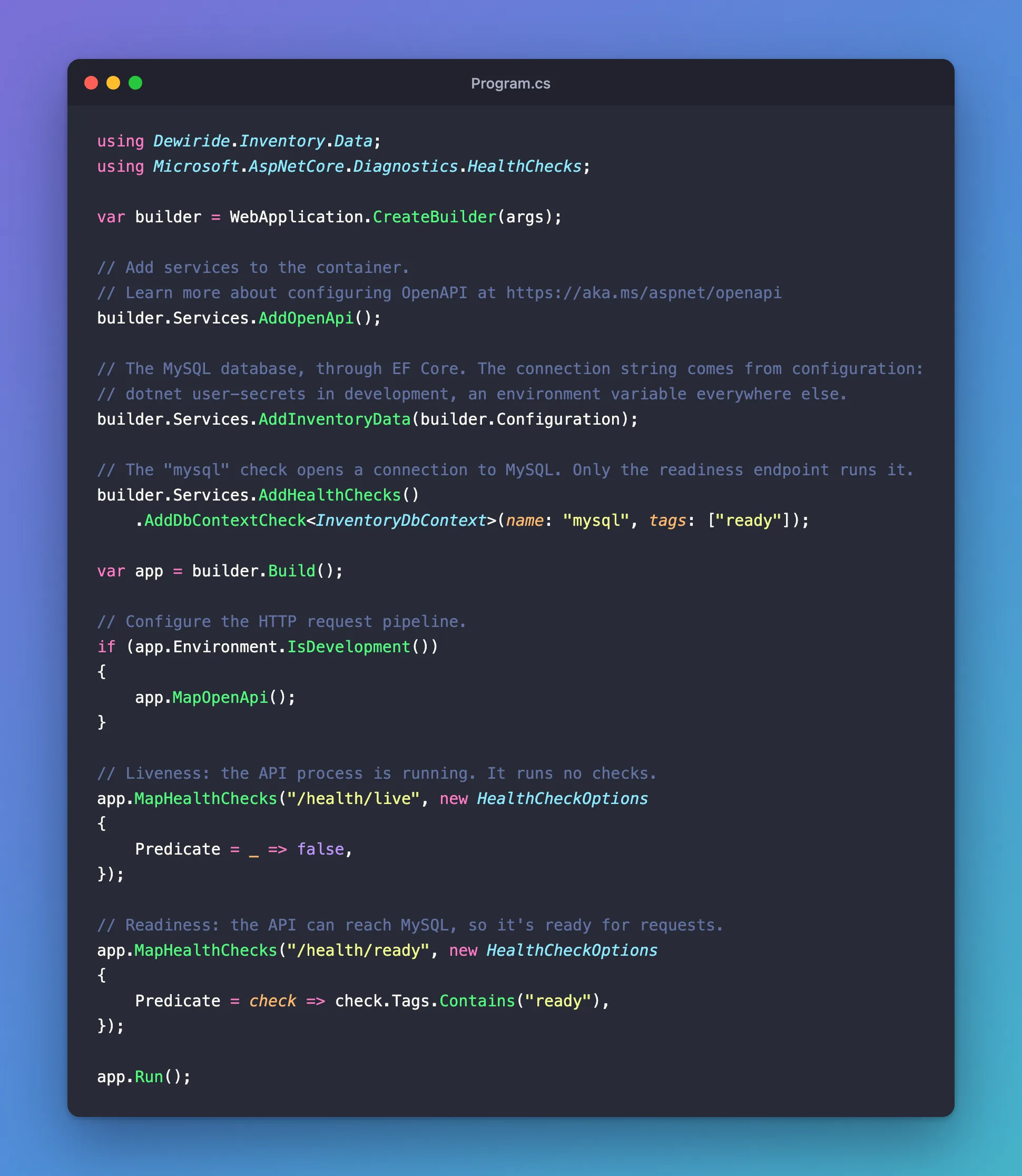
Then replace Program.cs in the API project:
using Dewiride.Inventory.Data;
using Microsoft.AspNetCore.Diagnostics.HealthChecks;

var builder = WebApplication.CreateBuilder(args);

// Add services to the container.
// Learn more about configuring OpenAPI at https://aka.ms/aspnet/openapi
builder.Services.AddOpenApi();

// The MySQL database, through EF Core. The connection string comes from configuration:
// dotnet user-secrets in development, an environment variable everywhere else.
builder.Services.AddInventoryData(builder.Configuration);

// The "mysql" check opens a connection to MySQL. Only the readiness endpoint runs it.
builder.Services.AddHealthChecks()
    .AddDbContextCheck<InventoryDbContext>(name: "mysql", tags: ["ready"]);

var app = builder.Build();

// Configure the HTTP request pipeline.
if (app.Environment.IsDevelopment())
{
    app.MapOpenApi();
}

// Liveness: the API process is running. It runs no checks.
app.MapHealthChecks("/health/live", new HealthCheckOptions
{
    Predicate = _ => false,
});

// Readiness: the API can reach MySQL, so it's ready for requests.
app.MapHealthChecks("/health/ready", new HealthCheckOptions
{
    Predicate = check => check.Tags.Contains("ready"),
});

app.Run();
AddInventoryData(builder.Configuration)is the method from Step 5.builder.Configurationholds every setting the app can see:appsettings.json, user-secrets, environment variables and the command line.AddDbContextCheck<InventoryDbContext>registers a check namedmysql, taggedready. According to Microsoft's health checks documentation, it "calls EF Core'sCanConnectAsyncmethod". Step 10 shows what that sends to MySQL.Predicatechooses which checks an endpoint runs: none for/health/live, and only thereadyones for/health/ready.
Update the requests file, so you can also call the endpoints from your editor:
@Dewiride.Inventory.Api_HostAddress = http://localhost:5190

### Liveness: is the API process running?
GET {{Dewiride.Inventory.Api_HostAddress}}/health/live

### Readiness: can the API reach MySQL?
GET {{Dewiride.Inventory.Api_HostAddress}}/health/ready

### The OpenAPI document (Development only)
GET {{Dewiride.Inventory.Api_HostAddress}}/openapi/v1.json
Accept: application/json

###
Build the solution:
dotnet build
Restore complete (1.3s)
  Dewiride.Inventory.Data net10.0 succeeded (0.0s) → src/Dewiride.Inventory.Data/bin/Debug/net10.0/Dewiride.Inventory.Data.dll
  Dewiride.Inventory.Api net10.0 succeeded (0.6s) → src/Dewiride.Inventory.Api/bin/Debug/net10.0/Dewiride.Inventory.Api.dll

Build succeeded in 2.1s
No warnings, and that matters: Directory.Build.props turns every warning into an error, so a clean build means the new code passed the recommended .NET code-quality rules too.
Step 7: Run It Once Without the Connection String
There's no connection string yet. Run the API anyway, to see the check from Step 5 working:
dotnet run --project src/Dewiride.Inventory.Api
Using launch settings from src/Dewiride.Inventory.Api/Properties/launchSettings.json...
Building...
Unhandled exception. System.InvalidOperationException: The connection string 'ConnectionStrings:Inventory' is missing. In development, set it with dotnet user-secrets. Everywhere else, set the ConnectionStrings__Inventory environment variable.
   at Dewiride.Inventory.Data.InventoryDataServiceCollectionExtensions.AddInventoryData(IServiceCollection services, IConfiguration configuration) in /Users/you/projects/dewiride-inventory-api/src/Dewiride.Inventory.Data/InventoryDataServiceCollectionExtensions.cs:line 36
   at Program.<Main>$(String[] args) in /Users/you/projects/dewiride-inventory-api/src/Dewiride.Inventory.Api/Program.cs:line 12
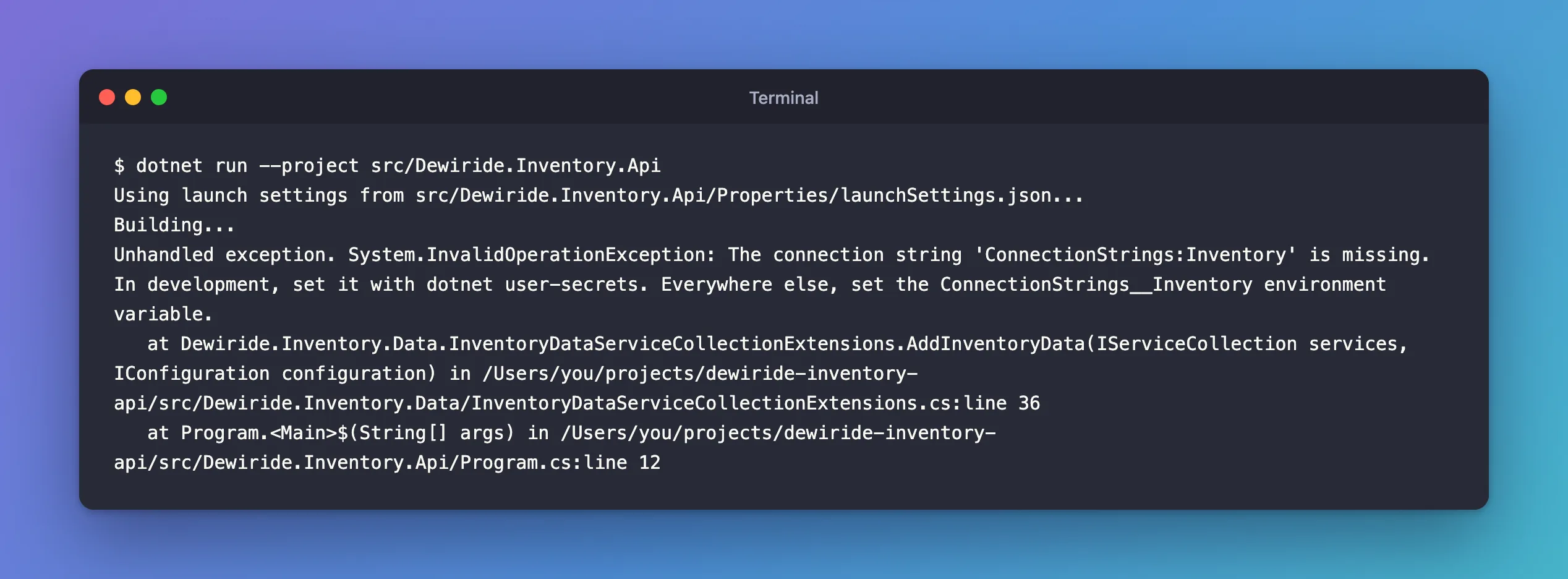
That's the result you want from a missing setting. The API refuses to start, the first line says exactly what's missing and how to fix it, and the stack trace points to line 36, the throw. A teammate who clones the project and forgets this step knows immediately what to do.
Step 8: Store the Connection String with user-secrets
This is the connection string the API will use. You won't type it yourself: the command later in this step builds it and fills in the password from .env.
Server=127.0.0.1;Port=3306;Database=inventory;User ID=inventory_app;Password=<the MYSQL_PASSWORD from .env>;SslMode=Required
Each key=value pair is a setting for the driver, separated by semicolons:
| Setting | Value | Why |
|---|---|---|
Server | 127.0.0.1 | Where MySQL listens. compose.yaml publishes the port on this address only. |
Port | 3306 | MySQL's standard port, the one compose.yaml publishes. |
Database | inventory | The database to use once signed in. Oracle's reference calls it "the case-sensitive name of the database to use initially". |
User ID | inventory_app | The account to sign in with. It has rights on inventory only. Never use root here. |
Password | from .env | The MYSQL_PASSWORD that compose.yaml gave the account. |
SslMode | Required | Always encrypt the connection, and refuse to connect if MySQL doesn't offer encryption. |
Why SslMode=Required: without it, the driver uses Preferred, which Oracle's reference describes as "Use SSL if the server supports it, but allow connection in all cases". If encryption were ever unavailable, Preferred would quietly send everything, data included, in plain text. Required refuses instead. It doesn't check who the certificate belongs to; the container signs its own certificate, so there's nothing to check it against yet. VerifyCA and VerifyFull add that check, and Part 5 sets one up.
You can leave everything else at Oracle's documented defaults. The ones that matter here are Pooling (on, with Maximum Pool Size 100 connections), Connect Timeout (15 seconds to establish a connection) and Default Command Timeout (30 seconds, which the CommandTimeout from Step 5 sets explicitly).
Where the connection string goes
It can't go in appsettings.json, because that file is committed to Git and the password would travel with every copy of the repository. In development, .NET's Secret Manager (dotnet user-secrets) keeps secrets in a file in your user profile, outside the project folder, and ASP.NET Core reads it automatically when the app runs in the Development environment. How to Store a Connection String in .NET C# with dotnet user-secrets covers the tool in full.
First, give the API project a secrets store:
dotnet user-secrets init --project src/Dewiride.Inventory.Api
Set UserSecretsId to '00000000-0000-0000-0000-000000000000' for MSBuild project '/Users/you/projects/dewiride-inventory-api/src/Dewiride.Inventory.Api/Dewiride.Inventory.Api.csproj'.
That adds a <UserSecretsId> line with a new GUID to the project file; yours will have a different one. The GUID is the name of the folder that holds this project's secrets.
Then save the connection string. This command reads the password straight from .env, so you never type it or see it:
- macOS / Linux
- Windows (PowerShell)
dotnet user-secrets set "ConnectionStrings:Inventory" "Server=127.0.0.1;Port=3306;Database=inventory;User ID=inventory_app;Password=$(grep '^MYSQL_PASSWORD=' .env | cut -d= -f2-);SslMode=Required" --project src/Dewiride.Inventory.Api
$(…) runs the command inside it and puts its output in place: grep finds the MYSQL_PASSWORD= line in .env, and cut -d= -f2- keeps everything after the first =.
$password = (Get-Content .env | Where-Object { $_ -like 'MYSQL_PASSWORD=*' }).Substring('MYSQL_PASSWORD='.Length)
dotnet user-secrets set "ConnectionStrings:Inventory" "Server=127.0.0.1;Port=3306;Database=inventory;User ID=inventory_app;Password=$password;SslMode=Required" --project src/Dewiride.Inventory.Api
The first line finds the MYSQL_PASSWORD= line in .env and keeps the text after the = in $password. The second line puts it into the connection string.
Successfully saved ConnectionStrings:Inventory to the secret store.
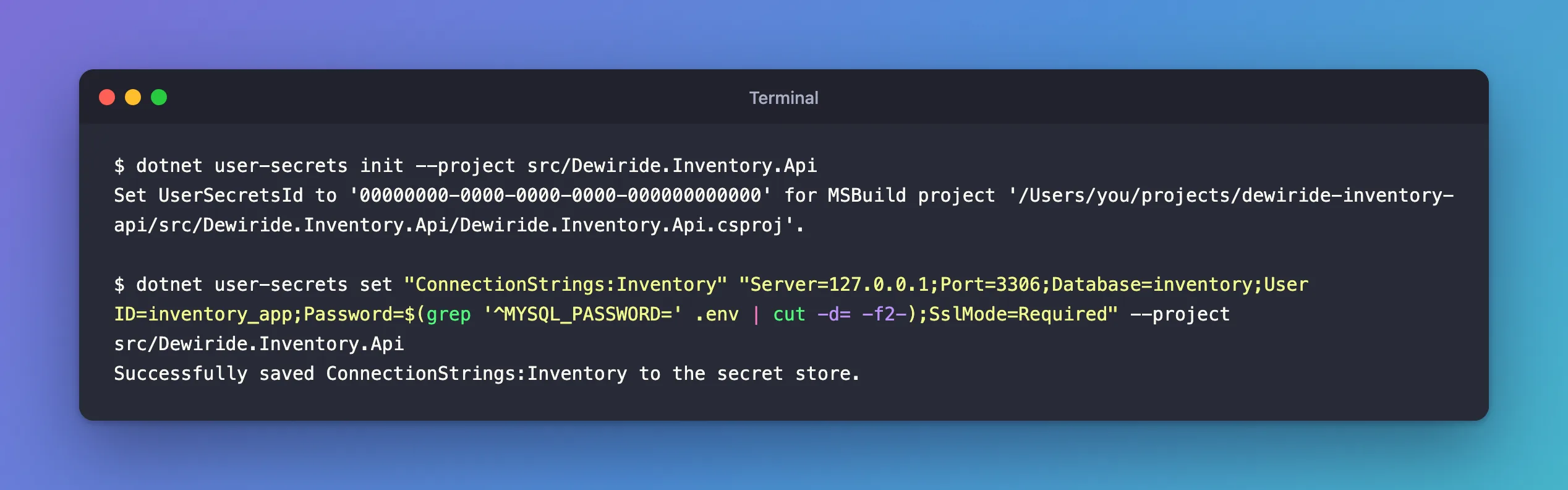
The key ConnectionStrings:Inventory uses a colon for each level, so it lands exactly where GetConnectionString("Inventory") looks. Outside development, the same setting comes from an environment variable named ConnectionStrings__Inventory, with two underscores, because not every operating system accepts colons in variable names.
Microsoft's documentation is clear that Secret Manager "doesn't encrypt the stored secrets and shouldn't be treated as a trusted store." It keeps passwords out of your code and out of Git, and that's its job. On a server, give the app the connection string through an environment variable or your platform's secret store.
Step 9: Run the API and Check the Connection
Start the API:
dotnet run --project src/Dewiride.Inventory.Api
Using launch settings from src/Dewiride.Inventory.Api/Properties/launchSettings.json...
Building...
info: Microsoft.Hosting.Lifetime[14]
      Now listening on: http://localhost:5190
info: Microsoft.Hosting.Lifetime[0]
      Application started. Press Ctrl+C to shut down.
info: Microsoft.Hosting.Lifetime[0]
      Hosting environment: Development
info: Microsoft.Hosting.Lifetime[0]
      Content root path: /Users/you/projects/dewiride-inventory-api/src/Dewiride.Inventory.Api
Hosting environment: Development is important: user-secrets are only read in Development, and the http profile in launchSettings.json sets it. Leave this terminal running and open a second one in the project folder. Ask the liveness endpoint first:
- macOS / Linux
- Windows (PowerShell)
curl -i http://localhost:5190/health/live
curl.exe -i http://localhost:5190/health/live
In Windows PowerShell, curl on its own is a different command, so type curl.exe.
HTTP/1.1 200 OK
Content-Type: text/plain
Date: Mon, 02 Nov 2026 16:25:11 GMT
Server: Kestrel
Cache-Control: no-store, no-cache
Expires: Thu, 01 Jan 1970 00:00:00 GMT
Pragma: no-cache
Transfer-Encoding: chunked

Healthy
-i shows the response headers as well as the body. Now the one that matters, readiness, which really connects to MySQL:
- macOS / Linux
- Windows (PowerShell)
curl -i http://localhost:5190/health/ready
curl.exe -i http://localhost:5190/health/ready
HTTP/1.1 200 OK
Content-Type: text/plain
Date: Mon, 02 Nov 2026 16:25:13 GMT
Server: Kestrel
Cache-Control: no-store, no-cache
Expires: Thu, 01 Jan 1970 00:00:00 GMT
Pragma: no-cache
Transfer-Encoding: chunked

Healthy
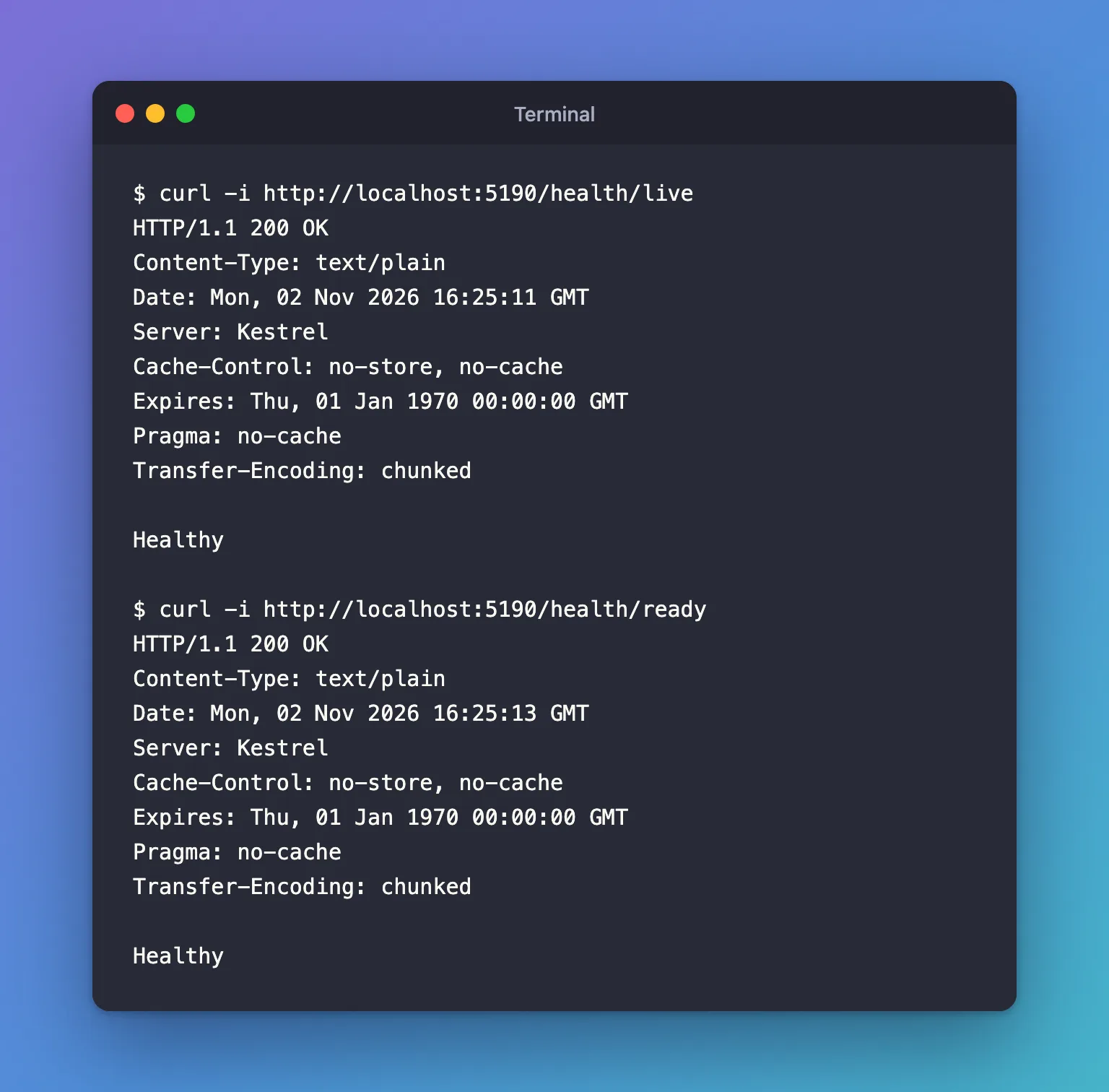
Your .NET C# Web API is connected to MySQL. 200 OK with Healthy means the API opened an encrypted connection, signed in as inventory_app and found the inventory database. The three no-cache headers come from the health check middleware, so that no proxy ever serves an old answer.
See which provider EF Core loaded
EF Core can tell you exactly what it's running with. Stop the API with Ctrl+C, then start it with EF Core's own log messages turned up to Debug for this one run:
dotnet run --project src/Dewiride.Inventory.Api -- --Logging:LogLevel:Microsoft.EntityFrameworkCore=Debug
Everything after -- goes to the app instead of to dotnet run, and --Logging:LogLevel:…=Debug overrides that one log setting, for this run only. Call /health/ready again from the second terminal, and these lines appear:
dbug: Microsoft.EntityFrameworkCore.Infrastructure[10401]
      An 'IServiceProvider' was created for internal use by Entity Framework.
dbug: Microsoft.EntityFrameworkCore.Infrastructure[10403]
      Entity Framework Core 10.0.14 initialized 'InventoryDbContext' using provider 'MySql.EntityFrameworkCore:10.0.12.0+MySQL26.10.0' with options: CommandTimeout=30
dbug: Microsoft.EntityFrameworkCore.Infrastructure[10407]
      'InventoryDbContext' disposed.
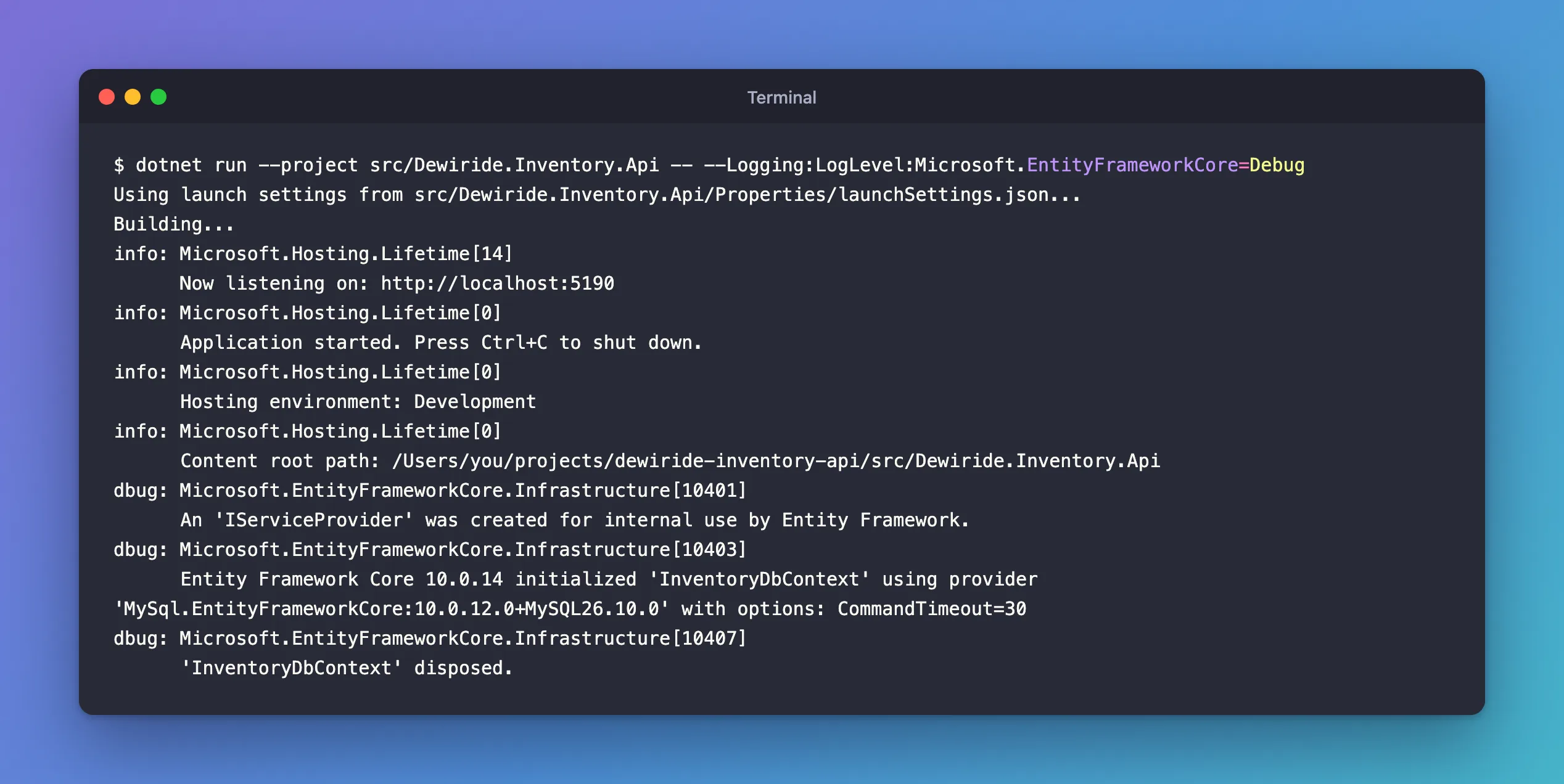
The middle line confirms the whole chain: EF Core 10.0.14, Oracle's provider 10.0.12 on Connector/NET 26.10, and your CommandTimeout of 30 seconds. The last line shows the context being disposed when the request ended, as AddDbContext promised. Stop the API with Ctrl+C and start it again without the extra setting, as before, for the next steps.
Step 10: See the Connection from Inside MySQL
The health check said the API connected. MySQL keeps its own records of every connection, so you can confirm it from the other side. Call /health/ready once more so there's a fresh connection, then open the mysql client as root, MySQL's administrator, in the second terminal:
docker compose exec mysql mysql --user=root --password
Paste the MYSQL_ROOT_PASSWORD value from .env at the prompt. How to Connect to MySQL in a Docker Container with the mysql Client explains this command. Every query below only reads MySQL's built-in tables, so it changes nothing.
Is the API connected?
SELECT ID, USER, HOST, DB, COMMAND, TIME
FROM performance_schema.processlist
WHERE USER = 'inventory_app';
+----+---------------+------------------+------+---------+------+
| ID | USER          | HOST             | DB   | COMMAND | TIME |
+----+---------------+------------------+------+---------+------+
| 70 | inventory_app | 172.19.0.1:63606 | NULL | Sleep   |    3 |
+----+---------------+------------------+------+---------+------+
1 row in set (0.001 sec)
There's the API's connection, and each column tells you something:
COMMANDisSleepandTIMEis 3. The health check finished 3 seconds ago, but the connection is still open. That's the connection pool at work: when the request ended, the driver kept the connection for the next one instead of closing it. Oracle's documentation says the pool removes connections that have been idle for more than three minutes.HOSTis172.19.0.1, not your computer's address. Docker forwards the published port through the gateway of the network Compose created, so from MySQL's point of view, the API connects from there.DBisNULL, even though the connection string saysDatabase=inventory. The fourth query in this step explains why.
To see that address, run this in another terminal window on your computer, not inside mysql. Compose named the network after the project, dewiride-inventory, plus _default:
docker network inspect dewiride-inventory_default --format '{{range .IPAM.Config}}{{.Subnet}} gateway {{.Gateway}}{{end}}'
172.19.0.0/16 gateway 172.19.0.1
That's also why the official image creates the account as 'inventory_app'@'%', meaning "from any host": an account limited to localhost couldn't sign in from 172.19.0.1.
Many guides use SHOW PROCESSLIST for this. In MySQL 9.7 it still works, but it prints 1 warning: its implementation is deprecated. Fixed: Warning 1287: 'INFORMATION_SCHEMA.PROCESSLIST' is deprecated shows the warning and the replacement used above.
Is the connection encrypted?
SELECT t.PROCESSLIST_ID AS id, s.VARIABLE_NAME, s.VARIABLE_VALUE
FROM performance_schema.threads AS t
JOIN performance_schema.status_by_thread AS s ON s.THREAD_ID = t.THREAD_ID
WHERE t.PROCESSLIST_USER = 'inventory_app'
  AND s.VARIABLE_NAME IN ('Ssl_version', 'Ssl_cipher');
+------+---------------+-----------------------------+
| id   | VARIABLE_NAME | VARIABLE_VALUE              |
+------+---------------+-----------------------------+
|   70 | Ssl_cipher    | ECDHE-RSA-AES128-GCM-SHA256 |
|   70 | Ssl_version   | TLSv1.2                     |
+------+---------------+-----------------------------+
2 rows in set (0.006 sec)
Yes: the API's connection (ID 70, the same one as above) uses TLS 1.2 with an AES-GCM cipher. An unencrypted connection would show empty values here. How to Check if a MySQL Connection Uses TLS explains these values.
Why TLS 1.2 and not 1.3? MySQL accepts both (its tls_version setting is TLSv1.2,TLSv1.3). I ran this on a Mac, and the .NET 10 documentation explains that on macOS, .NET's TLS uses Apple's Secure Transport by default, "which doesn't support TLS 1.3". TLS 1.2 with this cipher is still secure.
Which driver is it?
SELECT a.ATTR_NAME, a.ATTR_VALUE
FROM performance_schema.session_connect_attrs AS a
JOIN performance_schema.threads AS t ON t.PROCESSLIST_ID = a.PROCESSLIST_ID
WHERE t.PROCESSLIST_USER = 'inventory_app'
  AND a.ATTR_NAME IN ('_client_name', '_client_version', '_framework');
+-----------------+---------------------------+
| ATTR_NAME       | ATTR_VALUE                |
+-----------------+---------------------------+
| _client_name    | mysql-connector-net       |
| _client_version | 26.10.0.0                 |
| _framework      | .NETCoreApp,Version=v10.0 |
+-----------------+---------------------------+
3 rows in set (0.001 sec)
Drivers introduce themselves when they connect. This one is Connector/NET 26.10, Oracle's MySql.Data driver, running on .NET 10.
What did the health check send?
SELECT h.EVENT_ID, h.SQL_TEXT
FROM performance_schema.events_statements_history AS h
JOIN performance_schema.threads AS t ON t.THREAD_ID = h.THREAD_ID
WHERE t.PROCESSLIST_USER = 'inventory_app'
ORDER BY h.EVENT_ID;
+----------+---------------------------------------------------------------------------------------------------------------------------------------------------------+
| EVENT_ID | SQL_TEXT                                                                                                                                                |
+----------+---------------------------------------------------------------------------------------------------------------------------------------------------------+
|        1 | SELECT @@max_allowed_packet, @@character_set_client,
        @@character_set_connection, @@license, @@sql_mode, @@lower_case_table_names, @@autocommit |
|        2 | SELECT TIMEDIFF(NOW(), UTC_TIMESTAMP())                                                                                                                 |
|        3 | SHOW COLLATION                                                                                                                                          |
|        5 | SET NAMES utf8mb4                                                                                                                                       |
|        6 | SET character_set_results=NULL                                                                                                                          |
|        7 | SHOW DATABASES LIKE 'inventory'                                                                                                                         |
+----------+---------------------------------------------------------------------------------------------------------------------------------------------------------+
6 rows in set (0.002 sec)
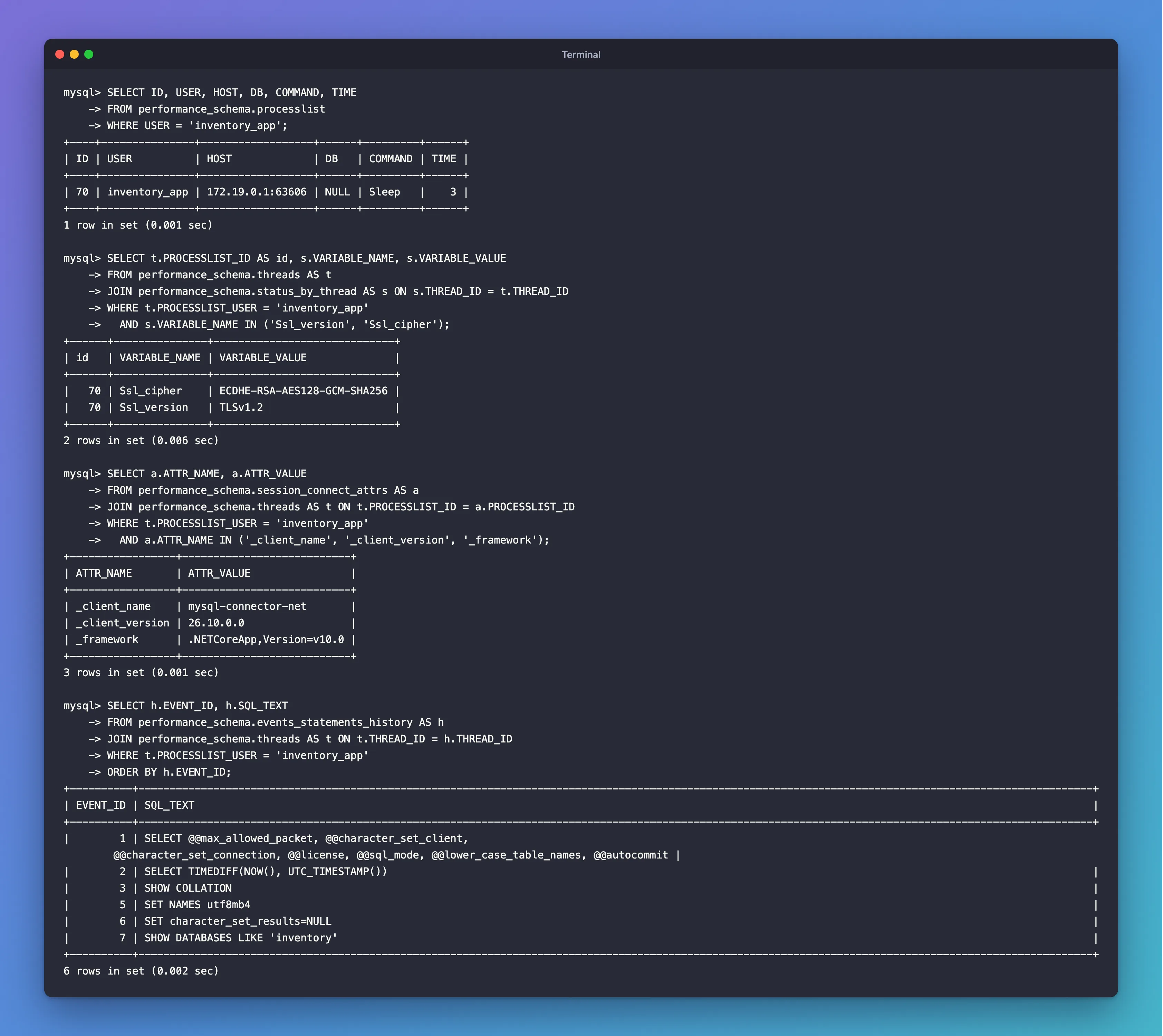
MySQL keeps the last few statements of every connection, and these are the API's:
- Statements 1 to 6 are the driver setting up its new connection: it reads a few server settings, compares the server's clock with UTC, loads the list of collations, and runs
SET NAMES utf8mb4, so every string travels as full UTF-8, emoji included. The first statement spans two lines, which is how the driver sent it. How to Check the MySQL Character Set and Collation explainsutf8mb4. - Statement 7 is the health check itself. To answer
CanConnectAsync, Oracle's provider asks MySQL whether theinventorydatabase exists. It does that on a connection opened without a default database, which is whyDBshowedNULLearlier. So aHealthyanswer proves three things: MySQL is reachable, the account can sign in, and theinventorydatabase exists for that account.
How does the account sign in?
SELECT user, host, plugin FROM mysql.user WHERE user = 'inventory_app';
+---------------+------+-----------------------+
| user          | host | plugin                |
+---------------+------+-----------------------+
| inventory_app | %    | caching_sha2_password |
+---------------+------+-----------------------+
1 row in set (0.000 sec)
caching_sha2_password is MySQL 9.7's sign-in method. MySQL's documentation says that to use it, a client "must use either a secure connection or an unencrypted connection that supports password exchange using an RSA key pair". The API uses the first option: TLS.
Type exit to leave the mysql client, and keep the API running for the next step.
Step 11: See What Happens When MySQL Is Down
A real database restarts sometimes, for updates or maintenance. Check that the API reports it honestly. With the API still running, stop MySQL from the second terminal:
docker compose stop
[+] stop 1/1
 ✔ Container dewiride-inventory-mysql-1 Stopped                                                           3.2s
Ask the liveness endpoint:
- macOS / Linux
- Windows (PowerShell)
curl -i http://localhost:5190/health/live
curl.exe -i http://localhost:5190/health/live
HTTP/1.1 200 OK
Content-Type: text/plain
Date: Mon, 02 Nov 2026 16:44:55 GMT
Server: Kestrel
Cache-Control: no-store, no-cache
Expires: Thu, 01 Jan 1970 00:00:00 GMT
Pragma: no-cache
Transfer-Encoding: chunked

Healthy
Still 200 OK, because the API process is fine. Now readiness:
- macOS / Linux
- Windows (PowerShell)
curl -i http://localhost:5190/health/ready
curl.exe -i http://localhost:5190/health/ready
HTTP/1.1 503 Service Unavailable
Content-Type: text/plain
Date: Mon, 02 Nov 2026 16:44:56 GMT
Server: Kestrel
Cache-Control: no-store, no-cache
Expires: Thu, 01 Jan 1970 00:00:00 GMT
Pragma: no-cache
Transfer-Encoding: chunked

Unhealthy
503 Service Unavailable with Unhealthy: the API can't reach MySQL, and it says so. The first terminal, where the API runs, logs the failed check:
fail: Microsoft.Extensions.Diagnostics.HealthChecks.DefaultHealthCheckService[103]
      Health check mysql with status Unhealthy completed after 21.9302ms with message '(null)'
The check answered in about 22 milliseconds, because a stopped container's port refuses connections at once. message '(null)' is normal for this check: CanConnectAsync only answers yes or no, without details.
That difference between the two endpoints is the reason for having both. A hosting platform restarts an app whose liveness check fails, but only stops sending traffic to an app whose readiness check fails. Here, restarting the API wouldn't bring MySQL back, so readiness is the right one to fail.
Start MySQL again:
docker compose start --wait
[+] start 1/1
 ✔ Container dewiride-inventory-mysql-1 Healthy                                                           2.6s
And ask readiness once more:
- macOS / Linux
- Windows (PowerShell)
curl -i http://localhost:5190/health/ready
curl.exe -i http://localhost:5190/health/ready
HTTP/1.1 200 OK
Content-Type: text/plain
Date: Mon, 02 Nov 2026 16:45:01 GMT
Server: Kestrel
Cache-Control: no-store, no-cache
Expires: Thu, 01 Jan 1970 00:00:00 GMT
Pragma: no-cache
Transfer-Encoding: chunked

Healthy
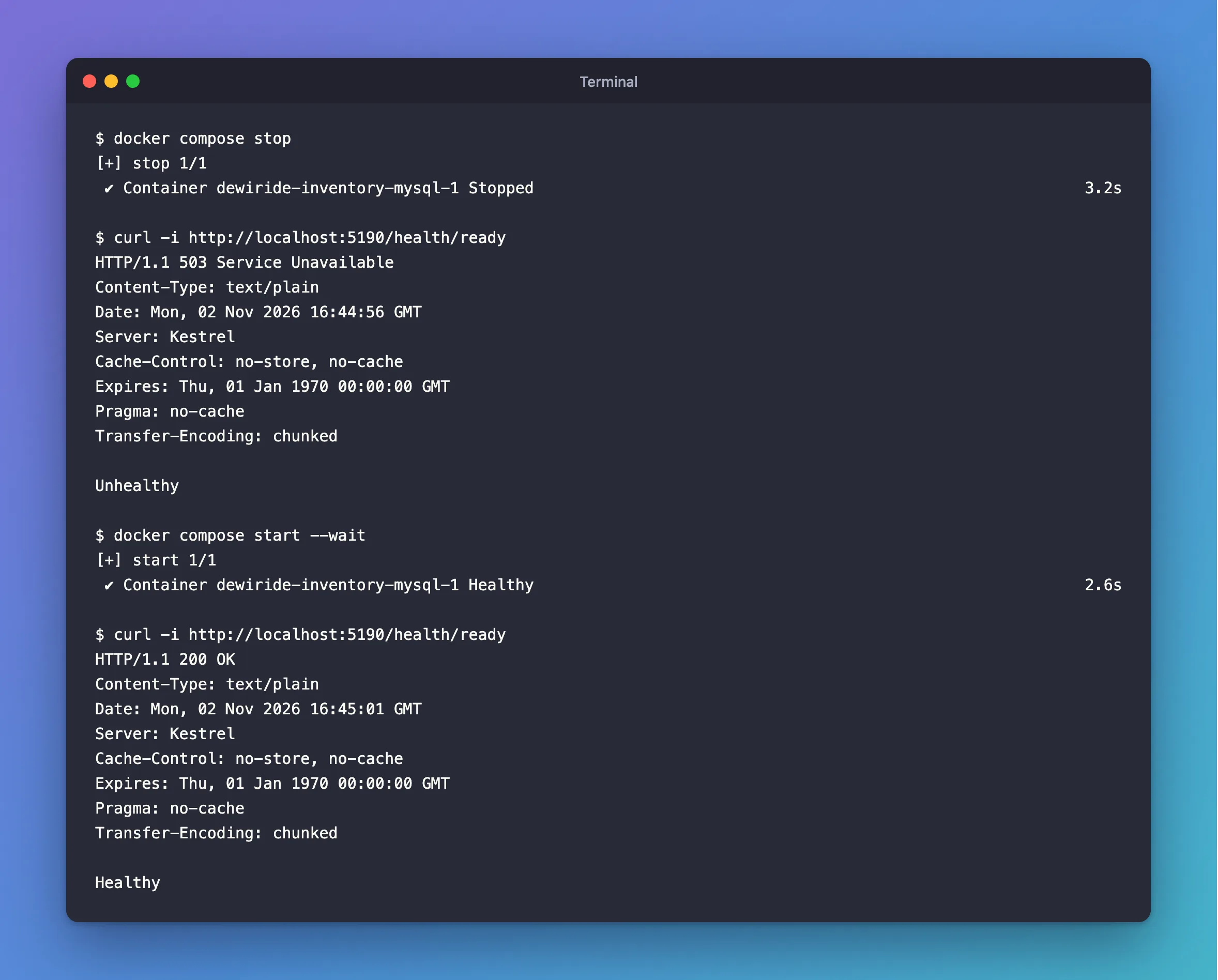
Healthy again, without restarting the API. The pooled connection died with the old MySQL process, and the driver opened a new one on the next request. Stop the API with Ctrl+C in its terminal.
Step 12: Commit Your Work
Check what changed, then save it in Git. How to Create a Git Repository and Make Your First Commit explains these commands.
git status --short
 M Directory.Packages.props
 M src/Dewiride.Inventory.Api/Dewiride.Inventory.Api.csproj
 M src/Dewiride.Inventory.Api/Dewiride.Inventory.Api.http
 M src/Dewiride.Inventory.Api/Program.cs
 M src/Dewiride.Inventory.Api/appsettings.json
 M src/Dewiride.Inventory.Data/Dewiride.Inventory.Data.csproj
?? src/Dewiride.Inventory.Data/DatabaseOptions.cs
?? src/Dewiride.Inventory.Data/InventoryDataServiceCollectionExtensions.cs
?? src/Dewiride.Inventory.Data/InventoryDbContext.cs
M means modified and ?? means new. Look at what's missing: no file holds the password. It lives in your user profile, where Git never looks.
git add .
git commit -m "Connect the API to MySQL with EF Core and add health checks"
[main e971ba2] Connect the API to MySQL with EF Core and add health checks
 9 files changed, 149 insertions(+), 3 deletions(-)
 create mode 100644 src/Dewiride.Inventory.Data/DatabaseOptions.cs
 create mode 100644 src/Dewiride.Inventory.Data/InventoryDataServiceCollectionExtensions.cs
 create mode 100644 src/Dewiride.Inventory.Data/InventoryDbContext.cs
Your commit ID will be different.
Your Project Now Looks Like This
dewiride-inventory-api/
├── …                                          the solution files from the starting point
└── src/
    ├── Dewiride.Inventory.Api/
    │   ├── Dewiride.Inventory.Api.csproj       now with a UserSecretsId and the health check package
    │   ├── Dewiride.Inventory.Api.http         calls /health/live, /health/ready and /openapi/v1.json
    │   ├── Program.cs                          AddInventoryData, health checks, two endpoints
    │   ├── Properties/launchSettings.json
    │   ├── appsettings.Development.json
    │   └── appsettings.json                    the Database section, no connection string
    └── Dewiride.Inventory.Data/
        ├── DatabaseOptions.cs                  retry and timeout settings, validated at startup
        ├── Dewiride.Inventory.Data.csproj      Oracle's provider and EF Core 10.0.14
        ├── InventoryDataServiceCollectionExtensions.cs   AddInventoryData with UseMySQL
        └── InventoryDbContext.cs               the DbContext, no tables yet
Plus, outside the folder: the connection string in your user-secrets store, and the MySQL data in the dewiride-inventory_mysql-data Docker volume.
Stop When You're Done
Stop the API with Ctrl+C, and stop MySQL so it doesn't use memory in the background. Your data stays:
docker compose stop
Next time, start MySQL with docker compose start --wait before you run the API. Keep everything, because Part 2 continues from here. How to Stop, Start and Remove Docker Compose Containers Without Losing Data explains the difference between these commands.
If you ever want to remove everything, run these from the project folder. The second and third delete the database and its data for good:
dotnet user-secrets clear --project src/Dewiride.Inventory.Apiremoves the stored connection string.docker compose down -vremoves the container, its network and themysql-datavolume with all its data.docker image rm mysql:9.7frees the space the MySQL image uses.- Delete the
dewiride-inventory-apifolder.
Common Mistakes
| Mistake | What happens | Do this instead |
|---|---|---|
| Using Pomelo's provider with .NET 10 | Its newest release only supports EF Core 9 | Use Oracle's MySql.EntityFrameworkCore 10.0.12 |
Writing UseMySql (lowercase "ql") | That's Pomelo's method, so the code doesn't compile with Oracle's package | Write UseMySQL |
Putting the connection string in appsettings.json | The password ends up in Git | Use user-secrets in development and an environment variable elsewhere |
Signing in as root from the app | A bug in the app could change or drop anything | Use the inventory_app account |
Leaving out SslMode | The driver uses Preferred, which falls back to an unencrypted connection without telling you | Add SslMode=Required |
| Running the API outside Development | It doesn't read user-secrets and stops with the missing-connection-string error | Use the http launch profile, or set the environment variable |
Troubleshooting
| Symptom | Likely cause | Fix |
|---|---|---|
System.InvalidOperationException: The connection string 'ConnectionStrings:Inventory' is missing | The secret isn't set, or the app isn't running in Development | Run Step 8 again; check that the output says Hosting environment: Development |
/health/ready returns 503 with Unhealthy | MySQL is stopped, the password is wrong, or the inventory database doesn't exist | Run docker compose ps; check the password in .env; see the fix below for a changed password |
/health/ready fails after you changed MYSQL_PASSWORD in .env | MySQL kept the original password | See Fixed: ERROR 1045 (28000): Access denied for user, then set the user-secret again |
curl: (7) Failed to connect to localhost port 5190 after 0 ms: Couldn't connect to server | The API isn't running | Start it with dotnet run --project src/Dewiride.Inventory.Api |
SHOW PROCESSLIST says 1 warning | Its implementation is deprecated in MySQL 9.7 | Query performance_schema.processlist, see the 1287 fix |
FAQ
Why EF Core instead of plain SQL?
EF Core is the standard data library for .NET. It maps rows to C# objects, builds SQL from LINQ, and manages the schema with migrations, which Part 2 uses. You can still see every SQL statement it sends, and later parts use MySQL features directly where they matter.
Can I use Pomelo instead of Oracle's provider?
Not with EF Core 10. Pomelo's newest release supports EF Core 9 only. If your project is still on .NET 9, Pomelo is an option there; this series uses the newest releases.
Is my password safe in user-secrets?
It's out of your project folder and out of Git, which is what matters during development. It isn't encrypted on disk, though, so Microsoft calls Secret Manager a development tool only. On servers, use environment variables or a secret store.
Does SslMode=Required protect against a fake server?
No. It encrypts the connection but doesn't check the server's certificate, so it stops eavesdropping, not impersonation. VerifyCA and VerifyFull add that check; Part 5 sets one up with the certificate MySQL created.
Why does MySQL see the API connecting from 172.19.0.1?
Docker Desktop forwards the published port into the container through the Compose network's gateway, which is 172.19.0.1 here. Your network may use a different address.
Why TLS 1.2 on my Mac?
.NET 10 on macOS uses Apple's Secure Transport for TLS by default, and Secure Transport doesn't support TLS 1.3. TLS 1.2 is secure, and MySQL accepts it.
Why .NET 10 and not .NET 11?
.NET 11 is a release candidate, not a final (GA) release. The series always uses the newest GA versions, and today that's .NET 10.
Conclusion
Your .NET C# Web API is connected to MySQL. Oracle's provider and EF Core 10.0.14 are installed, InventoryDbContext is registered with UseMySQL, retries and a command timeout come from validated settings, and the connection string lives in user-secrets, out of your code and out of Git. You proved the connection from both sides:
/health/readyanswersHealthy, and503while MySQL is down;- MySQL shows the connection as
inventory_app, encrypted with TLS, made by Connector/NET 26.10, and kept open in the pool.
Next → Part 2: Create MySQL Tables with EF Core Migrations. You'll describe the inventory data in C# classes and let EF Core create the matching MySQL tables, with the right column types.
Additional Resources
- Connector/NET and Entity Framework Core — Oracle's documentation for MySql.EntityFrameworkCore.
- Connector/NET Connection Options Reference — every connection string setting and its default.
- Connection Resiliency — how EF Core retries failed operations.
- Health checks in ASP.NET Core — liveness, readiness and the DbContext check.
- Safe storage of app secrets in development — Microsoft's guide to Secret Manager.
- The processlist Table — MySQL's list of connections.
