Build an AI Lead Qualification Agent with Claude and Python — Part 6: Handle Errors and Log Safely

Every service that depends on another service will one day see it fail. In this part the Lead Qualifier learns to fail well. Every problem with Claude becomes a clear HTTP response the caller can act on, slow requests stop at a timeout, and every lead writes one log line with its cost. That line says nothing about the customer.
This is Part 6 of a 7-part series.
- Part 1: Overview, Architecture and Your Claude API Key
- Part 2: Create a Production-Grade Python Project with uv and FastAPI
- Part 3: Design the Lead Data Model with Pydantic
- Part 4: Qualify Your First Lead with Claude Structured Outputs
- Part 5: Score and Prioritize Leads You Can Explain
- Part 6: Handle Errors and Log Safely (you are here)
- Part 7: Test the Lead Qualifier with pytest
Every command, response and log line on this page is real, captured while building the project.
What You Will Build
Until now, any problem talking to Claude produced a bare 500 Internal Server Error. After this part, each kind of failure gets its own response:
| What went wrong | Status your API returns | What the caller should do |
|---|---|---|
| Claude declined to analyze the inquiry | 422 Unprocessable Content | Have a person review that inquiry |
| Claude's answer was cut off | 502 Bad Gateway | Try again |
| Rate limit or spend limit reached | 503 Service Unavailable (+ Retry-After when Claude gives one) | Try again later |
| Claude is overloaded or has an internal error | 503 Service Unavailable | Try again later |
| No answer within the timeout | 504 Gateway Timeout | Try again |
| Claude could not be reached at all | 502 Bad Gateway | Try again |
| Claude rejected the request (bad key, no credit) | 502 Bad Gateway | Nothing: an operator must fix the setup |
Every error body has the same two fields, and every response, error or not, carries an X-Request-ID header:
{"detail":"The AI service took too long to answer. Please try again.","request_id":"d909164dd46b"}
Behind the scenes, every request writes log lines tagged with that same ID. One line per lead records the intent, score, model, tokens and duration. It never records the inquiry, a name, an email or the reply.
New and changed files:
src/lead_qualifier/
├── logging_config.py     new: log format and request IDs
├── config.py             changed: timeout, retries and log level
├── main.py               changed: wires everything together
└── api/
    ├── errors.py         new: failure → HTTP response
    ├── middleware.py     new: an ID for every request
    └── leads.py          changed: one safe log line per lead
Why This Matters
The Lead Qualifier depends on a service it does not control. Most of the time Claude answers in about five seconds. But networks drop, busy periods hit rate limits, and a forgotten top-up empties the credit balance. A production service has to answer three questions every time that happens:
- The caller asks: should I retry? A
503means "yes, later". A502caused by a bad API key means "retrying will not help". Status codes are how a website form or a CRM workflow decides automatically. - The operator asks: what happened to request X? A request ID ties the caller's error message to the exact log lines that explain it.
- The law asks: where does personal data go? Inquiries contain names, emails and phone numbers. Logs are often kept longer, copied to more systems and read by more people than the data itself. Under privacy laws such as the GDPR, every copy of personal data needs a reason. The simplest rule is to never put customer data in logs.
What This Part Costs
Step 8 sends two real inquiries, about 4 cents together; the log lines show exactly how much each one cost. In Step 9, the fake-key request is rejected by Claude before any work is done, and the timeout request costs a cent or two at most.
Prerequisites
Finish Part 5: POST /api/v1/leads/qualify returns a scored lead. Run every command from the project root. The commands are the same in every shell unless a step shows tabs.
Step 1: Add Timeout, Retry and Log Settings
Open src/lead_qualifier/config.py and add three fields inside Settings, straight after claude_max_tokens:
    claude_timeout_seconds: float = Field(
        default=30,
        gt=0,
        description="How long to wait for one answer from Claude before giving up.",
    )
    claude_max_retries: int = Field(
        default=2,
        ge=0,
        description="How many times to retry when Claude is busy or cannot be reached.",
    )
    log_level: Literal["DEBUG", "INFO", "WARNING", "ERROR"] = Field(
        default="INFO",
        description="How much detail to write to the log.",
    )
Anthropic's SDK already retries automatically. It tries again after a connection error, a timeout, a 429 rate limit or a 5xx server error, waiting a little longer each time. These two settings put you in control of that behavior:
claude_timeout_secondsis how long one attempt may take. The SDK's default is 10 minutes, far too long for someone waiting on a contact form. A normal lead takes about five seconds, so 30 is generous.claude_max_retriesis how many extra attempts to make.2(the SDK's own default) means up to three attempts in total.
So the longest a caller can wait is roughly three attempts of 30 seconds, plus short pauses between them.
Document the new settings at the end of .env.example, commented out because the defaults are sensible:
# LEAD_QUALIFIER_CLAUDE_TIMEOUT_SECONDS=30
# LEAD_QUALIFIER_CLAUDE_MAX_RETRIES=2
# LEAD_QUALIFIER_LOG_LEVEL=INFO
Add the same three lines to your own .env so it keeps matching the template.
Step 2: Tag Every Log Line with a Request ID
Create src/lead_qualifier/logging_config.py:
"""Logging: one readable line per event, tagged with a request ID, never with customer data."""

import logging
from contextvars import ContextVar

# The ID of the request being handled right now, or "-" outside a request.
request_id_var: ContextVar[str] = ContextVar("request_id", default="-")


class RequestIdFilter(logging.Filter):
    """Adds the current request ID to every log record."""

    def filter(self, record: logging.LogRecord) -> bool:
        record.request_id = request_id_var.get()
        return True


def configure_logging(level: str) -> None:
    """Send the app's log lines to the terminal in one consistent format."""
    handler = logging.StreamHandler()
    handler.addFilter(RequestIdFilter())
    handler.setFormatter(
        logging.Formatter("%(asctime)s %(levelname)s [%(request_id)s] %(name)s: %(message)s")
    )
    app_logger = logging.getLogger("lead_qualifier")
    app_logger.handlers = [handler]
    app_logger.setLevel(level)
    app_logger.propagate = False
Three ideas work together here:
ContextVarstores a value per request. A server handles many requests at once, so a normal global variable would mix their IDs up. A context variable gives each request its own copy, even acrossawait.RequestIdFilterruns for every log line and copies the current request's ID onto it.configure_loggingsets the format: time, level,[request ID], which module wrote the line, then the message. It configures only the app's ownlead_qualifierloggers, so Uvicorn's request log keeps its familiar format.propagate = Falsestops each line from being printed twice.
Step 3: Give Every Request an ID
Create src/lead_qualifier/api/middleware.py:
"""Gives every request an ID, so its log lines and its response can be matched up."""

import re
import uuid
from collections.abc import Awaitable, Callable

from fastapi import Request, Response

from lead_qualifier.logging_config import request_id_var

# Accept a caller's ID only if it is short and plain, so it cannot break the log format.
SAFE_REQUEST_ID = re.compile(r"[A-Za-z0-9-]{1,64}")


async def add_request_id(
    request: Request, call_next: Callable[[Request], Awaitable[Response]]
) -> Response:
    """Use the caller's X-Request-ID if it is safe, or create one, and return it in the response."""
    incoming = request.headers.get("X-Request-ID", "")
    request_id = incoming if SAFE_REQUEST_ID.fullmatch(incoming) else uuid.uuid4().hex[:12]

    token = request_id_var.set(request_id)
    try:
        response = await call_next(request)
    finally:
        request_id_var.reset(token)
    response.headers["X-Request-ID"] = request_id
    return response
Middleware is code that wraps every request: it runs before your endpoint, calls it with call_next, and runs again afterwards.
- The caller can bring its own ID. If a CRM sends
X-Request-ID: crm-lead-20391, that ID appears in your logs, so both systems can be searched for the same request. Otherwise the middleware creates a random 12-character one. - Only safe IDs are accepted.
SAFE_REQUEST_IDallows up to 64 letters, digits and dashes. Without that check, a caller could send an "ID" containing a line break and forge fake lines in your log, an attack called log injection. setandresetbracket the request. Thefinallyblock clears the ID even if the request fails, so it never leaks into the next one.- The ID goes back in the response header, so whoever called the API can quote it when reporting a problem.
Step 4: Turn Failures into Clear Responses
Create src/lead_qualifier/api/errors.py. Start with the imports and the shape every error shares:
"""Turns every failure into a clear HTTP response, and logs it without customer data."""

import logging

import anthropic
from fastapi import FastAPI, Request
from fastapi.responses import JSONResponse

from lead_qualifier.analyzer import AnalysisIncompleteError, AnalysisRefusedError
from lead_qualifier.logging_config import request_id_var

logger = logging.getLogger(__name__)


def error_response(
    status_code: int, detail: str, headers: dict[str, str] | None = None
) -> JSONResponse:
    """The body every error shares: what went wrong, and the request ID to search the logs for."""
    return JSONResponse(
        status_code=status_code,
        content={"detail": detail, "request_id": request_id_var.get()},
        headers=headers,
    )
detail matches the field name FastAPI uses for its own errors, so callers handle every error the same way.
Next, one exception handler per kind of failure. A handler receives the error and returns a response. Add the two for your own errors from Part 4:
async def handle_refused(request: Request, exc: Exception) -> JSONResponse:
    logger.warning("Claude declined to analyze the inquiry")
    return error_response(
        422, "This inquiry could not be analyzed automatically. Review it manually."
    )


async def handle_incomplete(request: Request, exc: Exception) -> JSONResponse:
    logger.warning("Claude's answer was incomplete")
    return error_response(502, "The AI service returned an incomplete answer. Please try again.")
Then the ones for errors raised by Anthropic's SDK:
async def handle_rate_limit(request: Request, exc: anthropic.RateLimitError) -> JSONResponse:
    logger.warning("Claude rate or spend limit reached (claude_request_id=%s)", exc.request_id)
    retry_after = exc.response.headers.get("retry-after")
    headers = {"Retry-After": retry_after} if retry_after else None
    return error_response(
        503, "The AI service is busy or over its limit. Try again later.", headers
    )


async def handle_timeout(request: Request, exc: anthropic.APITimeoutError) -> JSONResponse:
    logger.warning("Claude did not answer in time")
    return error_response(504, "The AI service took too long to answer. Please try again.")


async def handle_connection_error(
    request: Request, exc: anthropic.APIConnectionError
) -> JSONResponse:
    logger.warning("Could not reach Claude: %s", exc.message)
    return error_response(502, "The AI service could not be reached. Please try again.")


async def handle_api_status(request: Request, exc: anthropic.APIStatusError) -> JSONResponse:
    if exc.status_code >= 500:
        logger.warning(
            "Claude returned HTTP %s (claude_request_id=%s)", exc.status_code, exc.request_id
        )
        return error_response(503, "The AI service is temporarily unavailable. Try again later.")
    # 400, 401, 403 and similar mean our setup is wrong: a bad key, no credit, a bad request.
    logger.error(
        "Claude rejected the request: HTTP %s %s (claude_request_id=%s)",
        exc.status_code,
        exc.message,
        exc.request_id,
    )
    return error_response(502, "The AI service rejected the request. Check the server log.")
A few details matter here:
- The caller sees a friendly sentence; the log keeps the technical detail. A caller never learns that your API key is invalid, which is information an attacker would enjoy. An operator searching the log for the request ID finds the full story.
exc.request_idis Anthropic's own ID for the failed request. Quote it if you ever contact Anthropic's support.Retry-Afteris passed on when Claude provides one, so a well-behaved caller knows exactly how long to wait.ERRORversusWARNING. A rejected request (4xx) means your setup is broken and someone must act, so it logs atERROR. A busy or unreachable Claude usually fixes itself, so those log atWARNING.
Finally, connect each error to its handler:
def register_error_handlers(app: FastAPI) -> None:
    """Connect each kind of failure to its handler. The most specific match wins."""
    app.add_exception_handler(AnalysisRefusedError, handle_refused)
    app.add_exception_handler(AnalysisIncompleteError, handle_incomplete)
    app.add_exception_handler(anthropic.RateLimitError, handle_rate_limit)
    app.add_exception_handler(anthropic.APITimeoutError, handle_timeout)
    app.add_exception_handler(anthropic.APIConnectionError, handle_connection_error)
    app.add_exception_handler(anthropic.APIStatusError, handle_api_status)
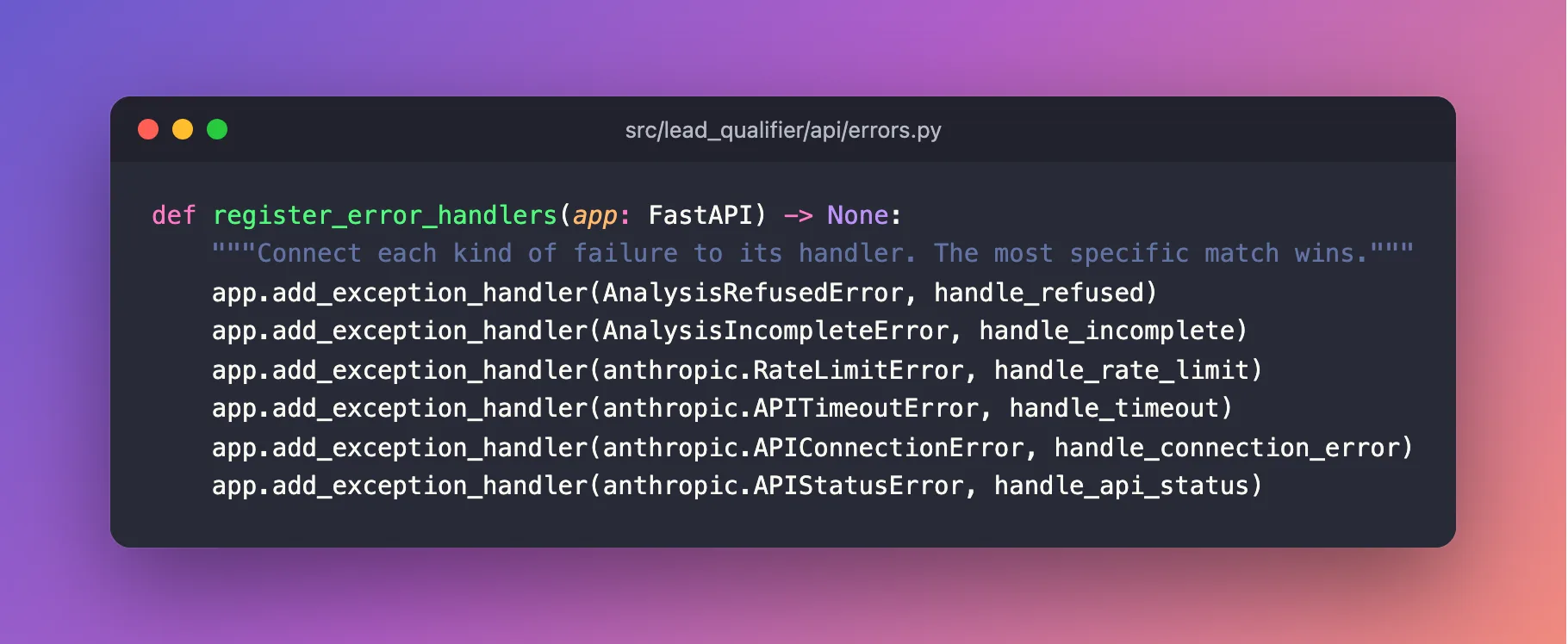
The SDK's errors form a family tree. RateLimitError is a kind of APIStatusError, and APITimeoutError is a kind of APIConnectionError. When an error happens, FastAPI picks the handler for the most specific matching class. So a rate limit goes to handle_rate_limit, while every other status error, such as 401 or 529 overloaded, falls through to handle_api_status.
The complete file:
"""Turns every failure into a clear HTTP response, and logs it without customer data."""

import logging

import anthropic
from fastapi import FastAPI, Request
from fastapi.responses import JSONResponse

from lead_qualifier.analyzer import AnalysisIncompleteError, AnalysisRefusedError
from lead_qualifier.logging_config import request_id_var

logger = logging.getLogger(__name__)


def error_response(
    status_code: int, detail: str, headers: dict[str, str] | None = None
) -> JSONResponse:
    """The body every error shares: what went wrong, and the request ID to search the logs for."""
    return JSONResponse(
        status_code=status_code,
        content={"detail": detail, "request_id": request_id_var.get()},
        headers=headers,
    )


async def handle_refused(request: Request, exc: Exception) -> JSONResponse:
    logger.warning("Claude declined to analyze the inquiry")
    return error_response(
        422, "This inquiry could not be analyzed automatically. Review it manually."
    )


async def handle_incomplete(request: Request, exc: Exception) -> JSONResponse:
    logger.warning("Claude's answer was incomplete")
    return error_response(502, "The AI service returned an incomplete answer. Please try again.")


async def handle_rate_limit(request: Request, exc: anthropic.RateLimitError) -> JSONResponse:
    logger.warning("Claude rate or spend limit reached (claude_request_id=%s)", exc.request_id)
    retry_after = exc.response.headers.get("retry-after")
    headers = {"Retry-After": retry_after} if retry_after else None
    return error_response(
        503, "The AI service is busy or over its limit. Try again later.", headers
    )


async def handle_timeout(request: Request, exc: anthropic.APITimeoutError) -> JSONResponse:
    logger.warning("Claude did not answer in time")
    return error_response(504, "The AI service took too long to answer. Please try again.")


async def handle_connection_error(
    request: Request, exc: anthropic.APIConnectionError
) -> JSONResponse:
    logger.warning("Could not reach Claude: %s", exc.message)
    return error_response(502, "The AI service could not be reached. Please try again.")


async def handle_api_status(request: Request, exc: anthropic.APIStatusError) -> JSONResponse:
    if exc.status_code >= 500:
        logger.warning(
            "Claude returned HTTP %s (claude_request_id=%s)", exc.status_code, exc.request_id
        )
        return error_response(503, "The AI service is temporarily unavailable. Try again later.")
    # 400, 401, 403 and similar mean our setup is wrong: a bad key, no credit, a bad request.
    logger.error(
        "Claude rejected the request: HTTP %s %s (claude_request_id=%s)",
        exc.status_code,
        exc.message,
        exc.request_id,
    )
    return error_response(502, "The AI service rejected the request. Check the server log.")


def register_error_handlers(app: FastAPI) -> None:
    """Connect each kind of failure to its handler. The most specific match wins."""
    app.add_exception_handler(AnalysisRefusedError, handle_refused)
    app.add_exception_handler(AnalysisIncompleteError, handle_incomplete)
    app.add_exception_handler(anthropic.RateLimitError, handle_rate_limit)
    app.add_exception_handler(anthropic.APITimeoutError, handle_timeout)
    app.add_exception_handler(anthropic.APIConnectionError, handle_connection_error)
    app.add_exception_handler(anthropic.APIStatusError, handle_api_status)
Step 5: Log Each Lead, Without Personal Data
Open src/lead_qualifier/api/leads.py. Add two imports at the top and create a logger below the imports:
import logging
import time
logger = logging.getLogger(__name__)
Then update qualify_lead so it times the request and writes one line before returning:
@router.post("/qualify", summary="Qualify one inquiry")
async def qualify_lead(
    lead: LeadRequest,
    analyzer: Annotated[LeadAnalyzer, Depends(get_analyzer)],
) -> LeadQualification:
    """Send the inquiry to Claude, then score what it found."""
    started = time.perf_counter()
    result = await analyzer.analyze(lead.message)
    lead_score = score_lead(result.analysis)

    # Numbers and labels only: never log the inquiry, the contact details or the reply.
    usage = result.usage
    logger.info(
        "Lead qualified: intent=%s score=%d priority=%s model=%s input_tokens=%d "
        "cache_read_tokens=%d cache_write_tokens=%d output_tokens=%d duration_ms=%d "
        "claude_request_id=%s",
        result.analysis.intent.value,
        lead_score.score,
        lead_score.priority.value,
        result.model,
        usage.input_tokens,
        usage.cache_read_input_tokens or 0,
        usage.cache_creation_input_tokens or 0,
        usage.output_tokens,
        (time.perf_counter() - started) * 1000,
        result.request_id,
    )

    return LeadQualification(
        **result.analysis.model_dump(),
        score=lead_score.score,
        priority=lead_score.priority,
        score_reasons=lead_score.reasons,
    )
This is where the AnalysisResult from Part 4 pays off: model, usage and request_id were carried along for exactly this line. What goes in, and what never does:
| Logged | Never logged |
|---|---|
| Intent, score, priority | The inquiry text |
| Model, token counts, cache hits | Names, emails, phone numbers, companies |
| Duration in milliseconds | The summary and the suggested reply |
| Anthropic's request ID | The API key |
time.perf_counter() is Python's precise stopwatch. logger.info(...) uses %s and %d placeholders rather than an f-string, so the line is only built if INFO messages are actually being written.
The complete file:
"""The lead qualification endpoint."""

import logging
import time
from typing import Annotated

from fastapi import APIRouter, Depends, Request

from lead_qualifier.analyzer import LeadAnalyzer
from lead_qualifier.models import LeadQualification, LeadRequest
from lead_qualifier.scoring import score_lead

logger = logging.getLogger(__name__)
router = APIRouter(prefix="/api/v1/leads", tags=["leads"])


def get_analyzer(request: Request) -> LeadAnalyzer:
    """Give each request the analyzer that was created at startup."""
    return request.app.state.analyzer


@router.post("/qualify", summary="Qualify one inquiry")
async def qualify_lead(
    lead: LeadRequest,
    analyzer: Annotated[LeadAnalyzer, Depends(get_analyzer)],
) -> LeadQualification:
    """Send the inquiry to Claude, then score what it found."""
    started = time.perf_counter()
    result = await analyzer.analyze(lead.message)
    lead_score = score_lead(result.analysis)

    # Numbers and labels only: never log the inquiry, the contact details or the reply.
    usage = result.usage
    logger.info(
        "Lead qualified: intent=%s score=%d priority=%s model=%s input_tokens=%d "
        "cache_read_tokens=%d cache_write_tokens=%d output_tokens=%d duration_ms=%d "
        "claude_request_id=%s",
        result.analysis.intent.value,
        lead_score.score,
        lead_score.priority.value,
        result.model,
        usage.input_tokens,
        usage.cache_read_input_tokens or 0,
        usage.cache_creation_input_tokens or 0,
        usage.output_tokens,
        (time.perf_counter() - started) * 1000,
        result.request_id,
    )

    return LeadQualification(
        **result.analysis.model_dump(),
        score=lead_score.score,
        priority=lead_score.priority,
        score_reasons=lead_score.reasons,
    )
Step 6: Wire It Up
Update src/lead_qualifier/main.py. The complete new version:
"""The FastAPI application: builds the app and wires its parts together."""

import logging
from collections.abc import AsyncIterator
from contextlib import asynccontextmanager

from anthropic import AsyncAnthropic
from fastapi import FastAPI

from lead_qualifier import __version__
from lead_qualifier.analyzer import LeadAnalyzer
from lead_qualifier.api.errors import register_error_handlers
from lead_qualifier.api.health import router as health_router
from lead_qualifier.api.leads import router as leads_router
from lead_qualifier.api.middleware import add_request_id
from lead_qualifier.config import get_settings
from lead_qualifier.logging_config import configure_logging

logger = logging.getLogger(__name__)


@asynccontextmanager
async def lifespan(app: FastAPI) -> AsyncIterator[None]:
    """Code before `yield` runs once at startup; code after it runs once at shutdown."""
    # Read the settings now, so a missing API key stops the app at startup,
    # not halfway through a customer's request.
    settings = get_settings()
    configure_logging(settings.log_level)
    app.state.settings = settings

    # One Claude client for the whole app. `async with` closes it cleanly at shutdown.
    async with AsyncAnthropic(
        api_key=settings.anthropic_api_key.get_secret_value(),
        timeout=settings.claude_timeout_seconds,
        max_retries=settings.claude_max_retries,
    ) as client:
        app.state.analyzer = LeadAnalyzer(client, settings)
        logger.info(
            "Lead Qualifier ready: model=%s effort=%s timeout=%ss retries=%d",
            settings.claude_model,
            settings.claude_effort,
            settings.claude_timeout_seconds,
            settings.claude_max_retries,
        )
        yield


def create_app() -> FastAPI:
    """Build and configure the FastAPI application."""
    app = FastAPI(
        title="Dewiride Lead Qualifier",
        summary="Qualify incoming sales inquiries with Claude.",
        version=__version__,
        lifespan=lifespan,
    )
    app.middleware("http")(add_request_id)
    register_error_handlers(app)
    app.include_router(health_router)
    app.include_router(leads_router)
    return app


app = create_app()
What changed since Part 4:
configure_logging(settings.log_level)runs first thing at startup.AsyncAnthropic(..., timeout=..., max_retries=...)applies the settings from Step 1 to every request.- The "ready" log line records which model and limits are active. When behavior changes, the log shows which configuration was running.
app.middleware("http")(add_request_id)wraps every request in the middleware from Step 3, andregister_error_handlers(app)connects the handlers from Step 4.
Step 7: Format, Check and Test
uv run ruff format
uv run ruff check
uv run pytest
17 files left unchanged
All checks passed!
============================= test session starts ==============================
platform darwin -- Python 3.14.8, pytest-9.1.1, pluggy-1.6.0
rootdir: /Users/you/source/dewiride-lead-qualifier
configfile: pyproject.toml
testpaths: tests
plugins: anyio-4.15.1
collected 19 items

tests/test_models.py .......                                             [ 36%]
tests/test_scoring.py ............                                       [100%]

============================== 19 passed in 0.84s ==============================
If ruff format says 1 file reformatted, it wrapped a long line you typed on one line; compare with the complete files above.
Step 8: Watch the Logs
Start the API:
uv run uvicorn lead_qualifier.main:app --reload
INFO:     Will watch for changes in these directories: ['/Users/you/source/dewiride-lead-qualifier']
INFO:     Uvicorn running on http://127.0.0.1:8000 (Press CTRL+C to quit)
INFO:     Started reloader process [15093] using WatchFiles
INFO:     Started server process [15095]
INFO:     Waiting for application startup.
2026-10-14 17:15:11,748 INFO [-] lead_qualifier.main: Lead Qualifier ready: model=claude-opus-5-5 effort=low timeout=30.0s retries=2
INFO:     Application startup complete.
The new line in your own format shows the active configuration. Its request ID is - because startup is not part of any request.
From a second terminal, send an inquiry with -i to see the headers:
- macOS / Linux
- Windows (PowerShell)
curl -i -X POST http://127.0.0.1:8000/api/v1/leads/qualify \
  -H "Content-Type: application/json" \
  -d '{"message": "How much do you charge for a 5-page website for a dental clinic? Just exploring options for now."}'
$body = @{ message = "How much do you charge for a 5-page website for a dental clinic? Just exploring options for now." } | ConvertTo-Json
Invoke-WebRequest -Method Post -Uri "http://127.0.0.1:8000/api/v1/leads/qualify" -ContentType "application/json" -Body $body | Select-Object StatusCode, Headers
HTTP/1.1 200 OK
date: Wed, 14 Oct 2026 11:45:11 GMT
server: uvicorn
content-length: 1405
content-type: application/json
x-request-id: 04771621d7e2
The response now carries x-request-id. Send a second inquiry straight away, this time with your own request ID, as a CRM would:
- macOS / Linux
- Windows (PowerShell)
curl -i -X POST http://127.0.0.1:8000/api/v1/leads/qualify \
  -H "Content-Type: application/json" \
  -H "X-Request-ID: crm-lead-20391" \
  -d '{"message": "Hello! We are Brightline Media, a digital marketing agency in Austin. We often have clients who need web development and would love to explore a white-label partnership with you. Carlos Diaz, Founder - carlos@example.com"}'
$body = @{ message = "Hello! We are Brightline Media, a digital marketing agency in Austin. We often have clients who need web development and would love to explore a white-label partnership with you. Carlos Diaz, Founder - carlos@example.com" } | ConvertTo-Json
Invoke-WebRequest -Method Post -Uri "http://127.0.0.1:8000/api/v1/leads/qualify" -ContentType "application/json" -Headers @{ "X-Request-ID" = "crm-lead-20391" } -Body $body | Select-Object StatusCode, Headers
HTTP/1.1 200 OK
date: Wed, 14 Oct 2026 11:45:17 GMT
server: uvicorn
content-length: 1488
content-type: application/json
x-request-id: crm-lead-20391
Now look at the server terminal. Anthropic's request IDs are shortened here:
2026-10-14 17:15:18,616 INFO [04771621d7e2] lead_qualifier.api.leads: Lead qualified: intent=sales_inquiry score=53 priority=medium model=claude-opus-5-5 input_tokens=50 cache_read_tokens=0 cache_write_tokens=3322 output_tokens=470 duration_ms=5914 claude_request_id=req_011C…
INFO:     127.0.0.1:62744 - "POST /api/v1/leads/qualify HTTP/1.1" 200 OK
2026-10-14 17:15:23,891 INFO [crm-lead-20391] lead_qualifier.api.leads: Lead qualified: intent=partnership score=40 priority=medium model=claude-opus-5-5 input_tokens=91 cache_read_tokens=3322 cache_write_tokens=0 output_tokens=509 duration_ms=5258 claude_request_id=req_011C…
INFO:     127.0.0.1:62746 - "POST /api/v1/leads/qualify HTTP/1.1" 200 OK
Every line answers a real operational question:
- Which request is which? The IDs in brackets match the
x-request-idheaders, includingcrm-lead-20391from the "CRM". - Is prompt caching working? Yes. The first request wrote 3,322 tokens to the cache (
cache_write_tokens=3322). The second, five seconds later, read the same 3,322 tokens back (cache_read_tokens=3322), and only its 91 new tokens were charged at the full input price. - What did each lead cost? Multiply by Claude Opus 5.5's prices: $4 per million input tokens, $5 per million cache writes, $0.20 per million cache reads, $20 per million output tokens. The first request cost $0.026; the second, thanks to the cache, $0.011.
- Is anything personal in the log? No. There is no name, no email, no message, and no reply anywhere. Brightline's founder is mentioned only as
intent=partnership.
Step 9: See the Error Handling Work
Break things on purpose to see the handlers do their job. Stop the server with Ctrl+C first.
A wrong API key. Start the server with a fake key. An environment variable overrides .env (Part 2 explained why), so this does not touch your real key:
- macOS / Linux
- Windows (PowerShell)
ANTHROPIC_API_KEY=sk-ant-not-a-real-key uv run uvicorn lead_qualifier.main:app
The variable applies to this one command only.
$env:ANTHROPIC_API_KEY = "sk-ant-not-a-real-key"
uv run uvicorn lead_qualifier.main:app
After stopping the server, remove the fake key so it does not override your real one: Remove-Item Env:ANTHROPIC_API_KEY.
Send any inquiry to it, as in Step 8. The response:
HTTP/1.1 502 Bad Gateway
date: Wed, 14 Oct 2026 11:45:49 GMT
server: uvicorn
content-length: 99
content-type: application/json
x-request-id: ed1027deb55e

{"detail":"The AI service rejected the request. Check the server log.","request_id":"ed1027deb55e"}
And the server log, searched for ed1027deb55e:
2026-10-14 17:15:50,562 ERROR [ed1027deb55e] lead_qualifier.api.errors: Claude rejected the request: HTTP 401 Error code: 401 - {'type': 'error', 'error': {'type': 'authentication_error', 'message': 'invalid x-api-key'}, 'request_id': 'req_011C…'} (claude_request_id=req_011C…)
INFO:     127.0.0.1:62747 - "POST /api/v1/leads/qualify HTTP/1.1" 502 Bad Gateway
The caller got a polite, safe message. The operator got the exact cause, invalid x-api-key, by searching for the ID in the response. Stop the server with Ctrl+C.
A timeout. Start the server with a 1-second timeout and no retries, far too short for Claude to answer:
- macOS / Linux
- Windows (PowerShell)
LEAD_QUALIFIER_CLAUDE_TIMEOUT_SECONDS=1 LEAD_QUALIFIER_CLAUDE_MAX_RETRIES=0 uv run uvicorn lead_qualifier.main:app
$env:LEAD_QUALIFIER_CLAUDE_TIMEOUT_SECONDS = "1"
$env:LEAD_QUALIFIER_CLAUDE_MAX_RETRIES = "0"
uv run uvicorn lead_qualifier.main:app
Afterwards, remove both: Remove-Item Env:LEAD_QUALIFIER_CLAUDE_TIMEOUT_SECONDS, Env:LEAD_QUALIFIER_CLAUDE_MAX_RETRIES.
Send an inquiry:
HTTP/1.1 504 Gateway Timeout
date: Wed, 14 Oct 2026 11:46:02 GMT
server: uvicorn
content-length: 98
content-type: application/json
x-request-id: d909164dd46b

{"detail":"The AI service took too long to answer. Please try again.","request_id":"d909164dd46b"}
2026-10-14 17:16:02,072 INFO [-] lead_qualifier.main: Lead Qualifier ready: model=claude-opus-5-5 effort=low timeout=1.0s retries=0
INFO:     Application startup complete.
INFO:     Uvicorn running on http://127.0.0.1:8000 (Press CTRL+C to quit)
2026-10-14 17:16:03,291 WARNING [d909164dd46b] lead_qualifier.api.errors: Claude did not answer in time
INFO:     127.0.0.1:62749 - "POST /api/v1/leads/qualify HTTP/1.1" 504 Gateway Timeout
The "ready" line shows the unusual settings that caused it (timeout=1.0s retries=0). That is why it is worth logging configuration at startup. Stop the server, and in PowerShell remove the variables as shown.
The other failures (a rate limit, an overloaded Claude, a refusal) cannot be triggered safely on demand. Part 7 tests every one of them automatically, with a fake analyzer and without calling Claude.
Step 10: Commit Your Work
git add .
git commit -m "Handle errors clearly and log every lead safely"
[master a48d084] Handle errors clearly and log every lead safely
 7 files changed, 199 insertions(+), 1 deletion(-)
 create mode 100644 src/lead_qualifier/api/errors.py
 create mode 100644 src/lead_qualifier/api/middleware.py
 create mode 100644 src/lead_qualifier/logging_config.py
Your Project Now Looks Like This
dewiride-lead-qualifier/
├── .env.example
├── pyproject.toml
├── uv.lock
├── src/
│   └── lead_qualifier/
│       ├── __init__.py
│       ├── analyzer.py
│       ├── config.py
│       ├── logging_config.py
│       ├── main.py
│       ├── models.py
│       ├── prompts.py
│       ├── scoring.py
│       ├── system_prompt.md
│       └── api/
│           ├── __init__.py
│           ├── errors.py
│           ├── health.py
│           ├── leads.py
│           └── middleware.py
└── tests/
    ├── data/
    │   └── greenleaf-analysis.json
    ├── test_models.py
    └── test_scoring.py
Common Mistakes
| Mistake | What happens | How to avoid it |
|---|---|---|
| Logging the request body "for debugging" | Customers' names, emails and messages end up in every log system you use | Log IDs, labels and numbers only; reproduce problems with test data |
| Returning Claude's raw error to the caller | Callers learn details about your setup, such as an invalid key | Friendly message to the caller, full detail in the log |
| Leaving the SDK's 10-minute default timeout | One stuck request holds a web form open for minutes | Set claude_timeout_seconds to something a person will wait for |
| Adding your own retry loop on top of the SDK's | Every failure is retried 3 × 3 = 9 times, multiplying cost and delay | Use max_retries; the SDK already backs off sensibly |
Accepting any X-Request-ID from callers | A crafted ID with a line break forges fake log lines | Validate it, as SAFE_REQUEST_ID does |
Troubleshooting
| Problem | Likely cause | Fix |
|---|---|---|
| Your log lines do not appear | The log level is above INFO, or configure_logging is not called | Check LEAD_QUALIFIER_LOG_LEVEL and the lifespan function |
| Every log line appears twice | propagate is still True | Keep app_logger.propagate = False in configure_logging |
KeyError: 'request_id' in a log message | A handler without RequestIdFilter uses the custom format | Use configure_logging, which adds the filter to the handler |
Every request now returns 502 | The real cause is in the log: usually an invalid key or no credit | Search the log for the request_id from the response |
Requests return 503 with Retry-After | You hit a rate limit or your spend limit | Wait, or raise the limit in the Claude Console |
| After the PowerShell demos, the real key stops working | The fake environment variable is still set and overrides .env | Run Remove-Item Env:ANTHROPIC_API_KEY |
Frequently Asked Questions
Why return 502, 503 and 504 instead of 500?
500 says "something broke in this server", which tells the caller nothing. 502, 503 and 504 are the standard codes for "a service I depend on failed, is unavailable, or was too slow". Load balancers, API gateways and HTTP libraries understand them, and many retry 503 and 504 automatically.
Is logging token usage worth it?
Yes. The usage numbers answer the questions that come up first in production: is caching working, what does a lead cost, is a model change worth it. Because they are just numbers, they are safe to keep for as long as you like.
Where do these logs go in production?
To the terminal, which is called standard output in hosting terms. Container platforms and process managers collect standard output automatically and forward it to their log viewer. For log tools that prefer structured data, you can swap the formatter in configure_logging for a JSON one without touching the rest of the code.
What about Uvicorn's own request log?
Uvicorn logs each request's path, status and client IP address. In production the caller is usually your website or CRM server rather than the customer, but an IP address can still count as personal data. If that matters for you, start Uvicorn with --no-access-log and rely on the app's own log lines.
Conclusion
The Lead Qualifier now behaves like a service you can operate:
- every failure maps to a clear status a caller can act on, with a friendly message and a request ID,
- timeouts and retries are under your control instead of the SDK's 10-minute default,
- every log line is tagged with a request ID, which callers can supply themselves,
- every lead logs its intent, score, tokens, cache hits and duration, and nothing about the customer,
- and the logs proved that prompt caching works, at 2.6 cents for the first lead and 1.1 cents for the next.
← Previous: Part 5: Score and Prioritize Leads You Can Explain
Next → Part 7: Test the Lead Qualifier with pytest. You will test the whole API, including every failure in this part, with a fake analyzer that never calls Claude, then add a one-command quality gate and a README.
Additional Resources
- Claude API errors: every status the API returns and what it means.
- Rate limits: limits, spend caps and the
retry-afterheader. - Anthropic Python SDK: retries and timeouts: how
max_retriesandtimeoutwork. - FastAPI: Handling errors: custom exception handlers.
- FastAPI: Middleware: code that wraps every request.
contextvars: Python's per-request (per-context) variables.- OWASP: Logging Cheat Sheet: what to log, what never to log, and log injection.
