Build an AI Lead Qualification Agent with Claude and Python — Part 3: Design the Lead Data Model with Pydantic

Before you ask Claude to qualify a lead, decide exactly what a qualified lead looks like. In this part you design that shape as Pydantic models. Claude will be forced to follow it, your code will rely on it and your CRM will receive it. Then you lock it in with tests that run in under a second and never cost a cent.
This is Part 3 of a 7-part series.
- Part 1: Overview, Architecture and Your Claude API Key
- Part 2: Create a Production-Grade Python Project with uv and FastAPI
- Part 3: Design the Lead Data Model with Pydantic (you are here)
- Part 4: Qualify Your First Lead with Claude Structured Outputs
- Part 5: Score and Prioritize Leads You Can Explain
- Part 6: Handle Errors and Log Safely
- Part 7: Test the Lead Qualifier with pytest
Every command and output on this page is real, captured while building the project.
What You Will Build
Two new pieces join the project from Part 2:
dewiride-lead-qualifier/
├── src/
│   └── lead_qualifier/
│       └── models.py                 new: the shape of a lead
└── tests/                            new
    ├── data/
    │   └── greenleaf-analysis.json   a real result from Claude
    └── test_models.py                seven tests for the models
models.pydefines what the API accepts (one inquiry) and what Claude must return: the intent, the extracted details, the signals, a summary and a suggested reply.test_models.pyproves the models accept a real Claude result, reject bad data, and give Claude an explanation for every field it fills.
Why the Data Model Comes First
In Part 1 you saw a real result Claude returned for one inquiry. That JSON did not happen by chance. It followed a schema, a precise description of every field, its type and its allowed values. The schema is a contract between three parties:
| Party | What the schema means to it |
|---|---|
| Claude | The exact shape it must fill in. With structured outputs, Claude cannot return anything else. |
| Your code | Data it can trust. Part 5's scoring rules read signals.urgency without checking whether it exists. |
| Your CRM | A stable format to map into its fields. It changes only when you decide to change it. |
You write the schema once, as Python classes, with Pydantic. Pydantic is the library FastAPI is built on: you describe data as classes with typed fields, and it checks real data against them.
From those classes, Pydantic produces a standard JSON Schema. In Part 4, Anthropic's SDK sends that schema to Claude with every inquiry. That makes the descriptions you write here more than comments: Claude reads them as instructions for each field.
What This Part Costs
Nothing. The tests run on your computer and never call the Claude API.
Prerequisites
Finish Part 2. You should have the dewiride-lead-qualifier project with its .env file, and uv run uvicorn lead_qualifier.main:app --reload should start the API. Open the project in VS Code. Run every command from the project root, in VS Code's terminal or any other. The commands are identical in Terminal, PowerShell and Linux shells.
Step 1: Plan the Models
A lead needs two separate models, because two different parties fill them in:
| Model | Filled in by | Contains |
|---|---|---|
LeadRequest | Whoever calls your API (a website form, a CRM, you in Swagger UI) | The inquiry text |
LeadAnalysis | Claude | Everything Claude reports about the inquiry |
LeadAnalysis is built from smaller pieces, each with one job:
| Piece | What it holds | Example from Part 1 |
|---|---|---|
intent | What the sender wants, one choice from a fixed list | sales_inquiry |
details (LeadDetails) | Facts copied from the message | name, email, budget "around $15,000" |
signals (LeadSignals) | Yes/no and short-list facts that decide the score | budget_mentioned: true, urgency: "soon" |
summary | Two sentences for a salesperson | "Priya Sharma, Head of Marketing at …" |
suggested_reply (SuggestedReply) | A draft email, or nothing for spam | subject and body |
Notice what is not in the list: the lead score and the priority. Claude reports facts, and your own code in Part 5 turns those facts into a score. A number chosen by the model can vary from run to run, and a clever sender could argue it upwards. Rules in your code cannot.
Step 2: Create models.py with the Input Model
Create a new file, src/lead_qualifier/models.py, next to config.py. Start with the imports and the input model:
"""The shape of a lead: what the API receives, and what Claude must return."""

from enum import StrEnum

from pydantic import BaseModel, ConfigDict, Field

# --- Input: what a caller sends to the API -----------------------------------------------------


class LeadRequest(BaseModel):
    """One inquiry to qualify, exactly as it arrived."""

    model_config = ConfigDict(str_strip_whitespace=True)

    message: str = Field(
        min_length=1,
        max_length=5000,
        description="The inquiry text, exactly as received from a contact form or an email.",
        examples=[
            "Hi, I'm Priya Sharma, Head of Marketing at Greenleaf Organics (about 40 employees). "
            "We want to rebuild our Shopify store and add a subscription box option before our "
            "spring launch in March. Budget is around $15,000. Could we set up a call next week? "
            "priya.sharma@example.com, +1 415 555 0134"
        ],
    )
A Pydantic model is a class that inherits from BaseModel. Each field is a name with a type, here message: str. Field(...) adds rules and documentation:
| Setting | What it does |
|---|---|
str_strip_whitespace=True | Removes spaces and blank lines from the start and end of the text |
min_length=1 | Rejects an empty message, including one that was only spaces |
max_length=5000 | Rejects a message longer than 5,000 characters, about 800 words. A real inquiry is far shorter, and the limit caps what any single request can cost you. |
description | Explains the field. FastAPI shows it on the docs page. |
examples | A realistic sample. In Part 4 it pre-fills the test form in Swagger UI, so you can try the API in one click. |
When someone sends an empty or oversized message, FastAPI rejects it automatically with a clear error, before Claude is ever called.
Step 3: Define the Fixed Choices with Enums
Some answers must come from a fixed list, such as the intent. A StrEnum is a list of allowed text values. Add the three lists below the input model:
# --- Output: what Claude must return for every inquiry -----------------------------------------


class LeadIntent(StrEnum):
    """What the sender wants. Choose exactly one:

    - sales_inquiry: wants to buy a product or service, start a project, get a quote, or book a
      call about one.
    - support_request: an existing customer who needs help with something already delivered.
    - partnership: proposes working together as a partner, reseller, referral source or agency.
    - job_application: wants to work for us (a job, an internship or a freelance role).
    - vendor_pitch: is trying to sell their own product or service to us.
    - spam: automated, irrelevant, a scam or abusive, or contains no genuine request.
    - other: a genuine message that fits none of the above.
    """

    SALES_INQUIRY = "sales_inquiry"
    SUPPORT_REQUEST = "support_request"
    PARTNERSHIP = "partnership"
    JOB_APPLICATION = "job_application"
    VENDOR_PITCH = "vendor_pitch"
    SPAM = "spam"
    OTHER = "other"


class Urgency(StrEnum):
    """How soon the sender needs it:

    - immediate: within about two weeks, or the sender says it is urgent.
    - soon: within about three months.
    - later: further away, or the sender is only exploring.
    - unknown: no timing is given.
    """

    IMMEDIATE = "immediate"
    SOON = "soon"
    LATER = "later"
    UNKNOWN = "unknown"


class Authority(StrEnum):
    """Whether the sender can make the buying decision:

    - decision_maker: owner, founder, partner, C-level executive, director, VP or head of a team.
    - influencer: any other stated role.
    - unknown: no role is given.
    """

    DECISION_MAKER = "decision_maker"
    INFLUENCER = "influencer"
    UNKNOWN = "unknown"
Each line like SPAM = "spam" adds one allowed value. The text on the right is what appears in the JSON; the name on the left is how your Python code refers to it (LeadIntent.SPAM).
Every list includes a way out: other, or unknown. Without one, Claude would have to force a vague message into a category that does not fit.
The definitions of each value are written in the docstring, the text in triple quotes at the top of the class, not in a Field(description=...). That placement is deliberate, and it fixes a real trap. While building this part, a test showed what happens when a field's type is another class or an enum. The SDK sends Claude only a reference to that type's definition, so a description written on the field itself is dropped. Claude would never see it. The type's docstring travels with its definition, so that is where Claude's instructions for an enum must live. Step 10 adds a test that catches the mistake if anyone moves them later.
Step 4: Describe the Facts Claude Extracts
Add the details model below the enums:
class LeadDetails(BaseModel):
    """Facts copied from the inquiry. Never guess: use null when something is not stated."""

    contact_name: str | None = Field(description="The sender's name exactly as written, or null.")
    email: str | None = Field(description="The sender's email address exactly as written, or null.")
    phone: str | None = Field(description="The sender's phone number exactly as written, or null.")
    company: str | None = Field(description="The sender's company or organization, or null.")
    job_title: str | None = Field(description="The sender's role or job title, or null.")
    location: str | None = Field(
        description="A city, region or country the sender mentions, or null."
    )
    service_interest: str | None = Field(
        description="What the sender wants, in a few words, or null if it is unclear."
    )
    budget: str | None = Field(
        description="The budget exactly as stated, including the currency, or null."
    )
    timeline: str | None = Field(description="The deadline or timing exactly as stated, or null.")
    requirements: list[str] = Field(
        description="Specific requirements or questions, as short phrases. An empty list if none."
    )
Three decisions shape this model:
str | Nonemeans "text, or nothing". Every field must still be present in Claude's answer (none has a default value), but its value may benull. A sender who gives no phone number gets"phone": null, never an invented number. "Present but empty" is easy for a CRM to handle; a field that is sometimes missing is not.- "Exactly as written". A budget stays
"around $15,000"rather than becoming15000. People write budgets as ranges, monthly figures or vague words, and turning them into numbers is guesswork. The original wording is kept for a person to read. list[str]for requirements. A list of short phrases, empty when there are none, so your code can loop over it without checking fornull.
Step 5: Describe the Signals
Signals are the facts your scoring rules use in Part 5. Add them below LeadDetails:
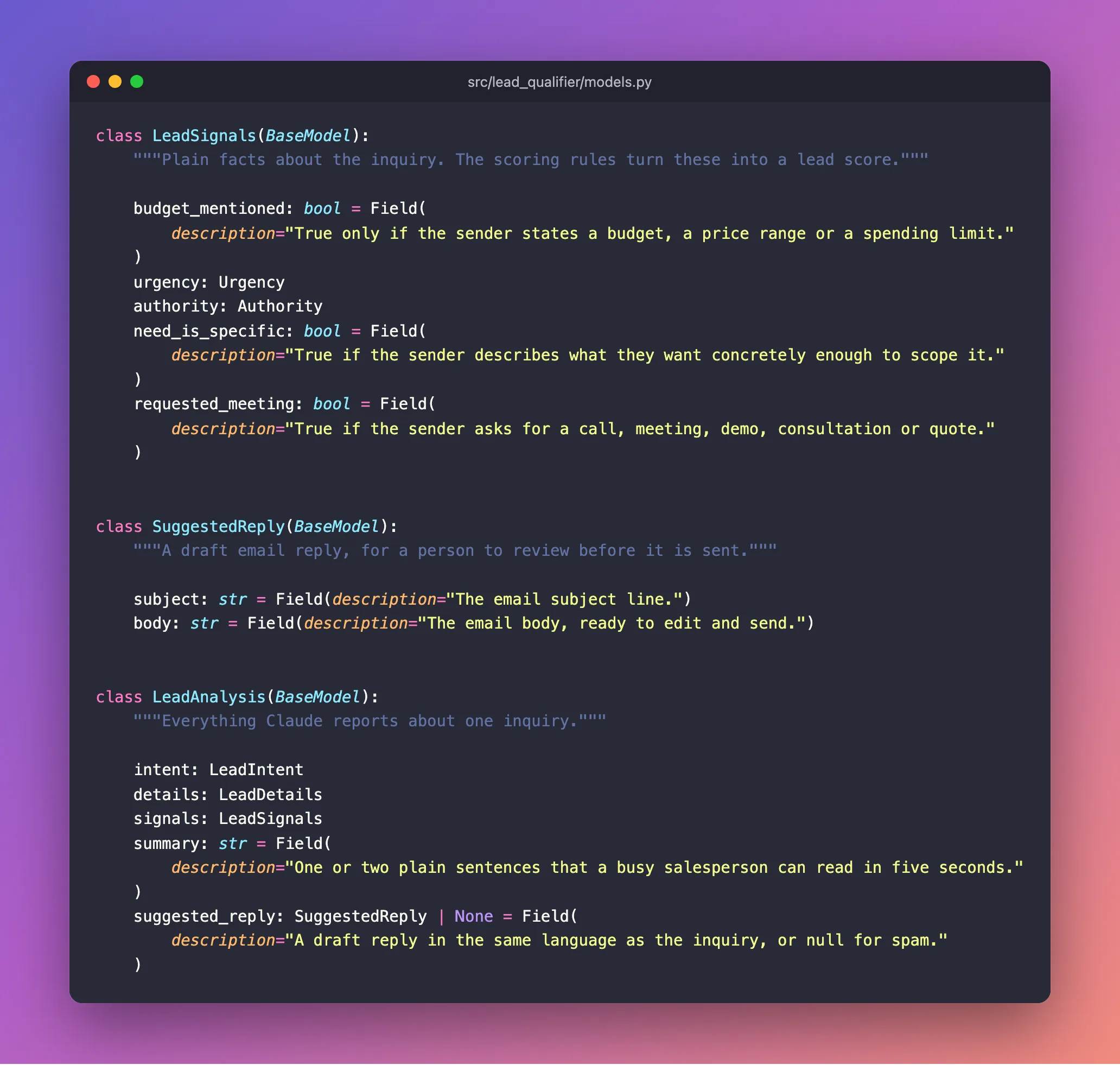
class LeadSignals(BaseModel):
    """Plain facts about the inquiry. The scoring rules turn these into a lead score."""

    budget_mentioned: bool = Field(
        description="True only if the sender states a budget, a price range or a spending limit."
    )
    urgency: Urgency
    authority: Authority
    need_is_specific: bool = Field(
        description="True if the sender describes what they want concretely enough to scope it."
    )
    requested_meeting: bool = Field(
        description="True if the sender asks for a call, meeting, demo, consultation or quote."
    )
Each signal is a narrow, checkable fact: a bool (true or false) or one of the enums from Step 3. "Did they mention a budget?" is a question Claude answers the same way every time. "How good is this lead?" is not. Sales teams know this list as BANT: Budget, Authority, Need and Timeline. urgency covers the timeline, and requested_meeting adds the strongest buying signal of all.
urgency and authority have no Field(description=...). As Step 3 explained, their definitions travel in the enums' docstrings.
Step 6: Add the Reply and the Complete Analysis
Finish the file with the reply and the top-level model that brings everything together:
class SuggestedReply(BaseModel):
    """A draft email reply, for a person to review before it is sent."""

    subject: str = Field(description="The email subject line.")
    body: str = Field(description="The email body, ready to edit and send.")


class LeadAnalysis(BaseModel):
    """Everything Claude reports about one inquiry."""

    intent: LeadIntent
    details: LeadDetails
    signals: LeadSignals
    summary: str = Field(
        description="One or two plain sentences that a busy salesperson can read in five seconds."
    )
    suggested_reply: SuggestedReply | None = Field(
        description="A draft reply in the same language as the inquiry, or null for spam."
    )
LeadAnalysis is what Claude returns. Its fields are other models (details, signals), enums (intent) and plain text (summary). suggested_reply can be null, because nobody should answer spam.
The complete file:
"""The shape of a lead: what the API receives, and what Claude must return."""

from enum import StrEnum

from pydantic import BaseModel, ConfigDict, Field

# --- Input: what a caller sends to the API -----------------------------------------------------


class LeadRequest(BaseModel):
    """One inquiry to qualify, exactly as it arrived."""

    model_config = ConfigDict(str_strip_whitespace=True)

    message: str = Field(
        min_length=1,
        max_length=5000,
        description="The inquiry text, exactly as received from a contact form or an email.",
        examples=[
            "Hi, I'm Priya Sharma, Head of Marketing at Greenleaf Organics (about 40 employees). "
            "We want to rebuild our Shopify store and add a subscription box option before our "
            "spring launch in March. Budget is around $15,000. Could we set up a call next week? "
            "priya.sharma@example.com, +1 415 555 0134"
        ],
    )


# --- Output: what Claude must return for every inquiry -----------------------------------------


class LeadIntent(StrEnum):
    """What the sender wants. Choose exactly one:

    - sales_inquiry: wants to buy a product or service, start a project, get a quote, or book a
      call about one.
    - support_request: an existing customer who needs help with something already delivered.
    - partnership: proposes working together as a partner, reseller, referral source or agency.
    - job_application: wants to work for us (a job, an internship or a freelance role).
    - vendor_pitch: is trying to sell their own product or service to us.
    - spam: automated, irrelevant, a scam or abusive, or contains no genuine request.
    - other: a genuine message that fits none of the above.
    """

    SALES_INQUIRY = "sales_inquiry"
    SUPPORT_REQUEST = "support_request"
    PARTNERSHIP = "partnership"
    JOB_APPLICATION = "job_application"
    VENDOR_PITCH = "vendor_pitch"
    SPAM = "spam"
    OTHER = "other"


class Urgency(StrEnum):
    """How soon the sender needs it:

    - immediate: within about two weeks, or the sender says it is urgent.
    - soon: within about three months.
    - later: further away, or the sender is only exploring.
    - unknown: no timing is given.
    """

    IMMEDIATE = "immediate"
    SOON = "soon"
    LATER = "later"
    UNKNOWN = "unknown"


class Authority(StrEnum):
    """Whether the sender can make the buying decision:

    - decision_maker: owner, founder, partner, C-level executive, director, VP or head of a team.
    - influencer: any other stated role.
    - unknown: no role is given.
    """

    DECISION_MAKER = "decision_maker"
    INFLUENCER = "influencer"
    UNKNOWN = "unknown"


class LeadDetails(BaseModel):
    """Facts copied from the inquiry. Never guess: use null when something is not stated."""

    contact_name: str | None = Field(description="The sender's name exactly as written, or null.")
    email: str | None = Field(description="The sender's email address exactly as written, or null.")
    phone: str | None = Field(description="The sender's phone number exactly as written, or null.")
    company: str | None = Field(description="The sender's company or organization, or null.")
    job_title: str | None = Field(description="The sender's role or job title, or null.")
    location: str | None = Field(
        description="A city, region or country the sender mentions, or null."
    )
    service_interest: str | None = Field(
        description="What the sender wants, in a few words, or null if it is unclear."
    )
    budget: str | None = Field(
        description="The budget exactly as stated, including the currency, or null."
    )
    timeline: str | None = Field(description="The deadline or timing exactly as stated, or null.")
    requirements: list[str] = Field(
        description="Specific requirements or questions, as short phrases. An empty list if none."
    )


class LeadSignals(BaseModel):
    """Plain facts about the inquiry. The scoring rules turn these into a lead score."""

    budget_mentioned: bool = Field(
        description="True only if the sender states a budget, a price range or a spending limit."
    )
    urgency: Urgency
    authority: Authority
    need_is_specific: bool = Field(
        description="True if the sender describes what they want concretely enough to scope it."
    )
    requested_meeting: bool = Field(
        description="True if the sender asks for a call, meeting, demo, consultation or quote."
    )


class SuggestedReply(BaseModel):
    """A draft email reply, for a person to review before it is sent."""

    subject: str = Field(description="The email subject line.")
    body: str = Field(description="The email body, ready to edit and send.")


class LeadAnalysis(BaseModel):
    """Everything Claude reports about one inquiry."""

    intent: LeadIntent
    details: LeadDetails
    signals: LeadSignals
    summary: str = Field(
        description="One or two plain sentences that a busy salesperson can read in five seconds."
    )
    suggested_reply: SuggestedReply | None = Field(
        description="A draft reply in the same language as the inquiry, or null for spam."
    )
Step 7: Know the Limits of Structured Outputs
In Part 4, Anthropic's SDK turns LeadAnalysis into a JSON Schema and sends it to Claude with each inquiry. Claude's structured outputs feature then guarantees the answer matches it. The schema supports a deliberately small set of rules. Anthropic's structured outputs documentation lists them:
| Supported | Not supported |
|---|---|
| The basic types: object, array, string, integer, number, boolean, null | Numeric limits such as minimum and maximum |
enum, const, anyOf, allOf, $ref | Text length limits such as minLength and maxLength |
Common string formats such as date, email and uri | Recursive schemas, where a model contains itself |
additionalProperties: false, which means no extra fields | Most rules about arrays |
If a model uses an unsupported rule, the Python SDK does not fail. It removes the rule from the schema, adds it to the field's description as a hint, and checks it after Claude answers. That sounds helpful, but it hides a trap. Suppose you wrote summary: str = Field(max_length=200). Claude would only see the limit as a suggestion. One slightly long summary would then fail Pydantic's check, and the whole request would fail with it.
That is why the models here follow three rules:
- No hard limits on
LeadAnalysis. Guidance goes in descriptions ("one or two plain sentences"). Limits belong onLeadRequest, which only your API checks, so a bad request is rejected before any money is spent. - Every field is required. None has a default value, so Claude must always fill in every field, using
nullwhere the type allows it. - Every field has an explanation, either its own description or its type's docstring.
Here is the real schema the SDK builds for the signals, using anthropic.transform_schema(), the same function the SDK uses before every request:
{
  "type": "object",
  "description": "Plain facts about the inquiry. The scoring rules turn these into a lead score.",
  "title": "LeadSignals",
  "properties": {
    "budget_mentioned": {
      "type": "boolean",
      "description": "True only if the sender states a budget, a price range or a spending limit.",
      "title": "Budget Mentioned"
    },
    "urgency": {
      "$ref": "#/$defs/Urgency"
    },
    "authority": {
      "$ref": "#/$defs/Authority"
    },
    "need_is_specific": {
      "type": "boolean",
      "description": "True if the sender describes what they want concretely enough to scope it.",
      "title": "Need Is Specific"
    },
    "requested_meeting": {
      "type": "boolean",
      "description": "True if the sender asks for a call, meeting, demo, consultation or quote.",
      "title": "Requested Meeting"
    }
  },
  "additionalProperties": false,
  "required": [
    "budget_mentioned",
    "urgency",
    "authority",
    "need_is_specific",
    "requested_meeting"
  ]
}
Your descriptions arrive word for word. urgency is only a reference ($ref) to the Urgency definition, which carries the docstring you wrote:
{
  "type": "string",
  "enum": [
    "immediate",
    "soon",
    "later",
    "unknown"
  ],
  "description": "How soon the sender needs it:\n\n- immediate: within about two weeks, or the sender says it is urgent.\n- soon: within about three months.\n- later: further away, or the sender is only exploring.\n- unknown: no timing is given.",
  "title": "Urgency"
}
additionalProperties: false was added by the SDK, so Claude cannot invent extra fields. The complete schema for LeadAnalysis is about 5,400 characters. Your code never has to build or maintain it, because it comes straight from your classes.
Step 8: Add pytest
Tests check that your code does what you expect, automatically, every time you run them. Python's most popular testing tool is pytest. It is a development tool, like Ruff:
uv add --dev pytest
Resolved 37 packages in 425ms
   Building lead-qualifier @ file:///Users/you/source/dewiride-lead-qualifier
      Built lead-qualifier @ file:///Users/you/source/dewiride-lead-qualifier
Prepared 2 packages in 276ms
Uninstalled 1 package in 1ms
Installed 6 packages in 31ms
 + iniconfig==2.3.1
 ~ lead-qualifier==0.1.0 (from file:///Users/you/source/dewiride-lead-qualifier)
 + packaging==26.3
 + pluggy==1.6.0
 + pygments==2.21.0
 + pytest==9.1.1
Tell pytest where your tests live. Add this to the end of pyproject.toml:
[tool.pytest.ini_options]
testpaths = ["tests"]
The end of pyproject.toml now reads:
[dependency-groups]
dev = [
    "pytest>=9.1.1",
    "ruff>=0.17.0",
]

[tool.ruff]
line-length = 100

[tool.ruff.lint]
select = ["E", "F", "I", "B", "UP"]

[tool.pytest.ini_options]
testpaths = ["tests"]
Step 9: Save a Real Claude Result as Test Data
Good tests use real data. Create a folder named tests in the project root, a data folder inside it, and in that a file named greenleaf-analysis.json. Paste in the real result Claude returned for the Greenleaf Organics inquiry in Part 1:
{
  "intent": "sales_inquiry",
  "details": {
    "contact_name": "Priya Sharma",
    "email": "priya.sharma@example.com",
    "phone": "+1 415 555 0134",
    "company": "Greenleaf Organics",
    "job_title": "Head of Marketing",
    "location": null,
    "service_interest": "Shopify store rebuild with subscription box option",
    "budget": "around $15,000",
    "timeline": "before our spring launch in March",
    "requirements": [
      "Rebuild existing Shopify store",
      "Add a subscription box option",
      "Ready before spring launch in March",
      "Call next week"
    ]
  },
  "signals": {
    "budget_mentioned": true,
    "urgency": "soon",
    "authority": "decision_maker",
    "need_is_specific": true,
    "requested_meeting": true
  },
  "summary": "Priya Sharma, Head of Marketing at Greenleaf Organics (~40 staff), wants a Shopify store rebuild with a subscription box option before their March spring launch, budget around $15,000. She wants a call next week.",
  "suggested_reply": {
    "subject": "Re: Shopify store rebuild and subscription box for Greenleaf Organics",
    "body": "Hi Priya,\n\nThank you for reaching out to Pixelcraft Studio! A Shopify rebuild with a subscription box option sounds like a great project, and we'd be happy to set up a call next week to discuss it.\n\nTo help us prepare, could you share:\n1. Which days and times next week work best for you?\n2. How you'd like the subscription box to work (e.g. fixed or customisable boxes, delivery frequency)?\n3. Any apps or integrations your current store relies on that need to carry over?\n\nLooking forward to speaking with you.\n\nBest regards,\nThe Pixelcraft Studio team"
  }
}
A saved copy of a real answer is called a fixture. Tests can use it as often as they like, offline and free.
Step 10: Write the Tests
Create tests/test_models.py. Start with the imports and a small helper that loads the fixture:
"""Tests for the lead data models. They run offline and never call Claude."""

import json
from pathlib import Path

import pytest
from anthropic import transform_schema
from pydantic import ValidationError

from lead_qualifier.models import LeadAnalysis, LeadIntent, LeadRequest

DATA = Path(__file__).parent / "data"


def load_greenleaf() -> dict:
    """A real result Claude returned for the Greenleaf Organics inquiry."""
    return json.loads((DATA / "greenleaf-analysis.json").read_text(encoding="utf-8"))
pytest runs every function whose name starts with test_. Inside each one, assert states something that must be true; if it is not, the test fails and pytest shows you why.
The input model trims and validates. Add two tests:
def test_lead_request_trims_spaces_around_the_message():
    request = LeadRequest(message="   Can you build us a website?   ")
    assert request.message == "Can you build us a website?"


@pytest.mark.parametrize("message", ["", "     ", "x" * 5001])
def test_lead_request_rejects_empty_or_huge_messages(message):
    with pytest.raises(ValidationError):
        LeadRequest(message=message)
@pytest.mark.parametrize runs the second test three times, once for each bad message: empty, only spaces, and 5,001 characters. pytest.raises(ValidationError) passes only if creating the model fails, which proves bad input is rejected.
A real answer fits, and a wrong one does not. Add:
def test_a_real_claude_result_fits_the_model():
    analysis = LeadAnalysis.model_validate(load_greenleaf())

    assert analysis.intent is LeadIntent.SALES_INQUIRY
    assert analysis.details.budget == "around $15,000"
    assert analysis.details.location is None
    assert analysis.signals.requested_meeting is True


def test_an_unknown_intent_is_rejected():
    data = load_greenleaf()
    data["intent"] = "hot_lead"

    with pytest.raises(ValidationError):
        LeadAnalysis.model_validate(data)
model_validate turns plain data into a LeadAnalysis, or fails if the data does not fit. The first test proves that a real answer from Claude fits your model exactly. The second changes the intent to a value that is not in the list and proves it is refused.
Every field Claude fills is required and explained. This last test guards the rules from Step 7:
def test_every_field_claude_fills_is_required_and_explained():
    schema = transform_schema(LeadAnalysis)  # exactly what the SDK sends to Claude
    definitions = schema["$defs"]

    for obj in [schema, *definitions.values()]:
        if obj["type"] != "object":
            continue
        assert set(obj["required"]) == set(obj["properties"]), f"{obj['title']} has optional fields"
        for name, prop in obj["properties"].items():
            target = definitions[prop["$ref"].split("/")[-1]] if "$ref" in prop else prop
            assert target.get("description"), f"{obj['title']}.{name} has no description"
It builds the schema exactly as the SDK will, using transform_schema, then walks every model in it. Every field must be required. Every field must also have a description, either its own or, for a $ref, the one on its definition. If someone adds a field without explaining it, or puts an enum's definitions in a Field(description=...) where the SDK drops them, this test fails and names the field.
The complete file:
"""Tests for the lead data models. They run offline and never call Claude."""

import json
from pathlib import Path

import pytest
from anthropic import transform_schema
from pydantic import ValidationError

from lead_qualifier.models import LeadAnalysis, LeadIntent, LeadRequest

DATA = Path(__file__).parent / "data"


def load_greenleaf() -> dict:
    """A real result Claude returned for the Greenleaf Organics inquiry."""
    return json.loads((DATA / "greenleaf-analysis.json").read_text(encoding="utf-8"))


def test_lead_request_trims_spaces_around_the_message():
    request = LeadRequest(message="   Can you build us a website?   ")
    assert request.message == "Can you build us a website?"


@pytest.mark.parametrize("message", ["", "     ", "x" * 5001])
def test_lead_request_rejects_empty_or_huge_messages(message):
    with pytest.raises(ValidationError):
        LeadRequest(message=message)


def test_a_real_claude_result_fits_the_model():
    analysis = LeadAnalysis.model_validate(load_greenleaf())

    assert analysis.intent is LeadIntent.SALES_INQUIRY
    assert analysis.details.budget == "around $15,000"
    assert analysis.details.location is None
    assert analysis.signals.requested_meeting is True


def test_an_unknown_intent_is_rejected():
    data = load_greenleaf()
    data["intent"] = "hot_lead"

    with pytest.raises(ValidationError):
        LeadAnalysis.model_validate(data)


def test_every_field_claude_fills_is_required_and_explained():
    schema = transform_schema(LeadAnalysis)  # exactly what the SDK sends to Claude
    definitions = schema["$defs"]

    for obj in [schema, *definitions.values()]:
        if obj["type"] != "object":
            continue
        assert set(obj["required"]) == set(obj["properties"]), f"{obj['title']} has optional fields"
        for name, prop in obj["properties"].items():
            target = definitions[prop["$ref"].split("/")[-1]] if "$ref" in prop else prop
            assert target.get("description"), f"{obj['title']}.{name} has no description"
Step 11: Run Ruff and the Tests
Format and check the new code first:
uv run ruff format
8 files left unchanged
uv run ruff check
All checks passed!
If ruff format reports 1 file reformatted instead, it tidied a line you typed differently. That is fine: compare the file with the complete version above.
Now run the tests:
uv run pytest
============================= test session starts ==============================
platform darwin -- Python 3.14.8, pytest-9.1.1, pluggy-1.6.0
rootdir: /Users/you/source/dewiride-lead-qualifier
configfile: pyproject.toml
testpaths: tests
plugins: anyio-4.15.1
collected 7 items

tests/test_models.py .......                                             [100%]

============================== 7 passed in 0.97s ===============================
Each dot is one passing test: five test functions, one of which runs three times. The platform line shows your system (darwin is macOS; you may see win32 or linux). pytest found its settings in pyproject.toml and looked in tests, as configured in Step 8. All seven passed in under a second, with no network and no cost.
Step 12: Commit Your Work
git status --short
 M pyproject.toml
 M uv.lock
?? src/lead_qualifier/models.py
?? tests/
M marks a changed file and ?? a new one. pyproject.toml and uv.lock changed because of pytest. Commit everything:
git add .
git commit -m "Add the lead data model and its tests"
[master e109a44] Add the lead data model and its tests
 5 files changed, 298 insertions(+), 1 deletion(-)
 create mode 100644 src/lead_qualifier/models.py
 create mode 100644 tests/data/greenleaf-analysis.json
 create mode 100644 tests/test_models.py
Your Project Now Looks Like This
dewiride-lead-qualifier/
├── .env                          (ignored by Git)
├── .env.example
├── .gitignore
├── .python-version
├── .venv/                        (ignored by Git)
├── README.md
├── pyproject.toml
├── uv.lock
├── src/
│   └── lead_qualifier/
│       ├── __init__.py
│       ├── config.py
│       ├── main.py
│       ├── models.py
│       └── api/
│           ├── __init__.py
│           └── health.py
└── tests/
    ├── data/
    │   └── greenleaf-analysis.json
    └── test_models.py
Common Mistakes
| Mistake | What happens | How to avoid it |
|---|---|---|
Writing an enum's definitions in Field(description=...) | The SDK drops the description, and Claude never sees it | Put the definitions in the enum's docstring. The last test catches this. |
Adding max_length or ge/le to a field Claude fills | Claude sees the limit only as a hint, and an answer that breaks it fails the whole request | Guide with words in the description; keep hard limits on LeadRequest |
| Giving an output field a default value | The field becomes optional, and Claude may leave it out | Leave defaults off LeadAnalysis and its parts; use X | None for "may be empty" |
| Asking Claude for the score itself | Scores drift between runs and can be argued upwards by the sender | Ask for facts (signals) and compute the score in code (Part 5) |
| Converting budgets and dates to numbers in the schema | Ranges and vague wording become wrong numbers | Keep the original text; a person reads it |
Troubleshooting
| Problem | Likely cause | Fix |
|---|---|---|
ModuleNotFoundError: No module named 'lead_qualifier' when testing | pytest was run outside the project's environment | Run uv run pytest from the project root |
FileNotFoundError for greenleaf-analysis.json | The fixture is in the wrong folder, or has a different name | It must be at tests/data/greenleaf-analysis.json |
json.decoder.JSONDecodeError | The fixture's JSON was damaged while pasting | Copy the complete block from Step 9 again |
test_every_field_claude_fills_is_required_and_explained fails and names a field | That field has no description, or has a default value | Add a description (or a docstring for enums and models), or remove the default |
collected 0 items | pytest cannot find the tests | Check the [tool.pytest.ini_options] section and that the file name starts with test_ |
Frequently Asked Questions
Why Pydantic instead of writing the JSON Schema by hand?
A hand-written schema and your Python code would be two descriptions of the same thing, and sooner or later they disagree. With Pydantic, the class is the schema: FastAPI, the Anthropic SDK and your tests all read it from one place.
What is the difference between "required" and "nullable"?
A required field must always appear in the JSON. A nullable field may have the value null. Every field in LeadAnalysis is required, and some are also nullable. "phone": null is always there, so the CRM can rely on the key existing.
Why keep the budget as text instead of a number?
Because people write budgets as "around $15,000", "£2–3k a month" or "flexible". Turning those into one number means guessing, and guesses in sales data cause wrong decisions. The scoring only needs to know whether a budget was given, which is the budget_mentioned signal.
Can I add my own fields, such as company size?
Yes. Add the field with a clear description, add it to the fixture if your tests use it, and run the tests. Claude starts filling it in on the next request, with no prompt changes required.
Do I need tests for something this simple?
The models are the contract the whole system relies on. These tests run in under a second and catch the two mistakes that are hardest to notice: a schema Claude cannot follow, and a change that would break the CRM's format. The final part of the series adds tests for the API itself.
Conclusion
You designed the contract at the heart of the Lead Qualifier:
LeadRequestaccepts one inquiry, trimmed, with a sensible size limit.LeadAnalysisdescribes exactly what Claude returns: an intent from a fixed list, details copied without guessing, five scoring signals, a summary and an optional reply.- Instructions live where Claude actually receives them: field descriptions, and docstrings for enums and nested models.
- The output model stays within what structured outputs support: every field required, no hard limits.
- Seven tests prove a real Claude answer fits, bad data is refused, and every field is explained.
← Previous: Part 2: Create a Production-Grade Python Project with uv and FastAPI
Next → Part 4: Qualify Your First Lead with Claude Structured Outputs. You will write the system prompt, call Claude with messages.parse(), and qualify your first real inquiry through the API.
Additional Resources
- Pydantic: Models: defining models, validation and
model_validate. - Pydantic: Fields:
Field(), descriptions, examples and constraints. - Pydantic: JSON Schema: how models turn into JSON Schema.
- Structured outputs: Anthropic's guide, including the full list of supported schema features.
enum.StrEnum: Python's string enumerations.- pytest: Get started: writing and running tests.
- pytest: Parametrizing tests: running one test with many inputs.
