What Is Microsoft Agent Framework?
Microsoft Agent Framework is Microsoft's open-source kit for building AI agents and multi-agent workflows in .NET and Python. An agent lets an AI model decide what to do next and call your code to do it. A workflow runs steps in an order you define, and those steps can be your own code or agents. This page explains both, shows each one running in a few lines of C#, and maps every concept of the framework to the tutorial in this track that teaches it.
What Agent Framework Does
The AI behind an agent is a large language model (LLM), such as the GPT or Claude models. On its own, a model only turns text into more text. It can't look anything up in your systems, it can't do anything in them, and it forgets the conversation as soon as it has answered. Agent Framework is the code that turns a model into something useful: it sends the model your instructions and the conversation, lets the model call functions you wrote, keeps track of what was said, and lets you watch and control every step.
Microsoft's overview divides the framework into four areas:
| Area | What Microsoft says it is |
|---|---|
| Agents | Individual agents that use LLMs to process inputs, call tools and MCP servers, and generate responses. |
| Workflows | Functional and graph-based workflows that connect agents and functions through explicit execution paths. |
| Harness Agent | An opinionated agent with batteries-included capabilities for long, multi-step tasks. |
| Integrations | Connections to model providers, agent services, tools, context providers, middleware, evaluation services, and UI frameworks, organized by provider and component. |
The same building blocks sit under all four: clients that talk to models, a session that holds a conversation, context providers that give an agent memory and knowledge, middleware that can inspect or change what an agent does, and clients for the Model Context Protocol (MCP), an open standard that lets an agent use tools other programs offer.
Where It Comes From
Agent Framework is Microsoft's successor to two earlier projects, Semantic Kernel and AutoGen, built by the same teams. In Microsoft's words, it combines AutoGen's simple agent abstractions with Semantic Kernel's enterprise features — session-based state management, type safety, middleware, telemetry — and adds graph-based workflows for explicit multi-agent orchestration. Microsoft calls it the next generation of both Semantic Kernel and AutoGen.
- Languages: .NET and Python. Go is in public preview. This track uses C# on .NET 10, the current long-term support release of .NET.
- License: open source under the MIT license, and free.
- Versions: version 1.0 was published on NuGet on April 2, 2026. Releases come often: this track uses 1.28.0, published on November 6, 2026.
What an Agent Is
Microsoft's definition is precise: An Agent Framework agent combines an agent abstraction, a model or remote-agent connection, instructions, tools, middleware, context providers, and session state behind a consistent run interface.
In C#, every agent is an AIAgent. You give it a model, instructions that tell the model who it is and how to behave, and, if it needs them, tools: functions the model may ask to call. Then you call RunAsync with a message and get back an AgentResponse that holds the answer.
The agent you'll use most is a ChatClientAgent, built on an IChatClient. IChatClient is .NET's common interface for talking to a model, from the Microsoft.Extensions.AI library, so any model service that offers one can sit behind an agent: Microsoft Foundry, Azure OpenAI, OpenAI, Anthropic, Ollama and more. Other agent types pass your message on to an agent that runs somewhere else, such as an agent behind the Agent2Agent (A2A) protocol, a Copilot Studio agent or GitHub Copilot. Your code calls all of them through the same AIAgent.
An Agent in a Few Lines of C#
Here's a complete agent for a small library. It runs on a model in Microsoft Foundry and has one tool, a C# method that tells it whether a book is on the shelf. You'll build an agent yourself, step by step, later in this track. For now, read the code and look at what it prints.
using System.ComponentModel;
using Azure.AI.Projects;
using Azure.Identity;
using Microsoft.Agents.AI;
using Microsoft.Extensions.AI;

// An agent: a model in Microsoft Foundry, instructions, and one tool it may call.
AIAgent agent = new AIProjectClient(
        new Uri("https://foundry-devblogs-exp.services.ai.azure.com/api/projects/proj-devblogs-exp"),
        new AzureCliCredential())
    .AsAIAgent(
        model: "gpt-5.6-luna",
        instructions: "You help the visitors of a small library. Answer in one sentence of plain text.",
        tools: [AIFunctionFactory.Create(IsOnShelf, name: "is_on_shelf")]);

Console.WriteLine(await agent.RunAsync("Can I borrow Dune today?"));
Console.WriteLine(await agent.RunAsync("Who wrote Dune?"));

[Description("Checks whether a copy of a book is on the library's shelf right now.")]
static bool IsOnShelf([Description("The book's title.")] string title)
{
    Console.WriteLine($"(is_on_shelf was called with title = {title})");
    return title.Equals("Dune", StringComparison.OrdinalIgnoreCase);
}
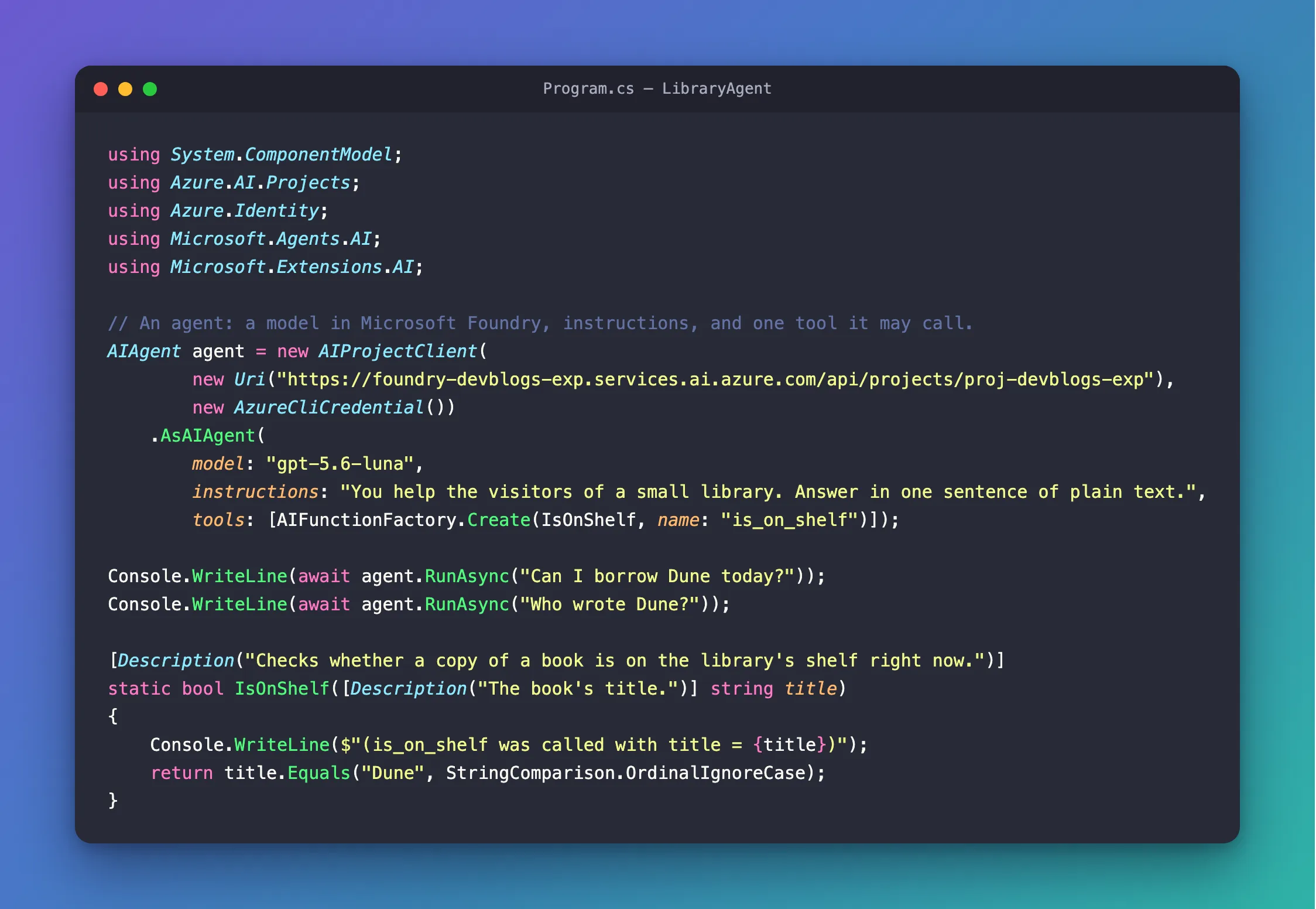
AIProjectClientconnects to a project in Microsoft Foundry, Microsoft's Azure platform for AI models and agents.AzureCliCredentialsigns in with your Azure CLI account, so there's no API key anywhere in the code. The address andgpt-5.6-lunaare my project's endpoint and model deployment.AsAIAgentcreates the agent from three things: the model, the instructions and the tools it may call.AIFunctionFactory.Createturns the ordinary methodIsOnShelfinto a tool namedis_on_shelf. The model never sees the method's code. It sees the tool's name, the two[Description]texts and thattitleis a string. How to Add a Function Tool to a Microsoft Agent Framework Agent in C# covers tools in depth.RunAsyncsends one message and waits for the whole answer. The app asks two questions.- The
Console.WriteLineinIsOnShelfprints a line each time the tool runs, so you can see when the model used it.
When I ran it with dotnet run, it printed:
(is_on_shelf was called with title = Dune)
Yes, Dune is currently on the library shelf and available to borrow today.
Dune was written by Frank Herbert.
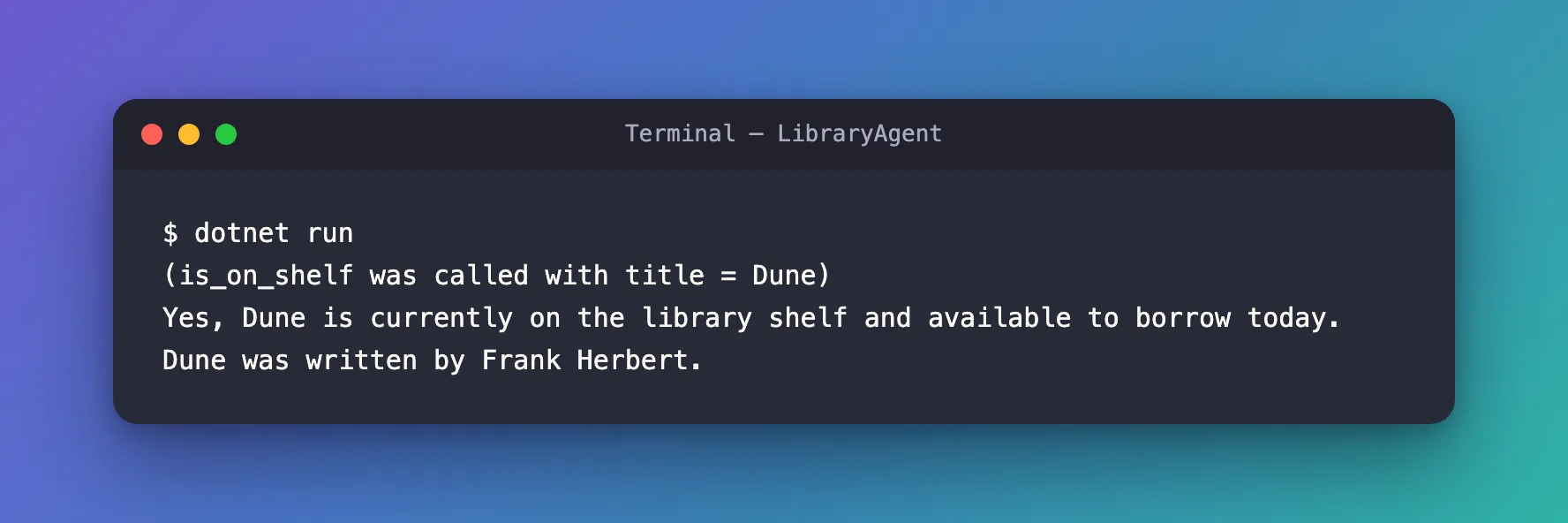
Nothing in the code says when to use the tool. For the first question, the model decided it had to check the shelf, asked for is_on_shelf with the title Dune, and wrote its answer from the result. For the second, it didn't need the tool: who wrote Dune is general knowledge, so it answered straight away, and no tool line appears.
Run the app again and the words change. In another run, the first answer was Yes, a copy of *Dune* is currently on the shelf and available to borrow today., with the title between asterisks, Markdown for italics, even though the instructions ask for plain text. A model writes every answer fresh. Instructions steer it, but they don't guarantee anything.
What Happens During a Run
The first question took two calls to the model:
The first call sends the instructions, the question and the descriptions of the tools, and the model answers with a request to call is_on_shelf. The agent runs your method and sends the result back in a second call, and only then does the model write the answer. This loop is called function calling, and Agent Framework runs it for you: you write the method, and the agent handles the back-and-forth until the model has its answer. To check, I printed every message of the run, as How to See Every Message in a Microsoft Agent Framework Agent Run in C# shows. There were three: the model's request to call is_on_shelf with title=Dune, the tool's result True, and the model's text.
Every run passes through the same layers inside the agent. Microsoft describes three for a ChatClientAgent: agent middleware, a context layer that manages the chat history and adds more context, and a chat client layer that handles the actual communication with the LLM service:
Most of the concepts in this track plug into one of these layers. Middleware is optional, sits at the top and sees every run, for logging, checks or guardrails. Sessions, chat history and memory work in the context layer, which adds the conversation so far and anything context providers supply, such as memories or documents. Tools, and the function calling that runs them, work in the chat client layer, right next to the model.
What a Workflow Is
An agent chooses its own next step. A workflow doesn't: you draw the steps and the paths between them, and it follows the drawing. Microsoft describes workflows as explicit, inspectable execution paths for coordinating code, agents, state, events, and human input.
A workflow is made of two things:
- Executors are the steps. Each one receives an input, does its work and produces an output. An executor can be a C# function, a class of your own or an agent.
- Edges are the connections. An edge sends one executor's output to the next executor, either always or only when a condition is true.
Microsoft's summary of the .NET workflow API lists what you can build with them: it connects typed executors through edges and conditions, supports fan-out and fan-in execution, emits workflow and executor events, and checkpoints progress at superstep boundaries. Fan-out sends one output to several executors at once, and fan-in waits for all of them. Checkpoints save a workflow's progress, so a long workflow can stop and continue later.
A Workflow in a Few Lines of C#
Here's the same library as a workflow with two steps: tidy up the title someone typed, then check the shelf. There's no model in it at all.
using Microsoft.Agents.AI.Workflows;

// Two steps that always run in this order: tidy the title, then check the shelf.
Func<string, string> tidyTitle = title => title.Trim().ToUpperInvariant();
Func<string, string> checkShelf = title => title == "DUNE" ? $"{title} is on the shelf." : $"{title} is out on loan.";

var tidy = tidyTitle.BindAsExecutor("TidyTitle");
var check = checkShelf.BindAsExecutor("CheckShelf");

WorkflowBuilder builder = new(tidy);
builder.AddEdge(tidy, check).WithOutputFrom(check);
Workflow workflow = builder.Build();

await using Run run = await InProcessExecution.RunAsync(workflow, "  dune ");
foreach (WorkflowEvent evt in run.NewEvents)
{
    if (evt is ExecutorCompletedEvent completed)
    {
        Console.WriteLine($"{completed.ExecutorId}: {completed.Data}");
    }
}
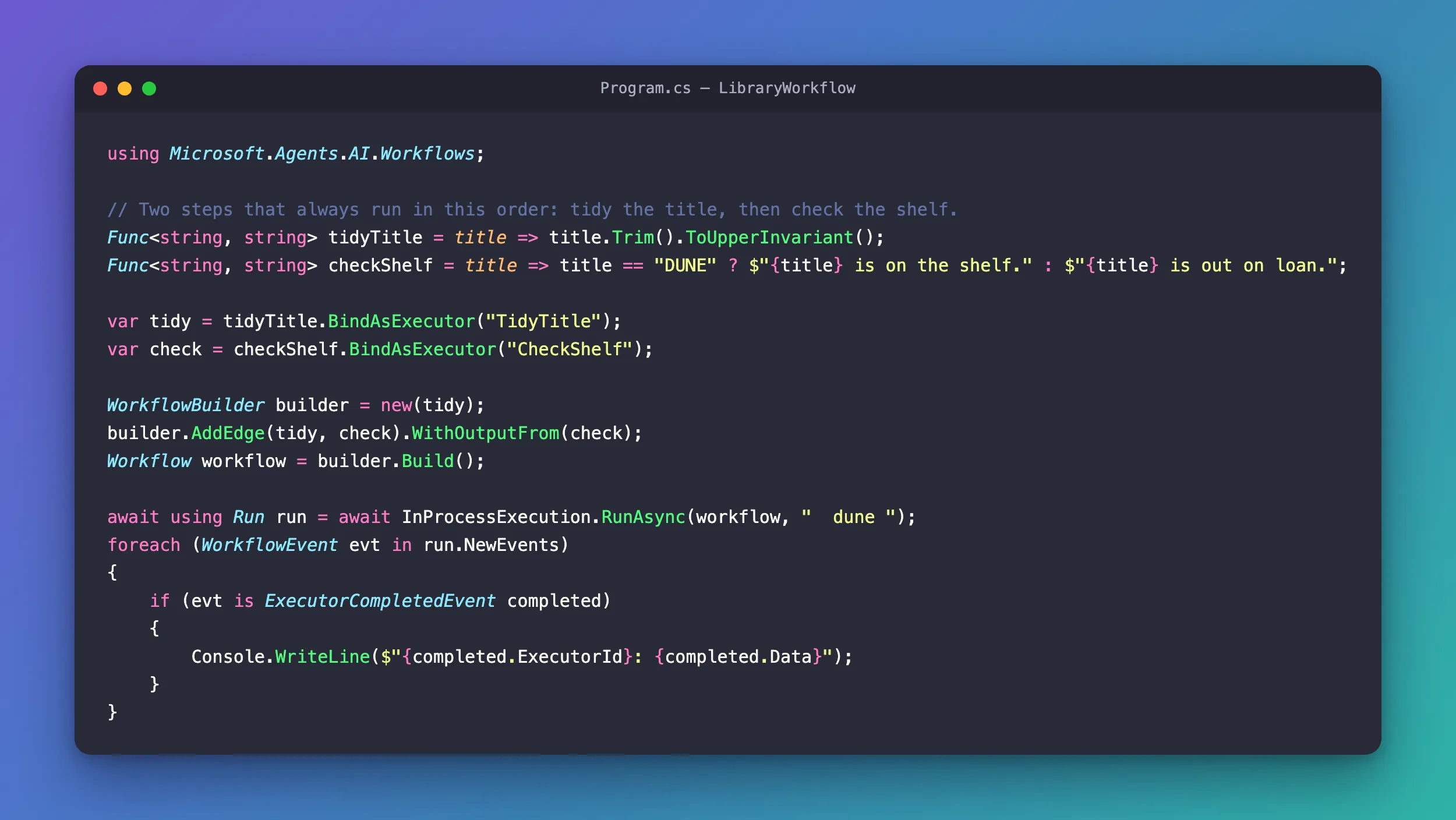
BindAsExecutorturns each function into an executor with a name,TidyTitleandCheckShelf.WorkflowBuilderstarts the graph attidy.AddEdge(tidy, check)sends whattidyreturns tocheck, andWithOutputFrom(check)makes the result ofcheckthe workflow's output.InProcessExecution.RunAsyncruns the workflow inside the app, with the input" dune ". The loop prints the executors that finished, with what each one returned.
It printed:
TidyTitle: DUNE
CheckShelf: DUNE is on the shelf.
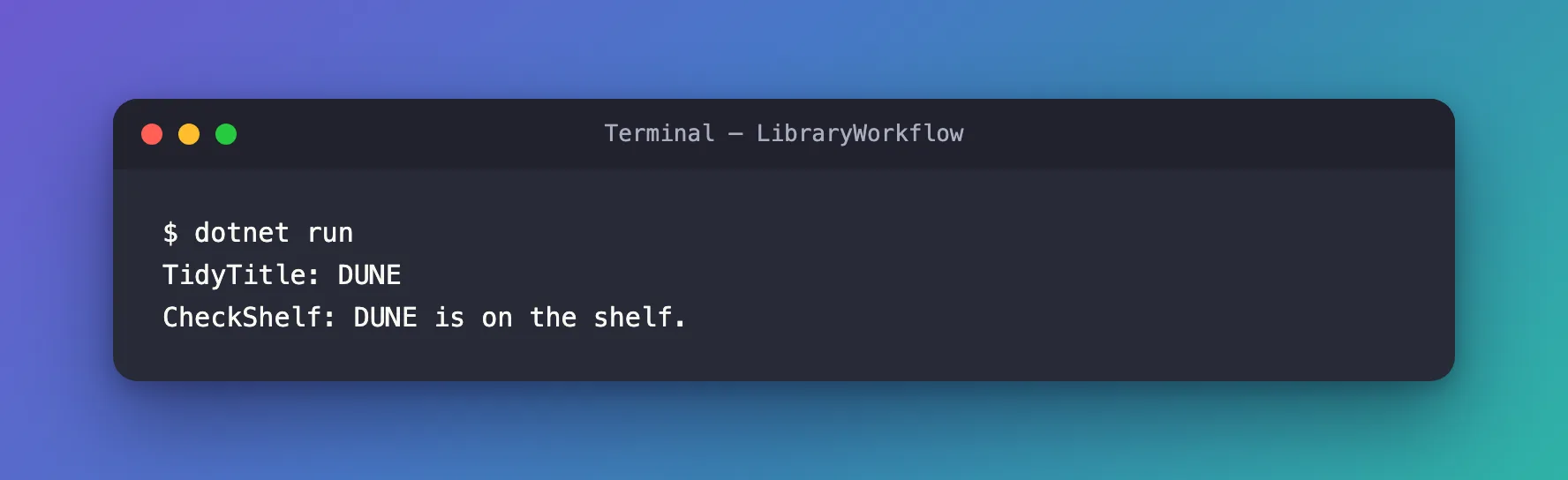
The input had extra spaces and lower case. TidyTitle cleaned it, and CheckShelf checked the clean title. No model was called, so the run cost nothing, and it prints exactly the same two lines every time.
The loop printed only the executors finishing, but a workflow reports everything it does as an event. When I printed every event, the way How to See Every Event in a Microsoft Agent Framework Workflow Run in C# does, this run had ten: the workflow starting, each executor being invoked and completing, the workflow's output, and the start and end of two supersteps, one for each executor. A superstep is one round of executors running, and when checkpoints are switched on, they're saved between supersteps.
A workflow can also draw itself, as How to Draw a Microsoft Agent Framework Workflow as a Mermaid Diagram in C# explains. For the library workflow, workflow.ToMermaidString() returned this chart:
When the executors are agents, a workflow coordinates several of them. Agent Framework has five built-in patterns for that, called orchestrations: sequential, where agents execute one after another in a defined order; concurrent, where agents execute in parallel; handoff, where agents transfer control to each other based on context; group chat, where agents collaborate in a shared conversation; and Magentic, where a manager agent dynamically coordinates specialized agents. And a workflow whose first step accepts chat messages can be wrapped as an agent, so code that runs agents can run the workflow the same way.
Agent or Workflow?
Microsoft's guide to choosing:
| Use an agent when… | Use a workflow when… |
|---|---|
| The task is open-ended or conversational | The process has well-defined steps |
| You need autonomous tool use and planning | You need explicit control over execution order |
| A single LLM call (possibly with tools) suffices | Multiple agents or functions must coordinate |
The same page adds one more line: If you can write a function to handle the task, do that instead of using an AI agent. The two examples show why. Checking whether a clean title is on the shelf is a function: the workflow did it for free, the same way every time. Understanding Can I borrow Dune today?, however someone words it, is the part that needs a model.
The Agent Harness
An agent that answers one question is the simple case. Research, coding or data analysis takes many steps, and an agent needs more to keep going through them: a plan, a to-do list, somewhere to keep notes, rules about which tools it may run without asking, and a way to stay inside the model's limit on how much text it can read at once as the work grows. Microsoft calls that scaffolding an agent harness, the runtime scaffolding that turns a language model into an agent that can perform work.
Agent Framework's HarnessAgent is an opinionated, batteries-included Harness for research, coding, data analysis, and other long-running work. In C# it comes with these switched on:
- Planning: to-do tracking, and separate plan and execute modes.
- Memory: file memory for each session.
- Approvals: standing approvals and auto-approval rules for tools.
- Observability: traces and metrics with OpenTelemetry.
- Web search, where the model service supports it.
- Agent Skills: packaged instructions and resources the agent loads when it needs them.
You can add more: compaction, which keeps a long conversation within the model's limits once you give it token limits; file access; background agents that work in parallel; and looping until a goal is met. A HarnessAgent is still an ordinary agent: it derives from AIAgent, and you create one from a chat client with AsHarnessAgent(). It ships in the Microsoft.Agents.AI.Harness package.
Where Your Agent Runs
An agent is a C# object, so it can live in any .NET app: a console app, a background service or a web API. To let people, other apps or other agents use it, you host it. Microsoft's hosting guide starts with one decision: first choose who operates its infrastructure.
- Foundry Hosted Agents: Microsoft Foundry Agent Service runs the container, scaling, session lifecycle, and platform integration. Microsoft lists it as generally available.
- Self-hosting: your agent runs in your own web service, container or infrastructure, and you look after its routes, identity, storage and scaling.
Then, separately, you choose how clients reach it:
- AG-UI, for web chat interfaces that stream the agent's answers.
- A2A, so other agents can call yours.
- OpenAI-compatible endpoints, for apps that already speak the OpenAI Responses or Chat Completions APIs.
- MCP, to offer the agent as a tool to MCP clients. In .NET that's done with the MCP C# SDK today, and Microsoft lists Agent Framework's own helpers for it as coming soon.
- Telegram, as a bot, although Microsoft lists the .NET helpers for it as coming soon.
For agents that have to survive failures and long waits, the Durable Extension keeps their state with Durable Task. To reach Microsoft Teams and Microsoft 365 Copilot, an agent can run inside the Microsoft 365 Agents SDK, which What Is the Microsoft 365 Agents SDK? explains. Foundry Hosted Agents also support the Activity protocol for Microsoft 365 channels.
The IT Service Desk product line self-hosts: its agent runs in an ASP.NET Core API that streams over AG-UI to a Next.js chat app.
Models You Can Use
For C#, Microsoft lists these model providers: Microsoft Foundry, Azure OpenAI, OpenAI, Anthropic, Ollama, Amazon Bedrock, Google Gemini, ONNX and Dapr. Ollama and ONNX run models on your own machine. Beyond the list, any inference service that provides a Microsoft.Extensions.AI.IChatClient implementation can back a ChatClientAgent.
Not every provider supports everything. In Microsoft's comparison, Microsoft Foundry, Azure OpenAI and OpenAI support every capability it lists: function tools, structured outputs, code interpreter, file search, MCP tools and background responses. Ollama supports function tools and structured outputs, but not code interpreter, file search, MCP tools or background responses.
This track uses a model deployed in Microsoft Foundry, gpt-5.6-luna, and signs in with Microsoft Entra ID through the Azure CLI instead of an API key. How to Create a Microsoft Foundry Resource and Deploy a Model shows how to get one.
How It Relates to Other Microsoft Tools
| Tool | What it is | How it relates to Agent Framework |
|---|---|---|
| Microsoft.Extensions.AI | .NET's common building blocks for AI: IChatClient, chat messages and tools | The foundation: Agent Framework uses the core AI message and content types from Microsoft.Extensions.AI |
| Semantic Kernel and AutoGen | Microsoft's earlier agent frameworks | Agent Framework succeeds both, and Microsoft publishes a migration guide from each |
| Microsoft 365 Agents SDK | Connects an agent to Microsoft Teams, Microsoft 365 Copilot, websites and Slack | A different job: the Agents SDK carries messages to and from those channels, and an Agent Framework agent can be the brain inside it |
| Microsoft Foundry Agent Service | Agents and agent hosting run by Microsoft | Agent Framework can call agents defined in Foundry, and can run as a Foundry Hosted Agent |
| Microsoft Copilot Studio | A low-code builder for agents | Agent Framework can call a published Copilot Studio agent like any other agent |
The Packages
Agent Framework for .NET is a set of NuGet packages, so an app adds only what it uses. These are the ones this track uses most:
| Package | What it gives you | Version |
|---|---|---|
Microsoft.Agents.AI | Agents: AIAgent, ChatClientAgent, sessions, middleware and context providers | 1.28.0 |
Microsoft.Agents.AI.Foundry | Agents on models and agents in Microsoft Foundry | 1.28.0-preview.261106.1 |
Microsoft.Agents.AI.OpenAI | Agents on OpenAI and Azure OpenAI models | 1.28.0 |
Microsoft.Agents.AI.Anthropic | Agents on Anthropic's Claude models | 1.28.0 |
Microsoft.Agents.AI.Workflows | Workflows: executors, edges, events and checkpoints | 1.28.0 |
Microsoft.Agents.AI.Harness | The HarnessAgent for long, multi-step tasks | 1.28.0 |
Microsoft.Agents.AI.Hosting | Agents registered in an app's dependency injection, and stores for their sessions | 1.28.0-preview.261106.1 |
Microsoft.Agents.AI.Hosting.AspNetCore | ASP.NET Core support for hosted agents, such as keeping each signed-in person's sessions apart | 1.28.0-preview.261106.1 |
Microsoft.Agents.AI.Hosting.AGUI.AspNetCore | An agent served over AG-UI to web chat interfaces | 1.28.0-preview.261106.1 |
Microsoft.Agents.AI.Hosting.A2A.AspNetCore | An agent served over A2A | 1.28.0-preview.261106.1 |
Microsoft.Agents.AI.DurableTask | Durable agents for the Durable Extension | 1.16.0 |
Versions without a suffix are generally available, and the others are previews. The core of the framework is generally available, while several integration and hosting packages are still previews, and this track says so every time it uses one. MCP tools come from the official MCP C# SDK, the ModelContextProtocol package.
dotnet add package Microsoft.Agents.AI.Foundry without --version doesn't install 1.28.0. It installs 1.5.0, the package's last stable release, from May 8, 2026: six months older than the 1.28.0 this track uses. Add a preview package with its full version, as in dotnet add package Microsoft.Agents.AI.Foundry --version 1.28.0-preview.261106.1. How to Add, Update and Remove a NuGet Package with the .NET CLI explains --version and --prerelease.
Every Concept, and Where This Track Teaches It
This track teaches Agent Framework one concept at a time, in the order below. Each tutorial has its own small example, like the library agent on this page, and builds only on the tutorials before it. They're published one at a time, and each concept becomes a link here when its tutorial is out. The last column shows where the IT Service Desk product line uses the concept in a real application.
Agents
| Concept | What it lets you do | In the IT Service Desk |
|---|---|---|
| Your first agent | Create an agent around a model and run it | Part 3 |
| Streaming | Show the answer while the model is still writing it | Parts 3 and 7 |
| Instructions, messages and run options | Tell the agent how to behave, and change settings for one run | Part 3 |
| Sessions | Keep a conversation going across several messages | Part 4 |
| Function tools | Let the model call your C# methods | Parts 10 and 11 |
| Tool approval | Make a person approve a tool call before it runs | Parts 13 and 14 |
| Structured output | Get a typed C# object back instead of text | Coming soon |
| Images and files | Send pictures and documents to the model | — |
| MCP tools | Use the tools an MCP server offers | Part 12 |
| Tools the model service runs | Let the service run code, search files or search the web for the agent | — |
| Middleware | Inspect or change every run and every tool call | Coming soon |
| Context providers and memory | Add memories, documents and instructions to every run | Part 12 |
| Chat history storage and compaction | Keep conversations in a database, and within the model's limits | Coming soon |
| Runtime model routing | Move a conversation to another model or service without losing it | — |
| Retrieval-augmented generation (RAG) | Answer from your own documents | — |
| Agent Skills | Load reusable instructions, resources and scripts only when they're needed | — |
| Background responses | Poll and reconnect to model calls that take a long time | — |
| Observability | Traces, metrics and logs with OpenTelemetry | Coming soon |
| Agent safety | Keep an agent's inputs, data and tools safe | Coming soon |
| Evaluation | Measure an agent's quality, safety and correctness | — |
| Agents as tools and remote agents | Let one agent call another, including A2A, Copilot Studio and GitHub Copilot agents | — |
| Declarative agents | Define an agent in YAML or JSON instead of code | — |
| CodeAct | Let the model write a short program that calls your tools (preview) | — |
| Custom agents | Write an agent type of your own | — |
Workflows
| Concept | What it lets you do | In the IT Service Desk |
|---|---|---|
| Executors and edges | Build and run your first workflow | Coming soon |
| Conditions, switches, fan-out and fan-in | Choose a path, or run steps side by side and wait for all of them | Coming soon |
| Events, streaming and shared state | Watch a workflow while it runs, and share data between steps | — |
| Agents in workflows | Make an agent one step of a workflow | Coming soon |
| Human-in-the-loop requests | Pause a workflow until a person answers | Coming soon |
| Checkpoints and resuming | Save a workflow's progress and continue later | Coming soon |
| Sub-workflows | Use a whole workflow as one step of a bigger one | — |
| Orchestrations | Run teams of agents: sequential, concurrent, handoff, group chat and Magentic | — |
| Workflows as agents | Run a workflow through the same interface as an agent | — |
| Declarative workflows | Define a workflow in YAML instead of code | — |
| Visualization and observability | Draw a workflow's graph, and trace every step | — |
The Agent Harness
| Concept | What it lets you do | In the IT Service Desk |
|---|---|---|
| The Harness agent | Give an agent planning, to-dos, file memory and approvals for long tasks | Coming soon |
| Looping and background agents | Keep an agent working until a goal is met, and hand work to helper agents | — |
| Shell tools | Let an agent run commands on your machine or in a container (preview) | — |
Hosting
| Concept | What it lets you do | In the IT Service Desk |
|---|---|---|
| Agents in ASP.NET Core | Register agents in an ASP.NET Core app and serve them over HTTP | Parts 3 and 4 |
| AG-UI | Stream an agent to a web chat interface | Parts 3, 6 and 7 |
| Securing a hosted agent | Sign callers in, and keep each person's conversations apart | Part 8 |
| A2A | Let other agents call yours, and call theirs | — |
| OpenAI-compatible endpoints and MCP | Serve an agent to apps and tools that speak those protocols | — |
| Foundry Hosted Agents | Let Microsoft Foundry run your agent for you | — |
| Durable agents | Agents and orchestrations that keep their state through failures and restarts | — |
| DevUI | Try your agents and workflows in a local web page while you build them (a sample app, not for production) | — |
The Product Lines
Below the Fundamentals in the sidebar, product lines put the concepts together in complete applications, built from an empty folder to a finished product, one part at a time. Where a part uses a concept, it links the concept's tutorial and spends its own words on what's specific to the product.
The first product line is Build an IT Service Desk Agent with Microsoft Agent Framework: an enterprise IT service desk agent with an ASP.NET Core API, AG-UI streaming, a Next.js chat app, Microsoft Entra ID sign-in, tools, MCP, human approvals, memory, guardrails, workflows and the Agent Harness, deployed to Azure Container Apps and Microsoft Teams.
What It Costs
- Agent Framework: nothing. It's open source under the MIT license.
- Workflows without agents: nothing. They run inside your app, like the library workflow.
- Models: you pay the model provider for the tokens your agents send and receive. On Microsoft Foundry, Microsoft bills you for the underlying Azure services and models that you use.
gpt-5.6-luna, the model in this track, costs $0.20 per million input tokens and $1.20 per million output tokens on a Global Standard deployment. Input that repeats from earlier requests can be read from the service's prompt cache for $0.02 per million tokens, and on GPT-5.6 models, writing to that cache can cost extra. Those prices come from the Azure Retail Prices API, for East US 2 in November 2026: How to Look Up Azure OpenAI Model Prices with the Azure Retail Prices API finds them, and How to Get the Token Usage and Cost of a Microsoft Agent Framework Agent Run in C# measures what a run uses. - Hosting: when an agent leaves your machine, the Azure services it runs on charge by size and use. Each product line states its costs before it creates anything, and shows how to delete it all afterwards.
To see what that means in practice, I measured the library agent's two questions. The first used 222 input and 51 output tokens over its two calls to the model. The second used 86 and 12. That's about $0.00014 for both questions, so you could run the app more than 7,000 times for a dollar.
Tools You'll Use
| Tool | What it's for |
|---|---|
| .NET 10 SDK | Builds and runs C# apps |
| Visual Studio Code with the C# Dev Kit, or Visual Studio 2026 | Your editor; every step works in both |
| Azure CLI | Signs your code in to Azure without API keys |
| A Microsoft Foundry project with a deployed model | The model your agents use |
The next tutorial, Set Up Your C# Development Environment, sets up and checks each of them.
Frequently Asked Questions
Is Microsoft Agent Framework free?
Yes. It's open source under the MIT license, and its packages are free on NuGet. You pay for the services your agents use: the AI model, and Azure hosting once an agent runs in the cloud.
Is it ready for production?
Version 1.0 was published on April 2, 2026. The core packages, including agents, workflows, the Harness and the OpenAI and Anthropic providers, are generally available. Several integrations and hosting packages, including the Foundry package and the ASP.NET Core hosting packages, are still previews. This track tells you whenever a step uses one.
Does it replace Semantic Kernel and AutoGen?
Microsoft calls Agent Framework the next generation of both Semantic Kernel and AutoGen, and publishes migration guides from each. AutoGen's GitHub repository is archived. Semantic Kernel's repository is still active, so existing apps keep working, but new agents are best started in Agent Framework.
Do I need Azure?
No. Agent Framework works with OpenAI, Anthropic and other providers that don't need Azure, and with Ollama, which runs open models on your own machine. This track uses Microsoft Foundry because it signs in with Microsoft Entra ID instead of API keys, and the model deployment lives in your own Azure subscription.
What's the difference between Agent Framework and the Microsoft 365 Agents SDK?
They do different jobs, and they work together. The Microsoft 365 Agents SDK carries messages between an agent and channels such as Microsoft Teams and Microsoft 365 Copilot, and it doesn't decide what the agent says. Agent Framework decides the answer: the model, the tools, the memory and the workflows. An Agents SDK agent can use an Agent Framework agent as its brain.
Can I use Python or Go instead of C#?
Python, yes: it has the same concepts, and you install it with pip install agent-framework. Go is in public preview, needs Go 1.26 or later, and doesn't have every feature yet. Microsoft lists declarative agents, CodeAct and functional workflows as not implemented in Go. This track uses C# throughout, so every example, command and output here is .NET.
Which .NET versions does it support?
The core packages target .NET 10, .NET 9 and .NET 8, plus .NET Standard 2.0 and .NET Framework 4.7.2. This track uses .NET 10, the current long-term support release.
Conclusion
Agent Framework is the code between an AI model and a useful application. Agents let the model decide what to do and call your code to do it. Workflows run steps in an order you control, with agents or without. The Harness adds what long, multi-step tasks need, and hosting puts any of them in front of people and other agents. In C#, every agent, the Harness agent included, has the same shape: an AIAgent you run with a message, built on the Microsoft.Extensions.AI types the rest of .NET uses.
Next: Set Up Your C# Development Environment installs .NET 10, an editor and the Azure CLI, and checks that your account may call a model.
Additional Resources
- Microsoft Agent Framework overview — the four areas, and when to use an agent or a workflow.
- Agent pipeline architecture — the layers every run passes through.
- Workflow concepts — executors, edges, events and state.
- Agent Harness — what the Harness adds, and how to change it.
- Hosting Agent Framework applications — Foundry Hosted Agents or self-hosting, and the protocols for each.
- Model providers — what each provider supports.
- Microsoft.Agents.AI on NuGet — the core package and its versions.
