Tools the Model Service Runs
The function tools and MCP tools from the last tutorials run in your app: the model asks, your code runs the tool, and your code sends the result back. Some tools run in the model service instead. You only offer them, and the service writes and runs code, searches the web, searches files you uploaded, or calls a remote MCP server by itself. This tutorial gives a C# agent each of the four, and shows what the service reports back.
How Tools the Model Service Runs Work
Your app offers, the service runs
With a function tool, every call makes a round trip: the model asks for the call, your app runs the method, and the result goes back to the model (Function Tools). With these tools there's no round trip to your app. Microsoft.Extensions.AI, the library Agent Framework builds on, describes them as markers. For the code interpreter, for example: This tool does not itself implement code interpretation. It is a marker that can be used to inform a service that the service is allowed to execute its generated code if the service is capable of doing so.
Your app gets the answer and, next to it, a report of each tool call: the code that ran, the web searches, the MCP tool that was called. You read those like any other content in the response.
The four tools
| Tool | What the service does | What your app gets back | What it costs |
|---|---|---|---|
HostedCodeInterpreterTool | Writes Python and runs it in a sandbox | CodeInterpreterToolCallContent with the code | $0.03 per session |
HostedWebSearchTool | Searches the public web | WebSearchToolCallContent with the searches, and citations | $7 per 1,000 Web IQ calls |
HostedFileSearchTool | Searches files you uploaded to your Foundry project | A ToolCallContent, and citations | $0.10 per GB of files per day |
HostedMcpServerTool | Calls the tools of a remote MCP server | McpServerToolCallContent with the tool's name | No meter of its own in Azure's price list |
All four add tokens too, because the service gives the model what the tool found. The prices are from Azure's price list for the global deployment type, and from the price list of Web IQ, the service behind web search.
Whether a provider supports these tools is up to the provider. Microsoft's comparison of Agent Framework's providers lists code interpreter, file search and MCP tools for Microsoft Foundry, Azure OpenAI and OpenAI, and not for Ollama.
The model decides when to use them
Offering a tool doesn't make the model use it. The model reads its instructions and the question, and decides. You'll see that with the code interpreter in Step 4: instructions about a C# course made the model write C# into its answer instead of running anything, until one sentence said when to run code.
Who approves the calls
Tool Approval works because your app runs function tools: it can wait for a person before it does. Microsoft's tools overview says it works with providers whose clients invoke tools locally; service-side hosted tools follow the provider's own approval behavior. For a remote MCP server, HostedMcpServerTool has its own setting for that, as Step 7 shows.
The Example
A console app called CourseHelper helps students of a C# course. It asks four questions, each with an agent that has one of the four tools:
- Code interpreter: Use code to count the days from 1 January 2026 to 25 December 2026.
- Web search: What is the newest .NET release, and when was it released?
- File search: Which week covers async and await, and when are the office hours?, answered from a course plan the app uploads.
- A remote MCP server: What does the await operator do in C#? Answer from Microsoft Learn., answered with the Microsoft Learn MCP server.
For each one it prints what the service did, the answer, the sources and the input tokens. One run cost me a few cents: $0.03 for the code interpreter session, a few cents for the web searches, and less than a cent of tokens.
Prerequisites
- The agent from MCP Tools, and the setup it uses: the .NET 10 SDK, the Azure CLI signed in, a Foundry project endpoint, a model deployment and the Foundry User role.
Step 1: Create a Console App
In a terminal, in the folder where you keep your projects, run:
dotnet new console -n CourseHelper
cd CourseHelper
dotnet add package Microsoft.Agents.AI.Foundry --version 1.28.0-preview.261106.1
dotnet add package Azure.Identity --version 1.21.0
These are the two packages from the earlier tutorials. The four tools come with them: they're in Microsoft.Extensions.AI, which Agent Framework brings in.
The file search step needs a file to search. In the CourseHelper folder, create course-plan.md:
# C# for Beginners — Course Plan

- Week 1: Variables, types and the dotnet command
- Week 2: Conditions and loops
- Week 3: Methods and classes
- Week 4: Lists and LINQ
- Week 5: async and await
- Week 6: Final project

Office hours are on Tuesdays from 17:00 to 18:00 UTC.
It's a made-up course plan, so you can check the answer against it.
Step 2: Connect to Your Foundry Project
Replace everything in Program.cs, starting with this:
using System.Text;
using Azure.AI.Extensions.OpenAI;
using Azure.AI.Projects;
using Azure.Identity;
using Microsoft.Agents.AI;
using Microsoft.Extensions.AI;
using OpenAI.Files;
using OpenAI.VectorStores;

AIProjectClient project = new(
    new Uri("https://foundry-devblogs-exp.services.ai.azure.com/api/projects/proj-devblogs-exp"),
    new AzureCliCredential());
AIProjectClient connects to your Foundry project, as in the earlier tutorials, and signs in with your Azure CLI sign-in. Put your own project endpoint in the Uri.
Step 3: Ask, and Show What the Service Did
Every question goes through one local function. It creates an agent with the one tool it's given, asks the question, and prints what the service reported. Add it at the end of Program.cs:
// Asks one question with one tool the model service runs, and shows what the service did.
async Task AskAsync(string title, AITool tool, string question)
{
    AIAgent agent = project.AsAIAgent(
        model: "gpt-5.6-luna",
        instructions: "You help students of a C# course. When a question needs a calculation, run Python code with your "
            + "code interpreter instead of writing code in your answer. Answer in one or two sentences of plain text, "
            + "without Markdown.",
        name: "CourseHelper",
        tools: [tool]);

    AgentResponse response = await agent.RunAsync(question);

    Console.WriteLine($"=== {title}");
    Console.WriteLine($"> {question}");
    foreach (AIContent content in response.Messages.SelectMany(message => message.Contents))
    {
        switch (content)
        {
            case CodeInterpreterToolCallContent call:
                foreach (DataContent code in call.Inputs?.OfType<DataContent>() ?? [])
                {
                    Console.WriteLine("  ran this code:");
                    foreach (string line in Encoding.UTF8.GetString(code.Data.Span).Trim().Split('\n'))
                    {
                        Console.WriteLine($"    {line}");
                    }
                }
                break;
            case WebSearchToolCallContent search:
                Console.WriteLine(search.Queries is { Count: > 0 } queries
                    ? $"  searched the web for: {string.Join(" | ", queries)}"
                    : "  used web search");
                break;
            case McpServerToolCallContent mcp:
                Console.WriteLine($"  called {mcp.ServerName}/{mcp.Name}");
                break;
            case ToolCallContent:
                // A tool with no content type of its own, such as file search, arrives as a plain ToolCallContent.
                // This agent has only one tool, so it's that one.
                Console.WriteLine($"  called {tool.Name}");
                break;
        }
    }

    Console.WriteLine(response.Text);
    foreach (CitationAnnotation citation in response.Messages
        .SelectMany(message => message.Contents)
        .SelectMany(content => content.Annotations ?? [])
        .OfType<CitationAnnotation>())
    {
        Console.WriteLine($"  source: {citation.Title} {citation.Url}");
    }

    Console.WriteLine($"({response.Usage?.InputTokenCount} tokens in)");
    Console.WriteLine();
}
tools: [tool]gives the agent the one tool, exactly as with a function tool.- The
switchgoes through every content of the answer's messages and prints the reports:- a
CodeInterpreterToolCallContentholds the code in itsInputs, as aDataContent, so the app turns its bytes into text; - a
WebSearchToolCallContentholds the searches inQueries; - an
McpServerToolCallContentnames the server and the tool; - file search has no content type of its own, so it arrives as a plain
ToolCallContent, and the app prints the tool's name.
- a
CitationAnnotations on the answer's text name the sources the answer used: a web page's title and address, or a file's name.InputTokenCountshows what each tool added to the request.
The service also sends a result content for each call. In my runs the code interpreter's result came without its output, so the app prints the code, and the answer carries the result.
Step 4: Let the Service Run Code
Add the first question after the connection:
// 1. Code interpreter: the model service writes Python code and runs it in a sandbox.
await AskAsync("Code interpreter", new HostedCodeInterpreterTool(),
    "Use code to count the days from 1 January 2026 to 25 December 2026.");
HostedCodeInterpreterTool lets the service write Python and run it in a sandbox, which is right for exact calculations. Microsoft's documentation adds a warning that holds for every tool here: Code, execution output, and generated files remain model-generated and untrusted even when execution occurs in a hosted sandbox.
The instructions in Step 3 have a sentence for this tool: When a question needs a calculation, run Python code with your code interpreter instead of writing code in your answer. Without it, the course instructions made the model write C# into its answer in every run, and the code interpreter never ran (Fixed: Microsoft Agent Framework Agent Writes Code Instead of Running It with the Code Interpreter).
Step 5: Let the Service Search the Web
// 2. Web search: the model service searches the web, and the answer cites what it found.
await AskAsync("Web search", new HostedWebSearchTool(),
    "What is the newest .NET release, and when was it released?");
HostedWebSearchTool lets the service search the public web, so the agent can answer questions about things newer than the model. In Microsoft Foundry, web search added to a request uses Web IQ, and Microsoft's documentation warns: When you connect to Web IQ, you might incur costs and data might be sent outside the Azure compliance boundary. Agent Framework's own guidance adds: Don't include secrets in queries, and treat retrieved pages as untrusted content that can contain indirect prompt injection.
Step 6: Let the Service Search Your Files
File search searches a vector store: a store in your Foundry project that holds your files, prepared for searching. The app uploads course-plan.md, puts it in a new vector store, asks, and deletes both again:
// 3. File search: the model service searches files you upload to your Foundry project.
//    The OpenAI library marks its vector store API as for evaluation only (OPENAI001): it may still change.
#pragma warning disable OPENAI001
ProjectOpenAIClient openAI = project.GetProjectOpenAIClient();
OpenAIFileClient files = openAI.GetOpenAIFileClient();
ProjectVectorStoresClient vectorStores = openAI.GetProjectVectorStoresClient();

OpenAIFile coursePlan = await files.UploadFileAsync("course-plan.md", FileUploadPurpose.Assistants);
VectorStore store = await vectorStores.CreateVectorStoreAsync(new VectorStoreCreationOptions
{
    Name = "course-plan",
    FileIds = { coursePlan.Id },
});

try
{
    // The service reads the file into the vector store in the background. Wait until it's done.
    while (store.Status == VectorStoreStatus.InProgress)
    {
        await Task.Delay(TimeSpan.FromSeconds(1));
        store = await vectorStores.GetVectorStoreAsync(store.Id);
    }

    await AskAsync("File search", new HostedFileSearchTool { Inputs = [new HostedVectorStoreContent(store.Id)] },
        "Which week covers async and await, and when are the office hours?");
}
finally
{
    // Delete what this program created, even when something above fails.
    await vectorStores.DeleteVectorStoreAsync(store.Id);
    await files.DeleteFileAsync(coursePlan.Id);
}
#pragma warning restore OPENAI001
GetProjectOpenAIClient()gives the project's OpenAI-compatible client, and from it the file client and the vector store client.UploadFileAsyncuploads the file with the purposeAssistants, which file search accepts.CreateVectorStoreAsynccreates the store with the file in it. The service then reads the file in the background, so the loop waits until the store's status is no longerInProgress.HostedFileSearchToolgets the store asHostedVectorStoreContentin itsInputs, so the service searches that store.- The
finallyblock deletes the store and the file even when something fails, so nothing is left in your project. A real app would keep its store: Microsoft's guidance is to reuse persistent vector stores for production knowledge bases instead of creating them for every process run.
The vector store API is marked for evaluation purposes only, and the build fails with OPENAI001 until you accept that for the code that uses it, which #pragma warning disable OPENAI001 and restore do (Fixed: error OPENAI001: 'Azure.AI.Extensions.OpenAI.ProjectVectorStoresClient' is for evaluation purposes only).
Step 7: Let the Service Call an MCP Server
// 4. A remote MCP server: the model service calls the server's tools itself.
await AskAsync("MCP server",
    new HostedMcpServerTool("microsoft_learn", "https://learn.microsoft.com/api/mcp")
    {
        AllowedTools = ["microsoft_docs_search"],
        ApprovalMode = HostedMcpServerToolApprovalMode.NeverRequire,
    },
    "What does the await operator do in C#? Answer from Microsoft Learn.");
HostedMcpServerTool names a remote MCP server, here the Microsoft Learn server, and the model service calls its tools itself. That's the difference from MCP Tools, where your app started the server and ran its tools. Because the service connects, the address has to be one the service can reach, not a server running on your computer.
AllowedToolslimits the service to the tools you name. Its documentation: The default value isnull, which allows any tool to be used.ApprovalModedecides when the service asks for approval before it calls the server.NeverRequiresuits a read-only search tool like this one. For tools that change something, require approval instead.
Step 8: Run It
Run the app from the CourseHelper folder:
dotnet run
=== Code interpreter
> Use code to count the days from 1 January 2026 to 25 December 2026.
  ran this code:
    import datetime
    start = datetime.date(2026, 1, 1)
    end = datetime.date(2026, 12, 25)
    (end - start).days, (end - start).days + 1
There are 358 days between 1 January 2026 and 25 December 2026, or 359 days when counting both dates.
(880 tokens in)

=== Web search
> What is the newest .NET release, and when was it released?
  searched the web for: site:dotnet.microsoft.com download .NET latest release .NET 10 release date | site:learn.microsoft.com .NET 10 what's new release date
  searched the web for: site:devblogs.microsoft.com/dotnet .NET 10 available November 2025 release | site:dotnet.microsoft.com/download/dotnet/10.0 "Latest release date"
  searched the web for: site:devblogs.microsoft.com/dotnet "Announcing .NET 11" | site:dotnet.microsoft.com/download/dotnet/11.0 .NET 11 release date | site:learn.microsoft.com/dotnet/core/whats-new/dotnet-11 .NET 11
The newest major .NET release is .NET 11, released on November 10, 2026. ([devblogs.microsoft.com](https://devblogs.microsoft.com/dotnet/announcing-dotnet-11/))
  source: Announcing .NET 11 - .NET Blog https://devblogs.microsoft.com/dotnet/announcing-dotnet-11/
(21493 tokens in)

=== File search
> Which week covers async and await, and when are the office hours?
  called file_search
Async and await are covered in Week 5. Office hours are Tuesdays from 17:00 to 18:00 UTC.
  source: course-plan.md
(2172 tokens in)

=== MCP server
> What does the await operator do in C#? Answer from Microsoft Learn.
  called microsoft_learn/microsoft_docs_search
According to Microsoft Learn, the await operator suspends an async method until an asynchronous operation completes, then returns its result if one exists. It doesn’t block the evaluating thread; control returns to the caller while the operation is in progress. Source: https://learn.microsoft.com/dotnet/csharp/language-reference/operators/await
(14147 tokens in)
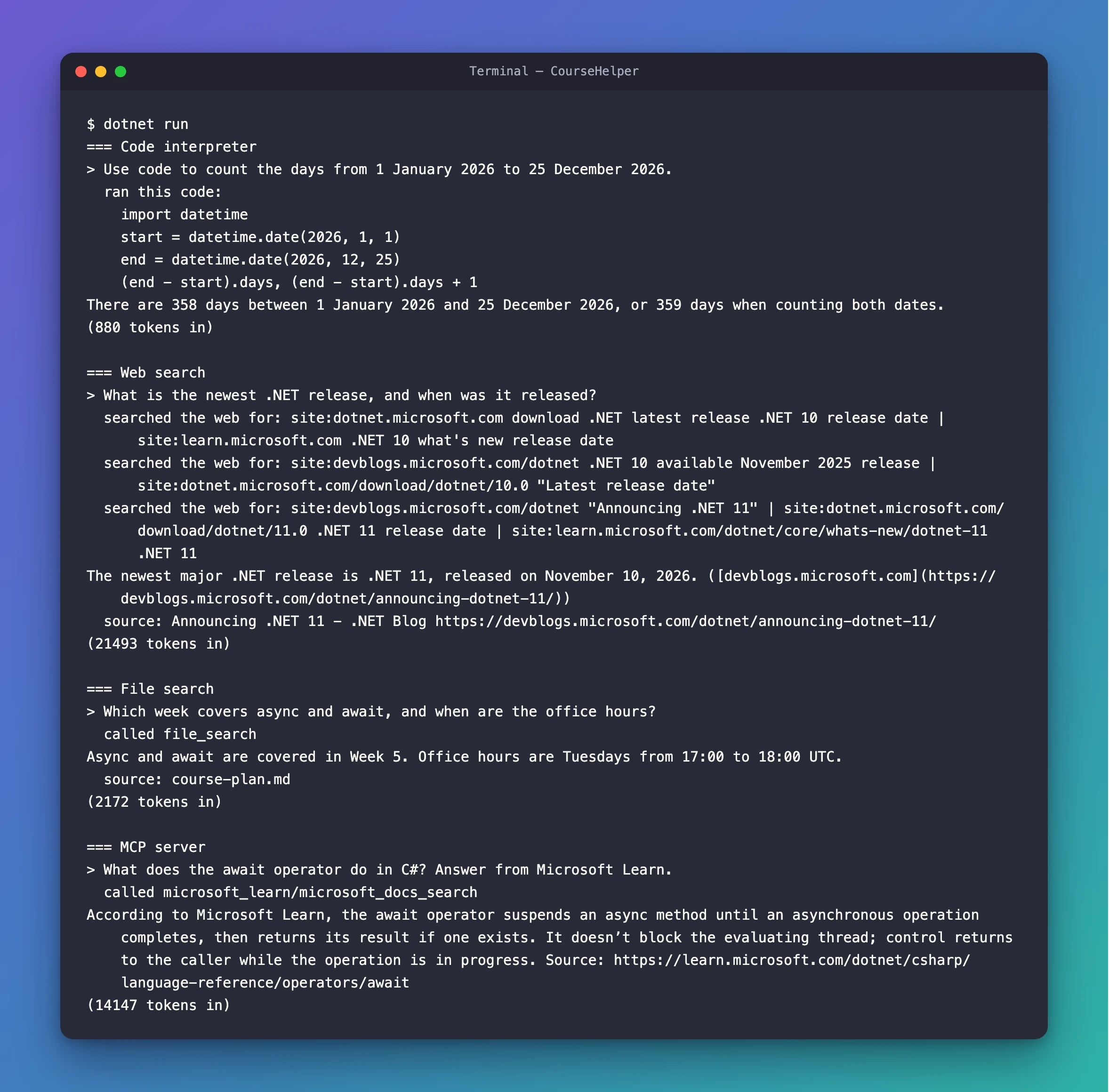
Each tool shows up in the output:
- The code interpreter ran four lines of Python, and the answer is exact: 358 days, or 359 when you count both dates.
- Web search searched three times before it answered, and cited the page it used. The input grew to 21,493 tokens, because the search results went to the model. That number changed from run to run, from about 8,000 to 21,000 in mine.
- File search answered from
course-plan.mdand cited it. - The MCP server step called
microsoft_docs_searchon the Microsoft Learn server, and the answer ends with the page it came from.
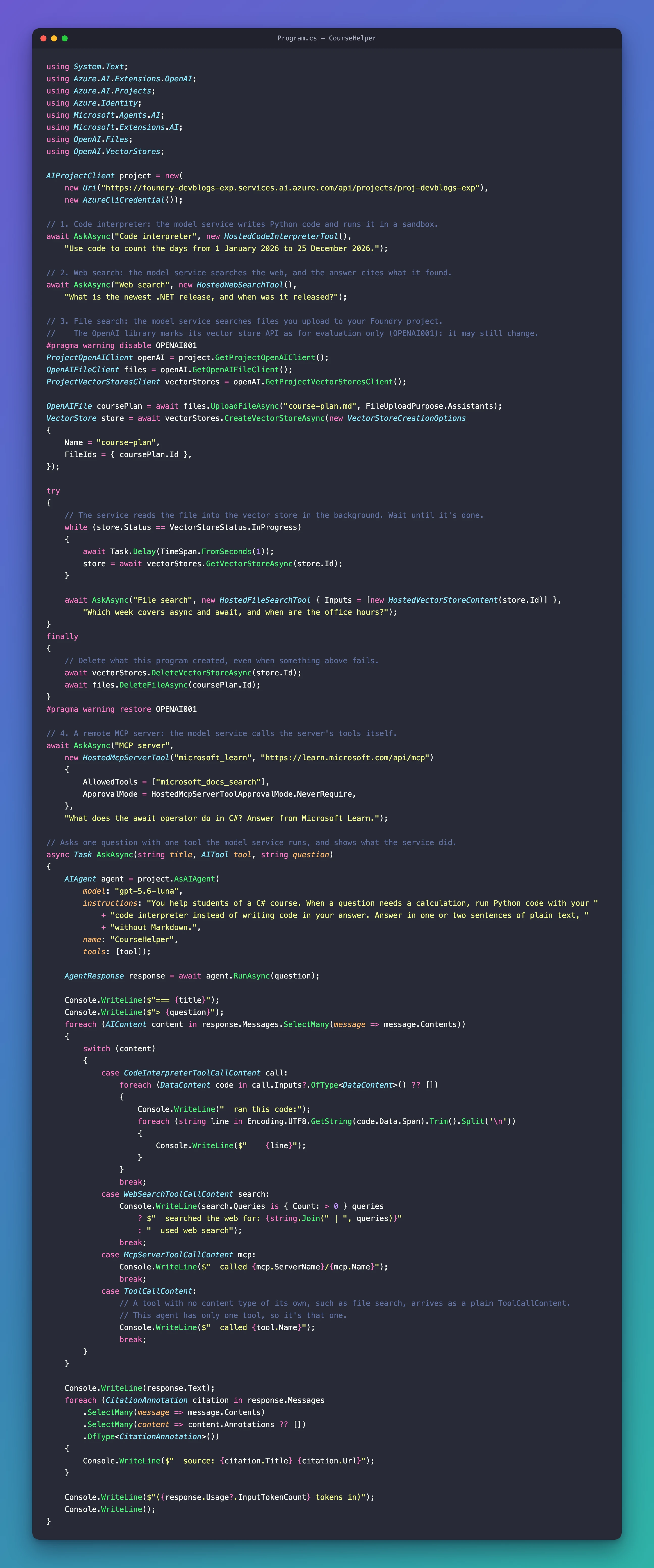
The Complete File
using System.Text;
using Azure.AI.Extensions.OpenAI;
using Azure.AI.Projects;
using Azure.Identity;
using Microsoft.Agents.AI;
using Microsoft.Extensions.AI;
using OpenAI.Files;
using OpenAI.VectorStores;

AIProjectClient project = new(
    new Uri("https://foundry-devblogs-exp.services.ai.azure.com/api/projects/proj-devblogs-exp"),
    new AzureCliCredential());

// 1. Code interpreter: the model service writes Python code and runs it in a sandbox.
await AskAsync("Code interpreter", new HostedCodeInterpreterTool(),
    "Use code to count the days from 1 January 2026 to 25 December 2026.");

// 2. Web search: the model service searches the web, and the answer cites what it found.
await AskAsync("Web search", new HostedWebSearchTool(),
    "What is the newest .NET release, and when was it released?");

// 3. File search: the model service searches files you upload to your Foundry project.
//    The OpenAI library marks its vector store API as for evaluation only (OPENAI001): it may still change.
#pragma warning disable OPENAI001
ProjectOpenAIClient openAI = project.GetProjectOpenAIClient();
OpenAIFileClient files = openAI.GetOpenAIFileClient();
ProjectVectorStoresClient vectorStores = openAI.GetProjectVectorStoresClient();

OpenAIFile coursePlan = await files.UploadFileAsync("course-plan.md", FileUploadPurpose.Assistants);
VectorStore store = await vectorStores.CreateVectorStoreAsync(new VectorStoreCreationOptions
{
    Name = "course-plan",
    FileIds = { coursePlan.Id },
});

try
{
    // The service reads the file into the vector store in the background. Wait until it's done.
    while (store.Status == VectorStoreStatus.InProgress)
    {
        await Task.Delay(TimeSpan.FromSeconds(1));
        store = await vectorStores.GetVectorStoreAsync(store.Id);
    }

    await AskAsync("File search", new HostedFileSearchTool { Inputs = [new HostedVectorStoreContent(store.Id)] },
        "Which week covers async and await, and when are the office hours?");
}
finally
{
    // Delete what this program created, even when something above fails.
    await vectorStores.DeleteVectorStoreAsync(store.Id);
    await files.DeleteFileAsync(coursePlan.Id);
}
#pragma warning restore OPENAI001

// 4. A remote MCP server: the model service calls the server's tools itself.
await AskAsync("MCP server",
    new HostedMcpServerTool("microsoft_learn", "https://learn.microsoft.com/api/mcp")
    {
        AllowedTools = ["microsoft_docs_search"],
        ApprovalMode = HostedMcpServerToolApprovalMode.NeverRequire,
    },
    "What does the await operator do in C#? Answer from Microsoft Learn.");

// Asks one question with one tool the model service runs, and shows what the service did.
async Task AskAsync(string title, AITool tool, string question)
{
    AIAgent agent = project.AsAIAgent(
        model: "gpt-5.6-luna",
        instructions: "You help students of a C# course. When a question needs a calculation, run Python code with your "
            + "code interpreter instead of writing code in your answer. Answer in one or two sentences of plain text, "
            + "without Markdown.",
        name: "CourseHelper",
        tools: [tool]);

    AgentResponse response = await agent.RunAsync(question);

    Console.WriteLine($"=== {title}");
    Console.WriteLine($"> {question}");
    foreach (AIContent content in response.Messages.SelectMany(message => message.Contents))
    {
        switch (content)
        {
            case CodeInterpreterToolCallContent call:
                foreach (DataContent code in call.Inputs?.OfType<DataContent>() ?? [])
                {
                    Console.WriteLine("  ran this code:");
                    foreach (string line in Encoding.UTF8.GetString(code.Data.Span).Trim().Split('\n'))
                    {
                        Console.WriteLine($"    {line}");
                    }
                }
                break;
            case WebSearchToolCallContent search:
                Console.WriteLine(search.Queries is { Count: > 0 } queries
                    ? $"  searched the web for: {string.Join(" | ", queries)}"
                    : "  used web search");
                break;
            case McpServerToolCallContent mcp:
                Console.WriteLine($"  called {mcp.ServerName}/{mcp.Name}");
                break;
            case ToolCallContent:
                // A tool with no content type of its own, such as file search, arrives as a plain ToolCallContent.
                // This agent has only one tool, so it's that one.
                Console.WriteLine($"  called {tool.Name}");
                break;
        }
    }

    Console.WriteLine(response.Text);
    foreach (CitationAnnotation citation in response.Messages
        .SelectMany(message => message.Contents)
        .SelectMany(content => content.Annotations ?? [])
        .OfType<CitationAnnotation>())
    {
        Console.WriteLine($"  source: {citation.Title} {citation.Url}");
    }

    Console.WriteLine($"({response.Usage?.InputTokenCount} tokens in)");
    Console.WriteLine();
}
What You Can Do Now
- Offer the model service a code interpreter, web search, file search or a remote MCP server with one line each.
- Read what the service did from the response: the code it ran, its searches, the MCP tool it called, and the sources it cited.
- Upload a file, create a vector store for it, and delete both again.
- Tell the model when to use a tool, instead of assuming it will.
Common Mistakes
| Mistake | What happens | Do this instead |
|---|---|---|
| Assuming an offered tool gets used | The model can answer without it, and nothing fails | Check the response for the tool's call content, and say in the instructions when to use it |
| Putting personal or secret details in a question that may go to web search | They can leave the Azure compliance boundary | Keep questions for web search free of them |
| Creating a vector store and never deleting it | It stays in your project and costs storage every day | Delete it in a finally block, or keep one store on purpose |
Giving a remote MCP server no AllowedTools | The service may call any of its tools | Name the tools the agent needs |
Pointing HostedMcpServerTool at a server on your computer | The model service can't reach it | Use a server the service can reach, or run it from your app as in MCP Tools |
Troubleshooting
| Symptom | Likely cause | Fix |
|---|---|---|
The build fails with OPENAI001 for ProjectVectorStoresClient and the vector store types | The vector store API is marked for evaluation | #pragma warning disable OPENAI001 around that code (Fixed) |
No ran this code line, and code in the answer | The model chose not to run the code interpreter | Tell it in the instructions when to run code (Fixed) |
A used web search line with no searches | The service made a web search call without listing searches | Nothing to fix: the call is still reported |
Frequently Asked Questions
Can my own C# code run in the code interpreter?
No. The service runs Python that the model writes, in its sandbox. To run your own C# code, give the agent a function tool.
Does file search need a new vector store every time?
No. This example creates and deletes one so it leaves nothing behind. A real app creates its store once, keeps its ID, and gives that ID to HostedFileSearchTool.
Are these tools in Agent Framework or in the model service?
Both, in a way. The classes are in Microsoft.Extensions.AI, which Agent Framework uses, and they only tell the service what it may use. The work happens in the service, so what's available, and what it costs, depends on the provider.
Conclusion
Some tools don't run in your app at all. HostedCodeInterpreterTool, HostedWebSearchTool, HostedFileSearchTool and HostedMcpServerTool let the model service run code, search the web, search your files and call a remote MCP server, and the response reports what it did: the code it ran, its searches, the MCP tool it called and the sources it cited. Each costs something different, sends data somewhere different, and gets used only when the model decides to, so say in the instructions when to use it.
Next: Middleware — inspect or change every run and every tool call.
Additional Resources
- Tools overview — every kind of tool Agent Framework supports.
- Code Interpreter — the hosted code interpreter in Agent Framework.
- Web search — web search in the Responses API, and Web IQ.
- File search tool for agents — files and vector stores in a Foundry project.
- Microsoft Web IQ pricing — the price of a web search.
