Sessions
A model doesn't remember anything between requests. In Your First Agent, the second question didn't know about the first, because every run stood alone. A session changes that: it holds one conversation, and every run that gets it continues the conversation. This tutorial keeps a conversation going across runs, looks inside a session, and saves it, so the conversation continues even after the app restarts.
What a Session Is
Microsoft's documentation calls AgentSession the conversation state container used across agent runs. Its reference lists what that state can be: Conversation history or a reference to externally stored conversation history, memories, and Any other state that the agent needs to persist across runs for a conversation.
Three things follow from that, and this tutorial shows each of them:
- The agent creates the session. You ask the agent for one with
CreateSessionAsync, because AnAgentSessionis always constructed by anAIAgentso that theAIAgentcan attach any necessary behaviors. The same reference warns that a session may not be reusable across different agents. - You pass the session to every run.
RunAsync(message, session)continues the conversation;RunAsync(message)without it starts a new one each time. - A session can be saved.
SerializeSessionAsyncturns it into JSON, andDeserializeSessionAsyncturns that JSON back into a session, allowing conversations to resume across application restarts.
Where the conversation itself is kept depends on the agent. With an agent on Microsoft Foundry, as in this track, the service stores the conversation, and the session holds a reference to it:
Microsoft's documentation describes this for OpenAI Responses, the API Foundry's models use here: it may use a resp_* response ID as previous_response_id. Each run tells the service which response it follows, and the service adds the conversation up to that response.
The Example
A console app called PantryChef suggests meals from the ingredients you have. You tell it your ingredients in one message and ask for a breakfast idea in the next. Then the app saves the conversation, starts again, and asks which ingredients you said you have.
Prerequisites
- The agent from Instructions, Messages and Run Options, and the setup it uses: the .NET 10 SDK, the Azure CLI signed in, a Foundry project endpoint, a model deployment and the Foundry User role.
Step 1: Create a Console App
In a terminal, in the folder where you keep your projects, run:
dotnet new console -n PantryChef
cd PantryChef
dotnet add package Microsoft.Agents.AI.Foundry --version 1.28.0-preview.261106.1
dotnet add package Azure.Identity --version 1.21.0
The template "Console App" was created successfully.

Processing post-creation actions...
Restoring /Users/you/source/PantryChef/PantryChef.csproj:
Restore succeeded.

info : PackageReference for package 'Microsoft.Agents.AI.Foundry' version '1.28.0-preview.261106.1' added to file '/Users/you/source/PantryChef/PantryChef.csproj'.
log  : Restored /Users/you/source/PantryChef/PantryChef.csproj (in 3.63 sec).
info : PackageReference for package 'Azure.Identity' version '1.21.0' added to file '/Users/you/source/PantryChef/PantryChef.csproj'.
log  : Restored /Users/you/source/PantryChef/PantryChef.csproj (in 1.06 sec).
The same two packages as in the previous tutorials. Open the PantryChef folder in VS Code, or PantryChef.csproj in Visual Studio.
Step 2: Keep a Conversation in a Session
Replace everything in Program.cs:
using Azure.AI.Projects;
using Azure.Identity;
using Microsoft.Agents.AI;

AIAgent agent = new AIProjectClient(
        new Uri("https://foundry-devblogs-exp.services.ai.azure.com/api/projects/proj-devblogs-exp"),
        new AzureCliCredential())
    .AsAIAgent(
        model: "gpt-5.6-luna",
        instructions: "You suggest simple meals from the ingredients people have. Answer in one or two sentences.",
        name: "PantryChef");

// 1. A session holds one conversation. Every run that gets it continues it.
AgentSession session = await agent.CreateSessionAsync();

await Ask("I have eggs, spinach and cheese.");
await Ask("What can I make for breakfast?");

async Task Ask(string message)
{
    AgentResponse response = await agent.RunAsync(message, session);
    Console.WriteLine($"> {message}");
    Console.WriteLine($"{response.Text} ({response.Usage?.InputTokenCount} tokens in)");
    Console.WriteLine();
}
CreateSessionAsyncasks the agent for a new, empty session: one conversation.agent.RunAsync(message, session)runs the agent in that conversation. Both runs get the samesession, so the second one continues the first.Askis a local function that runs one message, prints it with the answer and shows the input tokens, the tokens that went to the model.
Use your own project endpoint and model deployment. Run it:
- VS Code
- Visual Studio
In the terminal, in the PantryChef folder, run:
dotnet run
Press Ctrl+F5 (Debug → Start Without Debugging). The output appears in a console window.
> I have eggs, spinach and cheese.
Make a spinach and cheese omelet: sauté the spinach, pour in beaten eggs, sprinkle with cheese, and cook until set. You could also scramble everything together for a quicker meal. (35 tokens in)

> What can I make for breakfast?
Make a spinach-and-cheese omelet: sauté the spinach, add beaten eggs, sprinkle with cheese, and cook until set. Alternatively, scramble all three ingredients together for a quick breakfast. (89 tokens in)
The second question doesn't name a single ingredient, and the answer still uses all three: the second run knew the first. The token counts show how. The first run read 35 tokens, the instructions and the message. The second read 89: its own message, plus the first message and its answer, which came along because both runs were in the same conversation.
Step 3: Look Inside the Session
What does a session hold? Ask it. Add using System.Text.Json; at the top of Program.cs, and these lines after the second Ask:
// 2. What the session holds, as JSON.
JsonElement state = await agent.SerializeSessionAsync(session);
Console.WriteLine(JsonSerializer.Serialize(state, new JsonSerializerOptions { WriteIndented = true }));
SerializeSessionAsync returns the session as a JsonElement, and JsonSerializer.Serialize with WriteIndented prints it on several lines. Run the app again. After the two answers, the session appears (the ID shortened):
{
  "conversationId": "resp_…",
  "stateBag": {
    "InMemoryChatHistoryProvider": {
      "messages": []
    }
  }
}
conversationIdis the ID of the conversation's newest response in Foundry, aresp_ID. That's the reference the next run sends, so Foundry can add the conversation so far.stateBagis where the agent keeps any other state of the conversation. ItsInMemoryChatHistoryProvider, which keeps messages inside the session for agents whose service doesn't store them, has none: Foundry stores this conversation.
So the session is small. The conversation itself, every message and answer, stays in your Foundry project.
Step 4: Save the Session and Continue After a Restart
A session in memory ends with the app. Saved as JSON, it can continue later. Replace everything in Program.cs:
using System.Text.Json;
using Azure.AI.Projects;
using Azure.Identity;
using Microsoft.Agents.AI;

AIAgent agent = new AIProjectClient(
        new Uri("https://foundry-devblogs-exp.services.ai.azure.com/api/projects/proj-devblogs-exp"),
        new AzureCliCredential())
    .AsAIAgent(
        model: "gpt-5.6-luna",
        instructions: "You suggest simple meals from the ingredients people have. Answer in one or two sentences.",
        name: "PantryChef");

const string SessionFile = "session.json";
AgentSession session;

if (File.Exists(SessionFile))
{
    // 1. A saved conversation: restore it, and carry on where it stopped.
    JsonElement saved = JsonSerializer.Deserialize<JsonElement>(await File.ReadAllTextAsync(SessionFile));
    session = await agent.DeserializeSessionAsync(saved);
    await Ask("Which ingredients did I say I have?");
}
else
{
    // 2. No saved conversation yet: start one. Every run that gets the session continues it.
    session = await agent.CreateSessionAsync();
    await Ask("I have eggs, spinach and cheese.");
    await Ask("What can I make for breakfast?");
}

// 3. Save the conversation, so the next start can continue it.
JsonElement state = await agent.SerializeSessionAsync(session);
await File.WriteAllTextAsync(SessionFile, state.GetRawText());
Console.WriteLine($"Saved the conversation to {SessionFile}.");

async Task Ask(string message)
{
    AgentResponse response = await agent.RunAsync(message, session);
    Console.WriteLine($"> {message}");
    Console.WriteLine($"{response.Text} ({response.Usage?.InputTokenCount} tokens in)");
    Console.WriteLine();
}
File.Exists(SessionFile)decides which conversation this is: a saved one, or a new one.DeserializeSessionAsync(saved)turns the saved JSON back into a session of this agent.JsonSerializer.Deserialize<JsonElement>reads the file's text into theJsonElementit needs.SerializeSessionAsync(session)at the end saves the session as it is now, andGetRawTextwrites the JSON tosession.json, in the folder the app runs in: withdotnet run, the project folder.
Run the app twice:
dotnet run
dotnet run
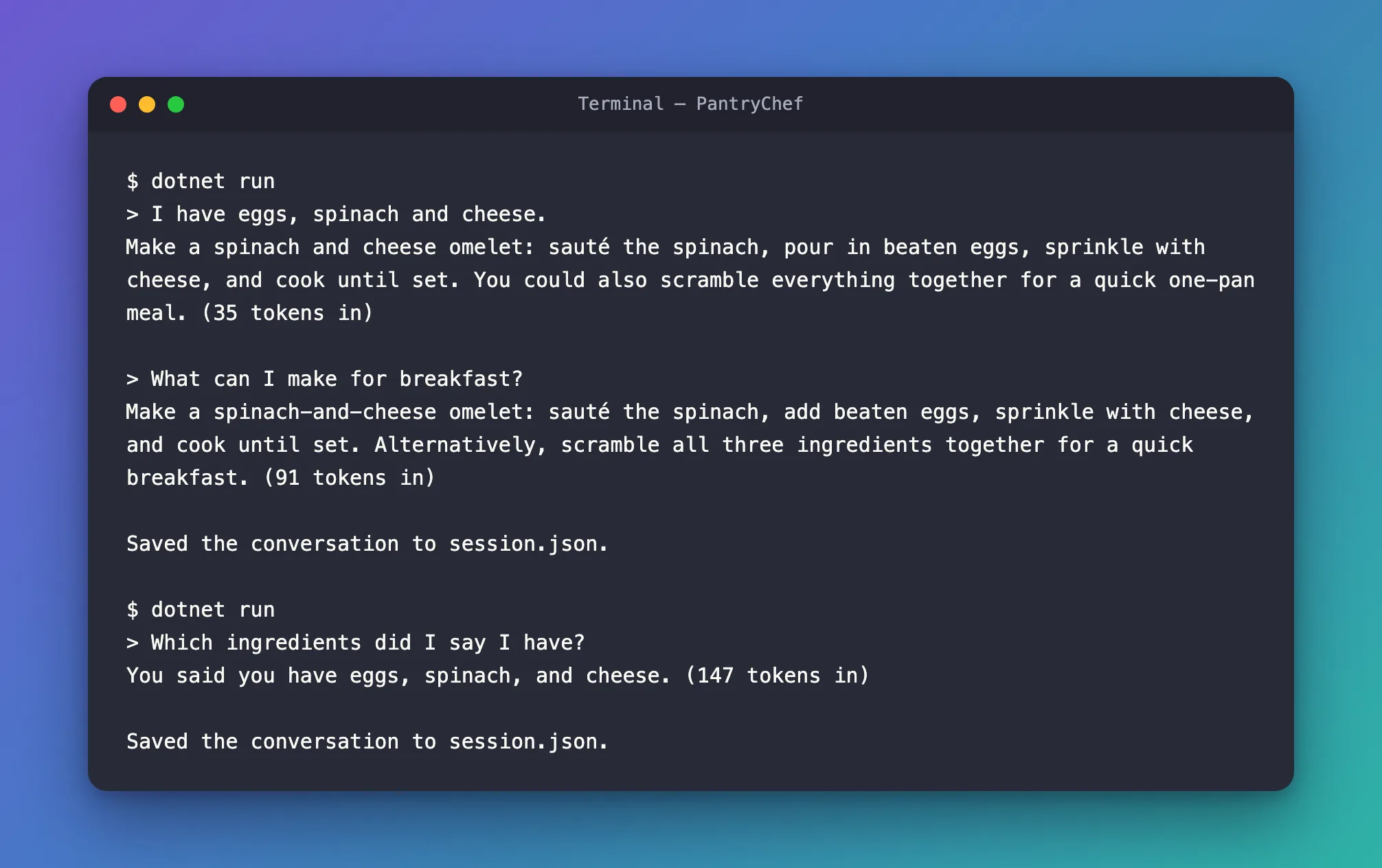
The second start is a new process: nothing of the first run was left in memory. It found session.json, restored the session, and the agent answered You said you have eggs, spinach, and cheese. It read 147 input tokens: the whole conversation so far, from Foundry.
session.json holds the same small JSON as in Step 3, on one line. After each run its conversationId is a different resp_ ID, the newest response. To start a new conversation, delete the file.
The Complete File
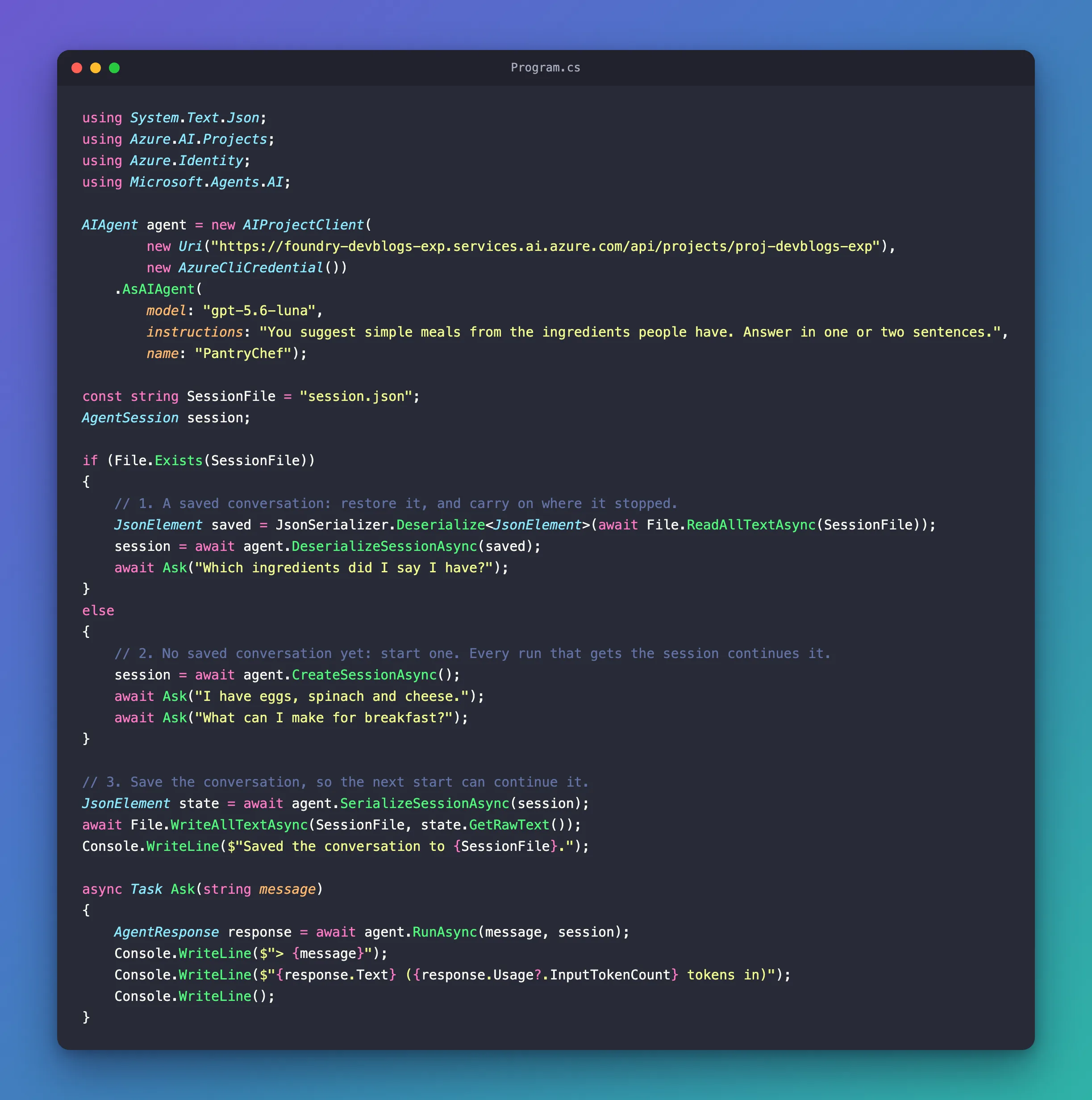
Program.cs from Step 4 is the whole program.
What You Can Do Now
- Keep a conversation going across runs: create one session, and pass it to every run.
- Explain why a conversation costs more with every turn: each run sends the conversation so far.
- Look inside a session, and know that with Microsoft Foundry it holds a reference, while the conversation stays in Foundry.
- Save a session as JSON and restore it, so a conversation continues after a restart.
The three runs of Step 4 read 273 input tokens in total, about $0.00005 at gpt-5.6-luna's price of $0.20 per million input tokens. The answers, and the model's reasoning before it writes, are output tokens at $1.20 per million on top.
Common Mistakes
| Mistake | What happens | Do this instead |
|---|---|---|
| Creating a new session for every message | Every message starts a new conversation, and the agent forgets | Create the session once, and pass the same one to every run |
Forgetting to pass the session to RunAsync | That run stands alone | Write RunAsync(message, session) |
| Using a session with another agent | Microsoft's documentation: Reusing a session with a different agent configuration or provider can lead to invalid context | Restore a session with the agent that created it |
| Saving sessions where anyone can change them | The reference: Restoring a session from an untrusted source is equivalent to accepting untrusted input | Store sessions like other private data, and restore one only for the person it belongs to |
Troubleshooting
| Symptom | Likely cause | Fix |
|---|---|---|
| The agent asks what you mean, as if it never saw the earlier message | The run didn't get the session | Pass the same session to every run |
Unhandled exception. System.Text.Json.JsonException: '…' is an invalid JSON literal. when the app starts | session.json was changed and isn't JSON any more | Delete session.json to start a new conversation |
Frequently Asked Questions
Does a longer conversation cost more?
Yes. Every run sends the conversation so far: in Step 4, the input tokens grew from 35 to 91 to 147. A long conversation can be shortened; that's what compaction is for, in a later tutorial.
Where is the conversation stored?
With an agent on Microsoft Foundry, in your Foundry project: the session only holds the newest response's ID. That's also why the saved JSON is so small. Microsoft's documentation adds that such service IDs are not an access check: in an app for many people, keep them on the server and check who is asking before you continue a conversation.
Can one agent have many conversations?
Yes. The agent holds no conversation; each session is one. The IT Service Desk API does exactly that in Part 4: one agent, and one session for each conversation in the chat.
Conclusion
A session holds one conversation. Create it with CreateSessionAsync, pass it to every RunAsync, and the agent continues the conversation instead of starting over. With Microsoft Foundry, the conversation stays in the service, and the session holds the newest response's ID. SerializeSessionAsync saves the session as JSON and DeserializeSessionAsync restores it, so a conversation can continue after a restart.
Next: Function Tools — let the model call your own C# methods.
Additional Resources
- Session — what
AgentSessionholds, service IDs, and serialization. - Conversations & Memory overview — the usual pattern: create, run, save, restore.
- AgentSession class — the reference, with its security considerations.
- AIAgent.SerializeSessionAsync — saving a session as JSON.
