Middleware
Middleware is code that runs around every run of an agent, every call of a tool, or every request to the model, so you can inspect or change them in one place instead of in every call. Logging, checks, limits and guardrails all live there. This tutorial adds all three kinds of middleware to a small agent, prints a line each time one runs, and uses one of them to answer a question without calling the model.
How Middleware Works
Three places to step in
Microsoft's documentation lists three kinds of middleware:
| Kind | Runs around | Added with |
|---|---|---|
| Agent run middleware | Every run of the agent: the messages it starts with, and its answer | AsBuilder().Use(runFunc: …) on the agent |
| Function calling middleware | Every call of a function tool: its arguments, and its result | AsBuilder().Use(…) on the agent |
IChatClient middleware | Every request the agent sends to the model | AsBuilder().Use(getResponseFunc: …) on the chat client |
Each one is a function that gets what's passing through, and something to call next. In Microsoft's words, all the types of middleware are implemented via a function callback, and when multiple middleware instances of the same type are registered, they form a chain, where each middleware instance is expected to call the next in the chain. Call the next one, and the run goes on. Don't, and you've answered or stopped it yourself.
Where each kind runs
A run with a tool call passes through all three:
Agent run middleware sees a run once, from the outside. A run that uses a tool sends at least two requests to the model, one that asks for the tool and one with its result, so IChatClient middleware runs at least twice. Function calling middleware runs once for every tool call, between those requests.
When you add several middleware of the same kind with AsBuilder(), the first one you add is the outermost: it sees a run before the others do, and the answer after them.
Streaming needs both functions
An agent can run in two ways: RunAsync returns the whole answer, and RunStreamingAsync returns it piece by piece. Agent run middleware has a function for each. Microsoft's documentation warns: When providing just the non-streaming middleware, the agent will use it for both streaming and non-streaming invocations. Streaming will only run in non-streaming mode to suffice the middleware expectations. This tutorial calls only RunAsync, so one function is enough. An app that streams gives both, or uses Use(sharedFunc: …) when it only needs to look at or change the input (How to Keep Streaming Working with Agent Run Middleware in Microsoft Agent Framework).
Which agents support function calling middleware
Microsoft's documentation notes that function calling middleware is currently only supported with an AIAgent that uses FunctionInvokingChatClient, for example, ChatClientAgent. That's the class that runs function tools for an agent, and AsAIAgent creates a ChatClientAgent, as in every tutorial so far.
The Example
A console app called CityClock has an agent that tells the time in Tokyo, London and New York, with one function tool, get_city_time. Three middleware print a line each time they run: [run], [tool] and [model]. The agent run middleware also answers questions longer than 200 characters by itself, without calling the model. The app asks four questions:
- What time is it in Tokyo?: one tool call.
- What time is it in Tokyo, London and New York?: three tool calls in one turn.
- A question of 210 characters, which the middleware answers.
- An empty question, which the app checks before the agent ever sees it.
Prerequisites
- The agent from Tools the Model Service Runs, and the setup it uses: the .NET 10 SDK, the Azure CLI signed in, a Foundry project endpoint, a model deployment and the Foundry User role.
Step 1: Create a Console App
In a terminal, in the folder where you keep your projects, run:
dotnet new console -n CityClock
cd CityClock
dotnet add package Microsoft.Agents.AI.Foundry --version 1.28.0-preview.261106.1
dotnet add package Azure.Identity --version 1.21.0
Both packages are the ones from the earlier tutorials. Everything middleware needs is in them.
Step 2: Create the Agent with Its Middleware
Replace everything in Program.cs with this:
using System.ComponentModel;
using System.Diagnostics;
using Azure.AI.Projects;
using Azure.Identity;
using Microsoft.Agents.AI;
using Microsoft.Extensions.AI;

// 1. An agent with one function tool. Every request it sends to the model passes through LogModelCallAsync.
AIAgent baseAgent = new AIProjectClient(
        new Uri("https://foundry-devblogs-exp.services.ai.azure.com/api/projects/proj-devblogs-exp"),
        new AzureCliCredential())
    .AsAIAgent(
        model: "gpt-5.6-luna",
        instructions: "You tell people the time in a city. Answer in one short sentence.",
        name: "CityClock",
        tools: [AIFunctionFactory.Create(GetCityTime, name: "get_city_time")],
        clientFactory: chatClient => chatClient.AsBuilder()
            .Use(getResponseFunc: LogModelCallAsync, getStreamingResponseFunc: null)
            .Build());

// 2. Agent run middleware around every run, and function calling middleware around every tool call.
AIAgent agent = baseAgent.AsBuilder()
    .Use(runFunc: LogRunAsync, runStreamingFunc: null)
    .Use(LogToolCallAsync)
    .Build();
clientFactory:gets the chat client the agent will use to talk to the model, and returns the one it should use instead. Here it wraps the client withAsBuilder().Use(getResponseFunc: LogModelCallAsync, …).Build(), so every request to the model passes throughLogModelCallAsync.getStreamingResponseFunc: nullis enough because the app doesn't stream.baseAgent.AsBuilder()wraps the agent itself.Use(runFunc: LogRunAsync, runStreamingFunc: null)adds agent run middleware, andUse(LogToolCallAsync)adds function calling middleware; C# picks that overload from the function's parameters.Build()returns a new agent with the middleware around it. The base agent doesn't change.
The four functions it names come in the next steps.
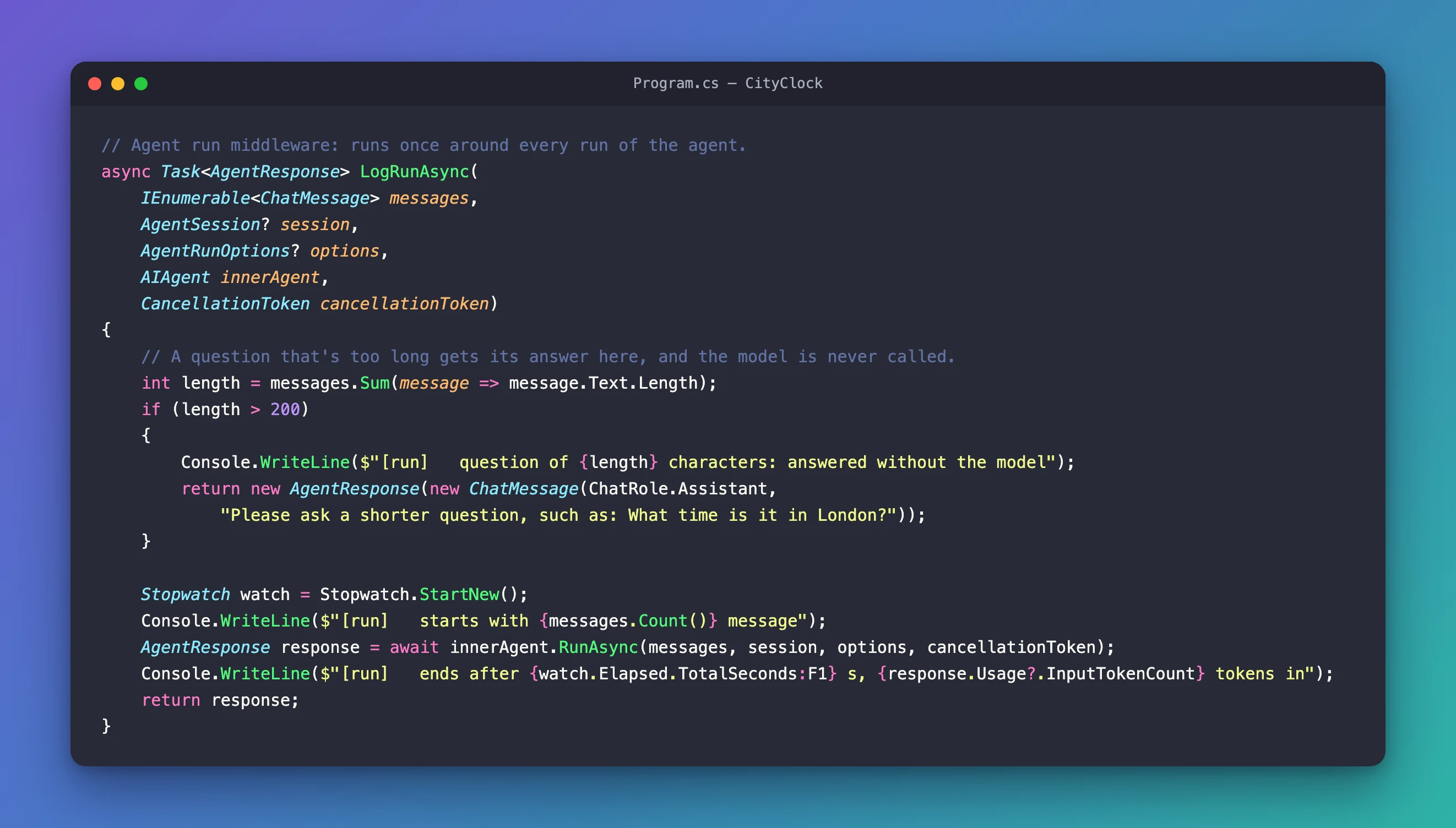
Step 3: Add Agent Run Middleware
Add this function at the end of Program.cs:
// Agent run middleware: runs once around every run of the agent.
async Task<AgentResponse> LogRunAsync(
    IEnumerable<ChatMessage> messages,
    AgentSession? session,
    AgentRunOptions? options,
    AIAgent innerAgent,
    CancellationToken cancellationToken)
{
    // A question that's too long gets its answer here, and the model is never called.
    int length = messages.Sum(message => message.Text.Length);
    if (length > 200)
    {
        Console.WriteLine($"[run]   question of {length} characters: answered without the model");
        return new AgentResponse(new ChatMessage(ChatRole.Assistant,
            "Please ask a shorter question, such as: What time is it in London?"));
    }

    Stopwatch watch = Stopwatch.StartNew();
    Console.WriteLine($"[run]   starts with {messages.Count()} message");
    AgentResponse response = await innerAgent.RunAsync(messages, session, options, cancellationToken);
    Console.WriteLine($"[run]   ends after {watch.Elapsed.TotalSeconds:F1} s, {response.Usage?.InputTokenCount} tokens in");
    return response;
}
- Its parameters are the messages the run starts with, the session, the run options, the agent inside, and a cancellation token.
innerAgent.RunAsyncruns the rest: the agent, its tools, the model. The middleware prints a line before and after, with the time the run took and its input tokens.- A question longer than 200 characters gets an answer from the middleware itself. It builds an
AgentResponsewith one assistant message and returns it without callinginnerAgent, so the model is never asked. A limit like this keeps every request within a size you chose, and costs nothing when it says no.
Step 4: Add Function Calling Middleware
// Function calling middleware: runs around every call of a tool.
async ValueTask<object?> LogToolCallAsync(
    AIAgent agent,
    FunctionInvocationContext context,
    Func<FunctionInvocationContext, CancellationToken, ValueTask<object?>> next,
    CancellationToken cancellationToken)
{
    string arguments = string.Join(", ", context.Arguments.Select(argument => $"{argument.Key}: {argument.Value}"));
    Console.WriteLine($"[tool]  {context.Function.Name}({arguments})");
    object? result = await next(context, cancellationToken);
    Console.WriteLine($"[tool]  returned {result}");
    return result;
}
contextis aFunctionInvocationContext: the tool (context.Function) and the arguments the model chose for it (context.Arguments).nextruns the tool, or the next function calling middleware if there is one. What it returns is the tool's result, on its way back to the model. Middleware can change it before it returns it.
Step 5: Add IChatClient Middleware
// IChatClient middleware: runs around every request to the model.
async Task<ChatResponse> LogModelCallAsync(
    IEnumerable<ChatMessage> messages,
    ChatOptions? options,
    IChatClient innerClient,
    CancellationToken cancellationToken)
{
    Console.WriteLine($"[model] request with {messages.Count()} message(s)");
    ChatResponse response = await innerClient.GetResponseAsync(messages, options, cancellationToken);
    bool wantsTool = response.Messages.SelectMany(message => message.Contents).OfType<FunctionCallContent>().Any();
    Console.WriteLine($"[model] answered with {(wantsTool ? "a tool call" : "text")}");
    return response;
}
- Its parameters are the messages for this request, the chat options and the chat client inside.
innerClient.GetResponseAsyncsends the request to the model. The middleware prints whether the model answered with text or asked for a tool, by looking for aFunctionCallContentin the answer.
Step 6: Add the Tool
// The tool: the current time in one of three cities.
[Description("Gets the current time in a city: Tokyo, London or New York.")]
static string GetCityTime([Description("The city: Tokyo, London or New York.")] string city)
{
    string? timeZone = city.ToLowerInvariant() switch
    {
        "tokyo" => "Asia/Tokyo",
        "london" => "Europe/London",
        "new york" => "America/New_York",
        _ => null,
    };

    if (timeZone is null)
    {
        return $"I only know Tokyo, London and New York, not {city}.";
    }

    DateTimeOffset now = TimeZoneInfo.ConvertTime(DateTimeOffset.UtcNow, TimeZoneInfo.FindSystemTimeZoneById(timeZone));
    return $"{now:dddd HH:mm} in {city}";
}
A function tool like the ones before: it finds the time zone of one of three cities and returns the day and time there. It's static because it uses nothing outside itself.
Step 7: Ask Four Questions
Add the questions after the agent, before the functions:
// 3. Four questions: one tool call, three tool calls, one too long for the middleware, and an empty one.
await AskAsync("What time is it in Tokyo?");
await AskAsync("What time is it in Tokyo, London and New York?");
await AskAsync("Could you tell me the time in Tokyo, and also explain in detail how time zones work, why some "
    + "countries use daylight saving time, how the date line works, and how I should plan meetings across all these places?");
await AskAsync("");

async Task AskAsync(string question)
{
    Console.WriteLine($"> {question}");

    // RunAsync refuses an empty question before any middleware runs, so check it first.
    if (string.IsNullOrWhiteSpace(question))
    {
        Console.WriteLine("Type a question first.");
        Console.WriteLine();
        return;
    }

    AgentResponse response = await agent.RunAsync(question);
    Console.WriteLine(response.Text);
    Console.WriteLine();
}
AskAsync checks for an empty question before it calls the agent. RunAsync with a string throws an ArgumentException for an empty or blank one, before any middleware runs, so middleware can't catch it (Fixed: System.ArgumentException: Argument is whitespace (Parameter 'message') in Microsoft Agent Framework).
Step 8: Run It
dotnet run
> What time is it in Tokyo?
[run]   starts with 1 message
[model] request with 1 message(s)
[model] answered with a tool call
[tool]  get_city_time(city: Tokyo)
[tool]  returned Thursday 13:49 in Tokyo
[model] request with 1 message(s)
[model] answered with text
[run]   ends after 4.9 s, 218 tokens in
It’s Thursday, 13:49 in Tokyo.

> What time is it in Tokyo, London and New York?
[run]   starts with 1 message
[model] request with 1 message(s)
[model] answered with a tool call
[tool]  get_city_time(city: Tokyo)
[tool]  returned Thursday 13:49 in Tokyo
[tool]  get_city_time(city: London)
[tool]  returned Thursday 04:49 in London
[tool]  get_city_time(city: New York)
[tool]  returned Wednesday 23:49 in New York
[model] request with 1 message(s)
[model] answered with text
[run]   ends after 4.0 s, 326 tokens in
It’s Thursday 13:49 in Tokyo, Thursday 04:49 in London, and Wednesday 23:49 in New York.

> Could you tell me the time in Tokyo, and also explain in detail how time zones work, why some countries use daylight saving time, how the date line works, and how I should plan meetings across all these places?
[run]   question of 210 characters: answered without the model
Please ask a shorter question, such as: What time is it in London?

>
Type a question first.
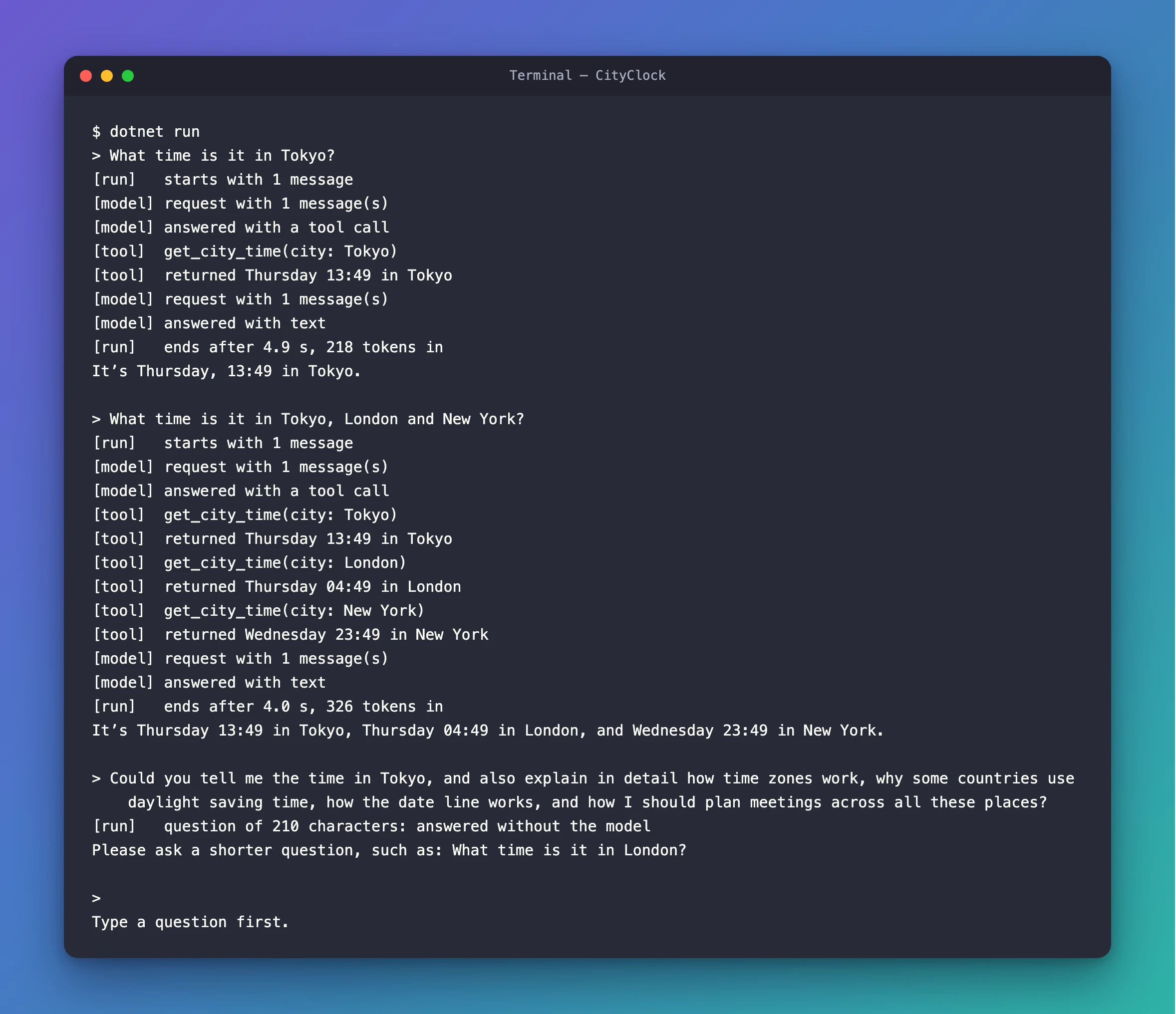
Read the lines from the top:
- The first question passes through every layer.
[run]starts first and ends last, around everything.[model]appears twice: the first request makes the model ask forget_city_time, and the second sends the tool's result and gets the answer.[tool]runs between them. - Each request to the model carries one message. The first carries the question, the second the tool's result: Microsoft Foundry keeps the conversation, so each request sends only what's new.
- The second question gets three tool calls from one answer of the model, and the function calling middleware runs once for each. All three results go back to the model in one request.
- The long question stops at
[run]. No[model]line follows: the model was never called, and the question cost no tokens. - The empty question never reaches the agent:
AskAsyncanswered it. 218 tokens inis the input of both requests of the first run together.
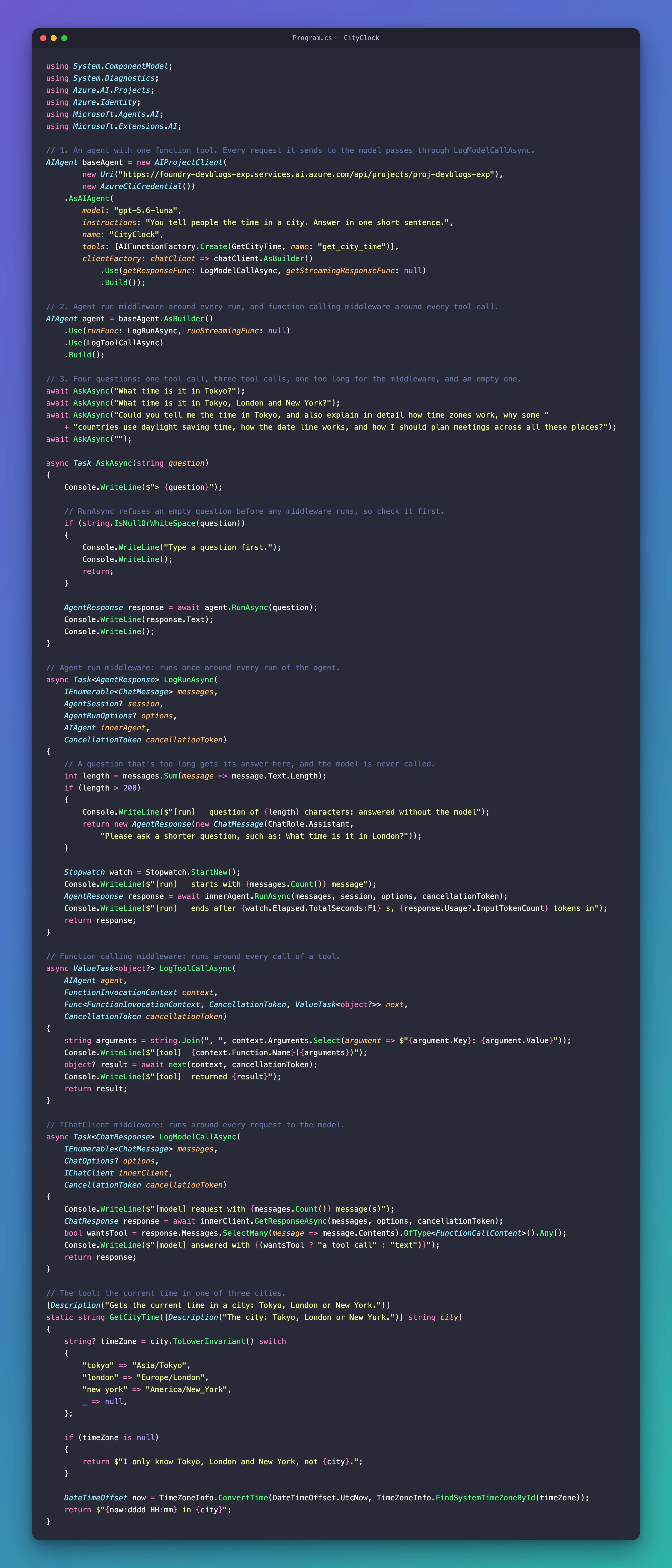
The Complete File
using System.ComponentModel;
using System.Diagnostics;
using Azure.AI.Projects;
using Azure.Identity;
using Microsoft.Agents.AI;
using Microsoft.Extensions.AI;

// 1. An agent with one function tool. Every request it sends to the model passes through LogModelCallAsync.
AIAgent baseAgent = new AIProjectClient(
        new Uri("https://foundry-devblogs-exp.services.ai.azure.com/api/projects/proj-devblogs-exp"),
        new AzureCliCredential())
    .AsAIAgent(
        model: "gpt-5.6-luna",
        instructions: "You tell people the time in a city. Answer in one short sentence.",
        name: "CityClock",
        tools: [AIFunctionFactory.Create(GetCityTime, name: "get_city_time")],
        clientFactory: chatClient => chatClient.AsBuilder()
            .Use(getResponseFunc: LogModelCallAsync, getStreamingResponseFunc: null)
            .Build());

// 2. Agent run middleware around every run, and function calling middleware around every tool call.
AIAgent agent = baseAgent.AsBuilder()
    .Use(runFunc: LogRunAsync, runStreamingFunc: null)
    .Use(LogToolCallAsync)
    .Build();

// 3. Four questions: one tool call, three tool calls, one too long for the middleware, and an empty one.
await AskAsync("What time is it in Tokyo?");
await AskAsync("What time is it in Tokyo, London and New York?");
await AskAsync("Could you tell me the time in Tokyo, and also explain in detail how time zones work, why some "
    + "countries use daylight saving time, how the date line works, and how I should plan meetings across all these places?");
await AskAsync("");

async Task AskAsync(string question)
{
    Console.WriteLine($"> {question}");

    // RunAsync refuses an empty question before any middleware runs, so check it first.
    if (string.IsNullOrWhiteSpace(question))
    {
        Console.WriteLine("Type a question first.");
        Console.WriteLine();
        return;
    }

    AgentResponse response = await agent.RunAsync(question);
    Console.WriteLine(response.Text);
    Console.WriteLine();
}

// Agent run middleware: runs once around every run of the agent.
async Task<AgentResponse> LogRunAsync(
    IEnumerable<ChatMessage> messages,
    AgentSession? session,
    AgentRunOptions? options,
    AIAgent innerAgent,
    CancellationToken cancellationToken)
{
    // A question that's too long gets its answer here, and the model is never called.
    int length = messages.Sum(message => message.Text.Length);
    if (length > 200)
    {
        Console.WriteLine($"[run]   question of {length} characters: answered without the model");
        return new AgentResponse(new ChatMessage(ChatRole.Assistant,
            "Please ask a shorter question, such as: What time is it in London?"));
    }

    Stopwatch watch = Stopwatch.StartNew();
    Console.WriteLine($"[run]   starts with {messages.Count()} message");
    AgentResponse response = await innerAgent.RunAsync(messages, session, options, cancellationToken);
    Console.WriteLine($"[run]   ends after {watch.Elapsed.TotalSeconds:F1} s, {response.Usage?.InputTokenCount} tokens in");
    return response;
}

// Function calling middleware: runs around every call of a tool.
async ValueTask<object?> LogToolCallAsync(
    AIAgent agent,
    FunctionInvocationContext context,
    Func<FunctionInvocationContext, CancellationToken, ValueTask<object?>> next,
    CancellationToken cancellationToken)
{
    string arguments = string.Join(", ", context.Arguments.Select(argument => $"{argument.Key}: {argument.Value}"));
    Console.WriteLine($"[tool]  {context.Function.Name}({arguments})");
    object? result = await next(context, cancellationToken);
    Console.WriteLine($"[tool]  returned {result}");
    return result;
}

// IChatClient middleware: runs around every request to the model.
async Task<ChatResponse> LogModelCallAsync(
    IEnumerable<ChatMessage> messages,
    ChatOptions? options,
    IChatClient innerClient,
    CancellationToken cancellationToken)
{
    Console.WriteLine($"[model] request with {messages.Count()} message(s)");
    ChatResponse response = await innerClient.GetResponseAsync(messages, options, cancellationToken);
    bool wantsTool = response.Messages.SelectMany(message => message.Contents).OfType<FunctionCallContent>().Any();
    Console.WriteLine($"[model] answered with {(wantsTool ? "a tool call" : "text")}");
    return response;
}

// The tool: the current time in one of three cities.
[Description("Gets the current time in a city: Tokyo, London or New York.")]
static string GetCityTime([Description("The city: Tokyo, London or New York.")] string city)
{
    string? timeZone = city.ToLowerInvariant() switch
    {
        "tokyo" => "Asia/Tokyo",
        "london" => "Europe/London",
        "new york" => "America/New_York",
        _ => null,
    };

    if (timeZone is null)
    {
        return $"I only know Tokyo, London and New York, not {city}.";
    }

    DateTimeOffset now = TimeZoneInfo.ConvertTime(DateTimeOffset.UtcNow, TimeZoneInfo.FindSystemTimeZoneById(timeZone));
    return $"{now:dddd HH:mm} in {city}";
}
What You Can Do Now
- Add agent run middleware with
AsBuilder().Use(runFunc: …), and answer a run yourself without calling the model. - Add function calling middleware with
AsBuilder().Use(…), and see every tool call with its arguments and result. - Add
IChatClientmiddleware withclientFactory:, and see every request to the model. - Tell which layer runs when, and how often.
Common Mistakes
| Mistake | What happens | Do this instead |
|---|---|---|
Giving only runFunc to an agent that streams | Microsoft's documentation: Streaming will only run in non-streaming mode | Give runStreamingFunc too, or use Use(sharedFunc: …) for input-only middleware |
Forgetting to call next, innerAgent or innerClient | The run, tool call or request stops at the middleware | Call it, unless you mean to answer yourself |
| Expecting middleware to handle an empty question | RunAsync with a string throws ArgumentException first | Check the input before RunAsync |
| Counting a run's requests to the model as one | A run with tools sends two or more | Count them in IChatClient middleware |
| Expecting function calling middleware to see tools the model service runs | It sees only function tools, which your app runs | Read the service's reports in the response, as in Tools the Model Service Runs |
Troubleshooting
| Symptom | Likely cause | Fix |
|---|---|---|
| System.ArgumentException: Argument is whitespace (Parameter 'message') | An empty or blank question went to RunAsync | Check it first (Fixed) |
No [tool] lines, though the answer is right | The model answered without calling the tool | Nothing to fix: the model decides when to call a tool |
No [model] lines at all | The agent run middleware answered without calling innerAgent | Expected for questions it answers itself |
Frequently Asked Questions
Can function calling middleware stop the tool loop?
Yes. Microsoft's documentation: It is possible to terminate the function call loop with function calling middleware by setting the provided FunctionInvocationContext.Terminate to true. It also warns that this might result in your chat history being left in an inconsistent state, so use it with care.
Where does the service desk use middleware?
Part 17 of the IT Service Desk series uses agent run middleware to take passwords out of employees' messages, and function calling middleware to take them out of tool results, before the model sees them.
Is middleware the same as a context provider?
No. A context provider, like the one in Part 16 of the IT Service Desk series, adds instructions, messages or tools to a run. Middleware wraps the run, a tool call or a request to the model, and can change or stop it.
Conclusion
Middleware is one function in the right place. Agent run middleware wraps each run once and can answer it without the model. Function calling middleware wraps each tool call and sees its arguments and result. IChatClient middleware wraps each request to the model, which happens at least twice when a tool is used. Add them with AsBuilder().Use(…) on the agent or, for the chat client, with clientFactory:.
Next: Context Providers and Memory (coming soon) — add memories, documents and instructions to every run.
Additional Resources
- Agent Middleware — the three kinds of middleware, with Microsoft's examples.
- Agent vs Run Scope — middleware for every run, or for one run only.
- Custom IChatClient middleware —
IChatClientmiddleware in Microsoft.Extensions.AI.
