MCP Tools
An MCP server is a program that offers tools to any app that speaks the Model Context Protocol. Your agent can use those tools as its own without a line of tool code. This tutorial starts Microsoft's NuGet MCP server on your computer, keeps the one tool the agent needs, and watches the agent call it to look up package versions.
How MCP Tools Work
Microsoft's Agent Framework documentation describes MCP in one sentence: Model Context Protocol is an open standard that defines how applications provide tools and contextual data to large language models (LLMs). Three parts work together:
- An MCP server offers tools. Someone else writes and updates them: in this tutorial, Microsoft's NuGet team.
- An MCP client connects to the server, asks for its tools with a
tools/listrequest, and runs one with atools/callrequest. Here, your app is the client, through the official MCP C# SDK. - The agent gets the server's tools like any other tools. The SDK's getting-started guide explains why that works:
McpClientToolinherits fromAIFunction, so the tools returned byListToolsAsynccan be given directly to anyIChatClient. AnAIFunctionis what Function Tools made from a C# method.
The difference is what runs when the model picks a tool. A function tool runs your method. An MCP tool sends a tools/call to the server, which runs the tool and sends the result back:
Two ways to reach a server
The MCP C# SDK's documentation describes two transports for this:
- stdio: The stdio transport communicates over standard input and output streams. It is best suited for local integrations, as the MCP server runs as a child process of the client. Your app starts the server program and talks to it through the program's input and output. This tutorial uses stdio.
- Streamable HTTP: the server is a web service, and the SDK calls this the recommended transport for remote servers. How to Give a Microsoft Agent Framework Agent the Tools of an MCP Server in C# connects to Microsoft Learn's server that way.
Only the transport changes between the two. Listing the tools and giving them to the agent work the same.
Your app runs the tools
Agent Framework's tools overview names two kinds of MCP tools. Hosted MCP tools are MCP servers invoked by the provider runtime: the model service calls the server for you. Local MCP tools are MCP servers running locally or on custom hosts, with your own code as the client. This tutorial uses local ones, so every call passes through your app. Your app decides which tools the agent gets, sees every call it makes, and can ask a person first: Tool Approval works with providers whose clients invoke tools locally. A later tutorial, Tools the Model Service Runs, covers the hosted kind.
The Example
A console app called PackageHelper has an agent that answers questions about NuGet packages. It starts the NuGet MCP server, which Microsoft publishes on nuget.org and which looks packages up on the package sources your computer is set up to use. The server offers six tools. The agent needs one, get_latest_package_version, to answer one question: What are the newest stable versions of ModelContextProtocol.Core and Azure.Identity?
Prerequisites
- The agent from Images and Files, and the setup it uses: the .NET 10 SDK, the Azure CLI signed in, a Foundry project endpoint, a model deployment and the Foundry User role.
Step 1: Create a Console App
In a terminal, in the folder where you keep your projects, run:
dotnet new console -n PackageHelper
cd PackageHelper
dotnet add package Microsoft.Agents.AI.Foundry --version 1.28.0-preview.261106.1
dotnet add package Azure.Identity --version 1.21.0
dotnet add package ModelContextProtocol.Core --version 2.4.0
The first two packages are the ones from the previous tutorials. ModelContextProtocol.Core is the client package of the official MCP C# SDK. The SDK's getting-started guide recommends it when You only need the client or low-level server APIs and want the minimum set of dependencies. Version 2.4.0 is its newest stable release.
Step 2: Start the Server and Connect
Replace everything in Program.cs, starting with this:
using Azure.AI.Projects;
using Azure.Identity;
using Microsoft.Agents.AI;
using Microsoft.Extensions.AI;
using ModelContextProtocol.Client;

// 1. Start Microsoft's NuGet MCP server on this computer, and connect to it.
await using McpClient nuget = await McpClient.CreateAsync(
    new StdioClientTransport(new StdioClientTransportOptions
    {
        Name = "NuGet",
        Command = "dnx",
        Arguments = ["NuGet.Mcp.Server@1.4.23", "--yes"],
        InheritEnvironmentVariables = false,
        EnvironmentVariables = StdioClientTransportOptions.GetDefaultEnvironmentVariables(),
    }));
StdioClientTransportstarts a program and speaks MCP through its input and output.CommandandArgumentsmake up the command line it runs:dnx NuGet.Mcp.Server@1.4.23 --yes.Nameis a transport identifier used for logging purposes.dnxcomes with the .NET 10 SDK. Microsoft's NuGet documentation: This version of .NET adds a command,dnx, which is used to download, install, and run the MCP server from https://nuget.org. The first run downloads the server into your NuGet cache, and later runs start it from there.@1.4.23pins the server's version. Without it,dnxruns the newest version every time, so the program that runs on your computer could change without you noticing.--yesanswers yes to the questiondnxcan ask before it downloads and runs a tool. Microsoft's .NET 10 release notes describe it: By default, users are prompted to confirm the download if the tool doesn't already exist locally. A server started by an MCP client can't answer a question, because its input is the MCP connection, and Microsoft's own setup for the NuGet MCP server passes--yestoo. The 10.0.404 SDK used here no longer asks, and still accepts--yes. Thedotnet tool execreference warns: Use this option only with packages and package sources that you trust.InheritEnvironmentVariables = falseandGetDefaultEnvironmentVariables()decide what the server sees of your environment. The SDK's transports guide says a stdio server, by default, inherits all environment variables from the current process, and environment variables can hold keys and tokens.GetDefaultEnvironmentVariablesReturns a curated set of environment variables from the current process that are safe to forward to a child MCP server process. On my Mac those wereHOME,LOGNAME,PATH,SHELLandUSER, all thatdnxand the server needed.McpClient.CreateAsyncstarts the server and connects: it sends MCP's first request,initialize, and the two sides agree on a protocol version. With this server, that was2025-11-25.await usingcloses the connection when the app ends. Microsoft's documentation: Usingawait usingensures the MCP client connection is properly closed when it goes out of scope.
A stdio server is a program that runs on your computer with your permissions. Microsoft's Agent Framework documentation: Before connecting, verify that you trust the server command or endpoint URL and the organization or publisher that operates or distributes the server. Microsoft documents the NuGet MCP server and publishes it on nuget.org. Check the publisher of any other server before you add it to an app.
Step 3: List the Server's Tools
// 2. Ask the server which tools it offers.
IList<McpClientTool> tools = await nuget.ListToolsAsync();
Console.WriteLine($"The NuGet MCP server offers {tools.Count} tools:");
foreach (McpClientTool tool in tools)
{
    Console.WriteLine($"  {tool.Name}");
}
Console.WriteLine();
ListToolsAsync sends tools/list and returns each tool as an McpClientTool, with the name, description and parameters the server gave it. The app prints the names.
The descriptions are what the model reads to decide when to call a tool, and this server's are long: get_latest_package_version has 707 characters of description and a 518-character parameter schema. The description also says what the tool returns: a text summary with the latest version, package source, and published date, or an error message if the package is not found.
Step 4: Keep Only the Tools the Agent Needs
// 3. Keep only the tool this agent needs.
McpClientTool[] versionTools = [.. tools.Where(tool => tool.Name == "get_latest_package_version")];
The agent answers version questions, so it gets get_latest_package_version and nothing else, for two reasons:
- Every tool costs tokens on every request. Its name, description and parameters go to the model each time, whether the model calls it or not. In a separate check with the same model, a one-word request took 25 input tokens with no tools, 257 with
get_latest_package_version, and 2,351 with all six. How to Measure How Many Input Tokens an Agent's Tools Add in C# shows how. - The model can only call what it's given. Agent Framework's tools overview warns: Tool calls and arguments are generated by the model. The other five tools review a repository's supply-chain security, fetch package documentation and plan package updates. This agent has no reason to call them, so it doesn't get them.
Some servers mark their tools with hints, such as read-only, and How to Keep Only the Read-Only Tools of an MCP Server in C# filters on that. The NuGet MCP server's tools carry no hints, so this app picks its tool by name.
Step 5: Give the Tool to the Agent
// 4. Give it to an agent, like any other tool.
AIAgent agent = new AIProjectClient(
        new Uri("https://foundry-devblogs-exp.services.ai.azure.com/api/projects/proj-devblogs-exp"),
        new AzureCliCredential())
    .AsAIAgent(
        model: "gpt-5.6-luna",
        instructions: $"You answer questions about NuGet packages. Look versions up with your tools, never from memory, and answer in one sentence. The solution directory is {Environment.CurrentDirectory}.",
        name: "PackageHelper",
        tools: [.. versionTools]);
tools: [.. versionTools]gives the agent the MCP tool the same way Function Tools gave it a C# method.- The instructions name the solution directory.
get_latest_package_versionrequires asolutionDirectory, the Absolute path to the solution directory or repository root used to resolve NuGet.Config package sources. The model can't know that path, so the instructions give itEnvironment.CurrentDirectory, the folderdotnet runruns the app in. The model fills a tool's parameters only from what it has been told. - Never from memory: a model knows package versions only up to the end of its training, so the instructions make it look them up instead.
Step 6: Ask, and Show the Tool Calls
// 5. Ask a question, and show the tool calls the agent made.
string question = "What are the newest stable versions of ModelContextProtocol.Core and Azure.Identity?";
AgentResponse response = await agent.RunAsync(question);
Console.WriteLine($"> {question}");

foreach (FunctionCallContent call in response.Messages.SelectMany(message => message.Contents).OfType<FunctionCallContent>())
{
    string arguments = string.Join(", ", call.Arguments?.Select(a => $"{a.Key}: {a.Value}") ?? []);
    Console.WriteLine($"  called {call.Name}({arguments})");
}

Console.WriteLine($"{response.Text} ({response.Usage?.InputTokenCount} tokens in)");
RunAsync runs the whole loop: the model asks for tool calls, the agent runs them through the MCP client, and the model answers from the results. The loop afterwards prints every FunctionCallContent in the response's messages: each call the model asked for, with its arguments.
Step 7: Run It
dotnet run
The NuGet MCP server offers 6 tools:
  review_supply_chain_security
  get_latest_package_version
  get_package_context
  fix_vulnerable_packages
  update_package_version
  upgrade_packages_to_latest

> What are the newest stable versions of ModelContextProtocol.Core and Azure.Identity?
  called get_latest_package_version(solutionDirectory: /Users/you/source/PackageHelper, packageName: ModelContextProtocol.Core, includePrerelease: False)
  called get_latest_package_version(solutionDirectory: /Users/you/source/PackageHelper, packageName: Azure.Identity, includePrerelease: False)
The newest stable versions are **ModelContextProtocol.Core 2.4.0** and **Azure.Identity 1.21.0**. (879 tokens in)
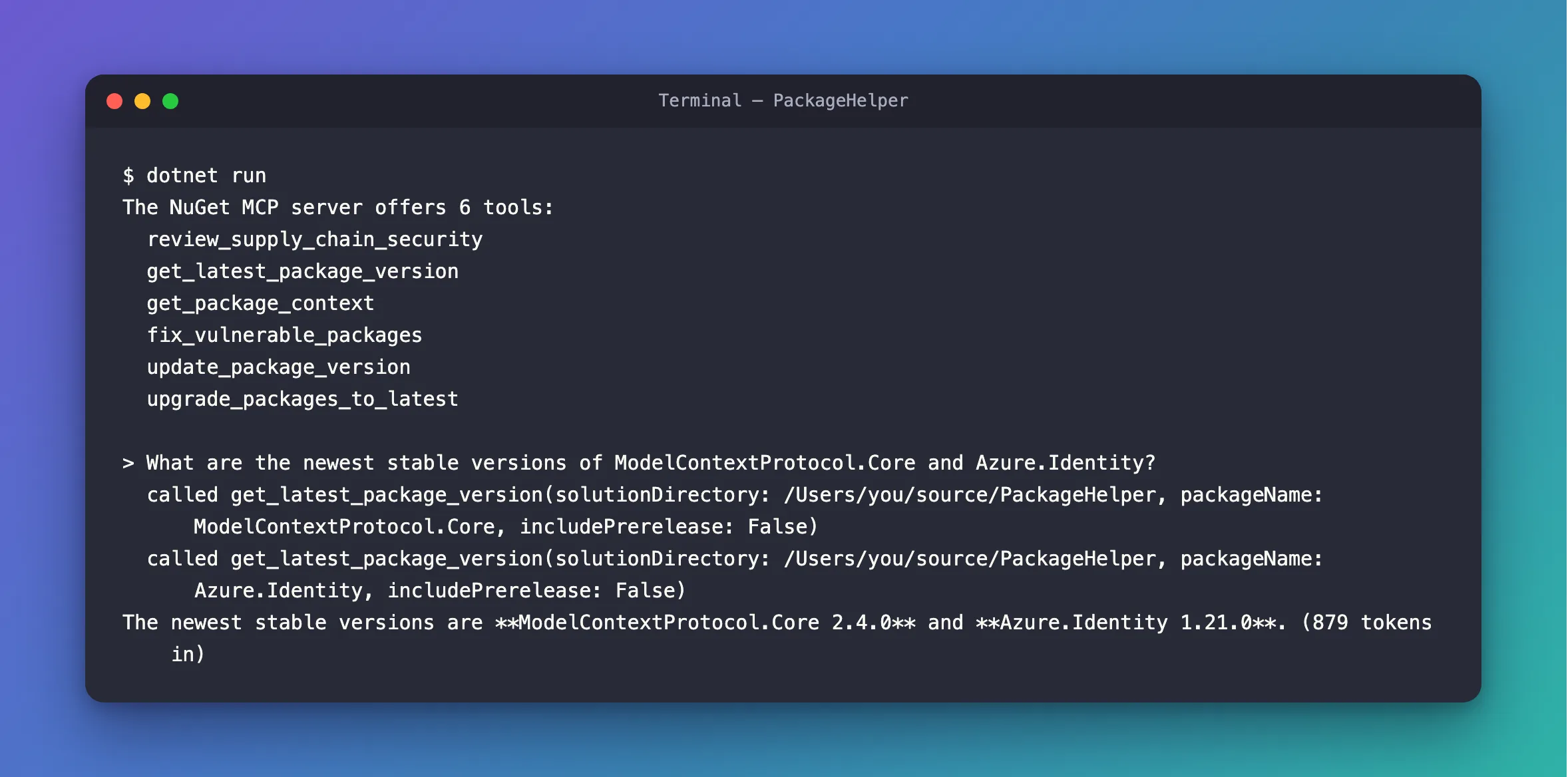
- Six tools: the server's whole list, before the app keeps one.
- Two calls: the model asked for both packages at once, each with the solution directory from the instructions, and with
includePrerelease: False, because the question asked for stable versions. - The answer: 2.4.0 and 1.21.0, the same versions Step 1 installed. The double asterisks are Markdown bold, which a chat page would show as bold text.
- 879 input tokens: the model was called twice, once to choose the calls and once to answer from their results, and both requests carried the instructions, the question and the one tool. At the input price in What Is Microsoft Agent Framework, that's about $0.0002.
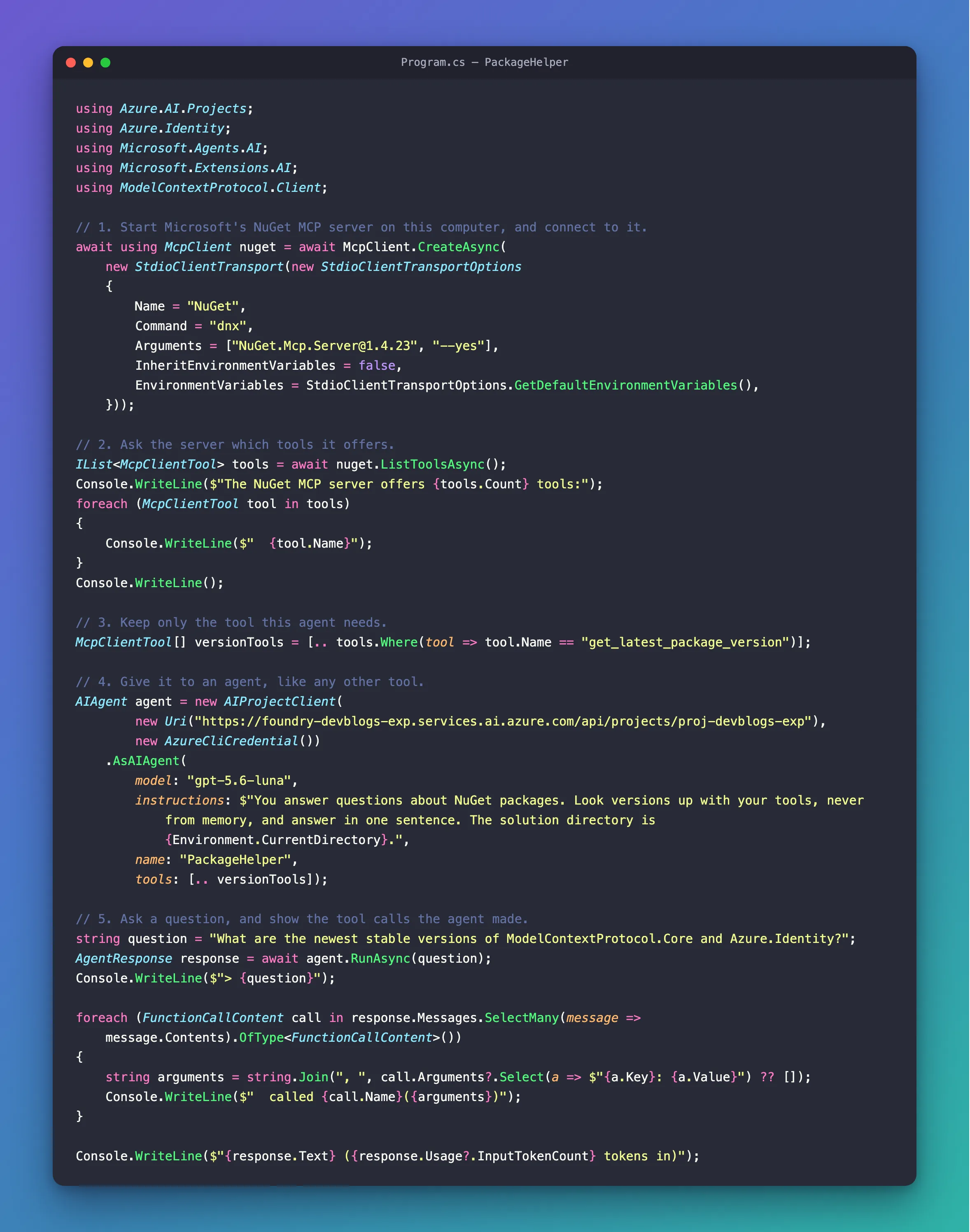
The Complete File
using Azure.AI.Projects;
using Azure.Identity;
using Microsoft.Agents.AI;
using Microsoft.Extensions.AI;
using ModelContextProtocol.Client;

// 1. Start Microsoft's NuGet MCP server on this computer, and connect to it.
await using McpClient nuget = await McpClient.CreateAsync(
    new StdioClientTransport(new StdioClientTransportOptions
    {
        Name = "NuGet",
        Command = "dnx",
        Arguments = ["NuGet.Mcp.Server@1.4.23", "--yes"],
        InheritEnvironmentVariables = false,
        EnvironmentVariables = StdioClientTransportOptions.GetDefaultEnvironmentVariables(),
    }));

// 2. Ask the server which tools it offers.
IList<McpClientTool> tools = await nuget.ListToolsAsync();
Console.WriteLine($"The NuGet MCP server offers {tools.Count} tools:");
foreach (McpClientTool tool in tools)
{
    Console.WriteLine($"  {tool.Name}");
}
Console.WriteLine();

// 3. Keep only the tool this agent needs.
McpClientTool[] versionTools = [.. tools.Where(tool => tool.Name == "get_latest_package_version")];

// 4. Give it to an agent, like any other tool.
AIAgent agent = new AIProjectClient(
        new Uri("https://foundry-devblogs-exp.services.ai.azure.com/api/projects/proj-devblogs-exp"),
        new AzureCliCredential())
    .AsAIAgent(
        model: "gpt-5.6-luna",
        instructions: $"You answer questions about NuGet packages. Look versions up with your tools, never from memory, and answer in one sentence. The solution directory is {Environment.CurrentDirectory}.",
        name: "PackageHelper",
        tools: [.. versionTools]);

// 5. Ask a question, and show the tool calls the agent made.
string question = "What are the newest stable versions of ModelContextProtocol.Core and Azure.Identity?";
AgentResponse response = await agent.RunAsync(question);
Console.WriteLine($"> {question}");

foreach (FunctionCallContent call in response.Messages.SelectMany(message => message.Contents).OfType<FunctionCallContent>())
{
    string arguments = string.Join(", ", call.Arguments?.Select(a => $"{a.Key}: {a.Value}") ?? []);
    Console.WriteLine($"  called {call.Name}({arguments})");
}

Console.WriteLine($"{response.Text} ({response.Usage?.InputTokenCount} tokens in)");
What You Can Do Now
- Start a stdio MCP server from C# with
StdioClientTransport, and connect to it withMcpClient.CreateAsync. - List a server's tools with
ListToolsAsync, and give an agent only the ones it needs. - Keep your environment variables away from a server with
InheritEnvironmentVariables = false. - Pin a server's version, and check who publishes it before you run it.
Common Mistakes
| Mistake | What happens | Do this instead |
|---|---|---|
| Giving the agent every tool a server offers | Every request carries all of their descriptions, 2,351 input tokens instead of 257 here, and the model can call tools you didn't mean it to | Keep only the tools the agent needs, by name |
Starting a server without a version, such as dnx NuGet.Mcp.Server | dnx runs the newest version every time, so what runs can change without you noticing | Pin the version: NuGet.Mcp.Server@1.4.23 |
| Letting a stdio server inherit your environment | Every environment variable, including keys and tokens, reaches the server | Set InheritEnvironmentVariables = false and pass GetDefaultEnvironmentVariables() |
Leaving a required parameter that only your app knows, such as solutionDirectory, out of the instructions | The model has nothing to fill it from | Put the value in the instructions |
Troubleshooting
| Symptom | Likely cause | Fix |
|---|---|---|
System.IO.IOException: Failed to connect transport., with an inner Win32Exception that says An error occurred trying to start process and No such file or directory | The command in Command couldn't be started | Check that dnx --help works in a terminal. dnx comes with the .NET 10 SDK |
| The first run takes longer than the next ones | dnx downloads the server into your NuGet cache the first time | Nothing to fix: later runs start it from the cache |
The output shows no called lines | The agent got no tools: the name in Where matched none of the server's tools | Compare it with the names the app prints |
Frequently Asked Questions
Does the NuGet MCP server cost anything to use?
The server runs on your computer and looks packages up on your package sources, such as nuget.org. What you pay for is the model's tokens, as in Step 7.
Can a person approve MCP tool calls?
Yes. An McpClientTool is an AIFunction, so you can wrap it in an ApprovalRequiredAIFunction, as Tool Approval does with a C# method. That works because your app runs the calls.
Where does dnx keep the server?
In your NuGet cache. The dotnet tool exec reference says it Downloads the specified package to the NuGet cache (if not already present). On my Mac, that was ~/.nuget/packages/nuget.mcp.server/1.4.23.
Conclusion
An MCP server's tools are function tools that run somewhere else. Connect an McpClient, here over stdio by starting Microsoft's NuGet MCP server with dnx, list the server's tools, keep the ones the agent needs and give them to it like any other tool. Pin the server's version and keep your environment variables to yourself, and the agent answers from live data instead of its memory: 2.4.0 and 1.21.0, looked up as it ran.
Next: Tools the Model Service Runs (coming soon) — let the model service run code, search files or search the web for the agent.
Additional Resources
- Using MCP tools with Agents — Microsoft's version, with a GitHub MCP server started by
npx. - MCP C# SDK: Getting Started — the packages, and giving MCP tools to an
IChatClient. - MCP C# SDK: Transports — stdio, Streamable HTTP, and the environment variables a stdio server gets.
- Using the NuGet MCP Server — the server in this example.
- dotnet tool exec —
dnx, pinned versions and--yes.
